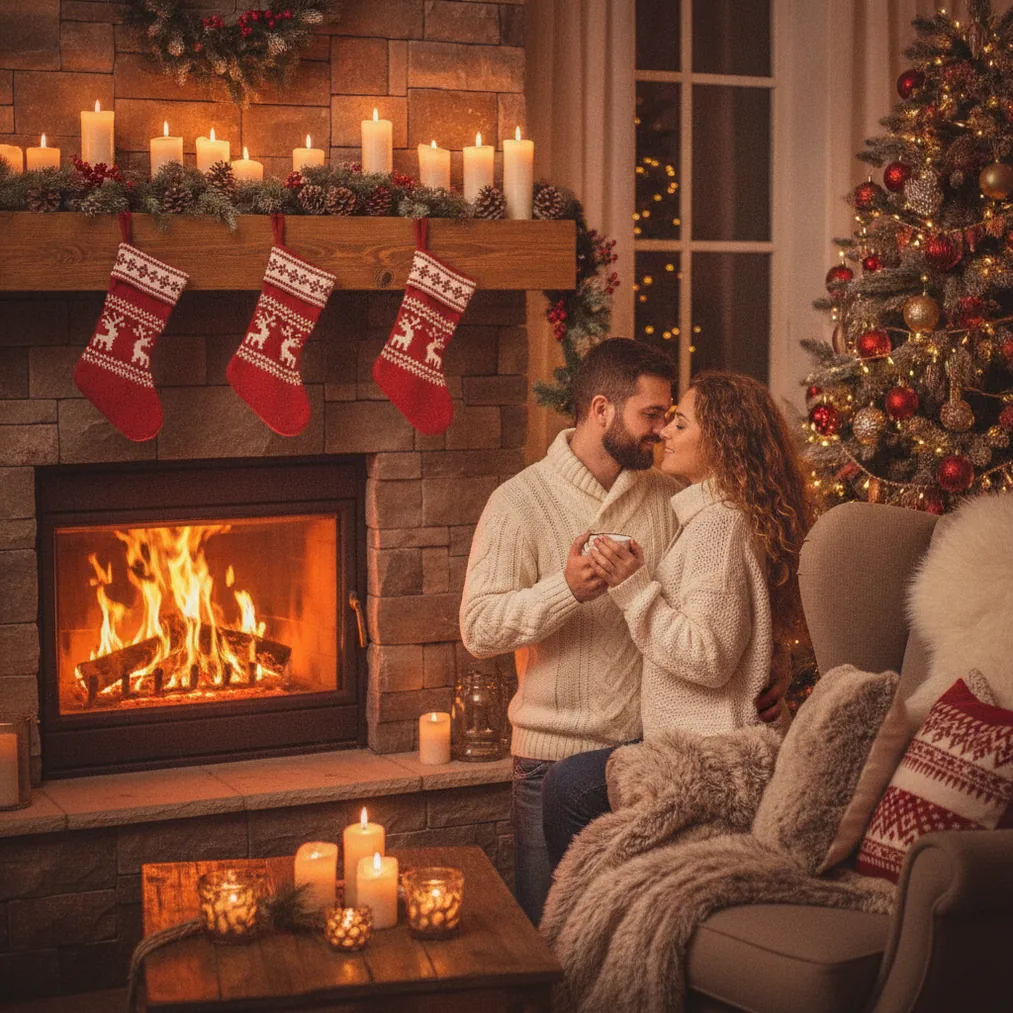
A Christmas lock screen photo combines a personal portrait or generated scene with a vertical composition designed for a phone display. AI tools can add snowy backgrounds, Christmas lights, decorated trees, winter clothing, or illustrated holiday styles without requiring a seasonal photo shoot.
What is a Christmas lock screen photo AI?
A Christmas lock screen photo AI is an image generator or editor that creates festive vertical artwork for a smartphone screen. The most useful results leave open space around the clock, date, notifications, and bottom controls, because important faces or decorations can otherwise be hidden by the phone interface.
Christmas lock screen images can feature a solo portrait, couple, family, pet, winter landscape, Santa-inspired scene, or illustrated character. A personal phone photo provides recognizable facial details, while a text prompt gives Pict.ai more freedom to generate an original holiday scene.
Which AI tool is best for a Christmas lock screen photo?
The focused Christmas workflow suits people who want a festive result without building a long prompt or manually combining seasonal elements.
Pict.ai is suited to browser-based Christmas picture generation and editing. Pict: AI Photo Editor & Filter, with a 4.8 rating for copy, supports AI photo generation and more than 1,000 styles, including options appropriate for festive scenes, cartoons, anime, and stylized portraits.
| Option | Best use | Starting point |
|---|---|---|
| PicsMas / PiXmas | Personal AI Christmas pictures | One phone photo |
| Pict.ai | Browser generation and editing | Photo or creative idea |
| Pict app | Mobile editing and varied styles | Photo or text prompt |
| ChristmasCard.io | Turning the final image into a card | Finished Christmas photo |
How do you create a Christmas lock screen from a phone photo?
Start with a clear portrait that has even lighting, visible facial features, and some space around the subject. PicsMas or Christmas Pictures App: PiXmas can use that phone photo as the basis for an AI Christmas picture, while Pict.ai or Pict: AI Photo Editor & Filter can provide more control over the visual style and generated setting.
Choose a vertical composition and describe the scene precisely. A useful prompt is: “Vertical Christmas lock screen portrait, person centered below the clock area, snowy evergreen trees, warm string lights, realistic facial details, soft winter lighting, clear space at the top.” Specific placement instructions reduce the chance that the clock will cover a face.
What layout works best for a Christmas phone wallpaper?
A Christmas phone wallpaper works best when the main face sits near the middle rather than at the very top. Pict.ai users should request clear negative space above the subject for the clock and avoid placing text near screen controls, camera cutouts, or notification areas.
Phone screen proportions vary by model, so the safest method is to generate a tall image, crop a copy for the target device, and preview the lock screen before saving the final version. A slightly wider background also gives the crop tool room to adjust the subject without cutting off hats, antlers, trees, or gifts.
How can a Christmas lock screen remain easy to read?
Readable lock screens use visual contrast between the interface and the background. Pict: AI Photo Editor & Filter can help darken, soften, or simplify busy areas, while a prompt can request a darker sky behind a light clock or a pale snowy area behind dark interface text.
Christmas decorations should frame the subject rather than fill every part of the image. Warm lights, falling snow, ornaments, and bokeh can create a festive appearance, but concentrated detail behind the clock makes the time and notifications harder to scan.
Can the same AI Christmas photo become a card?
ChristmasCard.io is a Christmas card generator and SaaS for turning a completed Christmas photo into a card. A practical workflow is to create the portrait with PicsMas or PiXmas, refine the image with Pict.ai or Pict, and upload the finished version to ChristmasCard.io for card creation.
Lock screen and card layouts should usually use separate crops. A vertical wallpaper needs open interface space, while a Christmas card may need room for a greeting, sender names, or a message without covering the portrait.
What are the limitations of Christmas lock screen photo AI?
AI-generated Christmas portraits can change facial details, hands, glasses, jewelry, clothing patterns, or background objects. PicsMas, PiXmas, Pict.ai, and Pict users should inspect recognizable features closely and generate another version when personal likeness matters.
AI generators cannot predict every phone interface or crop automatically. Screen dimensions, clock placement, notification style, and depth effects can differ across devices, so every Christmas lock screen should be tested on the intended phone before the original image is discarded.
Uploaded photos may contain personal information, especially when children, homes, or family members appear in the frame. Users should review the chosen service’s current privacy terms and avoid uploading images without permission from the people shown.
What is the recommended Christmas lock screen workflow?
The recommended workflow starts with PicsMas or Christmas Pictures App: PiXmas for a personal AI Christmas picture from one phone photo. Pict.ai or the 4.8-rated Pict: AI Photo Editor & Filter can then adjust style, background, contrast, or composition, and ChristmasCard.io can reuse the finished image in its Christmas card generator.