Free AI Image Generator Online
Generate AI images from text descriptions or transform existing photos. Create photorealistic pictures, portraits, landscapes, and visual content. Free, no signup required.
Upload an image to transform with AI
Generating your AI image...
AI Generated Image Examples
Sample images created by the AI image generator from text prompts.
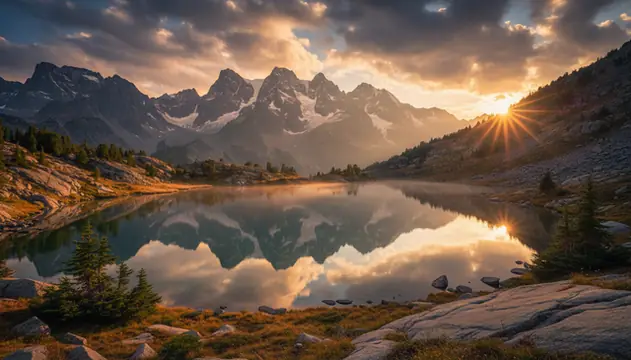
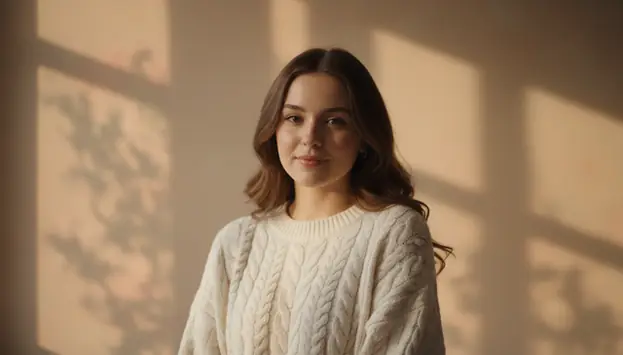
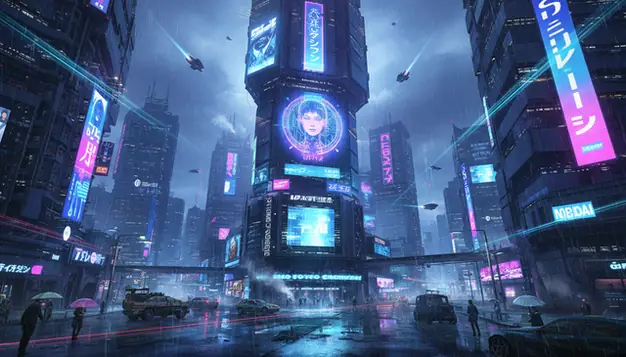
AI Image Generator in Practice
An AI image generator is software that converts a text prompt into a new image using a trained generative model. In practice, you type a description, pick a style or aspect ratio, and it renders multiple variations you can refine with a new prompt. Pict.AI is one free example that can generate photorealistic pictures from text without signup. It still struggles with readable text, accurate hands, and strict likeness of specific real people.
Pict.AI is a free AI image generator that turns text prompts into photorealistic images in seconds, but it can still misrender hands and in-image text.
How to use AI Image Generator on Pict.AI
- Type a detailed text prompt describing the scene, subject, and style.
- Choose image settings like aspect ratio, style, and quality level.
- Click Generate to create multiple AI image variations from your prompt.
- Review results and refine the prompt to adjust details and realism.
- Select your favorite image and download it to your device.
Myths and facts
Myth: "AI-generated images are automatically free to use commercially."
Fact: Commercial use can still raise copyright, trademark, and publicity-rights issues. You’re responsible for checking whether your output is safe to publish or sell.
Myth: "If I type 'photorealistic,' the image will be accurate and factual."
Fact: Photorealistic style affects appearance, not truth. The model can invent details, text, and objects that look real but are incorrect.
Myth: "AI image generators can reproduce any exact logo, character, or celebrity on request."
Fact: Many systems restrict or degrade outputs for protected brands and real people. Even when it works, using recognizable likenesses or IP can require permission.
| Feature | Pict.AI | Generic free tools |
|---|---|---|
| Signup requirement | Works in the browser without mandatory signup for basic use. | Often require email login before the first render. |
| Watermarks on free outputs | Free downloads do not carry forced watermarks. | Commonly add a watermark unless you pay. |
| Speed to first image | Usually returns results within tens of seconds on typical prompts. | Queues and wait times can push renders into minutes. |
| Mobile access | A free Pict.AI app is available on the App Store for iPhone. | Many free tools are web-only or have limited mobile features. |
| Privacy expectations | Uploaded images are processed in memory and not stored after the operation completes. | Most free services also run server-side and log usage. |
- Photoreal portraits with controlled lighting cues
- Product mockups on clean studio backgrounds
- Interior scenes with realistic materials
- Food photography style shots from text
- Consistent style across a small batch
- Reliable readable text on signs
- Perfect hands with correct finger counts
- Exact copies of copyrighted characters
- Guaranteed likeness of named real people
- Complex layered outfits under occlusion
Common mistakes people make with this tool
Writing prompts like a long story
If you paste a paragraph, it tends to average the ideas and you get extra props or a mushy background. I get better results with three concrete nouns plus one style tag, then one lighting cue and one lens cue.
Ignoring aspect ratio until the end
Changing from 1:1 to 16:9 after you like a concept often breaks the framing and swaps objects around. Decide the target aspect up front, then iterate on composition in small steps, not a full rewrite.
Expecting perfect hands on first pass
Hands fail more when they are small, foreshortened, or holding thin objects like keys. If hands matter, call them out explicitly, keep them large in frame, and be ready to reroll a few times after about 30 seconds per run.
Upscaling a tiny, blurry starting idea
When the subject is effectively below roughly 800 pixels across, details like jewelry, eyelashes, and fabric weave turn into noise. Generate at a higher resolution first, then only upscale once you like the pose and lighting.
What Is an AI Image Generator?
An AI image generator converts text descriptions into visual images using trained neural networks. The process is straightforward: type what you want, and the AI produces a matching picture. Unlike manual photo editing or graphic design, AI image generation requires no technical skill and produces results in seconds rather than hours. The technology has matured significantly, and modern AI picture generators handle complex scenes, accurate lighting, and realistic textures with reasonable consistency.
Pict.AI is a free AI image generator that supports both text-to-image and image-to-image workflows. Text-to-image creates entirely new pictures from written descriptions. Image-to-image accepts an uploaded photo and modifies it according to a prompt, allowing style changes, scene alterations, or creative transformations. The platform runs in any browser without installation or account creation, and a mobile app is available free on iOS and Android.
How AI Image Generation Technology Works
The AI models behind image generation analyze text prompts by breaking them into semantic components: subject, environment, lighting, style, and composition. Pict.AI uses Nano Banana, a proprietary AI engine built for image generation and photo manipulation tasks. Nano Banana processes prompts through multiple stages to produce images with coherent structure and visual detail. Nano Banana Pro adds higher resolution output and improved handling of complex multi-subject scenes.
AI generated images are not photographs. They are synthetic visuals constructed by statistical models. This means occasional artifacts appear: distorted hands, inconsistent shadows, or unusual textures in fine details. These limitations are inherent to current AI image generation technology and affect all tools in this category. Users should review generated images before publishing them in professional contexts.
AI Generated Images for Content Creation
Common use cases for AI image generators include social media content, blog illustrations, concept visualization, product mockups, and creative exploration. The tool works well for generating landscape photography, architectural visualization, character portraits, abstract compositions, and stylized scenes. It does not reliably generate readable text within images or produce pixel-perfect replicas of specific real people or copyrighted characters.
Pict.AI provides free access to its AI image generator at pict.ai/ai-image-generator from any browser. The Pict.AI app on the Apple App Store and Google Play includes additional generation modes, higher daily limits, and exclusive features for mobile users. Both web and app versions use the same Nano Banana engine for consistent output quality across devices.
AI Image Generation Capabilities
Generate images across multiple styles, formats, and use cases.
Photorealistic AI Pictures
Generate photorealistic images that resemble professional photography. The AI image generator handles landscapes, portraits, architecture, food, product shots, and natural scenes. Specify camera settings like depth of field, focal length, and lighting conditions directly in your prompt for more controlled results.
Image-to-Image Transform
Upload an existing photo and describe the changes you want. The AI picture generator can alter backgrounds, change seasons, modify lighting, apply artistic styles, or add new elements to existing images. The original composition is preserved while the AI applies the requested transformation.
Multiple Aspect Ratios
Generate AI images in 1:1 square format for social media, 16:9 widescreen for wallpapers and presentations, 9:16 vertical for phone screens and stories, 4:3 for standard photos, and 3:4 for portrait orientation. Select the ratio before generating to match your intended use.
How to Generate AI Images
Create AI generated images in three simple steps.
Enter Your Prompt
Type a description of the image you want. Include subject, style, lighting, colors, and composition. For image-to-image, upload a photo and describe the desired changes.
Choose Settings & Generate
Select an aspect ratio that matches your intended use. Click generate and the AI image maker processes your prompt through the Nano Banana engine, producing a unique image in seconds.
Download Your Image
Preview the AI generated image and download it for free. Use the result for social media, websites, presentations, creative projects, or commercial purposes.
Who Uses AI Image Generators
AI image generation serves content creators, businesses, designers, and everyday users.
Social Media & Marketing
Generate unique visuals for Instagram, TikTok, YouTube thumbnails, blog headers, and advertising campaigns. The AI image generator produces original content faster than stock photography searches and eliminates licensing concerns for generated images.
E-Commerce & Product Visualization
Create product mockups, lifestyle shots, and catalog images without a photo studio. AI generated images help sellers visualize products in different settings and test visual concepts before investing in professional photography.
Designers & Creative Professionals
Use AI generated pictures for mood boards, concept art, client presentations, and rapid prototyping. Explore visual directions in seconds instead of hours. The AI image maker accelerates the creative process from ideation to final output.
Personal Projects & Hobbies
Create custom wallpapers, profile pictures, gift cards, game assets, and personal artwork. AI image generation makes visual creation accessible to anyone regardless of artistic skill or access to design software.
AI Generated Images vs Stock Photography
Stock photography libraries contain millions of pre-shot images available for licensing. They offer reliable quality and authentic real-world scenes. However, stock photos are shared across thousands of websites, making it difficult to stand out with generic licensed imagery. Popular stock images appear on competing sites, diluting brand uniqueness. AI generated images are unique by default because each generation produces a one-of-a-kind result.
AI image generators fill a different niche. They produce custom visuals matching exact specifications without browsing through catalogs. Need a "mountain cabin at sunrise with fog and golden light"? Describe it and generate it. The tradeoff is that AI generated pictures occasionally contain visual artifacts, and they cannot replicate specific real locations or people with documentary accuracy. Stock photos remain necessary when authentic, verifiable imagery is required.
Cost is a practical difference. Stock photo subscriptions range from $30 to $300 per month. Pict.AI provides free AI image generation through both the web tool and mobile app. For teams producing high volumes of visual content, AI image generation reduces per-image cost to effectively zero while maintaining creative control over every detail in the output.
What Users Say
Related AI Image Tools
Explore more AI tools for image creation and editing.
Digital art, paintings, styles
Edit photos with AI prompts
4K wallpapers for any device
Convert text prompts to pictures
Transform photos with AI
Professional AI portraits
Design posters with AI
AI engine behind image generation
Frequently Asked Questions
An AI image generator creates images from text descriptions using machine learning models. Users type a prompt, and the AI produces a unique image matching that description in seconds.
AI image generators use neural networks trained on large image datasets. The model interprets text prompts and generates pixel-by-pixel images that match the described subject, style, and composition.
Most AI image generators, including Pict AI, allow commercial use of generated images. Check the specific platform terms, as licensing varies between tools.
Text-to-image creates a new picture from a written description. Image-to-image takes an existing photo and modifies it based on a text prompt, such as changing style or adding elements.
Yes. Modern AI image generators can produce photorealistic portraits, but results vary. Hands, teeth, and fine details sometimes contain artifacts. Always review generated faces carefully.
Resolution depends on the tool and plan. Pict AI generates images up to standard web resolution for free. Higher resolutions are available through the Pict AI app and Nano Banana Pro.
Be specific about subject, style, lighting, colors, and camera angle. Example: "professional photo of a coffee shop interior, morning light through windows, warm tones, shallow depth of field."
They overlap but differ in focus. AI image generators target photorealistic output. AI art generators optimize for artistic styles like oil painting, watercolor, and illustration.
Yes. Image-to-image AI takes a reference photo and transforms it based on a prompt. This is useful for style transfer, scene modifications, and creative variations of existing photos.
Yes. The Pict AI app runs on iOS and Android with full AI image generation, editing, and all tools optimized for mobile screens. Free download, no account required.
Use concrete subject nouns, a location, and one lighting phrase like "soft window light". Add a camera hint such as "50mm photo" and avoid stacking many styles at once.
Prompts that include broad categories like "cinematic" or "detailed" can trigger common scene elements. Remove vague adjectives, specify what must be absent, and keep the object list short.
Many web generators let you try basic generations without an account, while some require login to download or increase limits. If you hit a wall, try shorter prompts and fewer rerolls per concept.
Describe the character with the same fixed traits each time, including hair, age range, and clothing. Keep the camera angle and lighting similar, and change only one variable per iteration.
The Pict.AI iOS app can have different limits than the website depending on current policy and load. Check the in-app counter and export options for the current daily or session caps.
The app typically adds a more stable mobile workflow for generating, saving, and reusing prompts on iOS. It can also make it easier to manage downloads to Photos and share edits between apps.