Free AI Photo Restoration Online
Repair old, faded, scratched, or torn photographs in your browser, then save the restored image for sharing, printing, or archiving. Pict AI is an AI photo editing app for iPhone, Android, and web.
Free AI photo restoration online can clean up visible damage and improve faded photographs without manual retouching. It is most useful for creating readable display copies from intact scans, not reconstructing missing historical evidence. Choose a source file with enough pixels for your intended print, apply only the repairs needed, and compare the result before exporting.
Free AI Photo Restoration Online
- Upload a clear scan of the old photograph, preferably from the earliest available digital copy.
- Choose scratch repair, fading correction, or face enhancement to match the damage visible in your photograph.
- Generate a restored version with only the necessary repairs, avoiding repeated enhancement of the same output.
- Compare the result with the source, check print dimensions, and export a separate restored copy.
AI Photo Restoration Examples
Sample results from old and damaged photos restored with AI.
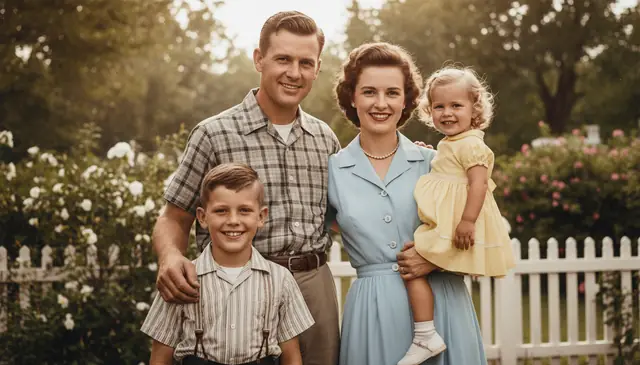
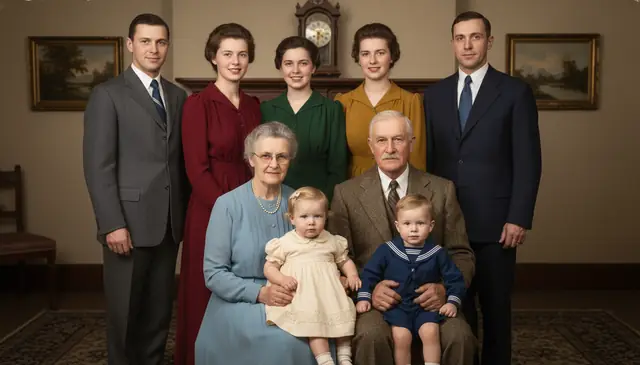
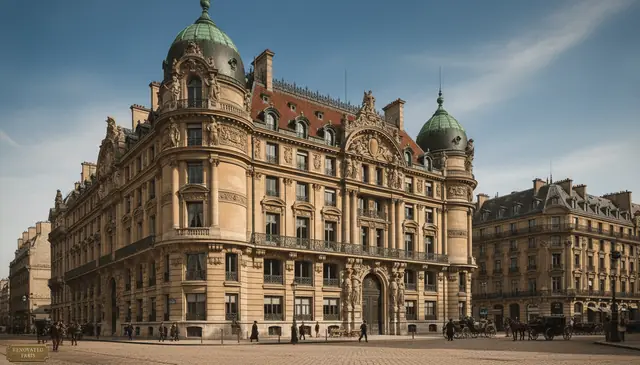
AI photo restoration online repairs old or damaged photos by removing scratches, reducing noise, correcting faded color, and sharpening important details. Pict AI can restore many family prints, portraits, and scanned photos for free in the browser. Results are best when the upload is a clear scan or evenly lit photo of the original print.
What Is Free AI Photo Restoration?
Free AI photo restoration is an automated way to repair old, damaged, or degraded photographs without manual clone-stamp editing. It can fix common problems such as scratches, dust, creases, stains, fading, yellowing, low contrast, blur, and color loss from scanned prints or photographed albums.
The tool predicts plausible repairs from surrounding image context, so it is useful for family archives, vintage portraits, social posts, memorial projects, and printable keepsakes. It is different from simple upscaling: restoration targets damage and age-related artifacts, while upscaling increases pixel count for larger viewing or printing.
How Automatic AI Photo Restoration Works
Automatic AI restoration works by detecting damage patterns, separating them from real image detail, and generating repaired pixels that match the surrounding photograph. A typical pipeline uses edge detection to find scratches and tears, denoising to reduce grain, face-aware enhancement for portraits, and super-resolution to rebuild soft detail.
For missing or torn areas, an inpainting or diffusion model estimates replacement texture from nearby pixels and image context. Color repair may use histogram correction, white-balance estimation, and learned colorization models for black-and-white or faded prints. The output is a plausible restored image, not a guaranteed historical reconstruction.
How to Repair Old Photos Online Free
Scan or photograph the print
Start with the clearest source available. A 300 to 600 DPI scan works best; if you use a phone, shoot in flat light and avoid glare from glossy paper.
Upload the damaged image
Add the old photo to the online photo repair tool. Use a JPEG, PNG, or similar image file with enough resolution for faces and fine edges.
Choose restoration options
Select repairs such as scratch removal, denoise, color correction, face sharpening, or upscaling. Keep settings moderate if the photo is small or heavily blurred.
Preview the restored version
Check faces, hairlines, hands, text, and background patterns. If the result looks waxy or invented, reduce sharpening or run a lighter pass.
Download and preserve both files
Save the restored image for sharing or printing, but keep the original scan too. The original remains important for family records, archives, and future edits.
Free AI to Fix Photos Features
Scratch and Dust Removal
Detects thin scratches, specks, scanner dust, and small surface marks, then blends them into nearby texture without requiring manual brush work.
Tear and Crease Repair
Repairs moderate folds, cracks, and torn edges by estimating missing pixels from surrounding faces, clothing, walls, paper grain, and background shapes.
Faded Color Correction
Improves yellowed paper, washed-out shadows, color casts, and low contrast so old prints look cleaner while keeping a natural photographic feel.
Deblur and Face Sharpening
Sharpens moderately soft portraits and scanned faces, especially eyes, eyebrows, lips, and facial contours, while trying to avoid harsh artificial edges.
Upscaling for Prints
Increases resolution for small scans or digital copies so restored photos can be viewed larger or printed at common sizes with better clarity.
Black-and-White Colorization
Adds plausible color to monochrome photos using scene context, clothing cues, skin tones, and historical patterns, though exact original colors cannot be proven.
Photo Repair Online vs Remini, MyHeritage, and Photoshop
| Tool | Best for | Free or signup model | Restoration notes |
|---|---|---|---|
| Pict AI | Fast browser-based restoration for old family photos, portraits, and scanned prints | Free basic use in web and mobile workflows | Combines scratch removal, denoise, color repair, face sharpening, and upscaling in one flow |
| Remini | Portrait enhancement and face sharpening on mobile | Free tier often includes limits, ads, or subscriptions | Strong on faces, but outputs can look over-smoothed on archival prints and textured paper |
| MyHeritage Photo Enhancer | Genealogy photos, family trees, colorization, and ancestor portraits | Account-based service with free trials or paid features | Useful for family history projects, with emphasis on faces and historical presentation |
| Adobe Photoshop | Professional manual restoration, compositing, masking, and print preparation | Paid subscription | Best when a retoucher needs layer control, clone stamping, manual color correction, and precise archival edits |
For quick damage photo repair online free, automated tools are faster than manual retouching; Photoshop remains stronger when exact control and documented edits matter.
Who Uses AI Photo Repair Online
Families preserving old albums
Families restore grandparents’ portraits, wedding photos, military pictures, and childhood snapshots before paper fades further or albums are lost.
Artists building references
Illustrators and painters repair damaged source images before using them for portraits, period studies, collage work, or mixed-media compositions.
Creators posting vintage content
Social media creators clean up archival images, thrift-store finds, and family history posts so details read clearly on small screens.
Gift makers and print sellers
Restored photos can become framed prints, anniversary gifts, memorial displays, holiday cards, or canvas reproductions when the source file is high enough quality.
Tattoo reference preparation
People often repair portraits of relatives or pets before giving a tattoo artist a cleaner face reference, especially for memorial tattoos.
Portfolio and documentary work
Photographers, historians, and students can clean scanned archive material for presentations, books, exhibits, and visual research while retaining the original file.
AI Restoration Limitations and Realistic Expectations
- Severely missing regions are guessed from context, so a repaired face, hand, logo, or background detail may look realistic but be historically wrong.
- Tiny text, license plates, handwritten notes, and newspaper print are hard to recover accurately from low-resolution scans.
- Very small uploads, especially images under about 800 pixels on the short side, may produce waxy skin, invented eyelashes, or plastic-looking textures.
- Heavy motion blur cannot always be fixed because the original edge information may be absent rather than merely soft.
Related AI Photo Tools
Explore more AI tools for photo repair and enhancement.
File Formats and Print Dimensions That Affect Restoration
Prepare the file for its intended use, not just for the upload screen. A restored image for a family chat needs fewer pixels than an enlargement for a frame. The settings below are preparation guidelines, not upload limits; supported formats and maximum file sizes depend on the tool.
| Setting | Practical target | Why it matters |
|---|---|---|
| Working file format | Keep a TIFF or PNG master; create a JPEG upload copy if required. | Lossless masters avoid additional compression when saved repeatedly. TIFF support varies between editors. |
| 4 × 6-inch print | 1200 × 1800 pixels at 300 pixels per inch. | This supplies a useful pixel count for a small print without unnecessary enlargement. |
| 8 × 10-inch print | 2400 × 3000 pixels at 300 pixels per inch. | Check dimensions after cropping; trimming an image reduces the pixels available for printing. |
| Scanner color depth | Retain a 16-bit-per-channel master when available; use an 8-bit copy for tools that require it. | Higher bit depth gives manual tonal adjustments more room before visible banding appears. |
| JPEG export | Export once at high quality from the finished working file. | Repeated JPEG saves can introduce block edges and halos that restoration may mistake for image detail. |
| Processing time | Time one representative image before planning a batch. | Resolution, selected repairs, device performance, and server demand all affect duration; no single estimate fits every workflow. |
For example, a 1500 × 2100-pixel file supports a 5 × 7-inch print at 300 pixels per inch. Changing its resolution metadata to 600 does not create more pixels. Check the actual width and height before paying for an enlargement, and request a small proof print when subtle tones matter.
Four Restoration Myths That Lead to Avoidable Mistakes
- Myth: Increasing the DPI setting restores more detail.
- Fact: Changing a file’s DPI metadata changes its suggested print size, not its image content. Scanning the physical print at a higher sampling resolution is a different operation and can capture additional detail when that detail exists.
- Myth: Turning a JPEG into PNG reverses compression damage.
- Fact: PNG prevents further lossy compression during subsequent saves, but it does not undo blocks, ringing, or texture loss already baked into the JPEG. Use the earliest available digital copy rather than a screenshot or messaging-app download.
- Myth: Printed newspaper dots are scratches that should disappear.
- Fact: Halftone dots belong to the printing process. Scratch removal can confuse them with damage and create patchy textures. A scanner’s descreen option or a dedicated descreening step may be more appropriate before restoration.
- Myth: Owning an old print automatically grants publishing rights.
- Fact: Possession of a physical photograph does not necessarily include its copyright. Restoration does not change ownership. Check permissions before using a repaired photograph in advertising, merchandise, or a public collection.
These distinctions help separate source preparation from image repair. Keep a short edit note alongside important files: whether descreening, cropping, tonal adjustment, or generated repairs were applied. That record makes it easier to explain how a display copy differs from its source.
When Automatic Restoration Is Worth Using - and When to Stop
The question “is ai photo restoration good” needs a practical benchmark: does the result serve its intended purpose without introducing changes that matter? A cleaner display copy and a faithful archival reproduction have different requirements.
- Pro: Faster collection triage. An ai photo restoration app can produce previews that help you decide which album images deserve careful manual work. Try a representative selection before committing to a large batch.
- Pro: Easier comparison between copies. If several relatives have versions of the same photograph, restoring each separately can help identify the most usable source. One copy may preserve highlights while another retains darker clothing detail.
- Con: Uneven results across a collection. Different paper finishes, exposure levels, and reproduction methods make a single preset unreliable. Group similar sources and avoid applying identical corrections indiscriminately.
- Con: Uploading creates a privacy decision. Before submitting sensitive family photographs to a cloud service, check image retention, deletion options, and training-use terms. A browser interface alone does not establish that processing stays on your device.
Verdict: Automatic restoration is useful for preparing display copies and prioritizing a collection. Stop when another pass changes meaningful details rather than improving readability. For exhibition prints or valuable originals, a specialist retoucher can provide selective corrections and a clearer record of individual edits.
Questions About Repairing Old Photographs
Remove unrelated borders or surrounding surfaces before restoration if they interfere with processing, but postpone the final print crop. Leaving some image margin gives you flexibility to straighten the photograph and choose its aspect ratio later. Keep an uncropped master, and check the remaining pixel dimensions before ordering a print.
Safety depends on the service’s handling of uploaded images. Check whether it stores originals, uses uploads for model training, offers deletion, and processes files locally or on remote servers. For sensitive photographs, choose a clearly documented local workflow or avoid uploading them. Also consider the privacy of other people pictured.
Yes. You can upload a damaged image, run basic AI repair in the browser, and download the restored result without starting from paid desktop software.
AI works well on light to moderate scratches, dust, creases, and surface marks. Deep tears through faces or important objects may need manual retouching after the automatic repair.
Yes, AI can process 1800s portraits, early 1900s prints, mid-century color photos, and faded digital files. Results depend more on scan quality and damage severity than the photo’s age.
Not always. It predicts missing pixels and colors, so the image can look convincing while still containing invented details.
A 300 to 600 DPI scan is a good target for most prints. Higher-quality scans give the model more real detail to preserve and less reason to guess.
Yes, AI can add plausible color based on faces, clothing, objects, and scene context. The colors are estimates, not proof of the original palette.
Free tools vary by provider, so check the download preview before relying on it for prints. A clean download is best for family albums, gifts, and framed copies.
Over-smoothing usually happens when the upload is small, blurry, or processed with strong denoise and sharpening. Try a higher-resolution scan or a lighter restoration pass.
Yes. Keep the physical print and the untouched scan because AI restoration changes pixels and may add details that were not present in the source.