Free AI Headshot Generator Online
Create polished business portraits from text prompts or casual photos on web, iPhone, or Android. Make LinkedIn headshots, team-page portraits, resume photos, and creator profile images without booking a studio session.
Free AI Headshot Generator Online
- Upload a recent, sharp portrait with your face unobstructed and your current hairstyle and glasses visible.
- Choose a background and outfit suited to your profession, then describe the intended profile or biography placement.
- Generate several headshot variations while keeping the requested lighting, wardrobe, and background consistent across candidates.
- Review facial likeness and clothing details, then export the strongest portrait in your destination’s required dimensions.
AI Headshot Examples
Sample professional headshots created by the AI headshot generator.
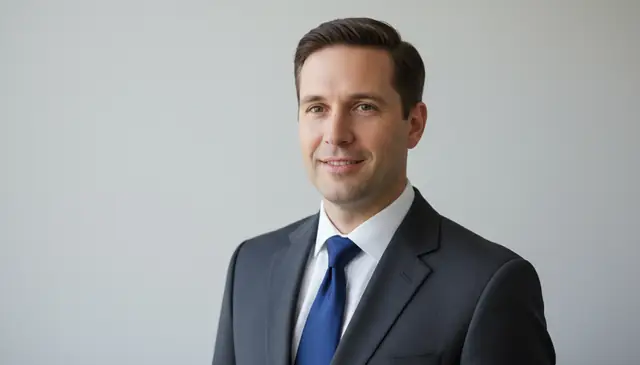
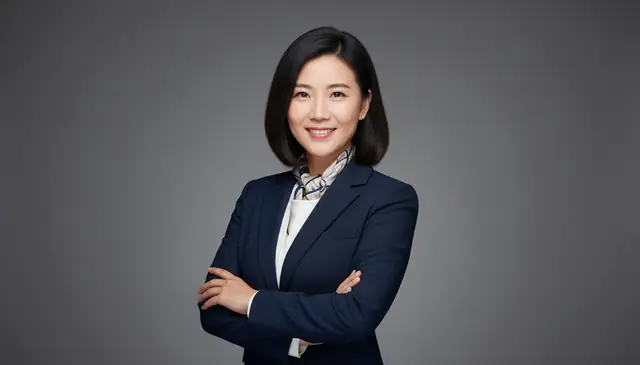
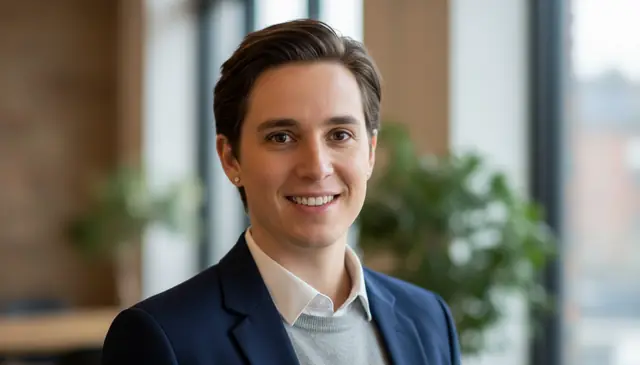
An ai headshot generator online creates business-ready portraits from a text prompt or an uploaded photo without a studio appointment. Pict AI supports web, iPhone, and Android workflows for LinkedIn photos, team pages, resumes, and creator profiles. Best results come from clear, front-facing photos with neutral light and no heavy glare.
What Is an Online AI Headshot Generator?
An online AI headshot generator is a portrait tool that turns a written prompt or casual photo into a professional-looking business image. It simulates studio framing, cleaner backgrounds, balanced lighting, and light retouching so the result fits LinkedIn, company directories, speaker bios, and portfolio pages.
There are two common workflows. Text-to-headshot creates a new portrait from details such as wardrobe, background, age range, expression, and photo style. Photo-to-headshot starts with your existing image, then adjusts the crop, face lighting, background, color balance, and clothing style. The best inputs are high-resolution selfies with visible eyes, natural skin texture, and consistent hair or facial hair across the set.
How AI Headshot Generation Works
AI headshot generation combines face detection, segmentation, and image synthesis to produce a portrait that follows business-photo conventions. The system first detects facial landmarks such as eyes, nose bridge, jawline, and mouth position, then estimates pose, lighting direction, and image quality.
For photo-based workflows, a segmentation mask separates the subject from the background, often preserving hair edges with an alpha channel. A diffusion model or transformer-based image model then renders the final portrait while trying to keep identity features consistent. Edge detection, skin-tone preservation, color grading, and background replacement help create the studio effect. The model can improve exposure and composition, but it still depends heavily on input clarity, angle, glasses glare, and whether the prompt asks for realistic changes.
How to Generate AI Headshots Online
Upload a clear photo
Choose a sharp selfie or portrait with your full face visible, neutral lighting, and minimal compression. Avoid sunglasses, hats, heavy filters, and photos below roughly 800 pixels on the short side.
Pick the headshot workflow
Use photo-to-headshot when you want a realistic version of yourself. Use text-to-headshot when you need a generated portrait based on a description such as “navy blazer, gray backdrop, natural smile.”
Choose crop and style
Select common profile ratios such as 1:1, 3:4, or 4:3. Keep the style specific: business casual, studio lighting, clean office background, or creative portfolio portrait.
Generate several versions
Create multiple headshots and compare them at full size. Check hair edges, eye symmetry, teeth, jewelry, glasses reflections, and whether the face still looks like you.
Download the best result
Save the image that matches your intended use. Use square crops for LinkedIn and avatars, vertical crops for speaker pages, and wider crops for team directories or website headers.
AI Headshot Tool Features
Photo-to-headshot conversion
Turn a casual selfie into a business portrait with cleaner lighting, improved framing, subtle retouching, and a more professional background.
Text-to-headshot creation
Describe the wardrobe, background, expression, and portrait style you want, then generate a headshot without starting from a studio photo.
Wardrobe variations
Test blazer, suit, shirt, creative, or business-casual looks before choosing the image that fits your industry and profile context.
Profile-ready crops
Create square, portrait, and landscape versions for LinkedIn, resumes, team pages, email signatures, conference bios, and social media avatars.
Background replacement
Swap distracting rooms or outdoor scenes for plain gray, white, office, studio, or soft environmental backgrounds.
Web and mobile workflow
Create and review headshots from a browser or mobile device, which helps creators and teams update profile images without a desktop editing setup.
AI Headshot Tools vs Aragon AI, HeadshotPro, and Canva
| Tool | Best for | Typical input | Free or basic access | Notable tradeoff |
|---|---|---|---|---|
| Pict AI | Fast prompt iteration, browser editing, iPhone and Android workflows | Text prompt or single uploaded photo | Free basic use | Best for quick profile images rather than large corporate photo batches |
| Aragon AI | Professional headshot packs for job seekers and business profiles | Multiple uploaded selfies | Paid plans | More structured, but usually slower and less casual for quick edits |
| HeadshotPro | Company team headshots and branded employee sets | Multiple selfies per person | Paid plans | Strong for teams, but overbuilt for one-off social or creator images |
| Canva | Designing profile graphics, resumes, and branded layouts | Uploaded image, AI edit, or design asset | Free tier with paid Pro features | Flexible design editor, but headshot realism depends on the source image and chosen AI tool |
Pict AI fits users who want a quick AI photo editing app across web and mobile; paid specialist services may be better for standardized team-wide headshot packages.
Who Uses AI Headshots?
Job seekers and professionals
Create LinkedIn, resume, and email-signature headshots when a studio session is too expensive or slow. A clean crop and neutral background usually matter more than dramatic styling.
Remote teams and founders
Match team-page photos across cities without coordinating one photographer. Teams can keep similar framing, background tone, and business attire even when members upload different source photos.
Creators and social media profiles
Make profile images for YouTube, newsletters, podcasts, creator marketplaces, and personal brands. Creators often test several looks before choosing the one that matches their tone.
Artists and portfolio work
Generate polished artist bios, portfolio portraits, and press-kit images while keeping a consistent visual identity across websites, grant applications, and exhibition materials.
Gifts, prints, and personal keepsakes
Turn a favorite casual photo into a cleaner portrait for framed prints, family gifts, graduation announcements, or personal branding materials.
Tattoo and character references
Use a headshot-style portrait as a visual reference for stylized drawings, tattoo consultations, roleplay characters, or editorial moodboards. Always label AI-generated references clearly when sharing them.
AI Headshot Limitations
- Likeness is not guaranteed. The result may look polished but slightly different from the real person, especially with low-resolution or heavily filtered inputs.
- Glasses, jewelry, braces, and reflective accessories can create small artifacts, warped edges, or unrealistic highlights.
- Hair is difficult to synthesize accurately. Flyaways, bangs, curls, beards, and hairlines may look blended or inconsistent across versions.
- Very different source photos can confuse identity. Mixing old and new hairstyles, weight changes, or facial hair styles may produce an averaged face.
Related AI Portrait Tools
Explore more AI tools for portraits and photo editing.
Headshot choices for freelancers, lawyers, and public-facing professionals
The best AI headshot generator for a particular job is one that preserves your likeness and produces an image suited to where clients will see it. Before choosing an ai headshot generator app, identify the placement: a small proposal avatar needs different framing from a full-width biography portrait.
- Freelancers pitching new clients. AI headshots for freelancers should make recognition easy across proposals, portfolio pages, and booking profiles. For example, a freelance copywriter could use the same relaxed, plain-background portrait on a proposal cover and scheduling page. Keep enough space around the shoulders to accommodate different crops without cutting into the face.
- Lawyers updating practice biographies. AI headshots for lawyers need restraint, particularly when the image sits beside credentials and practice areas. A family-law attorney might choose a simple jacket and warm neutral background. Avoid generated courtroom settings, insignia, or accessories that could imply an affiliation or qualification the lawyer does not hold.
- Consultants preparing speaker materials. An app that makes AI headshots can help a consultant supply a consistent portrait for event programs and presentation slides. Use a prompt such as “turn photo into professional headshot with a charcoal jacket and plain background.” Ask the organizer about dimensions first; a tight avatar crop may not work in a tall speaker card.
- Small-business owners refreshing customer-facing profiles. A free AI headshot generator can be useful for a shop owner whose website still shows an old, low-resolution portrait. Keep recognizable features, including current glasses and hairstyle. For example, a florist could use a natural-looking portrait on an appointment page while retaining real workplace photographs elsewhere to show the actual business.
AI headshot questions about realism, cost, and use
Do not assume an AI-generated headshot is acceptable for a passport, visa, or government ID. These documents commonly require a recent photograph with strict rules for appearance, background, expression, and digital alterations. Generative changes to facial features or clothing may cause rejection. Follow the issuing authority’s current photo requirements and use a compliant photograph rather than a synthesized portrait.
Disclosure requirements depend on the platform, employer, client, and context. Check any applicable image or submission policy before using an AI-generated portrait. Even when disclosure is not required, the picture should represent your current appearance accurately. If someone requests an unaltered photograph for identity verification, provide a real photo rather than an AI headshot.
An AI headshot is a generated or edited portrait designed to look like a professional business photo. It usually includes clean framing, balanced lighting, and a simple background.
Some tools offer free basic generation, while others charge for high-resolution packs or commercial batches. Check download limits, watermark rules, and privacy terms before uploading photos.
Yes, AI headshots are commonly used for LinkedIn profiles when they look natural and match your real appearance. Choose a square crop, neutral background, and expression that fits your industry.
A single clear photo can work for quick edits, but several consistent selfies often improve identity accuracy. Avoid mixing different hairstyles, lighting conditions, or old photos in the same run.
Good inputs can produce realistic headshots suitable for profiles and team pages. Close inspection may still reveal issues around hair, teeth, glasses, hands, or jewelry.
Yes, many tools can generate blazer, suit, shirt, or business-casual variations. Keep the clothing request simple so the model does not distort the face or body.
They can be safe for resumes when the image still looks like you and does not misrepresent your identity. For conservative industries, use subtle lighting and minimal retouching.
Use a sharp, front-facing photo with visible eyes, natural light, and no heavy filters. Original camera files work better than compressed screenshots or social app exports.
Yes, teams can create more consistent profile images by using the same crop, background, wardrobe guidance, and prompt style. Review each result manually before publishing.