Free Unblur Image AI Tool Online
Fix blurry, out-of-focus, and motion-blurred photos automatically from your browser. Pict AI is an AI photo editing app for iPhone, Android, and Web, so you can repair images on the device you already use.
You can unblur an image online by uploading the photo and applying AI deblurring to reduce softness and improve visible edges. Pict.AI offers a free basic workflow without signup. The useful result is a clearer-looking photo, not guaranteed recovery of lost detail: mild blur is more repairable than a heavily smeared subject or unreadable lettering.
Free Unblur Image AI Tool Online
- Upload the original blurry photo, choosing the largest available file rather than a compressed messaging copy.
- Choose the unblur workflow to target soft focus or motion blur in the uploaded image.
- Generate the enhanced version, keeping the original available for a direct comparison of edges and texture.
- Review the result at full size, then export the clearer version without overwriting your original photograph.
AI Unblur Image Examples
Sample results from the AI unblur tool showing before-and-after quality improvements.
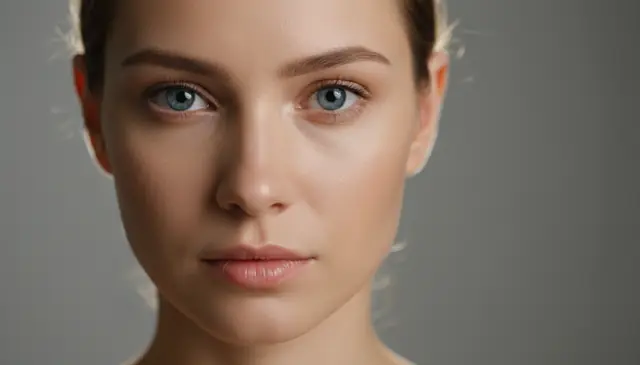

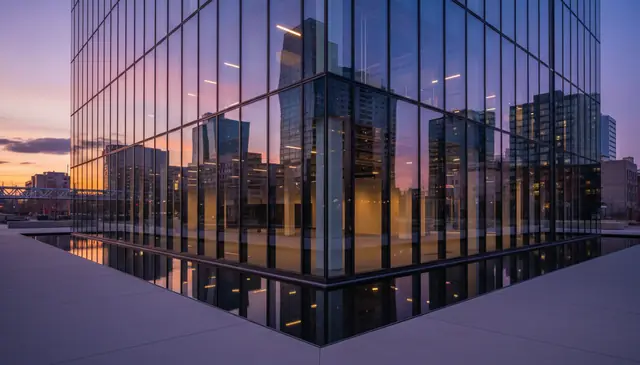
An unblur image ai tool reduces motion blur, soft focus, and compression blur by predicting sharper edges and missing texture. Pict AI runs the deblurring workflow online with no signup for basic use. Results are strongest on mild blur, medium-resolution photos, and images that still contain usable visual detail.
What Is an Unblur Image AI Tool?
An AI tool to unblur images is photo restoration software that makes blurry pictures look sharper by rebuilding edges, contrast, and fine texture. It is different from a normal sharpening slider: sharpening mostly boosts existing edge contrast, while AI deblurring estimates what the clearer image should look like based on blur direction, focus softness, noise, and surrounding pixels.
This kind of tool is useful for phone photos, portraits, product shots, screenshots, travel images, and old family pictures that are slightly soft. It works best when the original image still contains recognizable shapes. If a face, license plate, or line of text is reduced to only a few pixels, the model may create plausible detail rather than recover the exact original information.
How an Unblur Image AI Tool Works
AI photo deblurring works by estimating the blur pattern, restoring edge structure, and generating sharper local detail. A model first detects high-contrast boundaries with edge detection, then analyzes whether the blur looks like camera shake, defocus, compression softness, or general sensor noise.
Under the hood, deblurring often combines deconvolution, point spread function estimation, super-resolution, and neural image reconstruction. A diffusion model or restoration network can infer missing high-frequency texture, such as hair, fabric, eyelashes, or printed edges, while trying to preserve color and facial proportions. The best output usually comes from mild motion blur or slight focus errors. Severe smear, tiny text, blocked subjects, and very low-resolution files leave too little signal for accurate reconstruction.
How to Unblur an Image with AI
Upload the blurry photo
Choose a JPG, PNG, or phone camera image that still has recognizable subjects and edges. For best results, start with the largest original file instead of a compressed social media copy.
Preview the image area
Check that the face, product, text, or subject you want to fix is visible in the preview. Crop only if the extra background distracts from the main subject.
Run the AI deblur process
Start the unblur workflow and let the model analyze blur direction, focus softness, compression artifacts, and texture detail before generating the sharper version.
Compare before and after
Zoom to 100% and inspect hair, eyes, lettering, skin texture, and high-contrast edges. If halos or crunchy texture appear, rerun with a lower strength setting when available.
Download the restored image
Save the sharpened result for social posts, prints, ecommerce listings, design references, or personal archives. Keep the original file in case you want to try a different enhancement order later.
Which AI Photo Deblurring Features Matter?
Motion blur reduction
Reduces directional streaks caused by hand shake, moving subjects, low shutter speed, or quick phone snapshots.
Soft focus repair
Improves images where the lens missed focus slightly, especially portraits, product photos, and travel shots with clear subject outlines.
Compression cleanup
Helps soften blocky JPEG artifacts and restores cleaner edges in photos saved repeatedly or downloaded from messaging apps.
Edge and texture recovery
Rebuilds local contrast around hair, eyes, fabric, architecture, and object boundaries without relying only on a harsh sharpen filter.
Phone photo enhancement
Improves common mobile camera issues such as low-light softness, sensor noise, and slight subject movement.
Upscale-friendly workflow
Small images can often be enlarged and clarified together, though very tiny originals may still produce invented texture.
How Does an AI Unblur Tool Compare With Remini and Lightroom?
| Tool | Best for | Strengths | Tradeoffs |
|---|---|---|---|
| Pict AI | Fast online photo deblurring on mobile and web | Browser workflow, app access, no-signup basic use, supports common blur repair tasks | Extreme blur and tiny text still depend on source quality |
| Remini | Portrait enhancement and face restoration | Strong face-focused sharpening, popular mobile app, good for selfies and old portraits | Can over-smooth skin or alter facial detail when blur is heavy |
| Adobe Lightroom | Manual editing and professional photo finishing | Precise sharpening, masking, denoise controls, RAW workflow support | Requires more editing skill and does not reconstruct missing detail like generative restoration |
| Fotor | Quick web-based enhancement and casual edits | Simple interface, multiple AI photo tools, useful for social media images | Results vary by photo type and may offer less control than manual editors |
AI deblurring tools are best for quick restoration when the photo is slightly soft or motion-blurred. Manual editors such as Lightroom are better when a photographer wants controlled sharpening, masking, color grading, and repeatable settings across a full shoot.
Who Uses AI Image Deblurring?
Social media creators
Creators fix soft selfies, concert photos, food shots, and travel images before posting. Deblurring helps rescue moments that cannot be retaken.
Artists and illustrators
Artists sharpen reference photos before sketching portraits, clothing folds, animals, buildings, or pose studies. Cleaner references make line work and shading decisions easier.
Families restoring memories
Old family photos, scanned prints, and once-in-a-lifetime snapshots can be clarified for albums, memorial slideshows, gifts, and framed prints.
Small business owners
Shops improve product photos, menu images, real estate snapshots, and marketplace listings when the original capture is slightly blurry but still usable.
Tattoo and print references
Clients and artists can clean up a blurry reference before turning it into tattoo line art, wall prints, stickers, or custom merchandise.
Portfolio and client work
Photographers, designers, and editors use deblurring as a salvage step when a strong image has minor camera shake, missed focus, or compression loss.
What Are AI Unblur Tool Limitations?
- Heavy motion smear cannot be fully reversed when the subject stretched across many pixels during exposure.
- Tiny text, distant faces, and small license plates may become sharper-looking without becoming factually readable.
- Images below roughly 800 pixels on the shortest side give the model less real signal and may produce invented pores, eyelashes, or fabric texture.
- Aggressive settings can create halos around hair, glasses, jawlines, buildings, and white text on dark backgrounds.
More AI Photo Tools
Explore AI tools related to image restoration and quality improvement.
Four Unblur Claims That Need a Closer Look
Deblurring, enlarging, and restoring a photograph solve different problems. These distinctions help you judge whether an edit has improved the image or merely changed its appearance.
- Myth: A 4K download contains recovered 4K detail.
- Fact: 4K describes output dimensions, not the accuracy of reconstructed texture. An enlarged photo can contain more pixels without revealing more authentic information. Compare versions at the same displayed size so enlargement does not make one result appear unfairly superior.
- Myth: Unblurring repairs every kind of damage.
- Fact: A clearer edge does not remove a scratch, repair a torn print, or correct faded colors. Those defects need restoration or color correction. Applying stronger deblurring to a damaged scan can make the scratches more prominent instead.
- Myth: Free processing always includes a free full-resolution export.
- Fact: Processing access and download access can have different restrictions. Check export dimensions, watermarks, and usage allowances before editing several photos. A preview alone does not establish what the saved file will contain.
- Myth: A browser tool keeps photos on your device.
- Fact: A browser interface may send images to a remote server. Local processing must be explicitly documented; it cannot be inferred from the absence of an installation or account requirement.
When Deblurring Is Worth the Tradeoff
The practical choice is not always between a blurry photo and a perfectly sharp one. Often it is between preserving an imperfect original, making a restrained correction, or replacing the photograph altogether.
- Pro: Better small-format presentation. A modest improvement can make a photo more usable in a presentation slide, contact sheet, or small album layout. Judge it at the intended display size rather than expecting it to withstand unlimited enlargement.
- Pro: Less need for a disruptive retake. For a casual listing or internal reference, correcting slight softness may be sufficient. If color, dimensions, or surface condition matter to a buyer, a new photograph remains the safer option.
- Con: Privacy can outweigh convenience. Medical images, confidential documents, and photographs of children deserve extra care. Review upload retention, deletion options, and training policies before sending sensitive files to any service.
- Con: Automatic processing may change more than sharpness. Some enhancement workflows also adjust brightness, color, or facial appearance. Compare those changes separately; a more attractive picture is not necessarily a more faithful one.
When choosing an app that unblurs photos, prioritize control over those tradeoffs: clear export limits, understandable processing policies, and the ability to retain an untouched original.
Verdict: Deblur for presentation when a small visual improvement is enough. Retake reproducible subjects when accuracy matters, and preserve documentary originals without alteration.
Prepare, Evaluate, and Export a Deblurred Photo
If you are deciding how to unblur a photo with ai, plan the final use before processing. This workflow focuses on file handling and delivery decisions that a sharper preview alone cannot settle.
- Set the destination. Decide whether the image is for a phone screen, a presentation, or a print. Note the required dimensions before choosing an enlargement option. Tip: Ask the printer or publishing platform for its image requirements rather than selecting the largest export automatically.
- Check permissions and privacy. Confirm that you can edit the image and that its contents are appropriate for the tool's processing method. Tip: Keep confidential documents out of cloud workflows unless the relevant organization permits that upload.
- Create a controlled comparison. Process a working copy, then compare it with the original using equal display dimensions and identical brightness settings. Tip: Avoid comparing a small original thumbnail with a full-screen enhanced version; scale alone can distort your judgment.
- Validate the delivered file. Download the result and reopen it outside the editing interface. Check pixel dimensions, cropping, transparency if relevant, and any watermark. Tip: Review the downloaded file, not just the preview, before placing it in a layout.
- Save a traceable final version. Keep the source and edited file separately, with names that identify the modification. Avoid repeated lossy exports during later revisions. Tip: Use PNG for intermediate saves when supported, then create a JPEG copy if the destination requires it.
Questions About Fixing Blurry Images
A retake is safer than AI deblurring for passport or ID applications. Enhancement can alter facial features or introduce texture that was not captured, and application rules may restrict digital modifications. Check the issuing authority's requirements before editing. If the original lacks sufficient sharpness, take a new photograph with even lighting, accurate focus, and the required framing.
Use PNG when you need a lossless intermediate file, especially for screenshots, graphics, or further editing. A high-quality JPEG is usually more practical for sharing photographs because its file size is smaller. Neither format makes reconstructed details more accurate. Keep the original separately, and avoid repeatedly opening and saving the same JPEG during revisions because each lossy export can add artifacts.
Yes, AI can reduce mild blur and restore sharper edges, textures, and contrast. It works best when the original photo still contains enough visible structure.
Mild camera shake, slight defocus, compression softness, and general phone camera blur usually respond well. Long-exposure smear and extremely low-resolution blur are much harder.
Sometimes it can improve soft lettering, but it cannot reliably recover exact words when the pixels are missing. Treat reconstructed text as an estimate, not proof.
Deblurring can make an image look more natural and clear, but some restored detail is predicted by the model. Accuracy depends on blur severity, resolution, noise, and subject type.
If the image has strong grain, JPEG blocks, or color noise, light denoising before deblurring can help. Too much denoise may erase real texture the model needs.
Use the largest original image you have, preferably with the shortest side above about 800 pixels. Small images can be improved, but they leave more room for invented detail.
Yes, portraits are a common use case for AI deblurring. Inspect eyes, teeth, skin, and hair at full size to make sure the result still looks like the person.
A good result improves perceived clarity, but overprocessing can add halos, crunchy edges, or artificial texture. Compare the original and enhanced image before publishing.