AI Wallpaper Generator 4K Online
Create custom wallpapers for desktops, phones, tablets, lock screens, and creator projects from text prompts or uploaded photos. Choose 16:9 for monitors, 9:16 for phones, or upscale a favorite result for sharper 4K display use.
An AI wallpaper generator creates custom backgrounds from a text description or reference photo. For a 4K desktop wallpaper, target a downloaded file measuring 3840 × 2160 pixels; for a phone, match the screen’s proportions. Choose a composition that survives cropping, then check export dimensions and image quality before setting it as your background. In winter, many people make a Christmas wallpaper from a photo, using a family or pet picture as the base for a festive lock screen.
AI Wallpaper Generator 4K Online
- Upload a reference photo if desired, or start with a text description of your wallpaper idea.
- Describe the scene and palette, then choose dimensions that match your phone or desktop display.
- Generate a few variations and select the composition that stays balanced after your device’s expected crop.
- Review the saved image at full size, verify its pixel dimensions, and export a device-specific wallpaper.
AI Generated Wallpaper Examples
Sample wallpapers created by the AI wallpaper generator from text prompts.
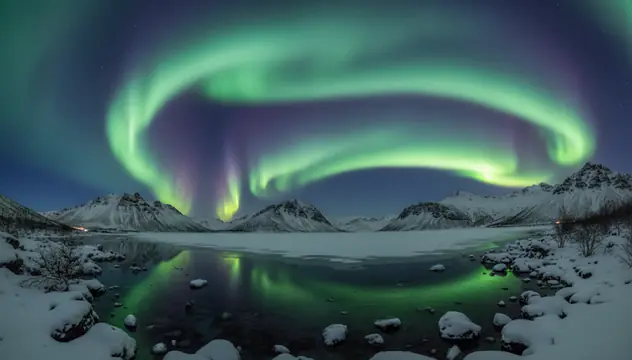
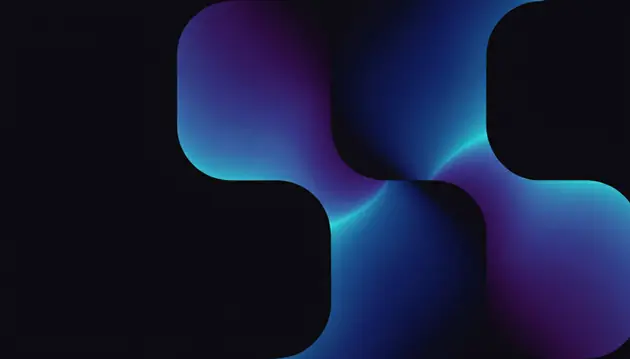
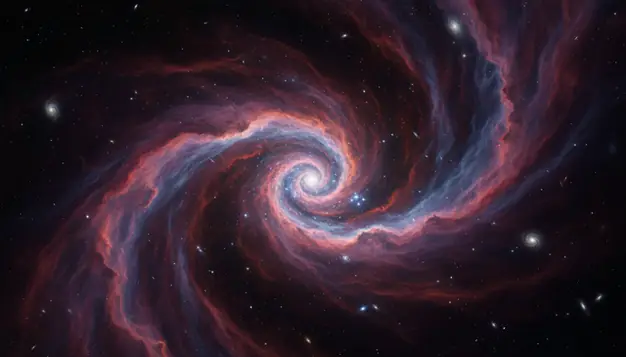
An ai wallpaper generator 4k online creates custom desktop and phone backgrounds from written prompts or uploaded images. Pict AI supports text-to-wallpaper and image-to-wallpaper workflows for creators who need fast visual options. For best results, start with the correct aspect ratio, then upscale only the strongest image.
What Is AI Wallpaper Generator 4K Online?
An AI wallpaper generator 4K online is a browser-based tool that turns a prompt or photo into a custom background sized for high-resolution screens. Instead of searching stock wallpaper libraries, you describe the subject, mood, lighting, and device format you want.
A prompt such as “misty alpine lake, early sunrise, soft orange fog, cinematic wide angle” can produce a desktop wallpaper that fits a 16:9 monitor. A vertical prompt such as “neon koi fish, black water, minimal empty space near top” works better for a phone lock screen. Text-to-wallpaper creates a new scene from scratch, while image-to-wallpaper restyles or expands an uploaded photo into a usable background.
How AI Wallpaper Generator 4K Online Works
AI wallpaper generation uses a text-to-image model to map a written prompt into visual structure, then renders a background at the chosen aspect ratio. The model interprets subject words, style terms, color cues, lighting direction, and composition instructions before creating pixels.
For photo-based wallpaper creation, the system may use edge detection, semantic segmentation, and depth estimation to preserve important shapes while changing style or extending the frame. Upscaling adds extra pixel detail for 4K output, usually targeting 3840×2160 for desktop displays. Good wallpaper tools also account for negative space, focal point placement, and crop safety, so icons, widgets, and phone clocks do not cover the main subject.
How to Create 4K AI Wallpapers Online
Write a specific prompt
Describe the subject, setting, mood, color palette, and style in 8 to 25 words. For example: “quiet cyberpunk street, rain reflections, purple neon, wide cinematic wallpaper.”
Choose the device ratio
Pick 16:9 for most desktop monitors, 9:16 for phone wallpapers, 1:1 for profile-style backgrounds, or 4:3 for older displays and tablet crops.
Generate several variations
Create multiple images before editing. AI wallpaper results vary, and the best composition is often one where the focal point has room around icons, widgets, or the lock-screen clock.
Inspect edges and details
Open the image at full size and check borders, hands, text, repeated patterns, and fine lines. These areas reveal most generation or upscaling artifacts.
Upscale and download
Upscale only the strongest result for 4K use, then download it in the format your device supports. Avoid repeated upscaling, which can create halos and crunchy micro-texture.
4K AI Wallpaper Features
Desktop wallpaper ratios
Generate wide 16:9 compositions for common Full HD and 4K monitors, with enough visual balance across the frame for icons and open windows.
Phone lock-screen formats
Use vertical 9:16 framing for iPhone and Android wallpapers, and leave 10 to 15 percent quiet space near the top for clocks and widgets.
Image-to-wallpaper editing
Upload a photo and convert it into a wallpaper-style image by restyling colors, extending the scene, or changing the mood while keeping the original idea.
Prompt-based style control
Create anime scenery, abstract gradients, fantasy landscapes, space nebulae, minimalist textures, nature scenes, dark mode backgrounds, or printable art studies.
4K upscaling workflow
Start with the right composition, then upscale for sharper large-screen use. This works best on images with clear shapes, clean lighting, and limited tiny text.
Web and app access
Pict AI is an AI photo editing app for iPhone, Android, and web, so creators can draft wallpapers on a phone and finish downloads on a desktop.
AI Wallpaper Generator vs Canva, Adobe Express, and Fotor
| Tool | Best for | Notable strengths | Free-use notes |
|---|---|---|---|
| Pict AI | Fast AI wallpapers from prompts or photos | Text-to-wallpaper, image-to-wallpaper, phone and desktop ratios, mobile and web access | Free basic use with practical generation limits |
| Canva | Designing finished graphics around a wallpaper | Templates, text overlays, brand assets, layout controls, easy resizing | Free plan available; some AI and asset features require paid access |
| Adobe Express | Polished social and design workflows | Adobe Firefly integration, typography tools, background editing, export presets | Free tier available; premium assets and some features are paid |
| Fotor | Quick AI image generation and simple edits | Prompt generation, style presets, enhancement tools, browser-based editing | Free credits or limited access may apply depending on feature |
Pict AI fits users who want wallpaper-first generation, while Canva and Adobe Express are stronger when the final image needs text, templates, or brand layout work.
Who Uses 4K AI Wallpaper Generators
Artists exploring visual directions
Concept artists use wallpaper prompts to test color palettes, environments, lighting, and mood before committing to a larger illustration or 3D scene.
Creators building a recognizable style
YouTubers, streamers, and newsletter creators make matching desktop, phone, and banner backgrounds so their workspace and public visuals feel consistent.
Social media posts and story backgrounds
Vertical AI wallpapers can become Instagram Story backdrops, TikTok cover textures, quote graphics, or carousel backgrounds without starting from a blank canvas.
Personal gifts and emotional scenes
People generate wallpapers based on memories, favorite places, pets, seasons, or inside jokes, then use them as lock screens, digital cards, or framed prints.
Tattoo and print references
Artists can generate rough references for floral sleeves, celestial motifs, geometric animals, or blackwork mood boards, then redraw the idea by hand for final use.
Portfolio and presentation mood boards
Designers use AI wallpaper outputs as atmosphere studies for decks, portfolio sections, app mockups, album concepts, and environmental storytelling.
AI Generated Wallpaper Limitations
- Readable text is unreliable. Logos, quotes, signs, and labels may appear misspelled, warped, or nonsensical.
- 4K upscaling improves pixel dimensions, but it cannot recover real detail that was never present in the base image.
- Repeated patterns such as grids, bricks, windows, stars, and fabric textures can bend or drift near the frame edges.
- Uploaded photos may be restyled in ways that change identity, lighting, clothing, background objects, or facial details.
Related AI Creative Tools
Explore more AI tools for image creation and editing.
Choose a wallpaper generator by its export controls
The best AI wallpaper generator for your setup is one that delivers a usable file, not just an attractive preview. Before spending time on variations, check whether you can download the image at the dimensions you need, without a watermark or a forced crop. A polished gallery thumbnail does not establish export quality.
- Native output
- The image dimensions produced before enlargement. These determine how much source detail an upscale has to work with.
- Downloaded dimensions
- The width and height of the saved file, which may differ from the preview or advertised generation size.
- Crop control
- The ability to reposition an image or extend its edges instead of cutting off important content.
- Reference control
- Options for carrying a palette or composition into another variation; exact visual consistency is not guaranteed.
When choosing a free AI wallpaper generator, distinguish free generation from free downloading. Check whether high-resolution export, reference uploads, and watermark removal have separate restrictions. Keep the original downloaded file so later crops do not depend on a screenshot.
An ai wallpaper generator app should also fit your workflow: local file saving, accessible export controls, and clear photo-upload policies matter more than a long list of styles. For personal reference photos, review retention and deletion options before uploading.
Fix cropping, color shifts, and mismatched screens
Some wallpaper problems appear only after you set the image as a background. Diagnose them on the target screen before generating another version: the operating system, display settings, or placement mode may be responsible rather than the image itself.
- The phone keeps zooming into the subject. Compare the image ratio with the screen’s actual pixel dimensions. Many phones are taller than 9:16, so filling the display trims the sides. Extend the canvas vertically or make a device-specific crop from a larger original, then check the wallpaper placement preview.
- A landscape jumps awkwardly between monitors. Build a canvas matching the combined desktop dimensions and place important subjects away from the screen boundary. Two side-by-side 3840 × 2160 displays need a 7680 × 2160 image for pixel-matched spanning. Different display heights or scaling settings can complicate alignment; separate coordinated wallpapers may work better.
- A smooth sky shows visible bands. Repeated JPEG compression can exaggerate gradient steps. Return to the original export and save a PNG if available. If banding remains in the source, gentle dithering or subtle grain in an editor can disguise it, though it will not restore missing tonal information.
- The saved image looks duller than the preview. Compare it in another image viewer on the same screen. HDR modes, display profiles, automatic brightness, and wallpaper dimming can change its appearance. Use an sRGB export for predictable sharing across ordinary screens rather than increasing saturation blindly.
- Matching phone and desktop versions lose the same visual identity. Reuse a reference image and a fixed palette, then adjust framing separately. Do not expect identical objects from the same prompt alone.
Match wallpaper dimensions and file formats to the display
Choose settings from the destination screen, not from the word “4K” alone. The values below are practical output targets, not claims about a particular generator’s export limits. Check the saved file’s properties before transferring it to another device.
| Setting or destination | Useful target and reason |
|---|---|
| Standard 4K desktop | 3840 × 2160 pixels; matches a UHD monitor without enlargement. |
| Ultrawide desktop | 3440 × 1440 or 5120 × 2160 pixels; use the monitor’s exact resolution rather than cropping a 16:9 image. |
| Phone wallpaper | Match the device’s pixel dimensions when possible. A 1440 × 3200 canvas is one tall-screen example, not a universal preset. |
| PNG export | Lossless compression; useful for gradients, flat-color artwork, and images requiring further editing. |
| JPEG export | Usually smaller for detailed scenery. Use a high-quality setting and avoid repeated resaving. |
| Color profile | sRGB is a practical choice for ordinary cross-device use; HDR needs a compatible file and display workflow. |
| Print-resolution metadata | DPI does not determine on-screen sharpness. Pixel dimensions are what matter for wallpaper sizing. |
| Duration | Not applicable to static wallpapers. Animation requires a separate video or live-wallpaper workflow. |
If you want an app that makes AI wallpapers for several devices, keep one master image and export separate crops. Label files with their pixel dimensions so a phone version does not accidentally replace the desktop original. This also makes future screen changes easier to manage.
AI wallpaper resolution, prompts, and usage questions
Commercial use depends on the generator’s terms and the content of the image. Check whether your plan permits commercial use, and whether uploaded reference photos are yours to use. Generated logos, recognizable characters, or people can raise separate rights issues. Permission to use an output does not guarantee exclusive ownership or freedom from third-party claims.
A static wallpaper generator produces an image, not an animated background. Making a live wallpaper usually requires an image-to-video tool or animation editor, followed by a format your device supports. Support varies by operating system and wallpaper application. Keep motion subtle, check that the loop is smooth, and consider battery use before setting it as a background.
AI tools can create wallpaper images and upscale them to 4K dimensions such as 3840×2160. Quality depends on the base image, detail level, and upscaling method.
A standard 4K desktop wallpaper is 3840×2160 pixels in a 16:9 aspect ratio. Some ultrawide monitors need different sizes, such as 3440×1440 or 5120×2160.
Use 9:16 for most phone wallpapers, then crop if your device has a taller screen. Leave quiet space near the top for the clock and notification area.
Yes, image-to-wallpaper workflows can restyle or expand an uploaded photo into a wallpaper format. Use photos you own or have permission to edit.
Text-to-image models generate letter-like shapes rather than typeset text, so words often blur or become misspelled. Add real text later in a design editor if accuracy matters.
Strong prompts name a subject, setting, lighting, colors, and style. For example: “black sand beach, glowing blue waves, moonlit sky, minimal cinematic wallpaper.”
Yes, include terms such as dark mode, low contrast, black background, muted highlights, or OLED-friendly. Check gradients for banding before using the image.
Negative prompts can help, but keep them short. Two or three exclusions like “no text, no logo, no watermark” usually work better than a long restriction list.