Free Text to Image AI Generator
Turn a written prompt into photos, illustrations, product mockups, concept art, and social posts. Generate in the browser or use the iPhone and Android app when you want to create on mobile.
A text to image AI generator creates a new picture from a written description. Use it to develop illustrations, imagined scenes, and visual concepts without starting from a photograph. Pict AI offers browser and mobile generation. For usable results, define what the image must show, then check the output against the requirements of your final design.
Free Text to Image AI Generator
- Describe the image you want to create, including its subject and any essential layout requirements.
- Choose an available aspect ratio and style suited to the final placement of your image.
- Generate an image, then revise the description if the output misses an essential visual requirement.
- Review the final crop and visible details, download the image, and add exact typography separately.
Text to Image AI Examples
Sample images generated from text descriptions using the AI generator.
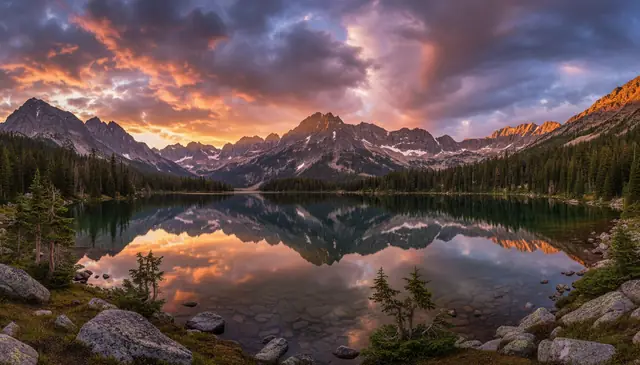
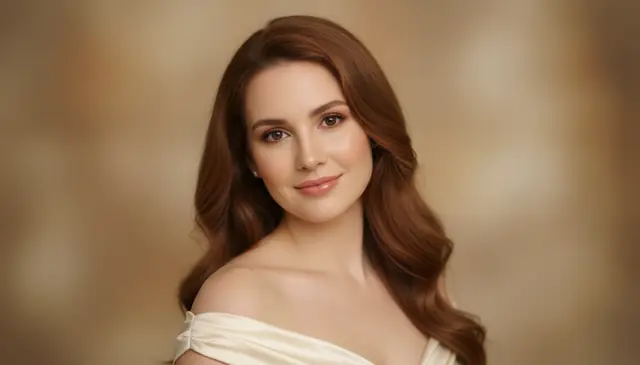
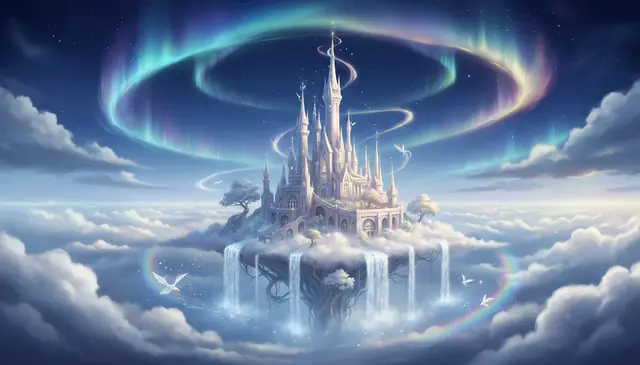
A text to image AI generator converts a written description into a new image using generative AI. Pict AI lets creators type a prompt, choose an aspect ratio, generate variations, and download images from web, iPhone, or Android. The best results come from prompts that specify subject, setting, lighting, style, and composition.
What Is a Text to Image AI Generator?
A text to image AI generator is software that creates a new image from a written prompt. Instead of uploading a photo or drawing from scratch, you describe the subject, scene, medium, lighting, and mood, then the model produces pixels that match that instruction.
Creators use this workflow for fast visual ideation: thumbnail concepts, fantasy characters, product backdrops, album-cover drafts, tattoo references, printable art, and mood boards. The tool is strongest when the prompt gives concrete visual direction, such as “ceramic coffee mug on a matte stone table, warm window light, 50mm product photo” rather than a single word like “mug.”
How Text to Image Generation Works
Text to image generation usually starts by encoding the prompt into numerical tokens that represent subjects, styles, relationships, and visual attributes. A diffusion model then begins with random noise and repeatedly denoises it into an image that matches the prompt embedding.
During sampling, the model predicts structure, color, texture, and lighting across many steps. Some systems also use conditioning signals such as edge detection, depth maps, pose estimates, segmentation masks, or an alpha channel when transparency or isolated subjects are needed. The result is not copied from one source image; it is synthesized from learned patterns in image-text training data, which is why small details, exact typography, and complex hands can vary between runs.
How to Generate Images from Text
Write a visual prompt
Describe the main subject, setting, style, lighting, color palette, and camera or art medium. A prompt with 20 to 40 specific words usually works better than a vague phrase.
Choose the aspect ratio
Pick 1:1 for profile art, 16:9 for banners or video thumbnails, 9:16 for stories and short-form posts, or 4:3 and 3:4 for prints and editorial layouts.
Generate several variations
Create more than one result so you can compare composition, anatomy, texture, and mood. Variation is normal because AI image sampling includes randomness.
Refine one detail at a time
If the image is close, change only one variable, such as lens type, background, light direction, or color scheme. This makes prompt iteration easier to control.
Download and finish the image
Save the best version, then add clean typography, crop for the final platform, or make small edits in an image editor when accuracy matters.
AI Image Generator Features
Natural language prompts
Type plain descriptions such as subjects, poses, materials, lighting, mood, camera angle, and artistic medium without writing code.
Multiple visual styles
Create photoreal images, digital paintings, anime-inspired art, flat illustrations, cinematic scenes, abstract designs, and editorial-style concepts.
Aspect ratio control
Generate square, vertical, and wide images for avatars, posters, social media stories, mobile wallpapers, thumbnails, and print compositions.
Fast prompt iteration
Rerun prompts quickly, test small wording changes, and compare variations before committing to a final visual direction.
Downloadable image output
Save generated images for design drafts, social posts, reference boards, personal art projects, and presentation mockups.
Web and mobile workflow
Start a concept in the browser, then continue creating on iPhone or Android when you want a mobile AI photo editing workflow.
Text to Image Tools vs Midjourney, DALL·E, and Firefly
| Tool | Best For | Access | Notes |
|---|---|---|---|
| Pict AI | Fast prompt iteration, aspect ratios, web and mobile creation | Web, iPhone, Android | Free basic use with browser-based generation |
| Midjourney | Stylized art direction, cinematic images, polished concept art | Discord and web | Strong aesthetics, less direct for casual first-time users |
| DALL·E | Prompt following, conversational edits, general image creation | ChatGPT and OpenAI tools | Useful when image generation is part of a chat workflow |
| Adobe Firefly | Design-safe workflows, Adobe app integration, commercial design tasks | Web and Adobe Creative Cloud | Good fit for creators already working inside Adobe tools |
Pict AI is positioned as a quick web and mobile option, while Midjourney, DALL·E, and Firefly are often chosen for deeper art direction, chat-based generation, or Adobe-centered design workflows.
Who Uses AI Text-to-Picture Tools
Artists planning compositions
Painters, illustrators, and digital artists generate rough visual directions before sketching. They test pose, lighting, framing, and color mood without spending hours on early thumbnails.
Social media creators
Creators make post backgrounds, story graphics, channel art, and thumbnail concepts sized for different platforms. A vertical prompt can become a short-form video cover, while a square version can work for profile content.
Small brands and product sellers
Shops draft product mockups, seasonal campaign visuals, packaging ideas, and neutral backgrounds before booking a shoot. AI images help clarify the brief for photographers or designers.
Gift and print makers
People create custom wall art, fantasy portraits, pet illustrations, greeting-card designs, and anniversary concepts. The emotional value comes from a prompt that includes personal details, symbols, colors, or shared memories.
Tattoo reference seekers
Clients can generate references for placement, line weight, subject matter, and style before meeting a tattoo artist. The output should guide discussion, not replace a tattooer’s final drawing.
Portfolio and pitch work
Designers, students, and creative directors use prompt images to show direction in decks, portfolio studies, mood boards, and campaign pitches when final production assets do not exist yet.
Text-to-Image AI Limitations
- Readable text inside generated images is unreliable, especially for logos, signs, packaging labels, and small typography.
- Hands, fingers, jewelry, teeth, and layered accessories can contain artifacts or inconsistent geometry.
- Exact likenesses of real people should not be generated without consent, and many tools restrict public figures or private individuals.
- Copyrighted characters, protected logos, trademarked products, and brand marks can create legal or policy issues.
Related AI Image Tools
Explore more AI tools for image creation and editing.
Turn a Generated Concept into a Usable Design Asset
A convincing image is not necessarily a usable asset. Before generating, define what the finished file must communicate and which details cannot change. This workflow separates creative exploration from production requirements, so a visually appealing result does not hide a practical mismatch.
- Write an acceptance brief. List three requirements you can verify: space for a headline, a clearly visible subject, and a background that suits the intended layout, for example. Separate these from optional aesthetic preferences. Tip: Mark each requirement as essential or optional before spending generations on variations.
- Reserve space for the finished layout. Describe where the subject should sit and which area should remain visually quiet. Ask for an uncluttered upper third if a designer will place a headline there. Tip: Judge the image inside the actual layout, not only in the generator preview.
- Identify details that need another tool. Treat exact prices, addresses, ingredient lists, and legal wording as separate design elements. An add text to image online free tool can place approved copy after generation rather than asking the model to redraw it. Tip: Keep a clean, text-free master for future revisions.
- Save the instructions alongside the output. Record the prompt, available model settings, generation date, and chosen file. If the tool exposes a seed, save that too; it may help reproduce a result within the same system, but is not a universal image identifier. Tip: Give each saved variation a version number.
- Run an acceptance check. Inspect the image at its intended display size and enlarged. Check whether important objects remain recognizable after the final crop and whether invented details could mislead viewers. Tip: Reject a failed essential requirement even when the overall image looks attractive.
Choose Generation, Editing, or Animation for the Job
An app that generates images from text is useful for creating a scene that does not yet exist. It is not always the right starting point when the task depends on preserving an existing photograph or communicating exact information.
- If the visual is entirely fictional, generate from scratch. A search for an app that can generate any image from text describes a broad creative goal, not unlimited capability. Content restrictions and imperfect instruction following still apply. Use generation for concepts where some visual interpretation is acceptable.
- If the product or person must stay exact, start with a reference-based editor. Keep the original photograph as the source of truth. Compare distinctive features after every edit; a plausible replacement is not the same as an accurate representation.
- If the only defect is unwanted lettering, edit the affected area. A remove text from image ai tool may reconstruct a plain wall convincingly but struggle with patterned fabric behind the letters. Check the repaired texture rather than regenerating the entire scene.
- If the task is translation, extract the wording first. Knowing how to translate text in an image involves text recognition, translation, and layout replacement, not simply prompting an image generator. Preserve names, numbers, and units, then have important translated copy reviewed before placing it back.
- If the deliverable needs movement, plan beyond the still image. A text to video ai workflow adds timing, camera motion, and continuity requirements. Prepare a clear starting frame where supported, and avoid assuming that a strong still will remain consistent through animation.
The best ai image model for a task is the one that handles its hardest requirement: accurate references, editable design assets, or dependable instruction following. Compare those capabilities before comparing visual polish alone.
Set Realistic Expectations Before Approving an Image
Use the first output to assess direction, then decide what needs correction. The examples below distinguish a useful generated draft from a production-ready result; they are not guarantees that every tool will behave the same way.
| Requested result | What AI often does well | What may remain poor | Next production step |
|---|---|---|---|
| Campaign background | Creates atmosphere, colors, and broad scene structure. | May fill reserved space with distracting detail. | Place the actual headline over the draft and check contrast. |
| Product concept | Explores materials and possible styling. | May invent seams, controls, or packaging proportions. | Label it as a concept; use real product photography for factual listings. |
| Character series | Establishes a recognizable visual direction. | Separate generations may alter facial features or clothing. | Use reference controls where available and compare frames side by side. |
| Print illustration | Develops composition and broad textures. | Fine detail may soften or become artificial when enlarged. | Check pixel dimensions and inspect a proof at the intended print size. |
Text-to-Image Prompts, Output, and Usage Questions
Use a reference image or character-reference control when the generator supports one. Keep a short description of stable traits, including facial features, hairstyle, clothing, and proportions. Reusing a prompt alone does not guarantee the same identity. Compare images side by side, and correct visible differences with targeted edits rather than repeatedly generating the entire scene.
The required resolution depends on print dimensions and viewing distance. For a small print viewed closely, 300 pixels per inch is a common target: an 8-by-10-inch image would need 2400 by 3000 pixels. Larger posters viewed farther away may work at lower densities. Upscaling increases pixel dimensions but does not reliably recover missing detail, so inspect a print proof before ordering multiple copies.
It is generative software that creates a new image from a written description. You describe what you want to see, and the model synthesizes matching pixels.
Include the subject, setting, style, lighting, camera angle, colors, and mood. Specific prompts produce more controlled results than one-word descriptions.
Yes, prompts can create realistic portraits, products, interiors, food images, and scenic concepts. Add photography terms like lens, light direction, depth of field, and film style for better control.
The web generator can be used without creating an account for basic image creation. Some mobile or advanced features may have usage limits.
Use 1:1 for avatars and posts, 16:9 for banners and thumbnails, and 9:16 for stories, reels, and phone wallpapers. Pick the ratio before generating so composition stays intentional.
AI image models often treat letters as visual shapes rather than editable type. For clean headlines, generate the scene first and add text later in a design editor.
Check the tool terms and review the image for trademarked content, recognizable people, copyrighted characters, and misleading claims. When in doubt, get legal or licensing advice.
A strong prompt is often 20 to 40 words with clear visual details. Very long prompts can conflict with themselves, so refine one element at a time.
No. Text-to-image creates a new picture from a prompt, while image editing changes an existing photo using tools like background removal, inpainting, filters, or retouching.