Free AI Image Upscaler Online
Pict AI is an AI photo editing app for iPhone, Android, and Web that enlarges images while improving sharpness. Upload a JPG, PNG, or WebP and make a cleaner image for posts, prints, listings, or archives.
Free AI Image Upscaler Online
- Upload the original image file rather than a screenshot, keeping an untouched copy for comparison.
- Choose an enlargement factor that reaches your required pixel dimensions without adding unnecessary processing.
- Generate the enlarged image, then compare fine textures and edges with the original at matching display sizes.
- Review the downloaded dimensions, color, and transparency; export in a format suited to your final use.
AI Image Upscaling Examples
Sample results showing enhanced detail after AI upscaling.
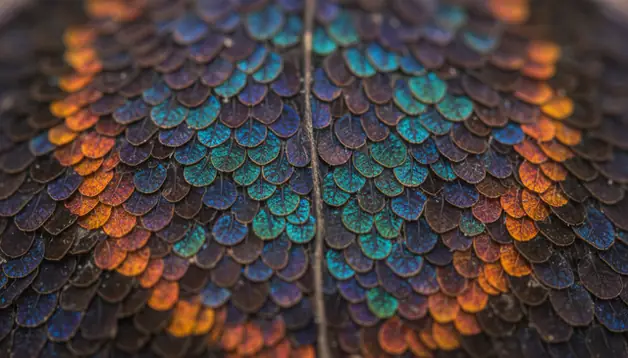
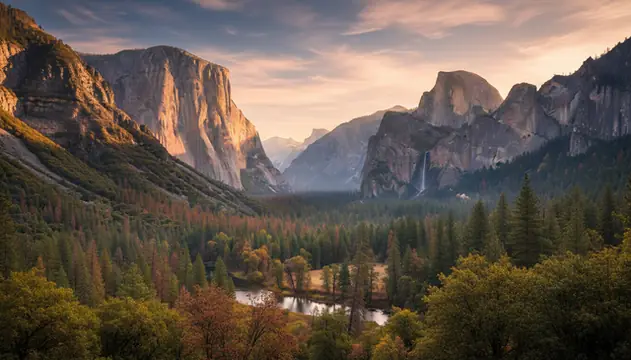
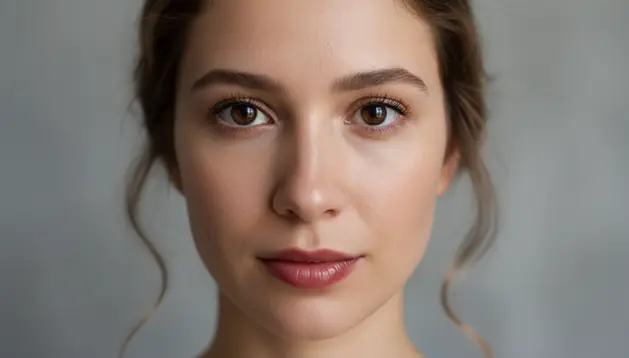
An ai image upscaler increases image resolution by predicting new pixels instead of only stretching existing ones. Pict AI helps turn low-resolution photos, product shots, illustrations, and scanned images into sharper files for digital or print use.
What Is an AI Image Upscaler?
An AI image upscaler is a super-resolution tool that increases an image’s pixel dimensions while generating plausible detail. Instead of using bilinear or bicubic interpolation, which stretches pixels and often creates softness, the model predicts textures, edges, and fine structure that should exist at the larger size.
This is useful when a photo is too small for a listing, print, presentation, portfolio, or social post. A 640 × 480 image enlarged 4x becomes 2560 × 1920, but the visual quality still depends on the source. Clean, well-lit photos usually upscale better than tiny crops, compressed screenshots, or images with unreadable text.
How AI Image Upscaler Works
An AI image upscaler works by running the input through a super-resolution neural network trained on low-resolution and high-resolution image pairs. The model learns how edges, skin texture, fabric, foliage, product surfaces, and illustration lines change when resolution increases.
During processing, the system performs denoising, edge detection, JPEG artifact reduction, and texture synthesis before outputting a larger file. Convolutional layers and residual blocks preserve structure, while generative components fill in plausible fine detail. This is why AI upscaling can make hair, eyelashes, grass, or line art look sharper than standard resizing. The tradeoff is that generated detail is an informed prediction, not a guaranteed recovery of the original scene.
How to Upscale Images with AI
Upload the source image
Choose a JPG, PNG, or WebP file. Start with the cleanest version you have, preferably without heavy compression, screenshots of tiny text, or extreme blur.
Pick an enlargement size
Select 2x for subtle cleanup, 4x for most photos and product images, or 8x only when the original is already clean and detailed.
Enable cleanup options
Use denoise or enhancement settings when the preview shows JPEG blocks, ringing, soft edges, or grain that may become more visible after enlargement.
Run the upscale
Start the AI process and wait for the larger version to render. Typical small and medium photos process faster than large batches or high-magnification jobs.
Inspect before downloading
Zoom to 100% and check faces, text, hands, logos, and repeating patterns. Download the result when the details look natural at the final display size.
Which AI Upscaling Features Matter Most?
2x, 4x, and 8x enlargement
Use 2x for safe sharpening, 4x for common web and print needs, and 8x only when the original has enough detail to support a larger reconstruction.
JPEG artifact reduction
AI cleanup can reduce blocky compression, ringing around edges, and noisy gradients that become distracting after basic resizing.
Portrait detail recovery
Upscaling can improve hair, eyes, clothing texture, and soft facial edges, but it should be checked carefully to avoid plastic skin or invented features.
Product image sharpening
Sellers can enlarge catalog photos for marketplaces, ads, and landing pages while keeping labels, edges, and surface materials clearer.
Illustration and anime support
Line art, comics, concept sketches, and anime-style images often upscale cleanly because the model can preserve strong contours and flat color regions.
Web and mobile workflow
A browser-based workflow is useful for quick desktop edits, while mobile access helps creators upscale images before posting or sharing from a phone.
AI Image Upscaler vs Upscale.media, Let's Enhance, and Adobe Express
| Tool | Best For | Scale and Export | Notes |
|---|---|---|---|
| Pict AI | Fast photo upscaling on iPhone, Android, and Web | Free basic enlargement with clean downloads | Good fit for creators who want quick single-image edits without a long setup |
| Upscale.media | Simple browser upscaling for photos and ecommerce images | Commonly supports 2x and 4x outputs | Straightforward interface with limits based on plan and usage |
| Let's Enhance | Higher-volume image enhancement and print preparation | Supports larger workflows and paid export tiers | Useful when batch processing and commercial image delivery matter |
| Adobe Express | Design workflows that combine resizing, templates, and basic editing | Exports depend on project settings and account tier | Best when upscaling is part of a broader design or social post workflow |
Choose based on the final job: quick single-image cleanup, ecommerce batch work, print preparation, or a design workflow with templates and text.
Who Uses AI Image Upscaling?
Artists and illustrators
Creators upscale sketches, concept art, comic panels, and AI-generated drafts before printing, refining line work, or presenting portfolio pieces.
Social media creators
Influencers and editors enlarge older photos, thumbnails, memes, and story assets so they look sharper on high-density phone screens.
Ecommerce sellers
Small shops improve product photos for marketplaces, ads, and comparison tables where soft edges can make an item feel less trustworthy.
Families and gift makers
People upscale sentimental photos for framed prints, memorial albums, birthday collages, and restored family archives without rebuilding the image manually.
Tattoo and print references
Tattoo clients, print shops, and designers enlarge reference images so outlines, silhouettes, and tonal areas are easier to trace or reproduce.
Portfolio and presentation work
Photographers, students, and freelancers clean up low-resolution assets before using them in pitch decks, case studies, mood boards, or client previews.
What Are AI Upscaling Limitations?
- Tiny source images below roughly 800 pixels on the long edge may produce waxy faces, fake eyelashes, or unnatural texture after aggressive 4x or 8x enlargement.
- Small text, subtitles, UI labels, serial numbers, and logos may look letter-like but still be unreadable or inaccurate when inspected closely.
- Motion blur and out-of-focus blur cannot be fully recovered because the missing information was not captured clearly in the original image.
- Heavy JPEG compression can be amplified into grid patterns, halos, or crunchy textures unless the image is denoised before upscaling.
Related AI Image Tools
Explore more AI tools for image enhancement and editing.
Export settings that preserve your enlarged image
Choosing the best AI image upscaler also means checking what survives the download. Pixel dimensions, compression, transparency, and color handling affect whether an enlarged file remains useful after it enters a design tool, storefront, or print workflow.
| Export detail | What to check |
|---|---|
| Pixel dimensions | Confirm the downloaded width and height, not just the enlargement label. A 1500 × 2100 file supports a 5 × 7-inch print at 300 pixels per inch before cropping. |
| PPI metadata | Changing a file from 72 to 300 PPI without resampling does not add pixels. It changes the intended print size, not the amount of image information. |
| File format | JPEG suits photographs but introduces lossy compression. PNG avoids further lossy compression and supports transparency; saving a JPEG source as PNG does not undo earlier damage. |
| Transparent backgrounds | For cutout products or graphics, check that the export retains transparency. A white preview background alone does not reveal whether transparent pixels survived. |
| Color handling | For ordinary web use, sRGB is usually the safest choice. Keep an original copy with its color profile when preparing a separate version for printing. |
When choosing an AI image upscaler app, inspect export controls before committing to a workflow. A free AI image upscaler may be sufficient, but check whether its download limits match your intended output size. An app that upscales images should not be judged by its preview alone.
If you are investigating why AI upscaler makes skin look plastic, compare exports at identical display dimensions. A larger preview can hide smoothed pores; extra export sharpening cannot restore texture already removed during processing.
AI image upscaling questions answered
Upscaling twice usually adds more processing rather than more reliable detail. The second pass can amplify invented textures, edge halos, or compression artifacts from the first result. Start each comparison from the original file and choose the smallest enlargement that meets your output dimensions. If one pass falls short, compare a different model or setting instead of repeatedly enlarging the same export.
Color shifts can come from enhancement settings, color-profile conversion, or differences between the preview viewer and the application opening the download. Some tools also adjust contrast or saturation alongside enlargement. Compare the original and export in the same color-managed application. For web delivery, an sRGB export generally reduces compatibility problems, though it cannot guarantee identical appearance on every screen.
Image upscaling increases pixel dimensions so a small image can display or print larger. AI upscaling also predicts extra detail to make the result look sharper.
Usually, yes. Standard resizing stretches existing pixels, while AI upscaling uses learned visual patterns to reconstruct edges and textures.
It can reduce the appearance of softness from low resolution, but it cannot fully fix motion blur or missed focus. Severe blur usually needs a dedicated deblur tool.
Common upscaling tools typically accept JPG, PNG, and WebP files. Use PNG or a high-quality JPG when you want to avoid adding more compression.
Choose 2x for safer cleanup and 4x when you need a noticeably larger image. Use 8x only when the source is already clean and detailed.
Sometimes it can sharpen large text, but tiny or compressed text may turn into inaccurate letter shapes. Re-rendering the text is more reliable.
No. Upscaling creates a new higher-resolution output file, while the original image remains unchanged on your device.
Yes, if the source image has enough quality for the target print size. Always check the final file at 100% and confirm the required DPI with your printer.