AI Background Changer for Photos
Upload a portrait, product shot, pet photo, or creator image and replace the background with a prompt, color, or studio-style scene. Works in the browser with no software install required.
AI Background Changer for Photos
- Upload the original photo, keeping the entire subject and its contact with the floor or surface visible.
- Choose a backdrop or describe the setting, camera angle, supporting surface, and desired lighting direction.
- Generate the replacement background, keeping the subject protected with background-only controls if the editor offers them.
- Review subject details, enclosed gaps, and reflections at full size, then export in your preferred image format.
AI Background Changing Examples
Sample photos with backgrounds replaced by the AI background changer.

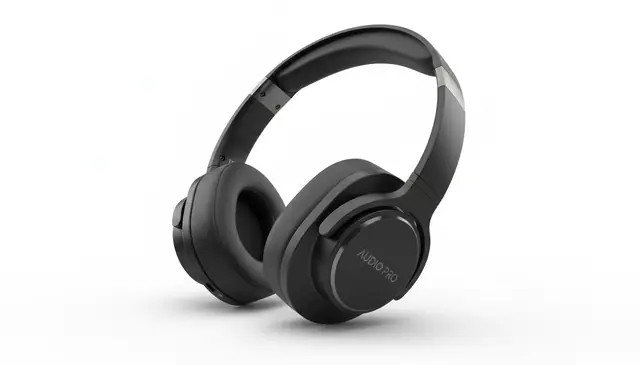

An AI background changer for photos replaces the original scene while keeping the main subject visible and natural. Pict AI can cut out the subject, generate a new backdrop from text, and blend edges, lighting, and color for a usable composite. The best results come from sharp, well-lit images with clear subject boundaries. The same workflow handles a Christmas photo background, swapping a plain room for a tree, a snowy street or a fireplace while keeping the subject unchanged.
What Is an AI Background Changer for Photos?
An ai background changer for photos is a photo editing tool that detects the foreground subject, removes the original background, and places the subject into a new scene. It is used for portraits, product listings, profile photos, social posts, thumbnails, and quick creative edits where a manual cutout would take too long.
The workflow usually combines subject segmentation, background removal, text-to-image generation, and compositing. You can ask for a solid white ecommerce background, a modern office, a beach at sunset, a paper texture, or a clean gradient. Strong inputs matter: centered subjects, visible edges, and enough resolution help the model preserve hair, clothing, product shapes, and natural contact shadows.
How AI Background Changer for Photos Works
An AI background replacement tool works by separating the subject from the scene, generating or applying a new backdrop, then blending both layers into one image. The first stage uses segmentation and edge detection to create a mask that marks foreground pixels, background pixels, and soft boundaries such as hair or fabric fringe.
That mask becomes an alpha channel, which controls transparency around the subject. A diffusion model or image-generation model then creates the requested background from the prompt, such as “sunlit kitchen, white tiles, wood counter” or “plain gray studio sweep.” The final composite adjusts color temperature, exposure, shadows, and edge softness so the subject does not look pasted on. Hard cases include glass, veils, motion blur, low-resolution screenshots, and subjects with very fine hair.
How to Change Photo Backgrounds with AI
Upload a clear photo
Start with the highest-resolution image you have, preferably not a compressed screenshot. A centered, well-lit subject gives the segmentation model cleaner edges.
Check the subject cutout
Review the mask or preview if the editor shows one. Look closely at hair, hands, product corners, transparent materials, and the area where the subject touches the floor or table.
Describe the new background
Write a specific prompt with setting, light, surface, and style. For example: “soft window light from left, modern studio, warm beige wall, realistic shadow.”
Generate several versions
Compare a few outputs instead of accepting the first result. Choose the one with the most believable scale, perspective, shadow direction, and color match.
Download and review
Save the edited photo, then inspect it at full size before posting or printing. Edge halos, floating feet, and mismatched shadows are easier to spot when zoomed in.
AI Background Replacement Features
Prompt-based backgrounds
Type a short description such as “white studio,” “busy city street,” or “tropical beach at sunset” and generate a matching scene behind the subject.
Automatic subject cutout
The editor detects people, pets, products, and objects without requiring a green screen or hand-drawn selection in most simple images.
Lighting and color blending
The composite can adjust warmth, exposure, and ambient tone so the subject better fits the generated background.
Product photo backdrops
Create plain white, neutral gray, countertop, studio sweep, or lifestyle-style backgrounds for marketplace images and catalog drafts.
Creative scene swaps
Place portraits or character references into cinematic, painterly, seasonal, editorial, or fantasy-inspired environments for concept work.
Web and mobile workflow
Pict AI is an AI photo editing app for iPhone, Android, and web, so creators can test background ideas on desktop or while shooting on mobile.
AI Background Changer vs Canva, Adobe Express, and Photoroom
| Tool | Best For | Background Method | Free Option |
|---|---|---|---|
| Pict AI | Prompt-based photo background swaps on web, iPhone, and Android | AI subject cutout plus generated or described scenes | Free basic use |
| Canva | Design layouts, social graphics, and branded templates | Background remover plus design assets and generated imagery | Free tier with some paid features |
| Adobe Express | Quick edits connected to Adobe’s design ecosystem | Background removal, templates, and Firefly-powered generation | Free tier with premium upgrades |
| Photoroom | Product photos, marketplace images, and seller workflows | Automatic cutout with studio, product, and batch background tools | Free tier with paid exports and advanced tools |
Choose based on the job: Pict AI fits fast prompt iteration, Canva fits layout design, Adobe Express fits Adobe-connected editing, and Photoroom fits ecommerce product workflows.
Who Uses an AI Photo Background Editor
Creators and social media editors
Creators swap cluttered room backgrounds for clean studios, city scenes, seasonal sets, or branded colors when making profile photos, reels covers, thumbnails, and carousel posts.
Artists and illustrators
Artists use background changes to test mood, lighting, and setting before painting over an image or building a reference board for a larger composition.
Small business sellers
Sellers replace messy tabletop shots with white, gray, marble, wood, or lifestyle backgrounds for product listings, ads, and quick catalog drafts.
Portrait and portfolio work
Photographers and models can test editorial looks, office environments, stage lighting, or neutral backdrops before committing to a full retouching pass.
Gifts and printed keepsakes
People create sentimental edits for cards, posters, framed prints, memorial images, pet portraits, and family photos when the original location does not match the emotion of the image.
Tattoo and character references
Designers can place a person, pose, object, or animal on a plain or dramatic background to make cleaner reference sheets for tattoo ideas, cosplay, or character design.
AI Background Changer Limitations
- Fine hair, fur, lace, veils, and fabric fringe may show halos, missing strands, or overly sharp edges.
- Transparent or reflective objects such as glass, jewelry, bottles, mirrors, and glossy packaging are difficult to mask accurately.
- Low-resolution images, screenshots, and heavily compressed uploads can produce blocky masks and smeared details.
- The subject may look unnatural if the new background has a different camera angle, lens perspective, or light direction.
Related AI Photo Tools
Explore more AI tools for photo editing and backgrounds.
Fixing Reflections, Missing Gaps, and Altered Subject Details
Some background edits fail even when the outer cutout looks clean. The problem may sit inside the subject, in a reflective surface, or in details the generator has redrawn. Identify which part changed before regenerating the entire image.
- The old scene remains inside small gaps. Openings between an arm and torso, chair legs, or bicycle spokes can retain patches of the original background. If mask editing is available, mark those enclosed spaces as background rather than erasing the surrounding object. Without mask controls, try a tighter crop that makes the subject larger in the input.
- Reflective objects still show the original room. A polished kettle, sunglasses, or chrome trim may retain reflections that contradict the replacement scene. Background removal cannot reliably separate these reflections from the object itself. Choose a backdrop resembling the original surroundings, or retouch reflections separately while preserving the object's contours.
- Labels, logos, or facial details change. Some generators redraw foreground pixels while producing the scene. Compare lettering, facial features, jewelry, and seams against the source. Use a background-only editing mode or a protected subject mask where available. If those controls are absent, composite the original cutout over the generated backdrop in a layer-based editor.
- The floor meets the subject at the wrong angle. A tabletop photographed from above will not fit a backdrop viewed straight on. Describe the camera angle and supporting surface explicitly: “overhead view of a matte stone tabletop,” for example. Choose a scene matching the source perspective rather than trying to repair the mismatch with shadows.
Keep the original file alongside each export. It provides a reliable reference for checking whether the edit changed the subject rather than only its surroundings.
Questions About Replacing Photo Backgrounds
An AI background changer can preserve your face and clothes when it isolates the subject and edits only the background. Generative tools may still alter small details, especially near boundaries. Choose background-only controls or subject protection when available, then compare facial features, clothing patterns, and accessories with the original before exporting.
Use JPG for a finished photo with a replacement scene when a smaller file matters. Choose PNG if you need transparency or want to avoid additional lossy compression; PNG does not automatically make a background transparent. Check the editor's export options, since some tools flatten every result onto an opaque background regardless of format.
Most portraits, product shots, pets, and simple object photos work well. Results are less reliable with blur, heavy clutter, glass, or subjects partly hidden by the background.
Use concrete details: setting, surface, lighting direction, and style. For example, “modern office, soft window light from left, neutral wall, realistic shadow” is stronger than “nice background.”
Yes. AI segmentation can separate the subject from an ordinary photo, although a clean background and clear edges still improve the result.
Yes. Ask for a “plain white studio background” or “clean white ecommerce background” for product images, profile photos, or document-style edits.
Hair can look natural when the source photo is sharp and well lit. Wispy hair, motion blur, and low-resolution images are the most common causes of halos or missing detail.
Commercial use depends on the source image, people shown, brands, locations, and the tool’s licensing terms. Make sure you have rights and consent before using edited images in ads or products.
The most common causes are mismatched shadows, different color temperature, incorrect perspective, or no contact shadow under the subject. Try a prompt that matches the original lighting direction.