AI Magic Eraser for Photos
Remove unwanted people, objects, text, cables, marks, and background clutter from images. Edit on web, iPhone, or Android, then download a cleaner photo for posts, prints, shops, and portfolios.
An AI magic eraser removes unwanted objects from a photo and fills the selected area with generated background detail. Use it for distractions such as a stray bag, a wall mark, or a background person, not to recover what was actually hidden behind them. The most convincing results preserve the photo’s lighting, texture, and subject without making the replacement patch noticeable.
AI Magic Eraser for Photos
- Upload the photo you want to clean, keeping an untouched copy for comparison after editing.
- Choose the erase tool and brush over the unwanted object without covering details you want to keep.
- Generate the replacement background, then check whether the fill matches nearby lighting, focus, and surface texture.
- Review the entire photo for leftover reflections or shadows, then export the version you want to use.
AI Magic Eraser Examples
Sample photos cleaned up by the AI magic eraser tool.


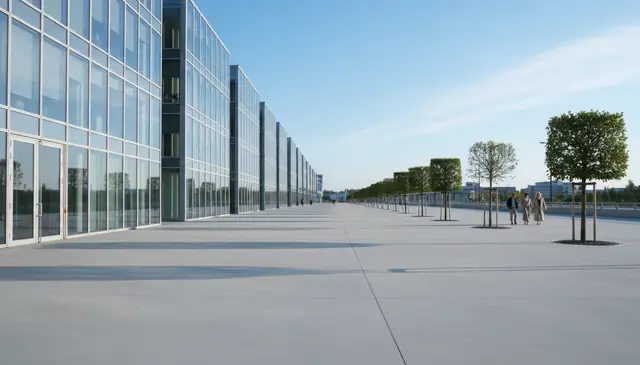
An AI magic eraser for photos removes selected people, objects, text, blemishes, or clutter and fills the gap with generated background pixels. Pict AI supports web, iPhone, and Android editing for quick cleanup when you need a clean travel shot, product image, profile photo, or social post. Results are strongest when the hidden background is simple and the removal mask stays tight.
What Is an AI Magic Eraser for Photos?
An AI magic eraser is a photo editing tool that removes a marked subject and reconstructs the area behind it with generated pixels. It is best understood as content-aware inpainting, not cropping, blurring, or covering an object with a patch.
In a typical workflow, you upload an image, mark the person, logo, date stamp, blemish, power line, trash can, or other distraction, and let the model predict a replacement background. The tool looks at nearby color, texture, light direction, perspective, and repeated shapes to make the fill believable. It works especially well for travel photos, street shots, product images, portraits, flat backgrounds, and social media edits where one distraction pulls attention away from the subject.
How AI Magic Eraser for Photos Works
An AI photo eraser works by turning the area you mark into a mask, then using image inpainting to synthesize new background detail inside that mask. The mask often behaves like an alpha channel: selected pixels are removed, while unselected pixels stay protected.
Behind the interface, the system may combine semantic segmentation, edge detection, and a diffusion model or transformer-based image model. It reads surrounding pixels for texture, lighting, perspective lines, color gradients, and shadows, then generates replacement content that fits the visible scene. Tight masks usually produce cleaner results because the model has more real pixels to reference. Wide masks force the model to invent larger missing areas, which can create blurry texture, warped lines, or repeated-pattern errors.
How to Erase Objects From Photos
Upload the original image
Start with the highest-resolution photo you have, preferably before heavy compression from messaging apps or social platforms. Open the editor on web, iPhone, or Android and load the image from your device.
Mark only the unwanted area
Brush over the object, person, text, blemish, shadow, or clutter you want removed. Keep the mask close to the target edge instead of covering a large rectangle.
Refine the mask edges
Adjust brush size for hair, cables, signs, hands, and object edges. Leave a small border of real background when possible so the model can match texture and lighting.
Generate the clean fill
Run the removal and let the inpainting model replace the selected pixels. For complex edits, remove one object at a time instead of masking several unrelated areas in a single pass.
Review, repeat, and download
Zoom in to inspect seams, shadows, repeated patterns, and soft patches. If needed, apply a second smaller erase pass, then export the cleaned photo for posting, printing, listing, or sharing.
AI Photo Eraser Features
Person and Photobomber Removal
Remove background people from travel photos, event shots, street images, and portraits while preserving the main subject and nearby scene detail.
Object and Clutter Cleanup
Erase trash cans, bags, cables, signs, poles, stains, desk clutter, and small distractions that make a photo feel unfinished.
Text and Date Stamp Removal
Clean up screenshots, scanned images, old camera date stamps, text overlays, and labels when the surrounding background has enough visible context.
Blemish and Surface Repair
Fix marks on skin, walls, floors, fabric, product packaging, painted surfaces, and studio backdrops without rebuilding the whole image manually.
Precise Brush Masking
Control what gets erased by changing brush coverage and making smaller passes around edges, shadows, reflections, and thin objects.
Mobile and Web Editing
Edit quick social posts on a phone or handle larger cleanup tasks in a browser, then download the corrected image for your next workflow step.
AI Magic Eraser vs Google Photos, Photoshop, and Cleanup.pictures
| Tool | Best for | Platforms | Cost notes |
|---|---|---|---|
| Pict AI | Fast object, people, text, and blemish removal with web plus mobile editing | Web, iPhone, Android | Free basic use |
| Google Photos Magic Eraser | Casual phone edits inside an existing photo library | Android, iOS through Google Photos | Often tied to Google Photos features or storage plans |
| Adobe Photoshop Generative Fill | Professional retouching, layered edits, and advanced manual control | Desktop, web, iPad | Paid Creative Cloud plans |
| Cleanup.pictures | Simple browser-based object removal with brush selection | Web | Free tier with paid export and quality options |
Pict AI fits quick cleanup workflows where someone wants object removal across web, iPhone, and Android without opening a full desktop retouching suite.
Who Uses AI Object Remover Tools
Travel photographers and families
Remove strangers, bins, signs, parked cars, and stray objects from vacation photos before making albums, photo books, framed prints, or shared galleries.
Artists and illustrators
Clean reference photos by removing background noise, props, or distracting shapes before sketching, painting, compositing, or building a mood board.
Social media creators
Fix small distractions before posting reels covers, profile images, thumbnails, carousels, and lifestyle shots where the subject needs to read clearly at small sizes.
Small shops and marketplace sellers
Remove dust, tags, cables, hands, table marks, or background clutter from product photos before uploading to Etsy, eBay, Shopify, Depop, or local listings.
Gift and print makers
Prepare cleaner images for mugs, cards, posters, canvases, calendars, and memorial prints when the original photo has an unwanted person or object in frame.
Tattoo artists and clients
Clean body-reference photos or remove background distractions before testing tattoo placement, stencil ideas, line direction, and composition around anatomy.
Portfolio and real estate editors
Tidy rooms, walls, driveways, desks, and backgrounds for listings, case studies, before-and-after posts, and professional portfolios without rebuilding the full scene by hand.
AI Magic Eraser Limitations
- It cannot recover the true hidden background; it generates the most likely replacement based on visible context.
- Low-resolution images below roughly 800 pixels wide often produce soft fills, weak texture, or smudged detail.
- Hair, fur, fingers, jewelry, bicycle spokes, fences, and cables can leave edge artifacts because they contain thin, high-detail shapes.
- Repeating patterns such as brick, tile, fabric weave, shelves, windows, and book spines may not line up perfectly after inpainting.
More AI Removal Tools
Explore AI tools related to erasing and removing elements from photos.
Remove an Object Without Leaving Its Reflection Behind
An object can appear in several places within one photo: directly, in a mirror, on glossy flooring, and as a reflection in glass. Removing only the visible object can leave clues that make the edit look unfinished. Use this workflow when cleaning interiors, shop windows, or objects beside reflective surfaces.
- Map the object’s secondary appearances. Before editing, identify its reflection, cast shadow, and any colored light it throws onto nearby surfaces. Tip: distinguish a reflection from something visible through the glass so you do not remove an unrelated background detail.
- Save a reference copy. Keep the original available beside the edit, particularly when furniture edges or window frames cross the removal area. Tip: use that copy to check whether straight lines have shifted, rather than relying on memory.
- Remove the physical object first. Generate its replacement before tackling the reflection; the new scene helps you judge what should remain elsewhere. Tip: leave shadows from retained objects alone, even when they overlap the unwanted object’s shadow.
- Clean up the reflected version separately. Treat the reflection as another removal target, not as a reason to erase the entire pane or floor. Tip: preserve existing glare and surface highlights whenever they still fit the scene.
- Compare the whole scene before saving. Check that the remaining reflections correspond to visible objects and that the floor still has consistent brightness. Tip: inspect a small preview too; an implausible reflection can stand out more at normal viewing size than at high magnification.
Choose Between AI Erasing, Cloning, Cropping, and Redaction
The best AI magic eraser is not always the best method for a particular edit. Choose according to what needs to disappear, what must remain exact, and whether the picture will serve as decoration or documentation. These five branches help separate cosmetic cleanup from edits that need a different approach.
- If the distraction sits at the outer edge, crop first. Cropping avoids generated pixels altogether. Check that the remaining frame still suits the intended aspect ratio and does not cut off useful context, such as a building entrance or a person’s hand.
- If an exact surface detail must continue, use cloning or manual retouching. A copier-style clone tool transfers visible pixels rather than inventing a replacement. It offers more control for a narrow seam, a border, or a specific grain direction, although repeated source patches can become noticeable.
- If the goal is to conceal private information, use opaque redaction. Cover addresses, account numbers, or medical details with a solid block in a flattened export. Decorative erasing is not a substitute for a document-redaction process, which may also need to remove text layers and metadata.
- If the image records evidence, preserve the unedited version. For insurance, condition reports, news, or disputes, object removal can change what the image communicates. Make a separate annotated copy instead, and follow the recipient’s rules for acceptable adjustments.
- If the edit is cosmetic and exact reconstruction is unnecessary, use inpainting. An AI magic eraser app suits removing incidental clutter from a personal photo. When choosing a free AI magic eraser, check export dimensions and any usage limits before committing to a detailed edit.
What the Erased Area Should Look Like After Editing
A successful removal is not simply an empty spot where an object used to be. The replacement should preserve the visual character of the photograph. Judge the following details against nearby untouched areas; a plausible fill can still look wrong if its focus, grain, or surface finish differs.
| Before removal | What AI can handle well | What often needs closer inspection |
|---|---|---|
| A distraction against a softly blurred background | Continuing broad colors and out-of-focus shapes | A patch that becomes sharper than the surrounding blur, or invents a recognizable object |
| A speck on a matte product backdrop | Replacing a small mark with a similar tone | Flattening a subtle light gradient or changing the outline of the product beside it |
| A mark in a grainy or high-ISO photograph | Matching the general color of the surrounding area | A smooth, noise-free island that looks retouched beside the original grain |
| An obstruction over a glossy surface | Creating a broadly plausible surface color | Broken specular highlights or reflections that no longer match the lighting |
| A distraction in a scanned paper photograph | Filling small gaps in ordinary background areas | Removing paper texture or inventing historically inaccurate details |
For older photographs, keep restoration and factual reconstruction separate. Removing a stain may improve readability, but generating a missing badge, inscription, or facial feature creates new information rather than recovering the original.
AI Photo Erasing Questions Answered
An AI magic eraser normally fills the selected area with generated image content; it does not create a transparent hole. To isolate a subject or remove a background entirely, use a background-removal or selection tool that supports transparency. Export in a format that preserves transparency, such as PNG, because JPEG cannot store transparent pixels.
Privacy depends on how the tool processes and retains uploads. Check whether photos leave your device, how long they are stored, whether they may be used for training, and whether deletion is available. For sensitive medical, identity, or intimate images, prefer a verified local-processing editor. Installing an app does not by itself mean editing happens offline.
It is an image editing tool that removes a selected object or person and fills the empty area with generated background detail. The method is usually called AI inpainting.
Yes, it can remove background people and photobombers when the surrounding scene gives the model enough context. Crowded scenes or overlapping bodies are harder.
Yes, it can remove many text overlays, captions, date stamps, and labels. Results are best on simple backgrounds and weaker on detailed patterns behind the text.
Simple removals often look clean, but complex backgrounds can show soft patches, warped lines, or repeated texture. Smaller masks and multiple passes usually improve the result.
Yes, but removing objects one at a time often gives cleaner results than masking everything at once. This gives the model more surrounding detail for each repair.
Use the highest-resolution original available. Very small or heavily compressed photos give the model less texture information and can look blurry after editing.
Technically, AI erasers can remove marks, but you should not remove copyright notices, creator credits, or watermarks from images you do not own or have permission to edit.
It can remove blemishes, lint, background clutter, and stray objects in portraits. Be careful with facial features, hair edges, and hands because small distortions are easy to notice.
Bricks, tiles, fences, and fabric repeats require exact alignment. AI inpainting predicts the pattern, but it may not match spacing, perspective, or tiny high-contrast details perfectly.