AI Picture Generator & Editor
Generate images from text, upload photos for AI edits, remove backgrounds, clean up details, and export finished visuals on Web, iPhone, or Android.
An AI picture generator & editor creates images from text and modifies uploaded photos, letting you build a visual or change selected parts of an existing one. Choose generation for an invented scene and targeted editing when a person, product, or setting must stay recognizable. The best workflow preserves essential details while giving you control over the changes.
AI Picture Generator & Editor
- Upload a clear source photo for editing, or choose text-to-image generation for a new composition.
- Describe the intended result and specify which subject details must remain unchanged; select an editing region if available.
- Generate a draft or apply the selected edit, then compare the result with your source image.
- Review subject accuracy, edit boundaries, and the intended crop before exporting a separate finished file.
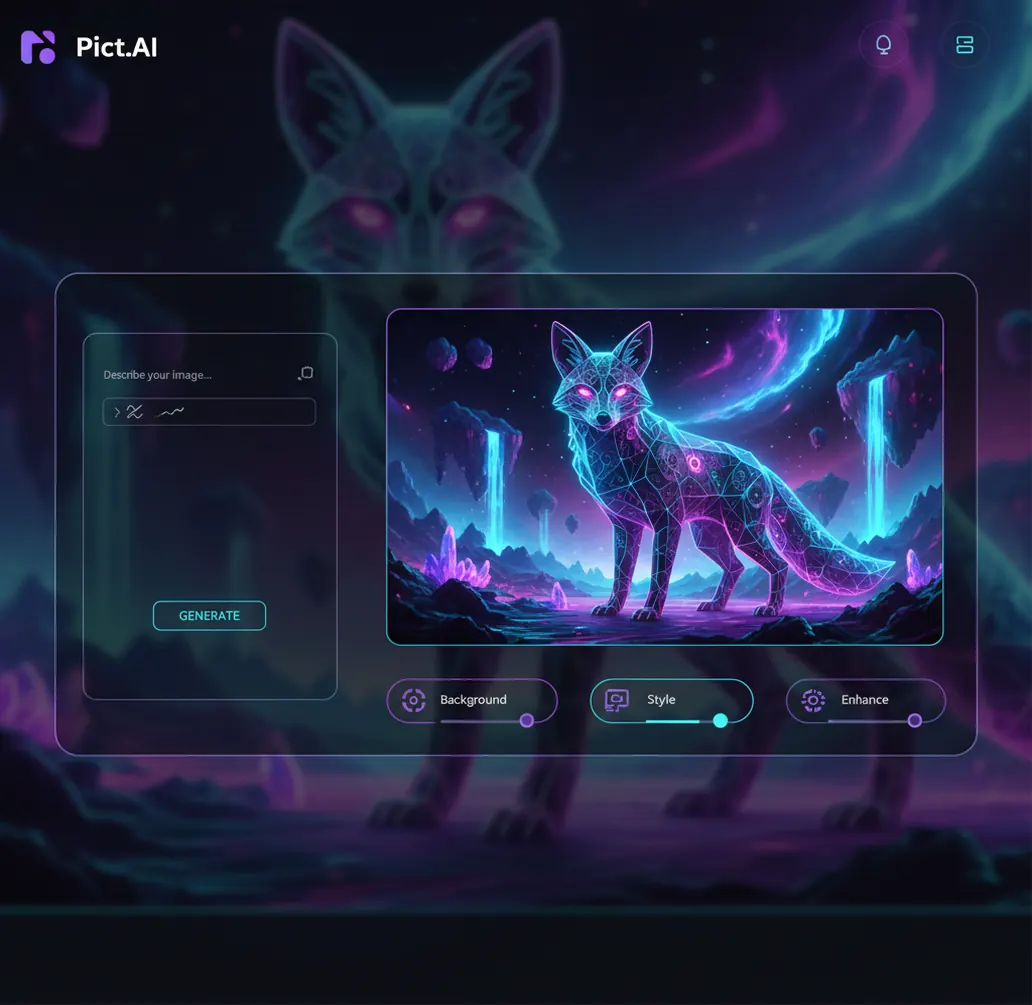
Create with the AI picture generator, then polish with the AI picture editor. No app switching.
An ai picture generator & editor creates new images from text and edits existing photos in the same workflow. Pict AI supports prompt generation, background removal, cleanup, enhancement, and export for Web, iPhone, and Android. It is best for creators who need a finished visual, not just a first draft.
What Is AI Picture Generator & Editor?
An AI picture generator & editor is a tool that creates new images from prompts and modifies existing images with AI-assisted edits. The generator side turns descriptions like “studio product photo of a red sneaker on concrete, soft shadow, 50mm lens” into image options. The editor side handles practical finishing work: background removal, object cleanup, retouching, enhancement, resizing, and style changes.
The value is workflow continuity. Instead of generating an image in one app, downloading it, and repairing it somewhere else, creators can move from idea to polished export in one session. That matters for social posts, product listings, thumbnails, campaign mockups, profile images, posters, and quick concept art where the first output is rarely the final image.
How AI Picture Generator & Editor Works
An AI image generator usually starts with a text encoder that converts your prompt into machine-readable tokens, then a diffusion model builds an image in latent space through repeated denoising steps. Style words, lighting terms, camera angles, and subject descriptions guide the output toward a usable composition.
Editing uses related but different computer vision methods. Background removal relies on subject segmentation, masks, and an alpha channel for transparent cutouts. Object cleanup often uses inpainting, where the model predicts missing pixels based on nearby texture and context. Enhancement may combine super-resolution, face restoration, sharpening, and edge detection to improve perceived clarity. Good tools keep these steps connected so the image can be generated, corrected, enhanced, and exported without rebuilding the file from scratch.
How to Generate and Edit an AI Picture
Choose Generate or Edit
Start with text-to-image if you need a new visual, or upload a photo if you already have a source image. Pick an aspect ratio such as 1:1, 16:9, 9:16, or 4:3 based on where the image will be used.
Write a Specific Prompt
Describe the subject, setting, style, lighting, mood, and framing. A stronger prompt is “minimal ceramic mug on light wood table, soft daylight, shallow depth of field, clean product photography,” not just “mug photo.”
Generate Several Variations
Create multiple options before editing. Choose the version with the best composition and subject shape, even if small artifacts or background issues still need cleanup.
Refine the Image
Remove distracting objects, replace or cut out the background, retouch visible flaws, improve sharpness, and test style changes. Keep edits small when the base image is already close.
Export for the Final Channel
Save the image in the right size and format for web, social media, listings, presentations, prints, or mobile sharing. Check text, hands, logos, and fine details before publishing.
AI Image Creation and Editing Features
Text-to-Image Generation
Turn prompts into original images for concepts, thumbnails, product scenes, blog visuals, ads, and social posts. Prompt variations help test mood, composition, camera framing, and art direction.
Background Removal
Cut out people, products, pets, food, or objects and place them on transparent, solid-color, branded, or scene-based backgrounds. This is useful for catalogs, menus, profile photos, and marketplace listings.
Object Cleanup and Retouching
Remove distractions, repair small marks, clean messy areas, and correct generated artifacts. This helps turn a good draft into an image that can be posted or sent to a client.
Upscale and Enhance
Improve perceived resolution, sharpen soft areas, and make older or generated images look clearer on web and mobile screens. Enhancement works best when the original image has enough structure to recover.
Style and Variation Controls
Create alternate versions with different lighting, color palettes, moods, compositions, and visual styles. Creators use this for campaign testing, art direction, and fast visual exploration.
Web, iPhone, and Android Access
Start an image on desktop, continue on mobile, or do quick edits entirely from a phone. Cross-device access fits creator workflows where images often need changes right before posting.
AI Picture Generator & Editor vs Canva, Adobe Express, and Picsart
| Tool | Best For | Generation | Editing | Platforms | Free Option |
|---|---|---|---|---|---|
| Pict AI | Fast prompt-to-edit image workflow | Text-to-image with variations | Background removal, cleanup, enhancement, export | Web, iPhone, Android | Free basic use |
| Canva | Templates, social graphics, brand layouts | AI image generation inside a design suite | Layout editing, background removal, design assets | Web, iPhone, Android | Free plan with paid features |
| Adobe Express | Marketing graphics and Adobe ecosystem users | Firefly-powered generation in supported features | Templates, quick actions, brand kits, resizing | Web, iPhone, Android | Free plan with premium upgrades |
| Picsart | Mobile-first creative edits and effects | AI image and avatar-style generation tools | Filters, object tools, stickers, retouching | Web, iPhone, Android | Free plan with paid features |
Choose based on workflow: some tools are stronger for design templates, while others focus on generating, editing, and exporting a finished picture quickly.
Who Uses an AI Photo Generator and Editor
Social Media Creators
Creators generate thumbnail ideas, post backgrounds, profile images, and vertical story assets, then clean up distractions before publishing. The workflow is useful when a post needs several visual options in minutes.
Artists and Illustrators
Artists use AI outputs as mood boards, composition studies, character roughs, and lighting references. The editor helps remove awkward details before the image becomes a sketch, painting, or concept direction.
E-Commerce Sellers
Sellers cut products out of photos, place them on clean or lifestyle backgrounds, and enhance clarity for listings. This reduces the need for a full studio shoot for every product variation.
Marketing Teams
Teams create ad concepts, landing page visuals, blog illustrations, and A/B test images. Variation sets help compare different moods, props, colors, and calls to action before committing to a campaign.
Gift and Print Makers
People create custom portraits, pet art, posters, greeting cards, and keepsake prints. Editing matters here because sentimental images need cleaner faces, backgrounds, and details before printing.
Tattoo Reference Seekers
Clients and tattoo artists can explore motifs, line direction, shading references, and placement ideas. Final tattoo artwork still needs a human artist, but AI images can speed up the reference conversation.
Portfolio and Personal Branding
Freelancers, students, and job seekers make banners, mockups, profile visuals, and project covers. The generator supplies visual direction, while editing keeps the image consistent with a portfolio style.
AI Picture Editing Limitations
- Hands, teeth, jewelry, wires, small accessories, and complex patterns can still render incorrectly and may need several attempts.
- Small text inside generated images is often unreliable. Add final typography in a design tool when exact spelling matters.
- Exact brand colors, packaging shapes, and strict layout matching may require manual adjustment or a reference-based workflow.
- Background removal depends on clear subject separation. Hair, glass, smoke, fur, motion blur, and busy edges can need extra cleanup.
Six controls that determine how much an AI image changes
The useful question is not simply whether an app that edits photos with ai can produce an attractive result. It is how much control you have over what changes and what stays intact. These terms help you distinguish targeted correction from a fresh interpretation of your image.
- Mask
- A selection identifying the area an edit can affect. Check whether the tool treats the painted region as the area to replace or the area to protect; interfaces differ. A tight selection can leave too little surrounding context for a convincing repair.
- Transformation strength
- A control over how far an image-to-image result departs from its source. Lower strength usually retains more structure; higher strength permits broader reinterpretation. The scale is not standardized between tools.
- Seed
- A value used to initialize generation randomness. Keeping it fixed can help compare prompt changes when the model and other settings stay unchanged. It does not guarantee identical output across different tools or model updates.
- Outpainting
- Generating content beyond the original image boundaries. It can create space for a headline, but newly invented surroundings should not be mistaken for details captured by the camera.
- Reference image
- An image supplied to guide appearance, composition, or subject identity. A reference influences the result; it does not necessarily lock every feature, color, or proportion.
- Non-destructive editing
- A workflow that keeps the original recoverable through separate versions, layers, or reversible adjustments. Saving a separate export is useful when an AI tool cannot undo individual changes later.
Choose an editing approach by what must remain unchanged
Start with the constraint, not the effect. A profile picture maker needs to retain recognizable facial features, while an ai photo editor for ecommerce needs to preserve the actual product. A convincing image is still unsuitable if it changes the thing the viewer is meant to evaluate.
| Approach | Best fit | Control and trade-off |
|---|---|---|
| Text-to-image generation | Fictional scenes, editorial illustrations, early concepts | Freedom to invent a composition, but weak assurance that a specific object or person will remain exact. |
| Whole-image transformation | Illustrated portraits or broad stylistic changes | Can establish a coherent look quickly, but may alter faces, materials, and small identifying details. |
| Masked generative editing | Replacing a prop or extending a selected background | Restricts the intended change, although boundaries, reflections, and nearby textures can still shift. |
| Conventional adjustments and compositing | Accurate color, exposure, typography, and product placement | Offers predictable control without inventing scene content, but requires more manual work for complex repairs. |
For an ai photo editor for airbnb, distinguish correcting a photograph from changing what the accommodation offers. Modest exposure and white-balance adjustments can improve readability. Adding a window, widening a room, or removing a permanent obstruction changes the information a guest uses to book.
A hybrid workflow often makes sense: generate an illustrative background, then composite an unchanged product photograph onto it. Match perspective, contact shadows, and light direction manually rather than asking the generator to redraw packaging. Keep the original alongside the finished file so factual differences remain easy to spot.
Check factual accuracy and placement before publishing
An ai photo editor for content creators should support a repeatable approval process, not just a pleasing preview. Review the exported file in its intended layout; the editing canvas may hide cropping, compression, or detail changes that become obvious after publication.
- Compare protected details with the source. Look at identity-defining facial features, product dimensions, garment seams, and room fixtures. Reject unintended changes even when they look polished.
- Trace the consequences of each replacement. If an object disappears, inspect its shadow, reflection, and any surface it covered. A leftover reflection can contradict an otherwise convincing edit.
- Preview the actual placement. When using an ai photo editor for instagram, check the intended feed, carousel, or profile crop separately. Keep essential details away from crop boundaries and interface overlays.
- Check consistency across the set. Compare color temperature, subject scale, background perspective, and contrast between related images. One attractive frame can still look out of place in a listing or campaign.
- Confirm permission and context. Check authorization for identifiable people and supplied assets. Label illustrative or materially altered content where platform rules or the publishing context require it.
- Archive the approved version. Keep the source, final export, and a short record of substantive edits together. This makes corrections and future variations easier without rebuilding from a compressed published image.
AI picture generation and editing questions answered
Inpainting replaces or reconstructs a selected area inside an image, such as a distracting object or damaged patch. Outpainting generates new content beyond the existing boundaries to expand the canvas. Both invent pixels rather than recover a verified scene. Review transitions, perspective, lighting, and repeated patterns, especially when the result will represent a real place or product.
Yes. You can upload a photo and use AI tools for background removal, cleanup, enhancement, and other finishing edits.
Yes. Background removal separates the subject from the image so you can export a cutout or place it on a new background.
A good prompt includes subject, setting, style, lighting, mood, and framing. Add practical details like lens style, color palette, or intended use when you need more control.
Yes. A generated image can be refined with cleanup, background replacement, enhancement, and export settings after the first output.
Yes. The workflow supports mobile editing, so you can generate or adjust pictures from an iPhone when you are away from a desktop.
Yes. Android users can create and edit images on mobile, including common tasks like background removal and enhancement.
Commercial use depends on the tool’s current terms, the plan used, and whether the image includes protected brands, people, or copyrighted references. Always review licensing before publishing client or ad work.
AI models predict pixels from patterns, so fine details like hands, text, symmetry, and repeated objects can break. Generating variations and making targeted edits usually improves the final result.