Best AI Headshot Generator App in 2026
The best AI headshot app turns clear selfies into realistic head-and-shoulders portraits for LinkedIn, resumes, speaker bios, and team pages. Look for identity consistency, natural skin texture, clean crops, export control, and clear privacy terms before uploading your photos.
Best AI Headshot Generator App in 2026
- Upload clear, recent portraits that show your face unobstructed, using the number of photos your chosen generator requires.
- Choose a professional portrait style or describe the background, clothing, and lighting without requesting changes to facial features.
- Generate a first batch of headshots, then select candidates that preserve your current appearance rather than simply looking flattering.
- Review facial details and accessories, check the profile crop, and export your chosen portrait at the required resolution.
Example prompt: Professional corporate headshot, neutral gray background, soft window light from left, natural skin texture, sharp eyes with subtle catchlights, realistic hair detail, business casual blazer, 85mm lens look, shallow depth of field, no retouching glare, high resolution
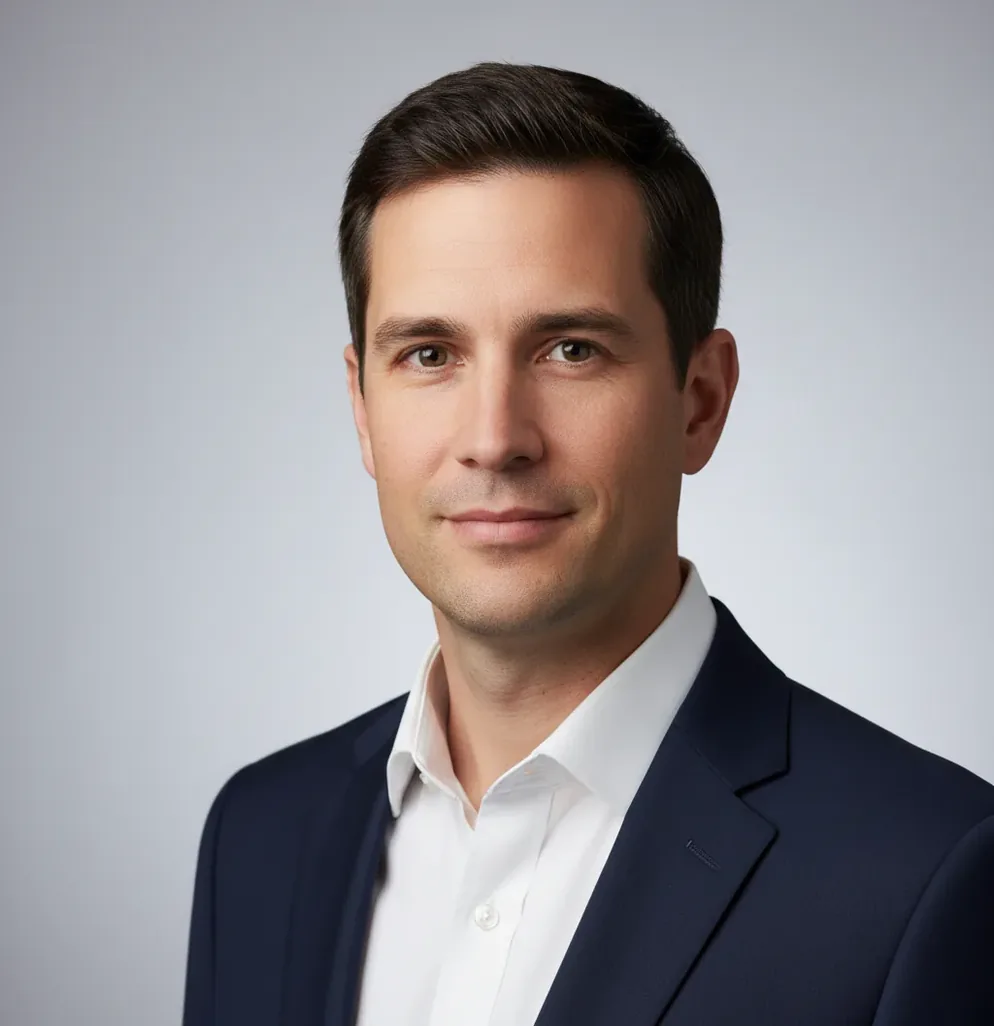
The best ai headshot generator app in 2026 is one that creates realistic, identity-consistent portraits from several clear photos, not just a filtered selfie. For professional use, choose an app with face-consistency controls, clean background options, square and 4:5 exports, transparent licensing, and manual review before publishing.
What Is an AI Headshot Generator App?
An AI headshot generator app is a tool that creates professional-looking portrait images from one or more photos of a real person. It usually detects facial landmarks, estimates pose and lighting, and generates a new head-and-shoulders image with studio-style lighting, cleaner clothing, and a profile-ready background.
The strongest apps are useful for LinkedIn photos, resume thumbnails, company directories, freelancer profiles, press kits, and speaker bios. They are not official identity tools: an AI-generated portrait can subtly change your hairline, ears, jaw, glasses, or facial asymmetry, so it should not be used for passports, visas, background checks, or verification documents.
How Do AI Headshot Apps Work?
AI headshot apps work by combining face detection, landmark mapping, feature embeddings, and image generation. The app identifies stable facial features such as eye spacing, nose bridge, mouth shape, jaw contour, and head angle, then uses a diffusion model or image-to-image model to synthesize a polished portrait in a requested style.
Consistency depends on the quality and variety of your inputs. If you upload six to twelve clear photos with similar lighting, the model has enough evidence to preserve identity. If your inputs include heavy filters, harsh shadows, extreme side angles, or inconsistent hair, the model may average the differences and produce a person who looks close to you but not exactly like you.
How Do You Make AI Headshots That Actually Look Like You?
Choose 6 to 12 clear source photos
Use sharp photos with visible eyes, natural skin texture, and minimal motion blur. Include a mix of straight-on and slight 15 to 25 degree turns so the model can understand your jawline and face shape.
Remove weak inputs before generating
Avoid sunglasses, heavy beauty filters, hats, extreme expressions, mirror distortion, and photos with harsh overhead light. One bad input can affect hair, ears, glasses, and skin tone across the final batch.
Generate a small first batch
Start with a few outputs instead of making dozens immediately. Check whether the eyes, hairline, ears, teeth, and glasses shape stay consistent before committing to a final style.
Crop for the platform
Use a square crop for LinkedIn and avatars, a 4:5 crop for portfolio pages, and a wider crop for speaker bios or press kits. Keep some shoulder line visible so the portrait feels camera-made rather than floating.
Zoom before publishing
Review the export at 150% to 200%. Look for melted collars, doubled glasses frames, uneven catchlights, smeared hair strands, and background blur that cuts into the face.
Which AI Headshot Tools Are Best for Different Use Cases?
| Tool type | Best for | Strengths | Watch for |
|---|---|---|---|
| Pict AI | Fast browser and iOS headshot creation | Quick generation, simple exports, useful for LinkedIn-style portraits and profile crops | Check licensing terms and inspect identity accuracy before client or commercial use |
| Dedicated paid headshot studios | Polished batches for executives, teams, and recruiters | More structured onboarding, style packs, and clearer business workflows | Usually requires payment before full-resolution downloads |
| General AI image editors | Creative portraits, brand visuals, and social profile updates | Flexible backgrounds, outfits, lighting styles, and retouching options | May need more manual prompting to preserve a realistic professional look |
| Mobile portrait enhancement apps | Improving an existing selfie or casual portrait | Fast retouching, background blur, sharpening, and skin cleanup | Often edits the original photo rather than generating a full headshot set |
| Free web generators | Testing AI headshots before paying | Low friction and easy experimentation | Watermarks, lower resolution, unclear retention policies, or weaker face consistency |
The best choice depends on whether you need speed, business licensing, batch consistency, mobile editing, or creative control. For professional profiles, realism and identity accuracy matter more than dramatic styling.
What Prompt Recipes Work Best for Professional Headshots?
The best headshot prompts describe camera framing, lighting, wardrobe, background, and emotional tone without over-styling the face. Use plain professional language and avoid prompts that ask the model to change age, facial structure, body type, or ethnicity.
LinkedIn prompt: “Create a realistic professional head-and-shoulders portrait from the uploaded photos. Use soft studio lighting, natural skin texture, a neutral gray background, business-casual clothing, direct eye contact, and a confident but approachable expression.”
Creative portfolio prompt: “Generate a clean editorial headshot based on the uploaded images. Keep identity accurate, preserve hair shape and facial features, use soft side lighting, subtle background depth, modern wardrobe, and a calm creative-director mood.”
Team page prompt: “Create a consistent company profile photo from the uploaded images. Use a neutral office background, even lighting, natural expression, realistic clothing, square crop, and minimal retouching so it matches a professional staff directory.”
Where Are AI Headshots Used in 2026?
AI headshots are used anywhere a person needs a clean, current, professional portrait without booking a studio session. The most common uses are LinkedIn profile photos, resume thumbnails, internal company directories, speaker bios, freelancer marketplaces, author pages, real estate profiles, email avatars, and startup press kits.
They are especially useful when the emotional goal is trust: looking prepared, approachable, and consistent across platforms. A founder might use the same square portrait for LinkedIn and investor decks, while a designer might create a softer editorial version for a portfolio. For gifts, prints, or personal branding, the output should still feel like the person rather than an idealized avatar.
What Should You Check Before Uploading Photos?
- Read the privacy policy to see how uploads are stored, processed, deleted, or used for model improvement.
- Check whether commercial use is allowed if the headshot will appear on a company site, client proposal, press page, or paid marketplace profile.
- Look for export resolution. A LinkedIn avatar can be smaller, but press kits and printed speaker materials need higher-resolution files.
- Confirm whether the app adds watermarks or compresses downloads on free plans.
- Avoid uploading photos of other people without permission, especially employees, clients, minors, or event attendees.
- Do not use AI-generated headshots for passports, visas, government IDs, security badges, background checks, or identity verification.
What Are the Main Limitations of AI Headshots?
- Hair can smear into the background, especially around bangs, flyaways, curls, fades, and fine strands.
- Glasses can produce doubled rims, warped reflections, uneven lenses, or missing temples near the ear.
- Ears often change shape because many source photos partially hide them.
- Teeth, dimples, and smile lines may become too symmetrical or too smooth.
Compare Headshot Apps by Usable Results, Not Batch Size
A package with 100 portraits is not automatically better value than one with 10. Before choosing a “turn photo into professional headshot” service, define what would make a result worth downloading. Use this workflow to compare apps without letting impressive sample galleries make the decision for you.
- Set a concrete acceptance target. Decide how many distinct portraits you need: perhaps one company-directory image and one speaker portrait. Tip: count different usable compositions, not minor variations of the same pose.
- Separate included features from paid extras. Record the checkout price, download resolution, available styles, and whether corrections require another purchase. Tip: compare the total needed to obtain your final files, rather than the advertised starting price.
- Look for evidence beyond curated examples. If a preview is available, check your own result; otherwise, look for sample portraits with features relevant to yours, such as glasses or textured hair. Tip: a gallery showing only one age range or appearance provides little evidence about other subjects.
- Use a recognition check before scoring style. The question “is ai headshot good enough for linkedin” starts with whether colleagues recognize you immediately. Ask someone familiar with your current appearance to compare a candidate with a recent photograph. Tip: reject a flattering portrait if that person hesitates about the likeness.
- Calculate value from accepted portraits. Divide the total spend by the number of images you would actually publish. A $30 batch with two acceptable portraits costs $15 per usable image; an unusable batch delivers no practical value. Tip: stop buying more variations when you already have the compositions you need.
AI Headshot Quality, Uses, and Photo Requirements
AI headshot generators can reproduce glasses and hearing aids, but they may alter frame thickness, lens reflections, device shape, or placement. Small accessories are especially vulnerable when partly hidden by hair. Compare those details with your source photograph before publishing. If accuracy matters, choose an editor that preserves the original face and accessories rather than regenerating the entire portrait.
AI headshot generators use several pricing models: one-time portrait packages, subscriptions, and credits charged per generation. The checkout total may exclude higher-resolution downloads, extra styles, or additional attempts. Compare the cost of obtaining your required final portraits, not just the number of images promised. Check whether unused credits expire and whether a subscription renews automatically before paying.
The best AI headshot app for LinkedIn is one that preserves your real face, creates a clean square crop, and avoids over-retouching. Choose realistic lighting, visible shoulders, and a neutral background.
AI headshots can be acceptable for resumes in regions and industries where resume photos are normal. They should look natural, current, and identity-accurate, not like a stylized avatar.
Most people get better results with 6 to 12 clear photos from a few angles. One-photo generators are faster but often struggle with hairline, ears, glasses, and consistent identity.
AI headshots can look very close, but they are generated images rather than exact camera captures. Small details such as asymmetry, skin texture, glasses, and hair shape may change.
Use source photos with simple clothing, clean necklines, and colors that fit your professional context. Avoid busy patterns, heavy logos, and accessories that the model may distort.
Some free tools are useful for testing, but you should check privacy terms, deletion controls, watermark rules, and commercial-use limits. Avoid uploading sensitive or unauthorized photos.
No. AI-generated headshots should not be used for passports, visas, government IDs, security checks, or any official identity document.
AI headshots usually look fake when the skin is too smooth, the eyes have mismatched catchlights, the collar melts, or the background blur cuts into the hair. Generate again with cleaner inputs and less dramatic styling.
A square image works best for most profile platforms, with the face centered and some shoulders visible. Export the highest available resolution, then crop separately for LinkedIn, email, resumes, and team pages.