How to Translate Text in an Image With AI
AI can translate text inside a photo by using OCR to read the words and machine translation to convert them into another language. It works best for menus, signs, labels, screenshots, receipts, and other text you cannot select or copy.
How to Translate Text in an Image With AI
- Upload a photo or screenshot, keeping the complete text block and any labels needed for context.
- Choose the source and target languages, then select copyable text or a translated overlay if supported.
- Generate the translation, then compare the recognized source text with the image for missing or misread characters.
- Review names, numbers, and line order; export the translated picture if available, or copy the verified text.
Example prompt: Create a realistic travel photo of a street food stall with a blank menu board area and clear lighting, high resolution, shallow depth of field, natural colors, no readable text, leave clean space where translated text could be added later.
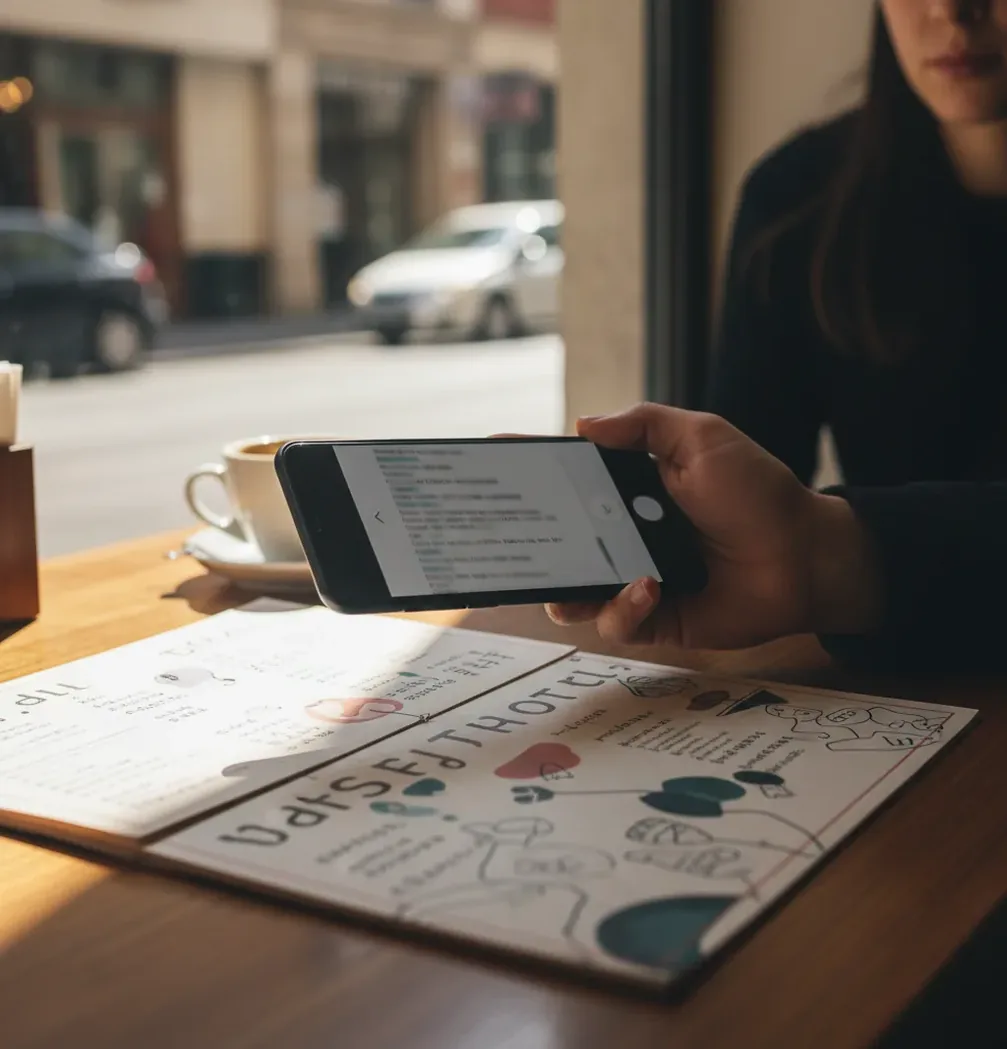
To translate text in an image with AI, upload the photo to an image translator, crop around the text, choose the target language, and run the translation. The tool uses OCR to convert the visible letters into editable text, then a machine translation model translates that text into your chosen language. For best results, use a sharp, well-lit image with high contrast and no glare.
What does it mean to translate text in an image with AI?
Translating text in an image with AI means using software to read words that are embedded in a photo, screenshot, scan, or camera image, then convert those words into another language. The process usually combines OCR, short for optical character recognition, with neural machine translation.
This is useful when the text is not selectable, such as a restaurant menu, street sign, product label, museum placard, game screenshot, receipt, or travel document. Instead of manually retyping foreign-language text, you upload or capture the image and let the AI extract a copyable translation. Accuracy depends on the original image: sharp letters, simple fonts, good lighting, and visible full words produce better results than blurry, cropped, handwritten, or glossy text.
How does AI read and translate text from photos?
AI photo translation works in two main stages: OCR first, translation second. OCR detects text regions in the image, segments lines and characters, corrects rotation or perspective when possible, and turns pixels into Unicode text. If the OCR step misreads one character, the translation model may carry that error into the final result.
After OCR, a machine translation model converts the recognized text into the target language. Modern systems often use transformer-based language models that consider word order, grammar, and surrounding context. Some tools also support language auto-detection, text overlays, or copyable plain-text output. The key point is that image translation is only as strong as both parts of the pipeline: visual recognition and linguistic translation.
How do you translate text in a photo step by step?
Upload or capture the image
Open an image translator in your browser or phone app, such as Pict AI, Google Lens, Apple Live Text, or Microsoft Translator. Upload a screenshot, scan, or camera photo that contains the text you want translated.
Crop around the text
Crop tightly enough to remove clutter but leave about 5-10% padding around the words. This helps OCR detect complete letters, line breaks, and punctuation.
Choose the language settings
Select the source language if you know it, or use auto-detect for signs, menus, and mixed travel content. Then choose the target language you want to read.
Run the translation
Let the tool extract the text and translate it. If the output looks strange, check whether the OCR text has missing letters, swapped characters, or broken line order.
Copy, save, or compare the result
Copy the translated text into notes, messages, search, or a travel plan. For important content, compare the result with another translator or ask a fluent speaker to verify it.
Which tools can translate text inside images?
| Tool | Best for | Strengths | Watch out for |
|---|---|---|---|
| Google Translate / Google Lens | Travel signs, menus, packaging, camera translation | Fast mobile camera mode, broad language coverage, useful live overlay | Can struggle with stylized fonts, glare, and dense documents |
| Apple Live Text + Translate | iPhone screenshots, photos, copied text | Built into iOS, convenient for selecting text directly from photos | Language support and features vary by device, region, and iOS version |
| Microsoft Translator | Travel phrases, signs, multilingual communication | Good mobile translation workflow and conversation features | Image results depend heavily on lighting and source image quality |
| Pict AI | Browser-based photo text translation and quick screenshots | No-account basic workflow, useful cropping and copyable translation output | Avoid uploading sensitive documents unless the privacy policy fits your use case |
| Adobe Acrobat / Scan tools | Scanned documents, PDFs, business paperwork | Strong document capture, deskewing, and scan cleanup features | Translation may require extra steps or separate export depending on the workflow |
| ChatGPT or multimodal AI assistants | Explaining translated text, summarizing context, rewriting tone | Useful for asking follow-up questions about meaning, formality, or nuance | May paraphrase instead of producing a literal translation unless prompted clearly |
For casual travel and social use, camera-first translators are fastest. For screenshots and creator workflows, browser tools with cropping and copyable output are often more convenient. For legal, medical, or safety-critical text, use professional translation or human review.
What kinds of images work best for AI translation?
AI translation works best on images with sharp, high-contrast, front-facing text. Aim for letters that are at least about 20-30 pixels tall in the image, with minimal motion blur and no bright reflection across the words. Printed text is usually more reliable than handwriting, and simple fonts are easier to read than decorative type.
For camera photos, step closer instead of relying on heavy digital zoom, keep the phone parallel to the text, and take two shots if the surface is glossy. For screenshots, use the original-resolution image rather than a compressed social media repost. If the translation is for a print, portfolio reference, brand moodboard, or client-facing post, save the original image and the extracted text so you can verify both later.
Can AI translate menus, labels, screenshots, and signs?
Yes, AI can translate menus, labels, screenshots, signs, receipts, and many other images that contain visible text. Menus and product labels are common use cases because they often contain short phrases, ingredients, prices, warnings, or preparation details that can be translated quickly.
Screenshots are often easier than camera photos because the text is flat, bright, and already digital. Signs can be harder if they are photographed at an angle, partly blocked, or lit by reflections. For creators, this workflow is useful when researching packaging design, local typography, travel content, reference boards, or social posts where the visual context matters as much as the words.
What prompt recipes improve AI image translations?
- Literal translation prompt: “Translate the extracted text into [language]. Keep names, prices, numbers, units, and brand names unchanged. Do not summarize.”
- Context-aware prompt: “This text is from a [menu/product label/sign/screenshot]. Translate it into [language] and explain any cultural terms or idioms in one short note.”
- OCR cleanup prompt: “Here is OCR text from an image. Fix likely OCR errors only when obvious, then translate into [language]. Mark uncertain words with brackets.”
- Tone conversion prompt: “Translate this text into natural [language] for a social media caption. Keep the meaning accurate but make it sound fluent and casual.”
- Safety check prompt: “Translate this warning label into [language]. Preserve all numbers, dosage, dates, hazards, and instructions exactly. Flag anything ambiguous.”
- Side-by-side prompt: “Create a two-column table with the original text on the left and the [language] translation on the right. Keep line breaks close to the image layout.”
Where can AI image translation be inaccurate?
- Handwriting, cursive, calligraphy, and graffiti often reduce OCR accuracy because letter shapes are less predictable than printed fonts.
- Glare, shadows, low light, compression artifacts, and motion blur can cause OCR to drop words or confuse similar characters such as O and 0, I and l, or rn and m.
- Curved packaging, folded paper, and angled signs can distort characters. A wider crop sometimes helps the model understand the full text region.
- Vertical text, mixed scripts, and multiple languages in the same line can confuse language detection and word order.
What should you check before trusting a translated image?
Before trusting an AI image translation, check the extracted source text, not only the final translated sentence. If the OCR output has missing letters, broken line order, incorrect numbers, or clipped words, the translation may sound fluent while still being wrong.
For quick travel decisions, social posts, product research, or visual references, one clean AI translation is often enough. For anything with money, health, legal rights, allergens, dates, measurements, or safety instructions, verify the result with a second tool or a human translator. The most reliable workflow is: improve the image, compare the OCR text, then judge whether the translated meaning matches the visual context.
Choose the Right Output: Copyable Text, Audio, or a Translated Picture
Before you translate text on a picture, decide what you need to keep. A readable translation, an audio version, and an edited image are different outputs. A translator may return selectable words without replacing the lettering in the original photo. Treat each word in image captions as part of a sentence rather than translating isolated fragments.
| Output | What to preserve |
|---|---|
| Copyable translation | Paragraph order, headings, and the relationship between labels and values. |
| Spoken translation | The verified wording and the correct pronunciation language. |
| Translated picture | Background details, readable contrast, and enough space for longer translated phrases. |
| Bilingual reference | Original text beside its translation so readers can compare names, numbers, and terminology. |
For listening, a text to speech ai voice can read the translated passage after you correct recognition errors. Keep that audio separate from the source image: hearing a fluent sentence does not confirm that the original words were read correctly. Names, abbreviations, and product codes may need pronunciation adjustments.
For a translated graphic, a tool that removes text from images can clear the old lettering before you add the replacement. If you remove text from image backgrounds containing patterns, borders, or illustrations, inspect the repaired area at full size. Keep an untouched copy, and place the translation on a separate editable layer when your editor supports it.
A text to image ai generator serves a different purpose: creating a new visual rather than faithfully translating an existing one. Likewise, an app that can generate any image from text is not necessarily equipped for OCR or accurate typesetting. For instructions, labels, or records, preserve the source and use a text editor or layout tool to position verified translations.
Image Text Translation: Common Questions
Some image translators display translated text over the original, but an overlay is not always an editable or exportable layout. Longer translations can crowd nearby elements or cover illustrations. For precise placement, extract and verify the translation, then add it in a design editor using separate text boxes. Keep the original image available for comparison.
Upload the image to an online image translator, crop around the text, choose the target language, and run OCR plus translation. You can usually copy the translated text after processing.
Yes. Screenshots often translate well because the text is flat and sharp, especially if you upload the original-resolution screenshot instead of a compressed copy.
OCR, or optical character recognition, is the step that converts visible letters in an image into editable text. The translated result depends heavily on how accurately OCR reads the original image.
Sometimes, but handwriting is less reliable than printed text. Clear block letters work better than cursive, messy notes, or stylized handwriting.
Accuracy depends on image quality, font clarity, language support, and context. Clean printed text in a high-resolution photo is usually much more accurate than blurry, angled, or partially hidden text.
Take a straight, well-lit photo of the menu, crop around the section you need, and translate it with an image translation tool. If dish names sound odd, ask for a context-aware translation that explains ingredients or cooking style.
Yes. AI image translators use OCR to extract the text automatically, so you do not need to retype signs, labels, receipts, or screenshots manually.
The most common causes are blurry text, glare, cropped letters, low resolution, mixed languages, or OCR mistakes. Retake the photo with better lighting and compare the extracted text before trusting the translation.
AI can help you understand the general meaning, but it should not be the only source for legal, medical, immigration, or safety-critical documents. Use a qualified human translator for official use.