Free AI Sticker Generator Online
Create custom stickers from prompts or photos in seconds. Generate cartoon, kawaii, emoji, meme, and character stickers with clean outlines and PNG-ready backgrounds.
An AI sticker generator turns a text description or uploaded photo into sticker-style artwork for chats, graphics, and print projects. Start with a single subject and a clear reaction, then generate and download a design. Check the actual file before using it: transparency, messaging-app compatibility, and print readiness are separate requirements, not guarantees of the generated preview.
Free AI Sticker Generator Online
- Upload a clear photo of one subject, or start with a text description for an original sticker.
- Describe the character, reaction, and illustration style; choose a border treatment that suits your intended use.
- Generate several sticker variations, then select the version with the clearest expression and most recognizable silhouette.
- Review the downloaded background and edges, then export in a format accepted by your messaging platform or printer.
AI Sticker Generator Examples
Sample stickers created with the AI sticker maker from text prompts.
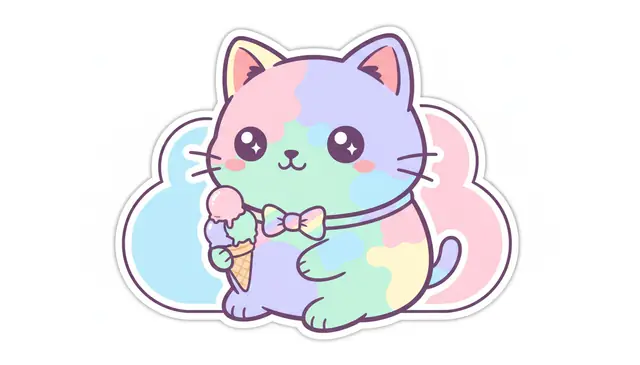
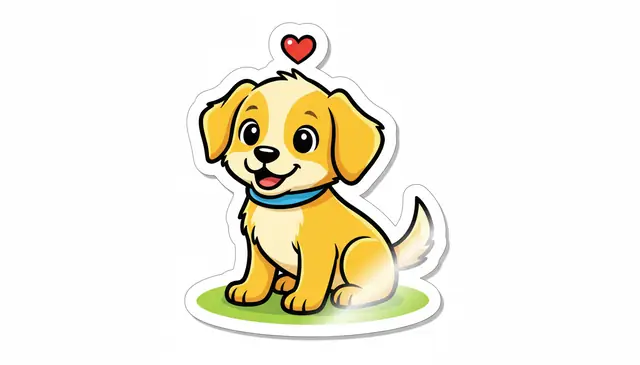
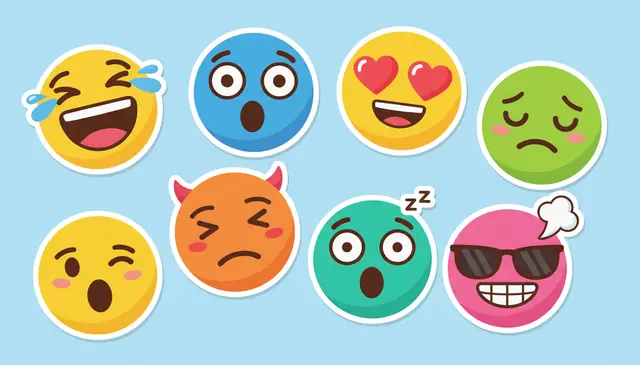
An AI sticker generator turns a text prompt or photo into a sticker-style image with bold outlines, compact composition, and a transparent PNG option. Pict AI is an AI photo editing app for iPhone, Android, and web that includes text-to-sticker and photo-to-sticker workflows.
What Is an AI Sticker Generator?
This type of tool creates sticker-style artwork from a short text description or an uploaded image. The output usually has a centered subject, simplified shapes, saturated color, a thick outline, and either a transparent background or a white die-cut border.
Creators use it when they need fast sticker concepts for chats, social posts, merch mockups, classroom materials, gift labels, or small character packs. A prompt like “sleepy orange cat holding boba, kawaii, thick white outline” gives the model a subject, prop, emotion, style, and border rule. Photo mode works differently: it keeps the recognizable subject from the upload, then redraws it as a cleaner cartoon or illustrated cutout.
How an AI Sticker Generator Works
Sticker creation starts by translating the prompt into visual instructions through a text encoder, then a diffusion model generates the image from noise while following those instructions. Sticker-specific prompting pushes the model toward centered subjects, simplified silhouettes, limited palettes, high contrast, and thick contour lines.
For photo-to-sticker workflows, the system first identifies the main subject with segmentation, builds a mask, and removes the background. Edge detection helps preserve important contours such as ears, glasses, fur, clothing seams, and product shapes. The model then redraws the subject in a cartoon, chibi, emoji, or illustrated style. When transparent export is available, the final file includes an alpha channel so the sticker can sit cleanly on chat backgrounds, print sheets, thumbnails, and social graphics.
How to Create Stickers with AI
1. Write a compact prompt
Name the subject, mood, key prop, and style in 10 to 25 words. For example: “grumpy frog in hoodie holding coffee, kawaii sticker, thick white outline.”
2. Upload a photo if needed
Use a clear image with good lighting and at least 800 pixels on the short edge. Strong contrast between subject and background gives cleaner cutouts.
3. Choose the sticker style
Pick a direction such as cartoon, chibi, emoji, mascot, meme reaction, line art, food sticker, pet portrait, or cute animal illustration.
4. Set background and size
Ask for a transparent background, centered subject, and thick border if you want a ready-to-use PNG for messaging, printing, or sticker packs.
5. Generate, compare, and refine
Create several variations, keep the strongest silhouette, then adjust the prompt for expression, color, outline weight, or missing details.
AI Sticker Maker Features
Text-to-sticker prompts
Turn a written idea into a sticker concept without drawing. Short prompts work best when they include subject, emotion, prop, and style.
Photo-to-sticker conversion
Convert pets, selfies, products, and objects into illustrated cutouts while keeping the main features recognizable.
Transparent PNG output
Export stickers with transparency when available, so they work in chat apps, social graphics, mockups, and print layouts.
Style control
Generate kawaii, cartoon, emoji, chibi, line art, mascot, animal, food, and meme reaction styles by naming the look in the prompt.
Sticker pack planning
Create multiple designs around the same character, color palette, outline weight, or theme for a more consistent pack.
Web and mobile workflow
Start with a prompt on desktop, test quick edits on mobile, and download files for chats, shops, mood boards, or design handoff.
AI Sticker Maker vs Canva, Adobe Express, and Picsart
| Tool | Best fit | Inputs | Sticker output | Free access |
|---|---|---|---|---|
| Pict AI | Fast prompt iteration, photo-to-sticker edits, mobile and web creation | Text prompts and uploaded photos | Sticker-style images with transparent PNG-focused workflow | Free basic use |
| Canva | Template-based sticker sheets, brand assets, and layout editing | Prompts, uploads, graphics, and Canva design elements | Good for arranging sticker sheets and adding clean text | Free tier with account; some assets are paid |
| Adobe Express | Polished social assets and Firefly-based image generation | Text prompts, uploads, stock assets, and design templates | Strong editing canvas for captions, layouts, and brand-safe variations | Free tier with account; premium features locked |
| Picsart | Mobile-first effects, casual edits, and social sticker content | Photos, prompts, effects, cutouts, and design layers | Useful for quick edits, memes, overlays, and creator posts | Free tier with ads and premium tools limited |
Pict AI fits quick sticker generation from prompts or photos. Canva and Adobe Express are stronger when you need layout control, typography, brand kits, or printable sheets, while Picsart is practical for social edits on a phone.
Who Uses a Custom Sticker Creator
Artists and illustrators
Artists use generated stickers as rough concept boards for mascots, expressions, props, and color palettes before redrawing the final art by hand.
Social media creators
Creators make reaction stickers, meme faces, stream emotes, story overlays, and short-form video graphics that match a channel’s tone.
Pet owners and gift makers
A favorite dog, cat, rabbit, or family photo can become a personal sticker for birthdays, cards, journals, party favors, and inside jokes.
Small shops and merch sellers
Sellers prototype vinyl sticker ideas, product mascots, packaging labels, and themed bundles before paying for print tests or final illustration.
Tattoo reference collectors
People create simple icon ideas, cute characters, or symbolic references to discuss with a tattoo artist, not as final tattoo-ready flash.
Portfolio and client work
Designers use sticker drafts in mood boards, pitch decks, campaign sketches, and character explorations when a client needs options quickly.
AI Sticker Generator Limitations
- Small lettering often becomes misspelled, warped, or unreadable. Add usernames, slogans, and punchlines later in a design editor.
- Hands, paws, fingers, glasses, jewelry, and tiny accessories may appear inconsistent across variations.
- Low-resolution uploads can produce jagged edges, soft faces, or muddy details, especially below about 800 pixels on the short edge.
- Hair, fur, lace, smoke, clear plastic, and motion blur can create halos or rough alpha-channel edges that need manual cleanup.
Related AI Creative Tools
Explore more AI tools for creative design and illustration.
Four sticker-generation claims that need a closer look
- Myth: A checkerboard preview proves the background is transparent.
Fact: The checkerboard can be part of the generated artwork rather than a viewer’s transparency indicator. Place the downloaded file over a solid colored layer. If the squares remain visible, they are baked into the image and need removal. A PNG filename alone does not prove that the file contains transparent pixels.
- Myth: An original prompt guarantees exclusive artwork.
Fact: Different ai image models can produce familiar-looking characters, symbols, or compositions. An original prompt does not establish exclusive rights or eliminate trademark concerns. An ai image detector cannot certify ownership, originality, or permission to sell a design; those questions require checking the artwork, relevant rights, and the service’s terms.
- Myth: A sticker image is automatically a messaging sticker.
Fact: A downloaded image may attach as an ordinary picture rather than appear in a sticker tray. Messaging platforms can require a separate import process, particular file specifications, or a pack-building tool. Check the destination’s current requirements before generating dozens of assets that may need conversion.
- Myth: Sticker artwork determines the physical product’s durability.
Fact: Waterproofing, outdoor life, adhesive strength, and scratch resistance come from the material, ink, coating, and printing process, not the generator. A convincing vinyl-style preview supplies none of those properties. Ask the printer for material specifications and a physical sample before describing a product as weatherproof or dishwasher-safe.
Choosing a sticker generator for the job beyond generation
The Best AI Sticker Generator for a messaging pack may not be the best choice for a printed product. Judge the complete route from source image to usable file, including correction tools, export controls, and the destination’s import process.
- Pro: Faster exploration before commissioning artwork. Generation lets you compare visual directions before paying for a finished illustration. Keep the selected concept as a brief, not as proof that the character is production-ready.
- Pro: Reuse of existing visual assets. Portraits created for aesthetic pfps can provide references for a reaction set, provided you have permission to reuse them. Keep an untouched source file so later edits do not compound earlier distortions.
- Con: Free access may not cover the whole workflow. A Free AI Sticker Generator can still have generation limits, restricted downloads, or paid editing features. Check whether the usable export, not merely the preview, is included before building a large collection.
- Con: Uploads introduce privacy decisions. Before sending private photos to an App That Makes AI Stickers, check retention, deletion, and training-use settings. Review privacy information about pict.ai or whichever service you choose, especially when photos show children, addresses, badges, or other identifying details.
Verdict: Choose an AI Sticker Generator App that gives you a workable export and a clear correction path. A polished preview is less valuable than a file you can actually import, revise, and reuse.
Build a reaction pack that works in real conversations
- Map reactions to actual messages. Write a short list such as agreement, thanks, apology, celebration, confusion, and goodbye. Assign one image to each meaning rather than collecting similar smiles. Tip: Ask someone to identify each reaction without seeing its label; replace ambiguous expressions.
- Prepare one approved character reference. Upload a source image you have permission to use, then note its defining features in a compact reference sheet. An ai image describer can help draft that description, but correct any invented clothing, colors, or facial details. Tip: Separate fixed features from changeable poses so each new request has clear boundaries.
- Generate variations from the same reference. Change the reaction and pose while keeping the character instructions stable. Save the prompt and selected source alongside each result; this makes later additions easier to trace. Tip: Name files by meaning, such as “thanks” or “confused,” rather than by generation number.
- Add captions only where meaning needs support. Use editable text rather than requesting a new image whenever wording changes. For multilingual packs, an ai image translator may help interpret source captions, but have a fluent speaker check slang and tone. Tip: Keep a text-free master so translations do not require rebuilding the artwork.
- Run a small import trial before expanding. Export a few representative designs and import them through the destination’s supported process. Send them in a real conversation and check ordering, visibility, and whether they arrive as stickers or attachments. Tip: Resolve import failures with this pilot set before preparing the entire pack.
AI sticker creation questions answered
Some tools generate motion, but a still-image sticker generator does not automatically produce an animated sticker. You may need a separate animation editor and an export format accepted by your messaging platform. Check duration, file-size, and looping requirements before animating. Review moving outlines and facial features frame by frame, because distortions can become more noticeable during playback.
Safety depends on the service’s data practices and what the photo reveals. Check whether uploads are stored, used for training, shared with processing providers, or removable through account controls. Crop out addresses, school badges, documents, and unrelated people before uploading. Get permission from anyone pictured, and avoid submitting sensitive images when retention or deletion policies are unclear.
A strong prompt names the subject, emotion, prop, style, and border rule. Keep it short, such as “happy ramen bowl, winking face, kawaii sticker, thick white outline.”
Yes. Upload a clear photo and the tool can redraw the main subject as a sticker-style cutout with simplified shapes and bolder outlines.
Transparent PNG output is supported when the export includes an alpha channel. Always preview the file on a dark and light background before sharing or printing.
Yes, but print work may need extra preparation. Check resolution, bleed, cut margin, color mode, and printer file requirements before ordering vinyl or paper stickers.
Image models often struggle with small, exact lettering. Generate the art first, then add crisp text in a design editor for better control.
You may need to review the tool’s usage terms and make sure the design does not copy protected characters, logos, trademarks, or a real person’s likeness without permission.
For digital use, square PNGs around 1024 by 1024 pixels are flexible. For printing, follow your printer’s DPI, bleed, and cut-line specifications.
Reuse the same character description, palette, outline style, and prompt structure across each sticker. Change only the pose, emotion, or prop for each variation.
Not for basic sticker generation. A separate editor helps when you need exact text, print sheets, cut paths, or final cleanup around tricky edges.