Photo Enhance App for iPhone and Android
A photo enhance app for iPhone and Android helps you fix soft, noisy, compressed, or low-resolution pictures directly from your phone. Sharpen details, clean up grain, and prepare images for sharing, printing, profiles, listings, and creative edits.
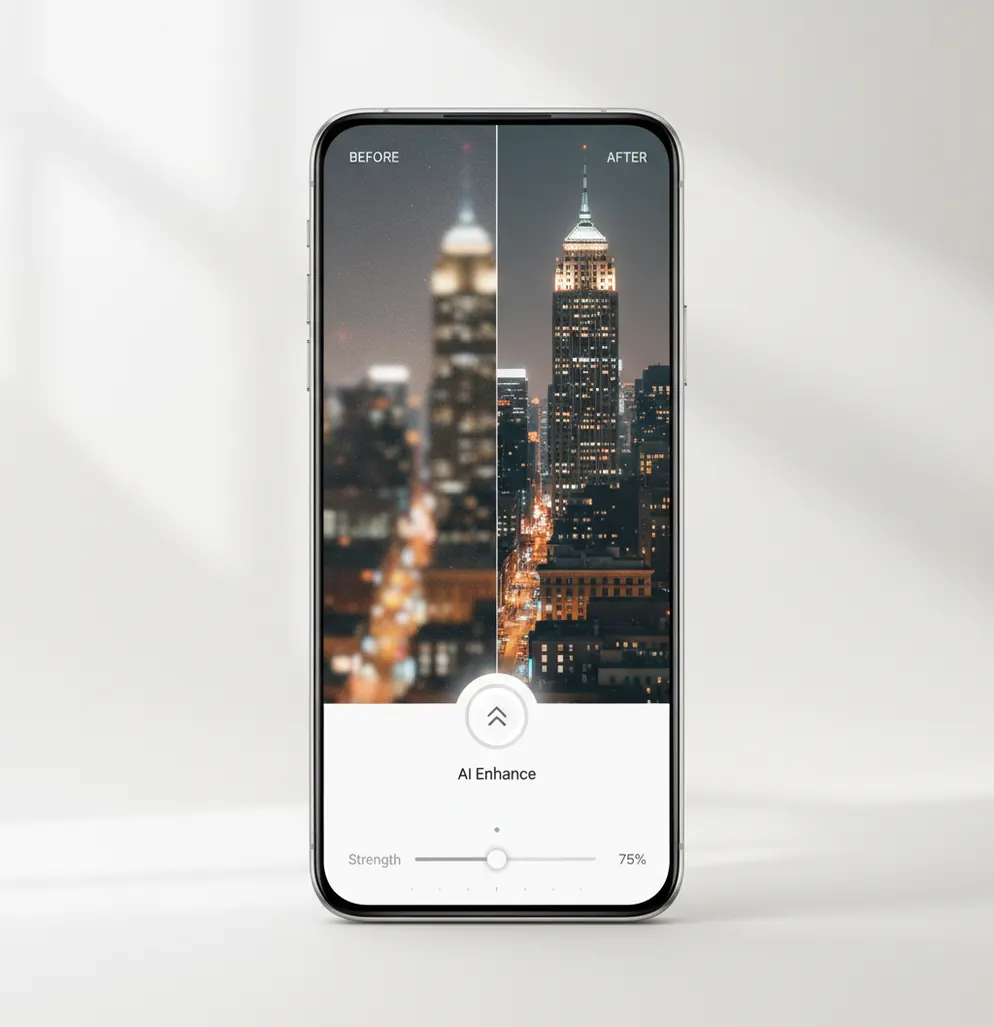
One-tap photo enhance on mobile: clearer details, less noise, and improved overall quality.
Pict AI is an AI photo editing app for iPhone, Android, and web, with a mobile-first photo enhancement workflow for sharpening, denoising, and upscaling. A photo enhance app for iPhone and Android is best for everyday fixes: low-light shots, soft portraits, old photos, compressed downloads, and images that need cleaner detail before posting or printing. Enhancement works best when the original photo still contains usable edges, texture, and facial detail.
What Is a Photo Enhance App for iPhone and Android?
A photo enhance app for iPhone and Android improves image quality on a phone by sharpening soft details, reducing noise, balancing clarity, and sometimes increasing resolution. It is different from a full manual editor because the main workflow is fast: import a photo, apply AI enhancement, check the result, and export a cleaner version.
In practice, mobile enhancement is useful for slightly blurry portraits, night photos with grain, old family images, screenshots, scanned documents, product photos, and social media downloads that look compressed. The goal is not to make every image look filtered. A good enhancement pass should preserve skin texture, hair, fabric, text edges, and natural contrast while removing the defects that make a photo look low quality.
How Photo Enhance App for iPhone and Android Works
A modern mobile photo enhancer analyzes the image, separates real detail from defects, and then applies targeted corrections instead of a single global filter. Common stages include noise estimation, edge detection, local contrast mapping, face landmark detection, deblurring, and super-resolution upscaling.
For a noisy low-light image, the app identifies luminance noise and color speckling, then smooths those artifacts while protecting important edges such as eyes, text, hair, and product outlines. For a soft image, sharpening increases perceived edge contrast without adding too many halos. For a small or compressed image, a super-resolution model predicts plausible texture at a larger size. Some systems also use segmentation masks, so faces, backgrounds, text, and fabric can be enhanced with different strength levels.
How to Enhance Photos on Mobile
Choose a usable original
Pick the highest-resolution version you have, preferably the original from your Camera Roll instead of a compressed message or social media copy.
Import the photo
Open the mobile enhancer and select one image or a small batch, depending on whether you are fixing a single portrait or cleaning up a full trip, event, or listing set.
Apply AI enhancement
Run the enhance option to sharpen soft edges, reduce grain, improve clarity, and upscale the image if the file is too small for your intended use.
Inspect faces and fine detail
Zoom in to check eyes, teeth, hair, text, patterns, and product labels. Reduce intensity if skin looks waxy or edges show bright halos.
Export a copy
Save the enhanced version as a new file so the original remains untouched. Use the copy for posting, printing, messaging, documents, or design work.
Mobile AI Photo Enhancer Features
AI sharpening
Improves perceived focus and micro-detail in mildly soft images without requiring manual radius, threshold, or masking controls.
Low-light denoise
Reduces grain and color speckles from night photos, indoor shots, and high-ISO phone images while keeping important texture visible.
Image upscaling
Increases resolution for older, cropped, or downloaded photos so they look better on modern screens, profile headers, and small prints.
Face-aware cleanup
Enhances portraits with attention to facial detail, helping eyes, skin, and hair look cleaner without intentionally changing identity.
Batch-friendly editing
Helps creators and sellers process sets from trips, events, product shoots, or social content sessions with a repeatable workflow.
Share-ready export
Saves enhanced files back to your phone for Instagram posts, listing photos, profile images, documents, mood boards, or print prep.
Photo Enhance App vs Remini, Lightroom, and Canva
| Tool | Best Fit | Strengths | Trade-Offs |
|---|---|---|---|
| Pict AI | Fast photo enhancement across mobile editing workflows | Sharpening, denoise, upscaling, creator-friendly exports | Extreme blur and tiny thumbnails still have limited recoverable detail |
| Remini | Portrait restoration and face-focused enhancement | Strong face clarity, old-photo cleanup, simple mobile workflow | Can look over-smoothed or change facial texture if pushed too far |
| Adobe Lightroom Mobile | Manual photo editing and professional color control | Precise exposure, color, masking, RAW support, sharpening controls | More learning curve; restoration and upscaling are not the main workflow |
| Canva Photo Enhancer | Quick enhancement inside design and social templates | Easy for posts, thumbnails, presentations, and marketing layouts | Less control over detailed restoration compared with dedicated enhancers |
Choose Pict AI when you want a quick phone-first enhancement pass before sharing, designing, printing, or continuing with other AI photo edits.
Who Uses a Mobile Photo Enhancer?
Social media creators
Creators enhance carousel images, reel covers, thumbnails, and profile photos so compressed or low-light phone shots look cleaner before posting.
Artists and visual references
Artists clean up reference photos before sketching, painting, compositing, or building mood boards where facial planes, fabric folds, or object edges need to read clearly.
Family photo restoration
People improve old scans, camera roll memories, and inherited images before sharing them with relatives or turning them into albums, framed prints, or gifts.
Online sellers
Marketplace sellers enhance product photos to make labels, stitching, condition details, colors, and surface texture easier for buyers to inspect.
Tattoo and print references
Clients and artists sharpen portraits, symbols, pet photos, or object references before converting them into tattoo concepts, stencil studies, or printable keepsakes.
Portfolio and profile work
Freelancers, models, designers, and job seekers clean up portraits and project images when they need a polished but still realistic presentation.
Photo Enhancement Limitations
- Enhancement cannot perfectly restore detail that the camera never captured, especially with severe motion blur or a subject that is fully out of focus.
- Very small thumbnails may upscale with invented texture, smoothing, or artifacts because there is too little source information to reconstruct accurately.
- Aggressive sharpening can create halos around hair, text, buildings, jewelry, and other high-contrast edges.
- Heavy denoising can make skin, fur, fabric, grass, or food look waxy if the intensity is too high.
Four Photo Enhancement Myths About Scans, Color, and Export
Choosing how to enhance photo quality starts with identifying the actual defect. A faded scan, a heavily compressed download, and a noisy camera original need different treatment. These four distinctions help avoid edits that make a picture cleaner but less faithful.
Myth: Film grain is just noise to remove.
Fact: Grain is part of a film photograph’s texture. If you are learning how to enhance a disposable camera photo with AI, start with the lab’s highest-resolution scan and use restrained noise reduction. Aggressive smoothing can erase subtle texture in clothing and scenery. If the scan has clipped highlights, enhancement cannot reliably recover the missing information; a new scan may help more.
Myth: A sharper scan fixes dust and scratches.
Fact: Sharpening can make dust specks and scratch edges more prominent. For scanned prints or negatives, remove those defects with a restoration or spot-healing tool before the final sharpening pass. Keep an untouched scan as the reference, especially when a scratch crosses a face or another meaningful detail.
Myth: More vivid color means more accurate color.
Fact: Increased saturation does not correct a color cast. A faded print may need separate adjustments to white balance, contrast, and individual color channels. Use objects known to be neutral as a guide where possible, rather than assuming every yellow tint is damage; warm lighting may belong to the original scene.
Myth: A higher DPI setting makes an export more detailed.
Fact: Changing only the DPI metadata does not add pixels. A 2400-by-3000-pixel image supports an 8-by-10-inch print at 300 pixels per inch, regardless of its stored DPI label. Check pixel dimensions and intended print size, then avoid repeated JPEG exports that introduce fresh compression artifacts.
Photo Enhancement Questions Answered
Make the main crop before enhancement when it removes unwanted areas or defines the final composition. That lets you judge the detail that will actually appear in the finished image. Avoid an unnecessarily tight crop, which leaves fewer source pixels. For print or a fixed-size design, set the crop ratio first, enhance once, and apply any final sharpening after resizing.
Photo enhancement does not necessarily remove location metadata. Some editors retain EXIF information, including capture time and GPS coordinates; others strip it during export. Check the exported file’s information before sharing a sensitive image, and use a metadata-removal option if available. Also review whether the editor processes photos on the device or uploads them, since metadata removal alone does not address upload privacy.
It can improve mild blur and soft focus by increasing edge clarity. Severe motion blur or a completely missed focus point usually cannot be fully repaired.
Good enhancement should preserve identity while cleaning detail and noise. Use moderate settings if you want skin, eyes, and hair to stay natural.
Upscaling increases image size, while enhancement can include sharpening, denoising, contrast correction, and clarity improvements. Many mobile workflows combine both.
They can if the enhance strength is too high. Check fine details at 100% zoom and reduce intensity when skin looks plastic or edges glow.
Yes, especially if the scan or camera copy still has visible faces and edges. Very faded, torn, or tiny originals may need manual restoration after enhancement.
Yes, enhancement can make labels, textures, and product edges clearer for listings. Avoid over-sharpening reflective items because glare and halos can become distracting.
Yes. Export the enhanced image as a copy so you can compare versions and avoid quality loss from repeated edits.
It can help some screenshots, especially if they are slightly compressed. Tiny text may still distort if the source is too small or heavily blurred.
Photos with mild blur, moderate noise, clear subject edges, and enough resolution usually improve the most. Extreme blur, deep shadows, and tiny files are harder.