Free AI Image Sharpener Online
Use an AI image sharpener to restore clarity in blurry portraits, product photos, scanned images, and social posts. Upload a photo, preview the sharpened result, and download it for free.
Free AI Image Sharpener Online
- Upload the original photo at full resolution, avoiding screenshots or compressed messaging copies whenever possible.
- Choose the sharpening or enhancement option, using a gentler setting for faces if strength controls are available.
- Generate the sharpened image, then compare fine textures and edge definition against the original photo.
- Review at full size for unwanted patterns or outlines, then export in your required dimensions and format.
AI Image Sharpening Examples
Sample results showing enhanced clarity and restored detail after AI sharpening.

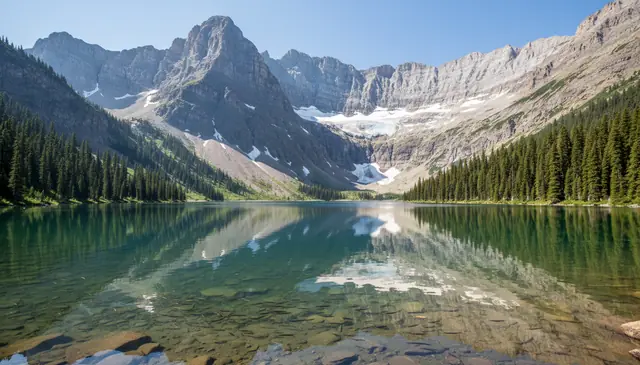
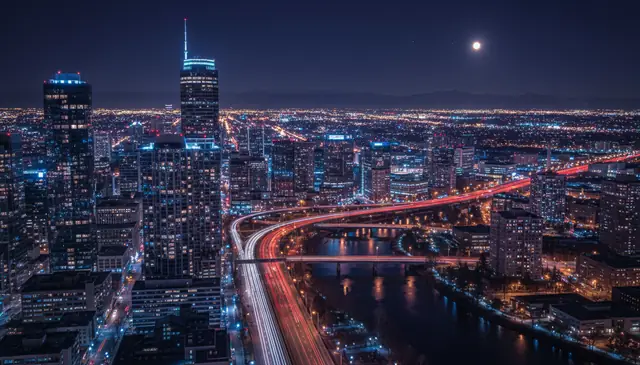
An AI image sharpener improves soft or blurry photos by restoring edge definition, local contrast, and texture detail without applying the same filter everywhere. Pict AI is an AI photo editing app for iPhone, Android, and Web that sharpens images for casual edits, creator workflows, product listings, and print preparation.
What Is an AI Image Sharpener?
An AI image sharpener is a photo enhancement tool that uses machine learning to make soft images look clearer and more detailed. Instead of only increasing contrast around every edge, it analyzes the image content and adjusts faces, text, fabric, hair, foliage, product labels, and background textures differently.
This matters because blur has different causes. A slightly missed focus portrait needs different treatment than a compressed screenshot or a hand-held product shot. Good AI sharpening improves perceived detail while trying not to amplify sensor noise, skin pores, JPEG blocks, or halo artifacts. It works best on images that already contain some usable detail, such as mildly soft camera photos, scanned prints, and web images that lost clarity during resizing.
How AI Image Sharpener Works
AI photo sharpening works by estimating missing edge detail and rebuilding clearer local structure from a blurry input. The model first reads the image for blur type, contrast boundaries, noise patterns, and compressed areas, then applies content-aware corrections rather than a flat unsharp mask.
Technically, the process may combine edge detection, deconvolution, denoising, super-resolution, and diffusion model refinement. Fine-scale processing improves hair strands, eyelashes, paper grain, and fabric texture. Mid-scale processing sharpens facial features, product edges, and architectural lines. Larger-scale correction improves overall focus softness and subject separation. The best result is not always the sharpest-looking version; it is the version that keeps natural texture while avoiding halos, double edges, waxy skin, and fake repeating patterns.
How to Sharpen Photos with AI
Upload the clearest source image
Start with the original camera file when possible, not a screenshot or a copy from a messaging app. Larger files give the model more real detail to preserve.
Choose a sharpening or enhancement mode
Use a mild setting for portraits and a stronger setting for products, documents, or city scenes. If the tool offers noise reduction, turn it on for low-light photos.
Preview at 100% zoom
Check eyes, hair, text, product labels, and high-contrast edges. Full-screen previews can hide halos and crunchy texture.
Adjust before downloading
Reduce the strength if you see bright outlines, plastic-looking skin, double edges, or repeated texture patterns. A slightly softer image often looks more believable.
Download the sharpened image
Save the final file in the size and format you need for social posts, prints, listings, documents, or portfolio use.
AI Photo Sharpening Features
Soft Focus Repair
Improves images where the camera focused slightly behind or in front of the subject, especially portraits, pets, food, and product shots.
Mild Motion Blur Cleanup
Reduces small hand-shake blur and subject movement when the original image still contains visible edges and recognizable texture.
Texture Detail Recovery
Restores perceived detail in hair, clothing, wood grain, paper, foliage, and product surfaces without treating every pixel the same way.
Noise-Aware Sharpening
Targets meaningful edges while limiting the speckled noise that often appears when low-light photos are sharpened too aggressively.
Scanned Image Enhancement
Helps old prints, document photos, receipts, and archive images look clearer for reading, sharing, or light restoration work.
Mobile and Web Editing
Supports quick creator workflows where a photo is captured, sharpened, checked, and posted without moving through desktop software.
AI Image Sharpener vs Fotor, Remini, and Adobe Express
| Tool | Best For | Strengths | Trade-Offs |
|---|---|---|---|
| Pict AI | Fast image sharpening on iPhone, Android, and Web | Simple upload flow, free basic use, works well for portraits, products, scans, and social images | Advanced manual controls may be limited compared with desktop editors |
| Fotor | Browser-based photo enhancement and design edits | Includes sharpening, enhancement, background tools, and templates in one editing suite | Some exports, batch tools, or higher-quality options may require a paid plan |
| Remini | Face enhancement and old photo repair | Strong portrait-focused restoration, especially for selfies and low-detail face images | Can create overly smooth skin or synthetic facial detail on difficult inputs |
| Adobe Express | Design workflows with light photo correction | Good for creators already making social graphics, flyers, thumbnails, and branded layouts | Sharpening is less specialized than dedicated deblurring or restoration tools |
For quick fixes, choose a dedicated sharpener; for layouts and branded assets, a design editor may fit better. Always compare the output at full size before using it for print, resale, or documentation.
Who Uses AI Photo Sharpening?
Artists and illustrators
Artists sharpen reference photos before sketching anatomy, fabric folds, architecture, tattoo references, or character details that need readable edges.
Content creators
Creators improve soft thumbnails, reels covers, food photos, travel shots, and behind-the-scenes images before posting to Instagram, TikTok, YouTube, or Pinterest.
Online sellers
Marketplace sellers sharpen product labels, packaging edges, fabric texture, jewelry details, and handmade items so buyers can inspect the item clearly.
Families and gift makers
Old family photos, pet portraits, graduation images, and anniversary pictures can be sharpened before turning them into prints, cards, albums, or framed gifts.
Photographers and portfolio builders
Photographers use mild sharpening as a finishing step for web galleries, proofs, model portfolios, event previews, and client selections.
Students and document users
Scanned notes, whiteboards, receipts, book pages, and handouts can become easier to read when blur is moderate and the text structure is still present.
AI Image Sharpener Limitations
- Severe motion blur with long streaks usually produces double edges rather than clean detail.
- Tiny inputs below roughly 800 pixels on the long edge may become crunchy, waxy, or artificial after sharpening.
- Unreadable text from heavy smear cannot be reliably reconstructed; the tool may invent letter-like shapes.
- Fine patterns such as mesh, grass, stripes, lace, and fabric weave can turn into repeated synthetic texture.
Related AI Image Tools
Explore more AI tools for image enhancement and quality improvement.
Fixing Patchy Detail, Moiré, and Export Artifacts
Some sharpening failures become visible only in particular parts of a photo or after the file is saved. Match the correction to the affected area rather than repeatedly processing the whole image.
- The background becomes sharper than the subject. A shallow-depth-of-field portrait can look unnatural when enhancement adds detail to intentionally blurred leaves or lights. If your editor supports masks, restrict sharpening to the subject and soften the mask boundary. Without selective controls, use a lower-strength result that preserves the original separation between foreground and background.
- Fabric develops waves or colored stripes. Fine grids in shirts, screens, and woven materials can produce moiré when their spacing conflicts with the image’s pixel grid. Strong sharpening makes these interference patterns more conspicuous. Return to the original, reduce sharpening, and apply a moiré correction if available. Check again after resizing, because the pattern can change at different output dimensions.
- Smooth skies acquire visible bands. Sharpening or added contrast can expose existing tonal steps in compressed skies and studio backdrops. Keep these areas outside the sharpening mask. In an editor that supports it, make tonal adjustments in a higher-bit-depth working file before export; converting an already banded image alone will not restore missing gradations.
- The saved file looks worse than the preview. Small JPEG exports can introduce ringing around edges and blocks in textured areas. Compare the downloaded file with the preview at matching dimensions. Export once at the required size with a higher JPEG quality setting, or use PNG when file size permits. Avoid repeatedly saving and sharpening the same compressed copy.
Keep the untouched original alongside each candidate. If a correction merely trades one artifact for another, a less processed version is usually the better final image.
AI Image Sharpening Questions Answered
Sharpening primarily increases the definition of edges and fine detail. A clarity adjustment typically changes local contrast across broader areas, making textures and shapes appear more pronounced. AI sharpening may also estimate detail, depending on the tool. Clarity cannot reliably correct missed focus, and combining strong clarity with strong sharpening can make skin, foliage, and rough surfaces look harsh.
A RAW file offers more flexibility for correcting exposure and noise before sharpening, but many online sharpeners accept only rendered formats such as JPEG or PNG. If you have a RAW original, develop it first and export a full-resolution, high-quality file in a supported format. A JPEG can still sharpen well; avoid using a heavily compressed copy when a cleaner source is available.
AI can improve moderately blurry photos when some edge and texture information remains. It cannot fully recover detail that was never captured, such as extreme motion blur or completely out-of-focus text.
It can if the photo is dark, compressed, or pushed too hard. A good workflow uses noise reduction and checks the result at 100% zoom before downloading.
Slightly soft portraits, product photos, scanned prints, city scenes, and resized web images usually respond well. Images with clear edges and moderate blur produce the most natural results.
Yes, old prints and scanned family photos often benefit from mild sharpening. For damaged, torn, or faded photos, restoration and color repair may be needed in addition to sharpening.
It can improve slightly soft document photos, labels, and signs. It should not be trusted to recreate accurate text from heavy blur, smear, or very low-resolution images.
Yes, sharpening can make labels, edges, fabric, jewelry, packaging, and surface texture clearer for online listings. Avoid over-sharpening reflective items because halos appear quickly.
If the file is very small, upscaling first can give the sharpening model more room to refine edges. For normal camera files, sharpen first or use a tool that combines both steps.
It is too much when you see bright outlines, gritty skin, fake texture, double edges, or unreadable details turning into invented patterns. Back off until the image looks clear but still natural.