AI Background Remover App in 2026: Which Is Best?
The best AI background remover app in 2026 is the one that gives you a clean transparent PNG, accurate edge detection, and manual refinement for hair, glass, shadows, and product corners. Tools such as Pict AI work well for fast browser or iPhone cutouts, but every export should still be checked at high zoom before posting, printing, or uploading to a marketplace.
AI Background Remover App in 2026: Which Is Best?
- Upload the original photo at its highest available resolution, keeping the full subject inside the frame.
- Choose background removal rather than background replacement, and select the subject if the editor offers that control.
- Generate the cutout, then compare it with the original for missing details and unwanted retained background areas.
- Review fine edges and transparent materials, restore missing pixels where possible, then export a transparent PNG.
Example prompt: Remove the background and place the subject on a clean pure white studio backdrop with a soft natural shadow under it, product photography lighting, sharp edges, high resolution
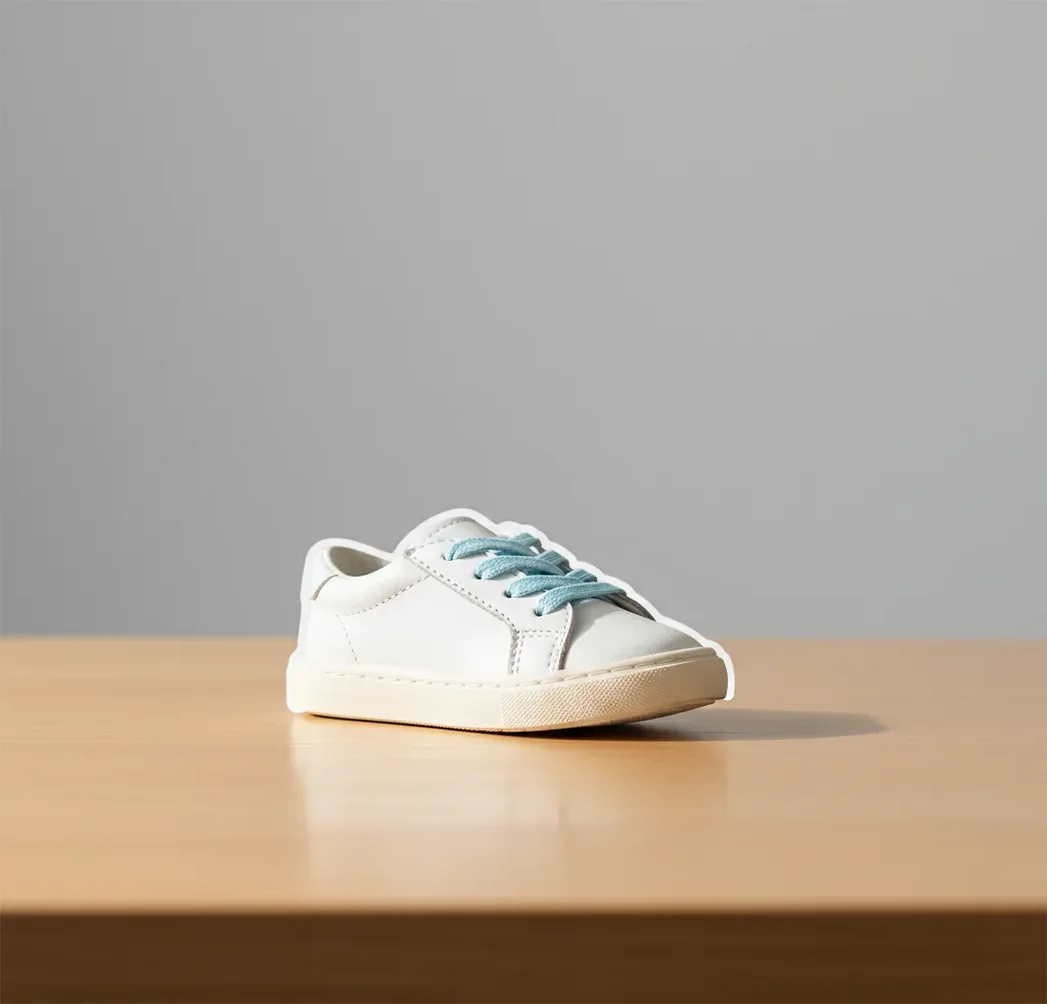
The best AI background remover app in 2026 should create a transparent PNG, preserve fine edges like hair and fur, and let you refine the mask before export. For creator workflows, the strongest tools combine automatic subject segmentation with a quick zoom check, because halos, missing fingers, and jagged product edges are still possible.
What Is the Best AI Background Remover App in 2026?
The best AI background remover app in 2026 is not just the fastest one-tap tool; it is the app that produces a usable alpha mask with minimal cleanup. A good cutout preserves hard edges on products, soft edges around hair or fabric, and tiny negative spaces such as necklace gaps, chair legs, or the space between fingers.
For most creators, the practical test is simple: upload a real photo, export a transparent PNG, then place it on both a white and dark background. If the edge still looks natural at 200% zoom, the app is reliable enough for product listings, profile photos, social posts, thumbnails, slide decks, stickers, gifts, and print mockups.
How Does an AI Background Remover Find Edges?
An AI background remover finds edges through image segmentation, where a model predicts which pixels belong to the subject and which belong to the background. Modern tools often use convolutional neural networks, transformer-based vision models, or matting networks to generate an alpha mask, which controls transparency pixel by pixel.
The app then post-processes the mask to smooth stair-step edges, fill holes, reduce halos, and keep thin structures like hair strands, eyeglass arms, shoelaces, and product handles. This is why AI pixel background removal can look clean on simple photos but still struggle with glass, smoke, lace, motion blur, and busy backgrounds.
How Do You Remove a Background and Export a Transparent PNG?
Choose a clear source photo
Start with the sharpest image you have. Plain walls, matte tables, and even lighting give the segmentation model cleaner subject boundaries than patterned fabric, backlight, or motion blur.
Upload the image to a background remover
Use a web app, mobile app, or design editor that supports transparent PNG export. Avoid screenshots when possible, because compression can make edges rougher.
Run the automatic cutout
Let the app create the first alpha mask. Check whether the main subject, inner gaps, shadows, and small accessories were kept or removed correctly.
Zoom to 200% and inspect the outline
Scan hair, fingers, straps, earrings, product corners, logos, and transparent materials. Most cutout flaws are invisible at fit-to-screen size but obvious in a listing or print.
Refine the mask before exporting
Use restore and erase tools if available. Fix over-cut edges, background speckles, missing holes, and halo pixels before you add a new background.
Export and test the PNG
Save as a transparent PNG for overlays, marketplaces, thumbnails, or design tools. Test the cutout on light, dark, and brand-color backgrounds before publishing.
Which Background Remover Apps Are Worth Comparing?
| Tool | Best For | Strengths | Watchouts |
|---|---|---|---|
| Pict AI | Fast web and iPhone cutouts | Simple background removal, transparent PNG export, useful for products, portraits, and social assets | Fine-detail results still need a zoom check before commercial use |
| Adobe Express | Creators already using Adobe tools | Easy handoff into templates, brand kits, and social graphics | Some workflows require sign-in or a paid plan |
| Canva | Marketing graphics and quick layouts | Good for placing cutouts directly into posters, thumbnails, and presentations | Background remover access may depend on plan type |
| remove.bg | Single-purpose automatic cutouts | Fast, focused, and familiar for transparent PNG exports | High-resolution downloads may require credits or a paid plan |
| PhotoRoom | Marketplace and product images | Strong for e-commerce scenes, batch-style product visuals, and store-ready backgrounds | Some advanced product workflows may be subscription-based |
| Apple Photos or Files tools | Quick subject lifting on iPhone | Convenient for casual stickers, messages, and simple cutouts | Less control over edge refinement and export settings |
Choose based on the final use case, not only the first preview. Product sellers need consistent edges and shadows, profile photos need natural hair detail, and designers need PNG transparency that survives placement on different backgrounds.
What Prompt Recipes Help Create Better Backgrounds After Cutout?
- Product listing background: Place this product cutout on a clean matte white studio background with a soft contact shadow, realistic scale, no extra props, e-commerce catalog style.
- Social post background: Create a bold gradient backdrop behind this portrait cutout, high contrast, modern creator branding, soft rim light, space for headline text on the left.
- Gift print background: Put this pet cutout in a warm illustrated garden scene, soft watercolor texture, gentle shadows, printable composition, no text.
- Portfolio hero image: Place this subject on a minimal editorial studio background, muted neutral tones, realistic floor shadow, premium fashion lighting, 4:5 crop.
- Thumbnail background: Add a bright color background, subtle radial burst, crisp subject separation, high readability on mobile, space for three-word title text.
- Brand asset background: Use the brand colors as a smooth abstract backdrop, keep the subject centered, clean edges, no distortion, suitable for website and email graphics.
Where Does Background Removal Save Creators the Most Time?
Background removal saves the most time when the same subject needs to appear in many formats. A single clean PNG can become a Shopify product image, Etsy listing, Instagram story, YouTube thumbnail, email header, pitch deck graphic, sticker, or print mockup without reshooting the original photo.
It is especially useful for creators who need visual consistency but do not have a studio. Sellers can normalize product photos, freelancers can update profile images, teams can standardize headshots, and artists can turn sketches, pets, or portraits into layered assets for posters, cards, and branded content.
What Are the Technical Limits of AI Cutouts?
- Hair, fur, feathers, and lace can produce halos when the original background is very bright, very dark, or similar in color to the subject.
- Glass, smoke, water, sheer fabric, and translucent plastic are difficult because the background is partially visible through the subject.
- Low-resolution images can export with jagged edges when enlarged, even if the mask looked acceptable in the preview.
- Motion blur can cause missing fingers, clipped tools, soft product edges, or uneven cut lines because the model cannot find a clear boundary.
How Should You Choose a Background Remover for Daily Use?
Choose a background remover by testing your hardest real images, not the demo examples. Use one portrait with flyaway hair, one product with hard corners, one object with holes or straps, and one image shot on a busy background. Export each as PNG and inspect the same edge areas at 200% zoom.
For daily use, prioritize transparent PNG quality, manual restore and erase controls, mobile access, batch or repeated-use speed, clear commercial terms, and predictable download resolution. A slightly slower app with better refinement tools is usually more useful than a faster app that forces you to repair edges later in another editor.
Before and After: What a Cutout Can Preserve - and What It Cannot
Background removal changes which pixels remain visible; it does not automatically repair the subject. When choosing a background for product photography, separate a cleaner presentation from an accurate representation of the item. A convincing cutout can still alter translucent packaging, reflective finishes, or fine printed details.
| Before removal | What AI usually does well | What can go wrong afterward |
|---|---|---|
| Opaque product on a contrasting surface | Separates the main silhouette from its surroundings. | Reflections of the old surroundings remain inside polished metal or glossy plastic. |
| Portrait with flyaway hair | Keeps the head and larger groups of strands. | Fine strands disappear, making the hairstyle look denser or shorter. |
| Clear bottle against a colored wall | Identifies the bottle’s outer shape. | The wall’s color remains visible through the bottle, so a new backdrop looks inconsistent. |
| Scanned black lettering on white paper | Removes broad areas of plain paper. | Faint strokes, punctuation, and enclosed spaces may be misclassified. |
The search phrase “why ai background remover cuts hair badly” describes a boundary problem: individual strands can share both color and brightness with surrounding pixels. Compare the original hairstyle with the result, not just the smoothness of the outline. A tidy edge is not necessarily a faithful one.
A logo background remover needs to retain deliberate white elements, not erase every white pixel. Likewise, a signature background remover should preserve light pen strokes without retaining paper texture. Keep the untouched original; use a transparent copy for layouts rather than treating the cutout as an archival replacement.
Finally, transparency and privacy are separate checks. Background removal does not guarantee that location or camera metadata disappears. An exif remover can strip supported metadata, but inspect the exported file separately and check for visible addresses, labels, or identifying reflections that remain within the subject.
Questions About Cutout Quality and Export
It can, depending on the tool’s upload limits and export settings. Removing a background does not inherently require fewer pixels, but some services resize images or restrict full-resolution downloads. Compare the exported file’s pixel dimensions with the original before placing it in a layout. A larger file size alone does not prove that the original resolution was preserved.
Some background removers offer batch processing, which applies cutouts to several uploaded images in one job. This saves repetitive work, but it does not guarantee consistent masks across a catalog. Review exceptions such as transparent packaging, cropped subjects, and items photographed on matching surfaces. Check whether the tool preserves filenames and supports the export dimensions your workflow requires.
The best app is the one that creates clean transparent PNG cutouts, preserves fine edges, and includes refinement tools. Test it with your own product photos or portraits before relying on it for listings or brand assets.
They use image segmentation to classify subject and background pixels, then create an alpha mask for transparency. Post-processing helps smooth edges, reduce holes, and preserve small details.
Yes, many iPhone tools can lift a subject or export a transparent PNG. For cleaner results, use a tool with edge refinement rather than relying only on a quick subject copy.
A white outline usually comes from a bright original background bleeding into the subject edge. Recut the image from a better-lit photo, refine the mask, or use a defringe or edge cleanup tool.
Export as PNG when you need transparency for overlays, product images, thumbnails, or design tools. Use JPG only when you are adding a solid background and do not need transparency.
It is often good enough for marketplace and catalog images if the product is sharp, well-lit, and checked at high zoom. Reflective, transparent, or fuzzy products may need manual cleanup.
It means the app predicts transparency at the pixel level instead of drawing a rough outline. Pixel-level masks are important for soft edges like hair, fur, fabric, and shadows.
Yes, AI can remove backgrounds from logo images, but vector files are better when available. Low-resolution logos may need manual cleanup to keep sharp corners and readable text.
Free tools can be safe, but you should check their privacy policy, retention rules, watermark policy, and commercial-use terms. Avoid uploading sensitive IDs, private documents, or images you do not have rights to use.