Nano Banana Pro - Advanced AI Editor
Nano Banana Pro is the advanced AI engine for high-resolution image generation, complex scene creation, and professional-grade photo editing. Available in the Pict.AI app.
Upload an image for Pro-level AI transformation
Nano Banana Pro is generating your image...
Nano Banana Pro Output Examples
High-resolution images generated by the Nano Banana Pro advanced AI engine.
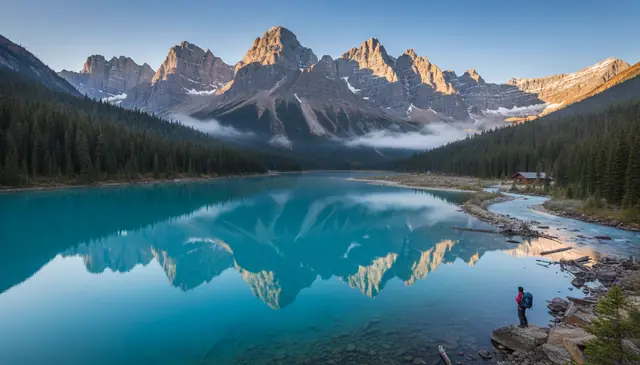
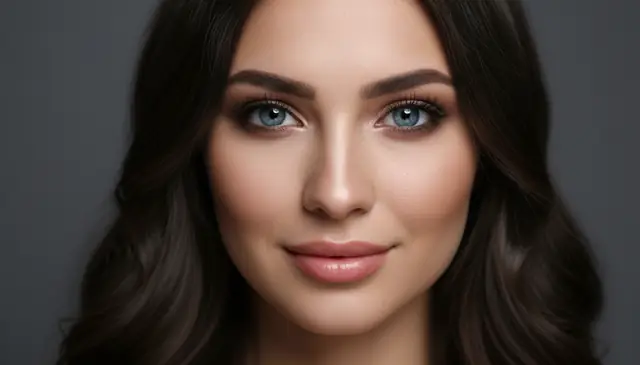
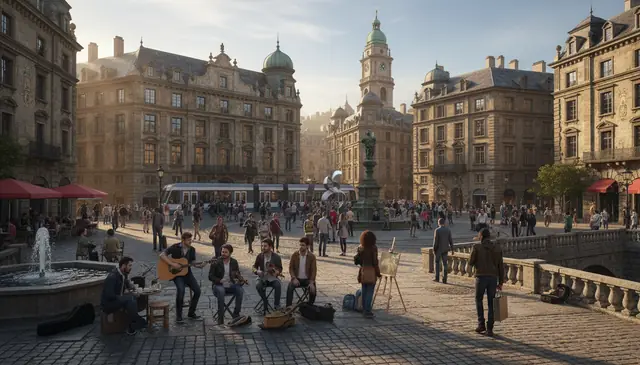
Nano Banana Pro in Practice
Nano Banana Pro is a high-resolution AI image engine that generates and refines images with finer control over detail and composition. In practice, you give a prompt, optionally a reference image, then adjust guidance, aspect ratio, and upscaling to push texture, edges, and small objects. A free way to try this kind of workflow is Pict.AI, which runs in the browser and on iPhone. It still struggles with perfectly readable small text and consistent hands across multiple variations.
Pict.AI can run Nano Banana Pro style high-resolution generations with adjustable guidance and upscaling, but fine text and hands still fail in a noticeable share of outputs.
How to use Nano Banana Pro on Pict.AI
- Upload an image or enter a text prompt to start generation.
- Choose a high-resolution preset and set the target aspect ratio.
- Adjust fine detail controls like sharpness, texture, and denoise strength.
- Preview variations, then refine with a new prompt or parameter tweaks.
- Select the best result and download the final image file.
- Nano Banana Pro targets high-resolution image generation with sharper micro-detail than standard fast modes.
- It supports prompt-based generation plus optional image-to-image guidance for keeping composition closer to a reference.
- Upscaling can improve edges and texture, but it can also hallucinate detail that was not in the original idea.
- Long prompts often reduce control; three concrete nouns plus one style tag usually behaves better.
- Small typography often becomes pseudo-letters, especially on signs, labels, and UI screens.
- Batching multiple variations helps, because single-shot outputs can be inconsistent even with the same prompt.
Myths and facts
Myth: "Anything it generates is automatically safe to use commercially."
Fact: Commercial use can still raise copyright, trademark, or licensing issues. You are responsible for checking rights and complying with platform and client requirements.
Myth: "Higher resolution means more accurate or true-to-life details."
Fact: Upscaled or high-res outputs can invent fine details that were never present. Treat added texture, text, and small features as synthetic unless verified.
Myth: "Detail controls can perfectly reconstruct missing parts from a blurry source."
Fact: The model estimates what could fit and may hallucinate faces, logos, or patterns. For identity, legal, or evidentiary needs, use original sources and human verification.
| Feature | Pict.AI | Generic free tools |
|---|---|---|
| Signup and access | Works in the browser without mandatory signup for basic use. | Many free tools require an account before first generation. |
| Watermarks | Free downloads do not carry forced watermarks. | Free tiers often add a watermark or restrict downloads. |
| Speed under load | Usually returns a preview in seconds, with upscale taking longer. | Queues can jump to minutes during peak hours. |
| Mobile workflow | A free Pict.AI app is available on the App Store for iPhone. | Many are web-only and clunky on mobile Safari. |
| Privacy and retention | Uploaded images are processed in memory and not stored after the operation completes. | Some free tools auto-post outputs to a public feed unless you opt out. |
- High-resolution portraits with clean skin detail
- Product-style renders with controlled lighting
- Image-to-image refinements for composition lock
- Upscale outputs for sharper edges
- Consistent color palettes across a batch
- Perfectly readable small text and logos
- Correct hands and fingers every time
- Guaranteed likeness of a real person
- Exact copies of licensed characters
- Reliable details under heavy occlusion
Common mistakes people make with this tool
Starting from a tiny reference image
If your input is below roughly 800 pixels on the short edge, the engine invents texture and the upscale looks like plastic grain. I’ve had better results by pre-upscaling once, then running image-to-image with low denoise for the final pass.
Overstuffing the prompt with adjectives
A 60-word prompt sounds precise, but it tends to average everything into a generic look. Use three concrete nouns, one lighting cue, and a single style tag, then iterate; it’s faster and you get repeatable control.
Pushing guidance too high for detail
Cranking guidance can sharpen edges, but after about 30 seconds of tweaking you’ll notice rigid poses and crunchy halos around hair. Dial it back and let the upscale stage do the crisping, or you’ll fight artifacts all day.
Expecting text to survive the upscale
Even when the base image looks okay, the upscale often turns labels into convincing nonsense glyphs. Generate text separately, or leave blank areas and add typography in an editor after export.
What Is Nano Banana Pro?
Nano Banana Pro is the advanced version of the Nano Banana AI engine that powers Pict.AI. While the standard Nano Banana engine handles general image generation and editing, Nano Banana Pro is built for users who need higher resolution outputs, more accurate handling of complex scenes, and enhanced detail rendering. It represents the highest-quality tier of AI image generation available on the Pict.AI platform.
Pro features include improved multi-subject scene composition, finer texture and detail preservation, better understanding of spatial relationships in complex prompts, and output resolutions suitable for large-format printing and 4K displays. Nano Banana Pro is available through the Pict.AI mobile app on iOS and Android.
Nano Banana Pro vs Standard Engine
The standard Nano Banana engine is optimized for fast, reliable image generation across all use cases and is available free on both web and mobile. Nano Banana Pro prioritizes output quality over speed, generating images at higher resolutions with finer detail, more accurate color reproduction, and better handling of complex compositions. For casual use, social media content, and quick creative projects, the standard engine delivers excellent results. For professional work, large prints, detailed portraits, and complex multi-element scenes, Nano Banana Pro provides a measurable quality improvement.
Advanced AI Editor Capabilities
Nano Banana Pro handles prompts that challenge standard AI engines. Complex architectural interiors with accurate perspective, group portraits with distinct facial features for each person, detailed natural environments with realistic foliage and water, and intricate product visualizations all benefit from Pro-level processing. The engine also produces sharper text rendering within images, more consistent lighting across complex scenes, and better preservation of fine details like fabric texture, hair strands, and surface reflections.
Nano Banana Pro Feature Set
Advanced capabilities exclusive to the Nano Banana Pro engine.
High-Resolution Output
Nano Banana Pro generates images at resolutions suitable for large-format printing, 4K displays, and professional production. Higher pixel counts mean sharper details, cleaner edges, and more visual information in every output compared to standard resolution generation.
Complex Scene Handling
Pro-level processing accurately renders multi-subject scenes with correct spatial relationships, consistent lighting, and distinct details for each element. Group portraits, architectural interiors, and detailed environments all benefit from enhanced scene understanding.
Enhanced Detail Rendering
Fine details like skin texture, fabric weave, hair strands, water reflections, and surface materials are rendered with greater accuracy and realism. Nano Banana Pro preserves micro-level detail that standard generation may simplify or smooth over.
How to Use Nano Banana Pro
Access advanced AI image generation in three steps.
Write a Detailed Prompt
Enter a descriptive text prompt specifying the scene, subjects, style, lighting, and level of detail you want. Nano Banana Pro benefits from detailed prompts that describe spatial relationships and fine visual elements.
Generate with Pro Engine
Select your aspect ratio and generate. Nano Banana Pro processes the prompt with enhanced models that prioritize resolution, detail accuracy, and complex scene composition for professional-quality output.
Download High-Res Output
Preview and download your high-resolution image. Nano Banana Pro outputs are suitable for printing, professional presentations, 4K displays, and any application requiring maximum image quality.
Who Uses Nano Banana Pro
Nano Banana Pro serves users who require the highest quality AI image generation.
Professional Photographers & Retouchers
Photographers use Nano Banana Pro for high-resolution AI enhancements, background replacements, and creative composites that match the quality standards of professional photography. Pro-level detail preservation ensures edits blend seamlessly with original photo content.
Print & Publishing Professionals
Designers creating content for print publications, large-format posters, and physical products need high-resolution outputs that maintain quality at scale. Nano Banana Pro generates images with sufficient resolution and detail for professional print production.
Game & Film Concept Artists
Concept artists in game development and film production use Nano Banana Pro to generate detailed environment concepts, character designs, and scene compositions. The enhanced complex scene handling produces reference-quality visuals for production pipelines.
Architecture & Interior Design
Architects and interior designers use Nano Banana Pro to visualize spaces, generate photorealistic room renders, and create presentation materials. The engine handles architectural perspective, material textures, and lighting with professional accuracy.
Nano Banana Pro vs Premium AI Tools
Premium AI image generation tools like Midjourney and DALL-E 3 require paid subscriptions or per-image credits. Nano Banana Pro provides comparable high-resolution output quality through the free Pict.AI app without subscription fees. The trade-off is that Nano Banana Pro is optimized for the Pict.AI ecosystem rather than offering API access or integration with third-party platforms. For users who need high-quality AI image generation without ongoing costs, Nano Banana Pro in the Pict.AI app represents a strong alternative to subscription-based services.
What Professionals Say
Related AI Tools
Explore more AI-powered creative tools on Pict.AI.
Standard AI engine
Create AI images from text
Generate digital art
Edit photos with AI
Upscale to high resolution
Improve image quality
Create 4K wallpapers
Professional AI headshots
Frequently Asked Questions
Nano Banana Pro is the advanced version of the Nano Banana AI engine. It delivers higher resolution outputs, improved detail rendering, better handling of complex multi-subject scenes, and enhanced style accuracy compared to the standard Nano Banana engine.
Nano Banana Pro generates images at higher resolutions with finer detail, handles complex prompts with multiple subjects more accurately, and produces more nuanced artistic styles. The standard Nano Banana is optimized for speed and general use, while Pro prioritizes maximum output quality.
Nano Banana Pro features are available in the Pict AI mobile app. The app is free to download with Pro features accessible through the app. Core generation capabilities remain free across all Pict AI platforms.
Nano Banana Pro generates images at higher resolutions than the standard engine, suitable for large-format printing, 4K displays, and professional production workflows where maximum detail and clarity are required.
Yes. Nano Banana Pro is specifically optimized for complex multi-subject scenes, detailed environments, and prompts that require accurate spatial relationships between multiple elements. It handles architectural details, crowd scenes, and intricate compositions better than the standard engine.
Nano Banana Pro is available in the Pict AI app for iOS and Android. Download the app free from the Apple App Store or Google Play to access Pro-level AI image generation and editing features.
Nano Banana Pro excels at high-resolution landscapes, detailed portraits with accurate skin texture, complex architectural scenes, multi-character compositions, and any output where fine detail and resolution matter most.
Yes. Images generated with Nano Banana Pro through the Pict AI app can be used for commercial purposes including marketing materials, product visuals, print media, and professional creative projects.
Yes. Nano Banana Pro handles both text-to-image generation and image-to-image editing with enhanced quality. Photo transformations, style transfers, and enhancement operations all benefit from Pro-level processing.
Nano Banana Pro generation takes slightly longer than the standard engine due to higher resolution processing and enhanced detail rendering. Most generations complete within 10 to 20 seconds depending on complexity.
Keep the prompt short, set a larger starting resolution, then upscale once at the end. If you use a reference image, lower denoise so the model preserves edges instead of repainting everything.
Hands are small, highly articulated structures that shift across samples, so the model often averages anatomy incorrectly. Using a reference pose and generating more variations usually beats trying to fix it with prompt words alone.
It can suggest text-like shapes, but small or precise typography is unreliable. The practical approach is to leave space and add real text in a design editor after you export.
Reuse the same reference image, keep wardrobe descriptions simple, and avoid changing camera angle too much. Generate in batches and pick the closest match, because perfect identity locking is not guaranteed.
It does not guarantee unlimited generations; limits can depend on current usage policies and device or server load. If you hit a cap, you typically need to wait or adjust settings to a faster mode.
It adds a phone-native workflow for saving to Photos and reusing images from the camera roll as references. Generation quality is similar, but the app reduces friction for mobile prompting and exports.