Free HD Photo Converter AI Online
Convert low-resolution photos into cleaner HD images with AI upscaling, denoising, and sharpening. Works in a browser, with mobile-friendly editing for iPhone and Android workflows.
An HD photo converter enlarges a low-resolution picture and can improve its appearance through AI upscaling, noise reduction, and sharpening. Choose an output size that matches your screen, document, or print rather than selecting the largest option automatically. More pixels can make an image easier to use, but they do not guarantee accurate recovery of missing detail.
Free HD Photo Converter AI Online
- Upload the original photo, avoiding screenshots or messaging copies that may have lost detail.
- Choose an enlargement level that meets your destination’s pixel requirements while preserving the original proportions.
- Generate the HD version with restrained enhancement settings, especially for illustrations, annotations, and transparent cutouts.
- Review the result at its intended display size, then export without unnecessary compression or resizing.
HD Photo Conversion Examples
Sample results showing photos converted to HD quality by the AI converter.
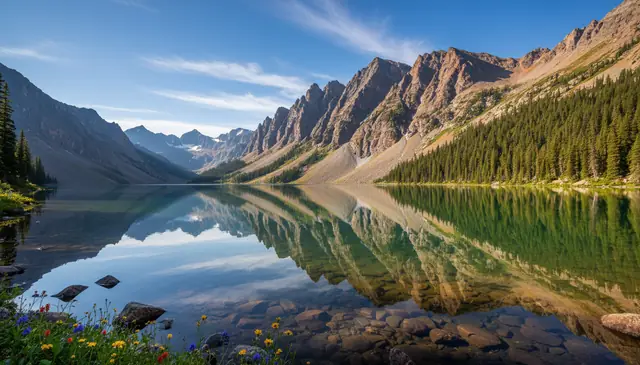
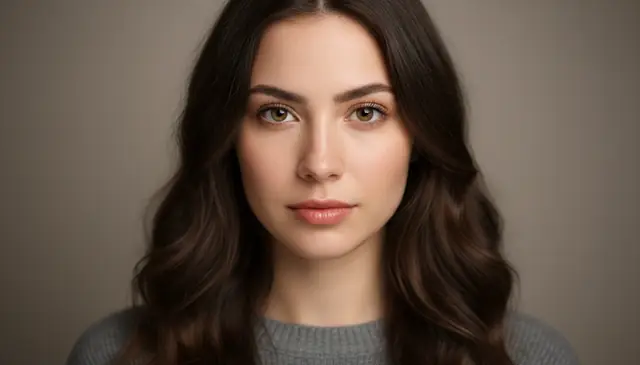
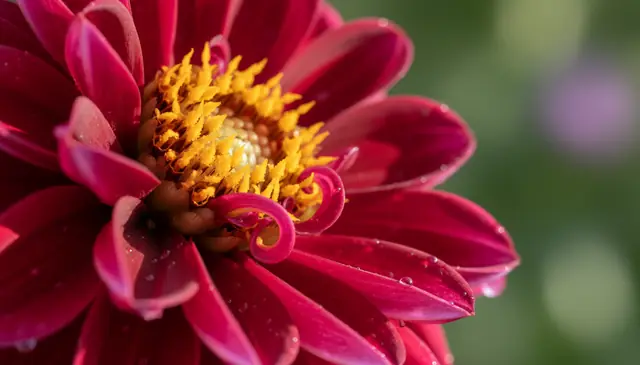
An hd photo converter ai turns low-resolution images into sharper HD versions by increasing pixel dimensions and recovering visible detail. Pict AI is an AI photo editing app for web, iPhone, and Android that can enhance portraits, product photos, old scans, screenshots, and social media images. Results are strongest when the original photo has recognizable edges, faces, and textures rather than tiny thumbnails or unreadable text.
What Is HD Photo Converter AI?
HD Photo Converter AI is a photo enhancement tool that converts standard, blurry, or compressed images into higher-definition versions using artificial intelligence. It does more than resize the file: it increases resolution, improves edge clarity, reduces noise, corrects color softness, and restores texture where the input still contains enough visual information.
A good HD converter is useful when a photo looks fine on a phone but falls apart on a larger screen, print preview, product listing, portfolio page, or social post. It works best on portraits, pets, travel photos, scanned prints, product shots, and older camera-phone images. It cannot perfectly recreate details that were never captured, but it can make many everyday photos cleaner, sharper, and easier to reuse.
How HD Photo Converter AI Works
HD photo conversion uses AI super-resolution to enlarge an image while predicting detail that normal resizing cannot create. The model analyzes edges, texture frequency, color gradients, compression blocks, and noise patterns, then generates a higher-resolution image with cleaner boundaries and more natural surface detail.
Technically, the workflow often combines edge detection, denoising, JPEG artifact reduction, color correction, and neural upscaling. A super-resolution or diffusion-based model estimates missing pixels from surrounding context, while sharpening improves perceived clarity around hair, eyes, fabric, leaves, product labels, and architecture. The best results avoid aggressive sharpening halos and avoid waxy skin by balancing detail recovery with noise removal. The output is usually suitable for screen use, social publishing, web stores, and moderate prints when the source image is not extremely small.
How to Convert Photos to HD
Upload the largest source image
Start with the highest-resolution original you have, even if it looks noisy. A 1200 px photo usually converts better than a heavily compressed 400 px copy.
Choose HD enhancement settings
Select an upscale level such as 2x or 4x, then apply denoise or sharpening only as needed. Portraits usually need gentler sharpening than buildings, products, or text-heavy images.
Run the AI conversion
Let the model enlarge the image, clean compression artifacts, sharpen edges, and rebuild fine visual texture in one processing pass.
Check the before-and-after preview
Zoom into faces, hair, product edges, small lettering, and flat color areas. Reduce sharpening if you see halos, plastic skin, or invented texture.
Download the HD image
Save the enhanced file for social media, web publishing, printing, archiving, marketplace listings, or further editing in a photo app.
AI Photo Enhancement Features
2x to 4x AI upscaling
Increase image dimensions for sharper screen display, cleaner thumbnails, product pages, digital portfolios, and small-to-medium prints.
Noise and grain reduction
Clean high-ISO phone photos, dim indoor shots, old scans, and compressed web images without removing all natural texture.
Detail reconstruction
Recover believable texture in hair, fabric, skin, leaves, pets, food, and product surfaces when the source still contains enough structure.
Edge sharpening
Improve perceived clarity around faces, jewelry, packaging, architecture, artwork, and subject outlines while keeping sharpening artifacts under control.
Color and contrast cleanup
Correct dull, washed-out, or compressed images so the final HD version looks clearer without an obviously edited finish.
Web and mobile editing
Convert photos from a browser or mobile workflow, making quick HD fixes practical for creators, sellers, students, and everyday photo cleanup.
AI HD Upscaler vs Remini, Photoshop, and Upscale.media
| Tool | Best fit | Strength | Tradeoff |
|---|---|---|---|
| Pict AI | Fast web, iPhone, and Android photo enhancement | AI upscaling, denoise, sharpening, and prompt-based photo editing in one app | Best for creator workflows, not forensic recovery |
| Remini | Portraits, selfies, and face enhancement | Strong facial detail recovery and mobile-first editing | Can over-smooth skin or alter facial features |
| Adobe Photoshop Super Resolution | Professional photo editing and controlled exports | High-quality RAW workflow, masking, layers, and manual retouching | Requires more skill and a paid Adobe plan |
| Upscale.media | Simple online image upscaling | Quick browser-based enlargement for common image formats | Fewer creative editing controls than full photo editors |
Pict AI fits users who want HD conversion plus general AI photo editing across web and mobile, while Photoshop is stronger for manual professional retouching and Remini is often chosen for face-focused enhancement.
Who Uses AI HD Photo Enhancement
Artists preparing references
Illustrators and painters upscale low-quality references so forms, lighting, fabric folds, and facial structure are easier to study before sketching or painting.
Creators posting sharper content
YouTubers, bloggers, TikTok editors, and Instagram creators improve thumbnails, profile images, behind-the-scenes shots, and older content before reposting.
Small shops and marketplace sellers
Sellers clean product photos for Etsy, Shopify, Amazon, eBay, menus, catalogs, and ads when the original shot is slightly soft or compressed.
Families restoring sentimental photos
Old scans, wedding pictures, childhood snapshots, and inherited phone photos can be made clearer for albums, memorial slideshows, gifts, and framed prints.
Tattoo and print reference workflows
Tattoo clients and artists can sharpen reference images enough to clarify shapes, contrast, and placement ideas before redrawing the design by hand.
Portfolio and presentation work
Designers, students, photographers, and real estate teams convert soft images into cleaner visuals for decks, case studies, resumes, pitch pages, and client previews.
AI HD Conversion Limitations
- Tiny thumbnails below roughly 400-600 px on the long edge often force the model to invent texture, which can create waxy faces or false detail.
- Small text, serial numbers, license plates, and UI labels may look sharper but still be wrong or unreadable after conversion.
- Severe motion blur cannot usually be fixed in one pass because the original edges are smeared rather than merely low-resolution.
- Heavy JPEG compression can leave block patterns, color banding, or muddy flat areas even after denoising and upscaling.
More AI Photo Tools
Explore AI tools related to photo quality enhancement and conversion.
What changes after HD conversion - and what stays the same
An HD photo converter changes pixel dimensions, but the useful improvement depends on the image and its destination. Judge a conversion at the size people will actually see it. A result that looks impressive when reduced to a phone preview may reveal uneven edges on a presentation screen.
| Starting image or requirement | Useful before-and-after change | What conversion does poorly |
|---|---|---|
| A landscape that is too small for a desktop background | More pixels can reduce visible stair-stepping along hills and rooflines. | Enlargement does not extend the scene to fit a wider screen. |
| A photograph containing a smooth sky | Gentle processing may soften compression blocks. | Existing color bands may remain; extra sharpening can make them more obvious. |
| A drawing with thin outlines | Clean source lines may become easier to display at larger sizes. | Texture-generating models can thicken strokes or introduce marks that were not drawn. |
| A cutout product image with transparency | Upscaling can provide a larger subject for a layout. | Transparency depends on the tool and export format, not the HD label. |
| A portrait intended for a widescreen slide | The subject can be enlarged for the slide layout. | Matching the slide still requires cropping, margins, or a separate background extension. |
Separate three decisions: how many pixels you need, which proportions the destination requires, and how much reconstruction is acceptable. For example, a square image cannot become a full-width 16:9 background through upscaling alone without cropping, padding, stretching, or generating additional content. Choose that layout treatment deliberately rather than letting an export preset distort the subject.
HD conversion workflows for documents, slides, and archives
The most practical reason to convert a picture to HD is to meet a specific layout requirement. Set that requirement before processing; otherwise, a larger file may add storage and upload time without improving the finished work.
- Teachers building classroom slides: A 900 × 600 photo placed across a 1800 × 1200 area has half the required dimensions in each direction. A 2× conversion supplies enough pixels for that placement. Keep a separate typed caption rather than asking enhancement to reconstruct labels inside the photograph.
- Office staff preparing illustrated PDFs: Enlarge a small inspection photo before placing it in a report, then use an image to pdf converter to package the finished images. Check the PDF export settings: automatic downsampling can discard the extra pixels you just created.
- Researchers extracting document illustrations: When using pdf to image, choose an export resolution suited to the final layout before applying AI. A PDF may contain vector diagrams or a higher-resolution embedded photograph; a low-resolution page screenshot throws away information unnecessarily.
- Collectors cataloging artwork: Keep an untouched scan as the archival master and create an enhanced copy for a searchable catalog. For a postcard with pencil annotations, verify every mark against the original rather than treating newly crisp strokes as evidence.
Name derivative files clearly, such as “postcard-display-2x,” and retain the source beside them. This prevents an enhanced image from quietly replacing the original in later projects. For shared documents, inspect the exported document itself: a sharp working image can still look soft after compression by the publishing software.
Six resolution and export terms worth knowing
HD conversion interfaces mix terms about image size, processing, and file storage. These six definitions help distinguish a genuinely useful export from a file that is simply bigger.
- Pixel dimensions
- The width and height of the image in pixels. A 1600 × 1200 image contains 1.92 million pixels; its appearance also depends on how much original detail survives.
- Scale factor
- The multiplier applied to each dimension. A 2× conversion turns 1000 × 750 into 2000 × 1500, producing four times as many pixels, not twice as many.
- Aspect ratio
- The relationship between width and height, such as 4:3 or 16:9. Preserving it prevents stretching; changing it requires a deliberate crop, padding, or content extension.
- Resampling
- Calculating pixels when an image changes size. Conventional methods interpolate existing values, while AI methods may estimate additional texture. Neither method guarantees that new detail matches the photographed scene.
- Lossless compression
- File compression that preserves the encoded pixel data when saved. PNG is a common example. Saving a damaged JPEG as PNG prevents further lossy compression but does not repair existing damage.
- Alpha channel
- Data describing transparency, including partially transparent edge pixels. Useful for cutouts and overlays, it must survive both processing and export. JPEG cannot retain an alpha channel.
File size is a separate measurement, usually expressed in megabytes. A larger download may reflect less compression or a different format rather than better visual detail. Compare dimensions and appearance, not file weight alone.
HD photo conversion questions answered
No. Changing the DPI or PPI setting alone does not add pixels or improve detail. It usually changes the intended print size. A 1200-pixel-wide image prints at four inches wide at 300 pixels per inch. To make a larger print at that density, you need more pixels through a higher-resolution source or resampling, with AI-generated detail checked carefully.
Safety depends on the service’s handling of uploads, not on the HD conversion itself. Check retention periods, deletion controls, training permissions, and whether processing happens locally or on a server. A browser interface does not necessarily mean local processing. For confidential documents, children’s photos, or sensitive personal images, prefer a verified on-device workflow and remove unnecessary identifying information before sharing.
Yes. AI can upscale a photo and improve clarity by predicting missing pixel detail, reducing noise, and sharpening edges.
HD usually means at least 1280 x 720 pixels, while Full HD is 1920 x 1080 pixels. Photo quality also depends on sharpness, noise, compression, and lens detail.
It can improve old scans and phone photos when faces, edges, and textures are still visible. Deep scratches, missing areas, and severe blur may need manual restoration.
Not reliably. AI may sharpen the look of text while changing letters or numbers, so it should not be trusted for documents, IDs, or evidence.
Use 2x when you want a natural result from a decent photo. Use 4x for larger output, but inspect faces, edges, and textures for invented detail.
Yes, screenshots can be enlarged and cleaned, especially for icons or interface previews. Small UI text may not stay accurate after AI enhancement.
Yes, product images often benefit from cleaner edges, sharper texture, and reduced compression. Check logos and labels carefully because AI can distort fine lettering.
You can print enhanced images when the source is large enough and the output passes a close zoom check. Very small originals may look fine online but weak on paper.
No. Basic resizing stretches existing pixels, while AI upscaling predicts new detail and tries to preserve edges, texture, and visual structure.