AI Image Generator for Content Creators: 2026 Workflow Guide
An ai image generator for content creators turns text prompts and optional reference images into visuals for thumbnails, Reels covers, ads, carousels, blog headers, and brand campaigns. The strongest workflow is not one perfect prompt; it is a repeatable system for generating, selecting, editing, resizing, and reviewing images before publishing.
AI Image Generator for Content Creators: 2026 Workflow Guide
- Upload an authorized reference image, or start from a blank canvas for a fully generated creator asset.
- Describe the subject, brand palette, composition, and intended placement; choose an aspect ratio that suits the deliverable.
- Generate several variations, keeping the brief fixed while changing one detail such as lighting or camera angle.
- Review the strongest image for artifacts and misleading details, then export a delivery copy with suitable format and dimensions.
Example prompt: Create a 16:9 YouTube thumbnail scene: single subject centered, high-contrast studio lighting, clean background with subtle gradient, brand palette teal + white + charcoal, sharp focus, minimal props, cinematic realism, no text, leave empty space top-right for title
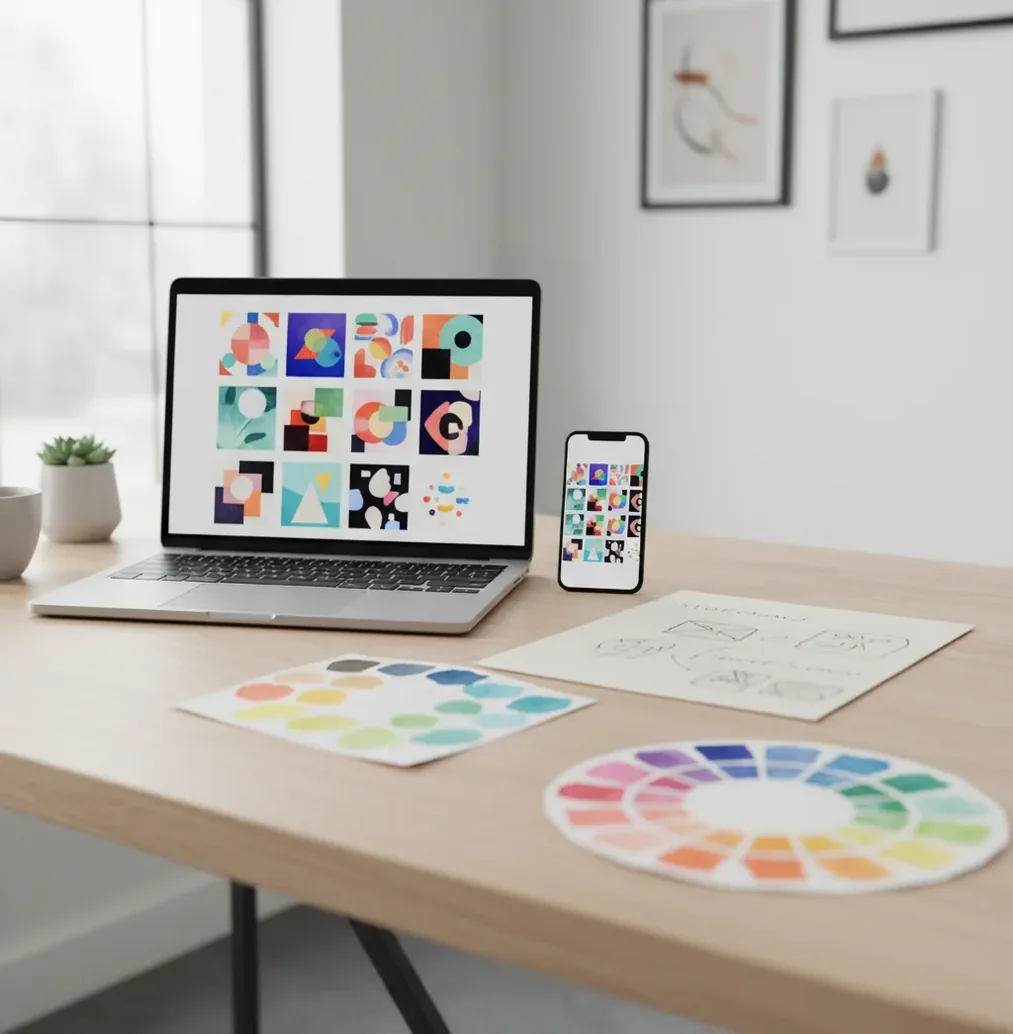
An ai image generator for content creators is software that creates original visual assets from prompts, reference images, style instructions, and aspect-ratio settings. Creators use it to make fast image variations for social posts, thumbnails, ads, product launches, newsletters, and portfolio pieces. The best results come from clear composition prompts, saved brand style recipes, platform-specific sizes, and a final human review for text, logos, faces, and factual accuracy.
What Is an AI Image Generator for Content Creators?
An ai image generator for content creators is a creative tool that produces images for publishing workflows, not just standalone digital art. It can generate social graphics, video thumbnails, ad concepts, product mockups, story backgrounds, blog headers, podcast covers, and branded illustration sets from a written prompt or a visual reference.
For creators, the value is speed plus variation. Instead of designing one asset from scratch, you can generate 6 to 12 directions, choose the strongest composition, then resize or adapt it for 16:9, 9:16, 4:5, and 1:1 placements. The output still needs creator judgment: check readability at phone size, remove artifacts, replace broken text, and confirm that the image matches your brand promise.
How Do AI Image Generators Turn Prompts Into Images?
Most modern AI image tools use diffusion or diffusion-like image models. In simple terms, the system starts with visual noise and repeatedly denoises it into an image that matches your prompt, aspect ratio, style cues, and reference inputs. A text encoder converts your words into embeddings, while attention layers connect prompt phrases to visual regions such as the subject, background, lighting, props, and color palette.
This is why prompt structure matters. A vague prompt like "make a viral thumbnail" gives the model weak visual constraints. A stronger prompt names the subject, scene, emotion, composition, lighting, lens feel, color palette, and output format. For creator work, technical terms such as "center-weighted composition," "shallow depth of field," "high-contrast rim light," "negative space for title," and "mobile-readable silhouette" usually produce more usable assets.
How Do You Use One to Make Platform-Ready Assets?
Choose one primary deliverable
Start with the asset that matters most, such as a 16:9 YouTube thumbnail, 9:16 Reel cover, 4:5 Instagram carousel slide, or 1:1 ad image. Define the job of the image in one sentence: "make the viewer feel curious about a budget desk setup" or "show a premium skincare launch without looking clinical."
Write a structured prompt
Use subject, environment, action, mood, composition, lighting, palette, and aspect ratio. Example: "A creator's desk with a phone showing analytics, warm morning light, clean beige and charcoal palette, top-down composition, negative space on the left for headline, realistic editorial photo style, 16:9."
Generate a controlled set
Create 6 to 12 variations instead of judging one output. Keep the same prompt structure while changing one variable at a time, such as lighting, camera angle, prop density, or background color. This makes selection easier and prevents style drift.
Select for small-screen readability
Shrink each image to phone size before choosing the winner. Strong creator visuals usually have a clear focal point, simple shape language, high contrast, and enough negative space for text overlays, captions, stickers, or UI elements.
Resize and adapt for each channel
Create versions for 16:9 video thumbnails, 9:16 Stories and Shorts, 4:5 feed posts, and 1:1 ads or profile-grid content. Do not simply crop every asset; regenerate or extend the scene when important faces, products, hands, or props are cut off.
Review, upscale, and export
Check hands, teeth, jewelry, logos, product shapes, background objects, and any visible text. Upscale only after selecting the final composition, then export with a naming system such as LaunchA_Thumb_V03_16x9 or ReelCover_Benefit01_9x16.
Which AI Image Tools Work Best for Creator Workflows?
| Tool | Best fit | Strengths | Watchouts |
|---|---|---|---|
| Pict AI | Fast creator image packs across web and iOS | Prompt-to-image generation, variations, upscaling, and common creator aspect ratios | As with any generator, review text, logos, product accuracy, and licensing terms before publishing |
| Adobe Firefly | Designers already working inside Adobe apps | Strong integration with Photoshop, Illustrator, and brand-safe design workflows | Best value depends on whether you already use Adobe Creative Cloud |
| Canva Magic Media | Social teams making templates, carousels, and lightweight brand assets | Easy layout tools, brand kits, and quick resizing for non-designers | Image generation can feel less granular for advanced art-direction control |
| Midjourney | Highly stylized campaign concepts, mood boards, and art-led visuals | Strong aesthetics, cinematic lighting, and expressive visual styles | Requires careful prompting for exact product, brand, and layout accuracy |
| ChatGPT image generation | Prompt ideation, image creation, and iterative creative direction in one chat | Good for refining concepts, generating briefs, and revising outputs conversationally | Final asset quality and edit precision vary by prompt, model, and image complexity |
No single tool is best for every creator. Choose based on your publishing speed, editing needs, brand-control requirements, mobile workflow, commercial-use terms, and whether you need polished final exports or early visual concepts.
What Prompt Recipes Create Consistent Creator Images?
- Use a repeatable prompt formula: subject + content purpose + environment + composition + lighting + palette + style + aspect ratio. Example: "A fitness creator holding a meal-prep container, educational Reel cover, bright kitchen background, centered subject, soft daylight, green and cream palette, clean editorial photo, 9:16."
- For thumbnails, prioritize emotion and contrast: "Expressive creator reacting to a surprising laptop screen, bold foreground silhouette, dark background, electric blue rim light, empty space on right for large title, high-contrast YouTube thumbnail, 16:9."
- For carousels, keep the same scene language across slides: "Minimal 3D illustration of a creator workflow step, white background, rounded objects, soft shadows, coral and navy palette, consistent icon style, square composition, 1:1."
- For brand consistency, save a style anchor: "warm natural light, matte textures, off-white background, muted olive and charcoal palette, realistic editorial product photography, uncluttered composition." Reuse this block across launches, newsletters, and social posts.
- For ad testing, vary only one element per batch. Keep the same product and layout while changing the hook image, facial expression, background color, or prop. This makes performance data easier to interpret.
What Sizes and Export Settings Work for Social Platforms?
Creator images should be generated or adapted for the placement where they will be seen. Use 16:9 for YouTube thumbnails and horizontal blog headers, 9:16 for Stories, Shorts, TikTok covers, and Reel covers, 4:5 for Instagram feed posts, 1:1 for ad tests and profile-grid graphics, and 3:4 or 4:3 for Pinterest-style visuals, portfolio previews, and product explainers.
Export at the highest practical resolution your tool supports, then compress for the platform instead of starting small. For thumbnails and covers, test the asset at about 10% of its full size to check if the subject, expression, and headline area still read clearly. Avoid placing important details near edges, because mobile UI buttons, captions, and safe-zone cropping can cover them.
Where Should Creators Use AI Images in a Content Calendar?
- Use AI images for YouTube thumbnail concept sets when you need multiple emotional angles before a video goes live, such as curiosity, urgency, luxury, frustration, or transformation.
- Use them for Reel and TikTok cover frames that communicate the hook before the video starts, especially for tutorials, product tests, creator tips, and before-and-after stories.
- Use them for carousel education posts where each slide needs a consistent metaphor, icon style, or miniature scene that would take too long to illustrate manually.
- Use them for ad creative testing when you want to compare backgrounds, props, colors, and benefit angles before spending budget on a full photoshoot.
- Use them for media kits, newsletters, blog headers, digital products, and launch graphics where a cohesive visual system makes the creator brand feel more established.
- Use them for gifts, prints, wallpapers, and community assets when the goal is emotional utility: making followers feel seen, entertained, motivated, or part of a visual world.
How Should Creators Review AI Images Before Publishing?
Check the focal point
The viewer should understand the image in one second. If the subject, product, or emotion is unclear at phone size, regenerate with a simpler composition or stronger contrast.
Inspect anatomy and objects
Zoom in on hands, eyes, teeth, glasses, jewelry, cables, buttons, packaging, and background reflections. These areas often reveal warped shapes or visual artifacts.
Replace generated text manually
Small text, fake UI, labels, and logo-like marks can render incorrectly. Add headlines, product names, legal text, and calls to action in a design editor after generation.
Verify brand and factual accuracy
Confirm that the image does not imply a false endorsement, show an inaccurate product, copy a protected character, or imitate a living artist's signature style.
Run the platform test
Preview the image in the actual format where it will appear, including dark mode, mobile feed view, thumbnail size, and any overlay text. Export only after the asset survives that context.
What Are the Limits of AI Images for Brand Safety?
- AI image generators often struggle with small readable text. Use the model for the scene, then add typography, logos, prices, disclaimers, and product labels manually.
- Exact product accuracy is not guaranteed. If you sell a physical item, compare the generated image against the real product shape, material, color, packaging, and proportions.
- Style consistency can drift across weeks. Save prompt recipes, color palettes, seed-like settings when available, reference images, and approved examples in a shared brand document.
- Photorealistic people require extra care. Avoid recreating real people without consent, implying endorsements, or generating sensitive identity-based scenarios for engagement.
More Pict.AI reads for monetized content
Export specifications that prevent blurry uploads
A generated image can look sharp in the preview but soften after export and platform compression. Keep an untouched master, then make separate delivery copies. Check actual pixel dimensions rather than relying on labels such as “HD” or “4K.” An ai photo editor for content creators should let you inspect the exported file, not just the working canvas.
| Setting | Practical specification | Why it matters |
|---|---|---|
| Pixel dimensions | Match or exceed the final placement’s required dimensions before adding text. | Enlarging a small export softens edges; upscaling cannot guarantee accurate new detail. |
| Color space | Use sRGB for typical web and social delivery. | Reduces unexpected color shifts between editing software and browsers. |
| File format | JPEG for photographic scenes; PNG for transparency or crisp graphic edges. | Format choice affects file weight, edge quality, and background transparency. |
| JPEG quality | Start around 85-90 if the editor uses a 0-100 scale. | Inspect gradients and lettering; quality scales differ between encoders. |
| Print resolution | For a 6 × 4-inch print at 300 pixels per inch, use 1800 × 1200 pixels. | Changing resolution metadata alone does not add pixels. |
| Transparency | Confirm the exported PNG retains an alpha channel. | A checkerboard preview does not prove the saved file has a transparent background. |
Inspect delivery copies at 100% magnification for halos, blocky gradients, and damaged edges. Then view them at their intended display size. If cleanup is necessary, fix the master before exporting again; repeatedly saving a JPEG can compound compression damage.
When choosing the best ai object remover app for cleanup, prioritize edge control and believable background reconstruction over automatic removal alone. After removing a prop, check nearby shadows and repeating textures. Finally, upload a draft to the destination platform and inspect its processed version: the local file cannot reveal every compression or cropping change.
Creator questions about publishing AI images
Disclosure requirements depend on the platform, jurisdiction, and what the image depicts. Realistic synthetic people or events may trigger labeling rules, while decorative illustrations may be treated differently. Check the destination platform’s current policy before publishing. Label visuals clearly when viewers could mistake them for documentary evidence, genuine product results, or a real endorsement; a label does not make a misleading claim acceptable.
Compare thumbnails for the same video while keeping the title and audience conditions as consistent as possible. Use a platform’s thumbnail experiment feature when available, and change one visual element at a time. Consider watch time alongside click-through rate: a striking image can attract clicks but disappoint viewers. Avoid declaring a winner from a handful of impressions or comparisons made across different videos.
It is software that creates visual assets from prompts, reference images, and style instructions for posts, videos, ads, blogs, and launches. Creators use it to generate fast variations and platform-ready images without starting every design from scratch.
Creators can make YouTube thumbnails, Reel covers, carousel illustrations, ad creatives, podcast art, blog headers, product mockups, newsletter graphics, wallpapers, and campaign mood boards.
You do not need advanced design skills, but basic visual judgment helps. The most useful skills are writing structured prompts, choosing readable compositions, checking details, and resizing for each platform.
Use a saved prompt recipe with the same palette, lighting, composition, texture, and style terms. Keep approved reference images or a mood board so each new generation stays close to the brand system.
Often yes, but commercial use depends on the tool's terms, your prompt inputs, reference materials, and local copyright rules. Always check licensing terms before using AI images in ads, products, sponsorships, or client work.
Image models generate text as visual shapes, not always as accurate editable typography. For professional posts, generate the background or scene first, then add headlines, labels, logos, and calls to action in a design editor.
Use 16:9 for YouTube thumbnails, 9:16 for Stories and Shorts, 4:5 for Instagram feed posts, 1:1 for ads and grid graphics, and 3:4 or 4:3 for Pinterest, product explainers, and portfolio images.
Yes, AI images can be useful for thumbnail concepts, background scenes, expressive portraits, and style variations. They still need a readability check, manual text overlay, and review for odd faces, hands, or misleading details.
Generate 6 to 12 variations for an important asset, then choose the two strongest options and refine them. This gives enough creative range without making selection slow or inconsistent.