Can AI Make Passport Photos Accepted in 2026?
Yes, AI can help make passport photos accepted in 2026 when it edits a real, current photo to match official rules. The final image still needs correct size, face position, lighting, background color, expression, and print or upload resolution for your country.
Can AI Make Passport Photos Accepted in 2026?
- Upload a recent, sharp photograph with your full head visible and enough space for the required crop.
- Choose the destination document’s dimensions, and describe formatting needs without requesting facial changes or generated details.
- Generate a formatted preview, keeping enhancement disabled and avoiding corrective edits prohibited by the issuing authority.
- Compare the preview with the original and official specifications, then export the required file or print layout.
Example prompt: Edit my uploaded selfie into a passport-style photo: plain off-white background, even lighting, neutral color, centered head and shoulders, no beauty retouching, export 2x2 inch at high resolution.
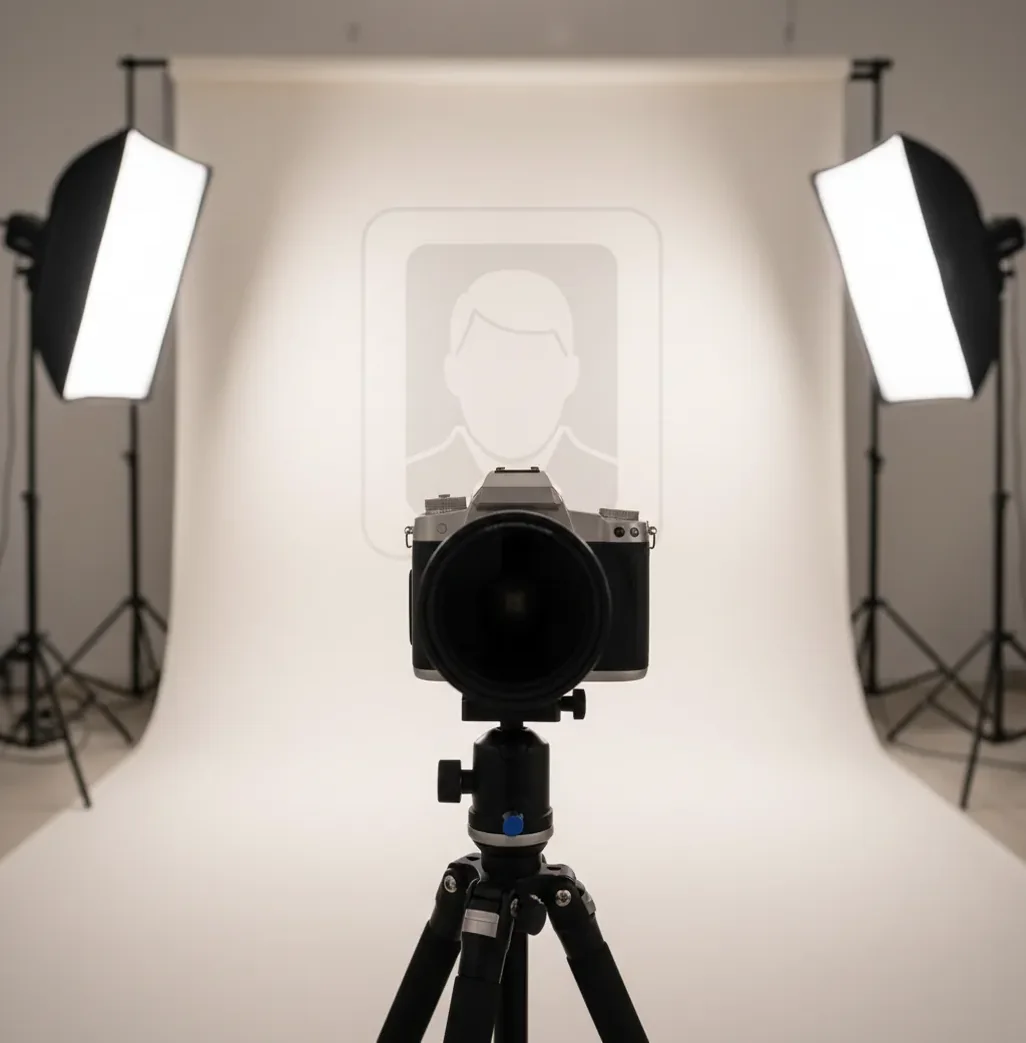
AI can make passport photos that are accepted in 2026 if the source image is a real likeness and the edits are limited to compliant cropping, background cleanup, exposure correction, and sizing. AI should not reshape facial features, change identity details, or create a passport image from scratch. Acceptance depends on the rules and review process of the passport, visa, or ID agency.
Can AI make passport photos that get accepted in 2026?
Yes, AI can make passport-style photos that get accepted in 2026, but only when the final file follows the official photo requirements for the specific document. In practice, that means using AI as a formatting and cleanup tool, not as an identity generator. A compliant AI-edited photo should come from a real, recent headshot and preserve your face, skin texture, hairline, moles, scars, and natural proportions.
The most important acceptance factors are image size, head size, centered framing, neutral expression, plain background, even lighting, sharp focus, and correct resolution. Human reviewers and automated systems can reject photos for shadows, glare, background halos, excessive smoothing, face distortion, or printer scaling errors. Treat AI as a fast photo-prep assistant, then compare the result against your government’s published examples before submitting.
What does an AI passport photo tool actually do?
An AI passport photo tool uses computer vision to detect the face, outline the body, separate the background, and place the head inside a document-specific crop template. Most tools combine face detection, semantic segmentation, background replacement, exposure correction, white-balance adjustment, and export resizing. The goal is to create a clean ID-photo layout without changing the person’s identity.
For example, the tool may identify the top of the head, chin, shoulders, and eye line, then crop the image to a 2x2 inch, 35x45 mm, or country-specific format. It may also replace a cluttered wall with a uniform white, off-white, light gray, or light blue background depending on the requirement. The edit becomes risky when it adds beauty filters, alters facial geometry, removes permanent features, or generates missing detail.
How do you take a passport photo on your phone for AI editing?
Check the official photo rules first
Confirm the required dimensions, background color, head-size range, glasses policy, headwear rules, file size, and upload format for your country or visa application.
Use soft front-facing light
Stand facing a window or large soft light source. Avoid overhead lighting, strong side light, flash glare, and shadows under the nose or chin.
Shoot with the normal lens
Use the 1x camera, not the 0.5x ultra-wide lens. Hold the phone at eye level and step back enough to avoid nose, jaw, or forehead distortion.
Keep the pose neutral
Look straight at the camera with both eyes visible, mouth closed, shoulders square, and a natural expression. Take 6 to 10 sharp shots.
Edit only compliance details
Use AI to clean the background, correct exposure, center the crop, and export the required size. Do not reshape the face, add makeup effects, or smooth skin heavily.
Review at 100% zoom before submitting
Check for background halos around hair, blur, red-eye, glare on glasses, uneven shadows, and incorrect head scale. If printing, disable “fit to page” scaling.
Which passport photo tools are best for different needs?
| Option | Best for | Strengths | Watch out for |
|---|---|---|---|
| AI passport photo editor | Fast home uploads and last-minute reshoots | Automatic crop, background cleanup, exposure correction, and export sizing | May be rejected if the source image is blurry, over-retouched, or visibly background-replaced |
| Pict AI | Turning a real headshot into a passport-style image on mobile or desktop | Plain background editing, crop guides, standard ID-photo layouts, and quick exports | Users still need to verify the final result against official country rules |
| Professional photographer | High-stakes applications, baby photos, complex lighting, or strict embassy rules | Controlled lighting, calibrated print size, and experienced human review | Costs more and may require an appointment |
| Pharmacy or shipping-store kiosk | Printed passport photos with staff assistance | Convenient physical prints and common country presets | Quality varies by store, camera setup, and staff attention to lighting |
| Government or application portal checker | Final upload validation when available | Checks size, file format, face position, and sometimes brightness or background | Does not always catch every human-review issue |
| Basic web resizer | Simple cropping after you already have a compliant image | Fast file resizing and format conversion | Usually does not fix lighting, background, glare, or face-scale errors |
The safest choice depends on risk tolerance. AI tools are efficient for clean, real source photos; professional studios are better when rules are strict, lighting is difficult, or a rejected application would be costly.
What edits are usually safe for passport photos?
- Safe edits usually include cropping to the required dimensions, centering the head, correcting mild exposure issues, adjusting white balance, and replacing or evening out a plain background.
- Minor noise reduction is generally safer than beauty smoothing because it preserves skin texture and permanent facial details.
- Background cleanup is safest when the hairline, ears, shoulders, and clothing edges remain natural without halos, cutout artifacts, or blurred outlines.
- Brightness correction should keep skin tones realistic and avoid washed-out highlights on the forehead, cheeks, nose, or glasses.
- Resolution changes should maintain sharpness; avoid upscaling a small blurry selfie into a large file because review systems may still detect softness.
- For prints, export at the required physical size and use 300 dpi when possible. Printer scaling should be set to 100%, not “fit to page.”
What AI edits can make a passport photo fail?
- Face reshaping, jaw slimming, eye enlargement, nose correction, or age alteration can cause rejection because the image no longer represents a true likeness.
- Heavy skin smoothing can remove pores, scars, moles, wrinkles, freckles, or other permanent identifying features.
- Synthetic hair repair, generated ears, replaced clothing, or AI-filled shoulders may look suspicious in close review.
- Background replacement can fail if there are halos around curly hair, transparent glasses frames, veils, or dark clothing.
What prompt or edit instructions help keep a passport photo compliant?
- Compliance edit template: “Edit this real headshot for passport-photo compliance. Keep the face, hair, skin texture, moles, scars, and proportions unchanged. Only adjust crop, exposure, white balance, and plain background.”
- Background cleanup template: “Replace the background with a uniform [white/off-white/light gray/light blue] color. Preserve natural hair edges, shoulders, glasses, and clothing without blur, glow, or cutout halos.”
- Crop template: “Center the face and shoulders for a [2x2 inch/35x45 mm/custom] passport photo. Keep the eyes level, leave required headroom, and do not crop into the hair or chin.”
- No-retouch guardrail: “Do not beautify, smooth skin, change facial shape, remove permanent marks, alter age, add makeup, change eye color, or generate missing facial details.”
- Final review prompt: “List any compliance risks in this image: shadows, glare, blur, uneven background, head-size errors, expression problems, glasses reflections, edge halos, or printer-scaling issues.”
Can you print AI passport photos at home?
Yes, you can print AI-prepared passport photos at home if the file is exported at the correct physical size and printed without scaling. The most common failure is not the AI edit, it is the printer enlarging or shrinking the image through “fit to page,” borderless mode, or automatic photo enhancement. Use 100% scale, high-quality photo paper, and a matte or low-gloss finish when the application allows printed submissions.
A practical print workflow is to export a photo sheet, print a test page, measure the head height and full photo dimensions with a ruler, then print the final version only after the measurements match the official spec. For digital-only applications, printing is unnecessary; focus instead on pixel dimensions, file size, JPEG quality, and upload checker warnings.
Where do AI passport photos still get rejected?
AI passport photos still get rejected when the source image has problems that editing cannot safely fix. Common rejection triggers include motion blur, low resolution, shadows across the face, glare on glasses, open-mouth smiles, tilted heads, uneven backgrounds, extreme camera angles, and hair or clothing blending into the background. AI can improve presentation, but it cannot turn a distorted selfie into a perfect biometric image without risking identity alteration.
Strict review systems may also reject visible segmentation artifacts, unnatural skin smoothing, incorrect background shade, wrong head scale, or file compression artifacts. Rules vary by country: one agency may allow glasses while another discourages them; one may require a white background while another accepts light gray or blue. The final check should always be against the official passport or visa photo page, not a generic internet standard.
Should you use AI for passport photos in 2026?
Use AI for passport photos in 2026 if you have a sharp, recent, front-facing photo and need help with background cleanup, crop guides, exposure, or export sizing. It is especially useful for online renewals, visa uploads, family photo sheets, emergency reshoots, and people who want to avoid a studio trip. The key is to keep the image documentary, not stylized.
Choose a professional photographer or official photo location if the application is high-risk, the rules are unusually strict, the subject is an infant, the lighting is difficult, or the first submission has already been rejected. AI is best treated as a compliance workflow tool: shoot carefully, edit minimally, measure precisely, and verify before submission.
Related reads before you submit
What a Passport Photo Edit Can Fix - and What Needs a Retake
A passport-photo preview can look convincing while hiding problems that make it unsuitable for submission. Judge the result against the original photograph, not just the crop guide. The useful distinction is between arranging existing image data and inventing details the camera never captured.
| Before editing | What AI does well | What AI does poorly |
|---|---|---|
| A sharp photograph with extra space around the head | Finds the face and suggests a document-specific crop. | Cannot guarantee that its head measurements match the issuing authority’s definition. |
| A photograph with tilted framing | Can level the image when enough surrounding space remains. | Cannot correct a turned head without generating a different view of the face. |
| A small face in a low-resolution image | Can resize the file to the requested pixel dimensions. | Cannot recover authentic facial detail through generative upscaling. |
| A portrait with clipped hair or shoulders | Can identify that the framing is incomplete. | Cannot make generated hair or clothing equivalent to an unaltered photograph. |
| A correctly framed image with unsuitable export settings | Can produce a requested file format or print layout. | Cannot undo detail lost through repeated compression or guarantee accurate printer output. |
If you are searching for what app makes passport photos, prioritize tools that preserve the original, disclose their edits, and let you disable enhancement. A compliance badge is not a substitute for checking the actual document rules.
Keep both files and compare them side by side. Look for changes to eyelids, ears, teeth, hair edges, and facial proportions. If an edit repairs missing anatomy or blurred features, retake the photograph instead. Where the issuing authority prohibits digital alteration, skip corrective AI edits entirely; even a visually subtle change may be unacceptable.
Passport Photo Acceptance Questions
AI editing does not make an old photograph recent. Passport authorities set their own recency requirements; U.S. passport photos, for example, must have been taken within the last six months. Changing the background, clothing, or file date does not change when the photograph was captured. Take a new photograph if the original falls outside the required period or no longer represents your appearance.
A single original photograph may support several applications, but the exported files are not automatically interchangeable. Countries and document types can require different dimensions, head proportions, backgrounds, and digital file specifications. Their rules on image alteration may also differ. Start from the untouched original for each version, check the relevant authority’s requirements, and retake the photo if its pose or background is unsuitable.
Yes, AI can help create accepted passport photos when it edits a real image for crop, background, lighting, and size without changing identity features. Final acceptance depends on the official rules and review system.
In many places, basic digital correction is allowed if the photo remains a true likeness. Laws and agency rules vary, so follow the official guidance for the document you are applying for.
A fully generated passport photo is not appropriate for identity documents because it is not a real capture of the applicant. Use a current real photo and limit AI to compliance edits.
The safest edits are cropping, background cleanup, mild exposure correction, white-balance adjustment, and export resizing. Avoid face reshaping, skin smoothing, and removal of permanent marks.
They are often rejected for blur, shadows, glare, wrong head size, incorrect background color, visible cutout halos, or over-retouched skin. Printer scaling and low-resolution uploads are also common causes.
You can use a phone photo if it is taken correctly, but avoid close wide-angle selfies. Use the 1x lens, eye-level camera height, soft front light, and enough distance to prevent facial distortion.
Glasses rules vary by country and document type. If glasses are allowed, the lenses must not create glare, shadows, tinted color, or block the eyes.
Many passport photos require a plain white or off-white background, but some visa or ID formats allow light gray or light blue. Always check the exact requirement before editing.
Yes, if home printing is accepted for your application and the photo is printed at the exact required size. Disable automatic scaling, use suitable photo paper, and measure the final print before cutting.