Can AI Replace a Professional Photographer?
Can AI replace a professional photographer? Not fully. AI can handle retouching, background cleanup, style variations, and some low-risk image generation, but it cannot reliably replace real-time direction, lighting control, event timing, or consistent client delivery.
Can AI Replace a Professional Photographer?
- Upload a sharp source photograph that shows the face or product clearly, with enough room for your intended crop.
- Describe the lighting and background changes, specifying which facial features, product details, and colors must remain unchanged.
- Generate a few controlled variations using the same source image, changing only one styling instruction at a time.
- Review identity, edges, and fine details at full size, then export the approved version for its intended placement.
Example prompt: Create a realistic studio-style headshot from my photo: soft window light, neutral gray background, natural skin texture, sharp eyes, subtle contrast, no heavy smoothing, true-to-life colors.
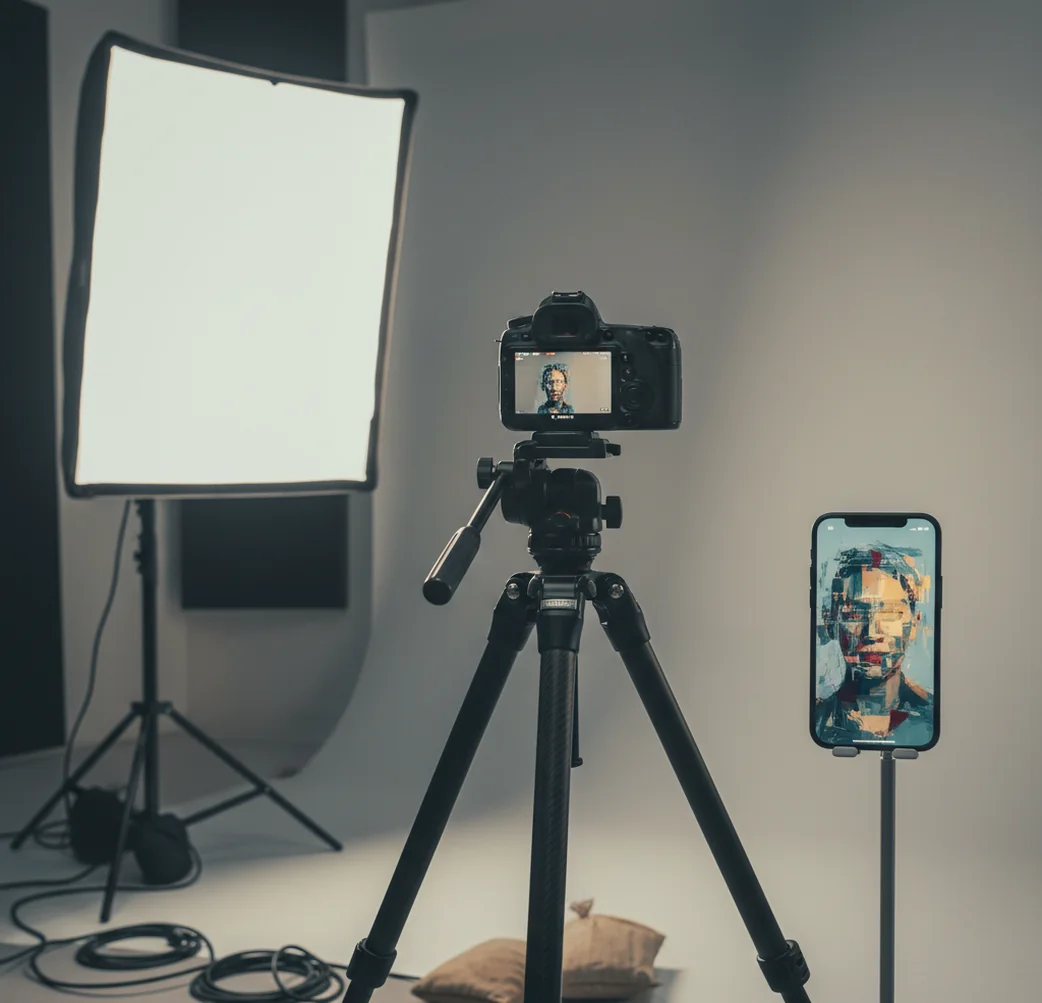
AI cannot fully replace a professional photographer for events, portraits, brand campaigns, weddings, or product work that requires real lighting control and human direction. AI can replace parts of the photography workflow, including background removal, retouching, image expansion, concept visuals, and quick social content. The best approach in 2026 is usually hybrid: capture strong source photos with a camera or phone, then use AI to edit, test looks, and speed up delivery.
Can AI Replace a Professional Photographer?
AI can replace some photography deliverables, but it does not replace the full role of a professional photographer. A photographer is not only pressing the shutter; they are choosing lens length, shaping light, directing expressions, solving reflections, protecting color accuracy, and making fast decisions when the scene changes.
For low-stakes visuals like social posts, mood boards, quick headshots, marketplace listings, and background cleanup, AI may be enough. For weddings, events, executive portraits, editorial campaigns, food photography, luxury products, regulated industries, and anything tied to reputation or legal accuracy, a human photographer is still the safer choice.
What Parts of Photography Can AI Replace Today?
AI can replace repeatable post-production tasks and some simple visual outputs. The strongest uses are background removal, object cleanup, blemish reduction, skin-tone balancing, sky replacement, image expansion, generative fill, basic product staging, and fast style variations for thumbnails, ads, or social posts.
AI is also useful when you need options more than precision. A creator can test five poster looks, a founder can turn one phone portrait into several LinkedIn-style crops, and a small shop can clean product photos without booking a studio. The tradeoff is control: AI can generate convincing pixels, but it may change hands, jewelry, logos, text, fabric texture, or facial identity if the edit is too aggressive.
How Does AI Photo Editing Work?
AI photo editing works by combining computer vision, segmentation, and generative models. Segmentation models identify areas such as hair, skin, glasses, clothing, product edges, background, and shadows. Generative systems, often based on diffusion models, then synthesize new pixels by denoising toward a prompt or edit instruction.
This is why AI can remove a messy wall, extend a backdrop, soften flyaway hair, or create a studio-style background from a phone photo. It also explains the failure cases: transparent objects, mixed LED and daylight color temperatures, mirrored surfaces, small text, brand marks, and repeated patterns are hard because the model is predicting what looks plausible, not measuring physical reality.
How Do You Use AI Without Hiring a Full Shoot?
Start with the cleanest source photo
Use a sharp image with clear eyes, visible product edges, and minimal motion blur. AI performs better when the original file has usable detail instead of crushed shadows or blown highlights.
Fix exposure before changing style
Lift shadows slightly, reduce harsh highlights, and correct white balance first. A neutral base image helps AI preserve skin, fabric, packaging, and food color more accurately.
Simplify the background
Remove clutter or replace it with a solid color, soft gradient, paper backdrop, or simple interior. Busy AI backgrounds often look impressive at first but fail when viewed closely.
Retouch lightly
Reduce temporary blemishes, lint, glare, or distractions, but keep pores, fabric texture, and natural facial structure. Over-retouching is one of the fastest ways to make an image look synthetic.
Generate controlled variations
Create 3 to 6 versions with small changes in crop, background, mood, or color palette. Keep the subject, product, pose, and brand details stable unless the image is only for concepting.
Export for the final platform
Use 1080×1350 for Instagram feed portraits, 1080×1920 for vertical stories and short-form video, and higher-resolution files for print. Always preview on a phone before posting.
When Is AI Good Enough for Creator or Brand Images?
AI is good enough when the image does not need documentary accuracy, exact product truth, or one-time event capture. It works especially well for creator profile images, pitch-deck visuals, campaign mood boards, YouTube thumbnails, simple menu images, real estate cleanup, before-and-after previews, and social posts that need to look intentional rather than studio-perfect.
A useful rule is the 80% threshold: if the image only needs to communicate mood, polish, or a clear offer, AI can often get you there faster and cheaper than a shoot. If the image must prove that a real person, place, product, or moment looked exactly that way, use photography first and AI only as a careful editing layer.
Which Tools Are Best for AI-Assisted Photo Work?
| Tool | Best for | Strength | Watch out for |
|---|---|---|---|
| Pict AI | Phone-first AI edits and quick image generation | Fast background fixes, retouching, and visual variants for creators | Review export settings, licensing terms, and identity consistency |
| Canva | Templates, brand kits, social graphics, and light AI edits | Strong for layout, text, resizing, and campaign assets | Some assets, fonts, and AI features depend on plan or licensing |
| Adobe Photoshop Express | Mobile retouching and manual photo corrections | Good control over exposure, healing, filters, and quick fixes | Advanced compositing may still require desktop Photoshop |
| Lightroom Mobile | Color correction and consistent photo sets | Strong presets, masks, RAW editing, and batch-style workflows | Less focused on generative image creation |
| Midjourney | Concept art, campaign directions, and stylized image generation | Excellent for mood, art direction, and visual exploration | Not reliable for exact products, text, logos, or real identity |
Choose the tool based on the job: editing a real photo, designing a graphic, correcting color, or generating a concept are different workflows. For professional use, check commercial rights, privacy settings, and whether the final image must represent a real product or event accurately.
What Prompt Recipes Help AI Photos Look Professional?
Good AI photo prompts are specific about subject, light, lens feel, background, crop, and constraints. The goal is not to use more adjectives; it is to reduce ambiguity so the model keeps the image believable and useful for the final platform.
Portrait recipe: "Create a natural editorial headshot of [person description], soft window light from camera left, neutral background, 85mm portrait lens look, realistic skin texture, sharp eyes, natural expression, no plastic skin, no extra fingers, no warped glasses."
Product recipe: "Place [product] on a matte [color] surface with soft studio lighting, realistic shadow, clean background, accurate packaging text, no reflections covering the label, commercial product photo style, square crop."
Social post recipe: "Turn this image into a polished vertical social post, 1080×1920, subject centered with safe space for text at the top, warm natural color grade, clean background, realistic details, no fake logos, no distorted hands."
When Should You Hire a Photographer Instead of AI?
Hire a photographer when the moment cannot be recreated, the subject needs direction, or the final images must be consistent across a full set. Weddings, conferences, launch events, executive portraits, team photos, editorial stories, architecture, luxury products, medical imagery, legal documentation, and high-end food work all benefit from a professional on set.
The reason is control. A photographer can move a light two inches, swap a lens, flag a reflection, calm a nervous subject, notice a wardrobe issue, or wait for a real expression. AI can improve an image after capture, but it cannot capture a missed kiss, fix a product that was never photographed correctly, or guarantee truthfulness when accuracy matters.
What Are the Limitations of AI Photography?
- Identity drift: AI may subtly change a face, body shape, age, hairstyle, or expression, especially during heavy edits.
- Hands and small details: fingers, jewelry, eyeglass frames, teeth, shoelaces, buttons, and stitching can become distorted.
- Text and logos: packaging labels, brand marks, menu text, signage, and embroidered logos may be misspelled or redesigned.
- Reflections and transparency: glass, chrome, mirrors, glossy cosmetics, bottles, and eyewear often break because AI guesses reflections instead of calculating them physically.
Before and After: Judge the Deliverable, Not Just the Preview
A polished preview is not the same as a usable photograph. Before replacing a shoot with AI, define the final output: a small profile image, a printed poster, or a coordinated set of campaign assets. A request such as “make photo look professional” leaves these requirements unspecified. Name the intended size, crop, and details that must remain unchanged.
| Before editing | What AI can improve | What the result may still lack |
|---|---|---|
| A portrait cropped too tightly for a banner | Extend a simple backdrop to create space for text. | Invented shoulders or clothing may not match the original. Check the expanded area separately. |
| A small image intended for a large print | Upscaling can reduce visible pixelation and sharpen apparent edges. | New texture is inferred, not recovered. Fine detail may look convincing on screen but unnatural in print. |
| Several portraits intended for one team page | Standardize background color and approximate brightness. | Camera angle, light direction, and head size can remain inconsistent across the set. |
| A product image needed in several ad formats | Create background space around an unchanged product. | A crop can hide essential features; generated extensions may introduce misleading accessories. |
Review each version at its actual destination size, then inspect edited areas at 100% magnification. For print, request a proof at the intended dimensions rather than judging a phone preview. For a team page, compare the images together: individually attractive portraits can still look mismatched as a group.
Keep the original file and an approved reference alongside every export. If an edit changes identity, product construction, or essential detail, reject it rather than treating visual polish as success. When repeated corrections cannot meet the brief, a targeted reshoot may be more predictable than further generation.
Questions About Replacing Photography With AI
Copyright depends on the jurisdiction and the human creative contribution. In the United States, purely AI-generated material generally does not receive copyright protection, while qualifying human-authored elements may. A tool’s commercial-use permission is separate from copyright ownership. Editing an existing photograph also does not erase the original photographer’s rights; check your license before generating variations for a campaign.
AI can produce artwork for large-format printing, but it cannot guarantee the captured detail or faithful appearance required for every photographic brief. Upscaling increases pixel dimensions without recovering missing information. Suitability depends on print size, viewing distance, and subject detail. Inspect a physical proof, especially for faces, fine textures, and lettering, before committing to a full print run.
No. Weddings and events depend on timing, anticipation, people skills, changing light, and capturing moments that cannot be recreated.
Low-risk, repeatable jobs are most exposed, such as simple background swaps, basic retouching, generic stock-style images, and fast social visuals. Work requiring trust, direction, access, or real documentation is less replaceable.
AI can create usable profile images for LinkedIn, resumes, or social platforms, especially from strong source photos. For executive branding, press use, or team consistency, a real headshot session is usually better.
AI is good enough for simple marketplace images when the product shape, texture, and label are easy to preserve. It is less reliable for reflective packaging, glass, cosmetics, jewelry, apparel fit, and products with important text.
AI is faster for routine edits like background cleanup and blemish removal, but a skilled retoucher is better for taste, consistency, skin realism, color accuracy, and complex commercial files.
Some low-budget editing and generic image work will shrink, but photographers who offer direction, lighting, production planning, and brand judgment remain valuable. AI changes the workflow more than it removes the need for visual expertise.
AI can improve a bad photo, but it cannot fully recover missing detail, severe motion blur, blown highlights, or a poorly posed subject. A sharp, well-lit source image always produces better AI results.
Small businesses can use AI for social posts, ads, mockups, background cleanup, and quick content tests. They should use real photography for hero images, catalog accuracy, team trust, food menus, and premium brand assets.
Disclosure depends on the platform, industry, location, and use case. If the image could mislead people about a real person, product, event, medical result, or news situation, disclosure or human verification is strongly recommended.