How Accurate Are AI Photo Editors in 2026?
AI photo editors in 2026 are very accurate for conservative edits like background cleanup, denoise, lighting correction, and small object removal. They are less reliable when the tool must invent details, preserve tiny text, rebuild reflections, or separate fine hair from complex backgrounds.
How Accurate Are AI Photo Editors in 2026?
- Upload the original photo at full resolution, keeping an untouched copy for a matched before-and-after comparison.
- Choose one correction or describe a limited change, specifying which facial features, colors, and objects must remain unchanged.
- Generate the edit without additional enhancement passes, so you can identify changes caused by the requested correction.
- Review matching crops for altered details, then export at source dimensions and reopen the saved file.
Example prompt: Edit this photo to look natural: remove background clutter, keep hair edges clean, reduce noise, and keep skin texture realistic. No heavy smoothing, no fake bokeh, and don’t change facial features.
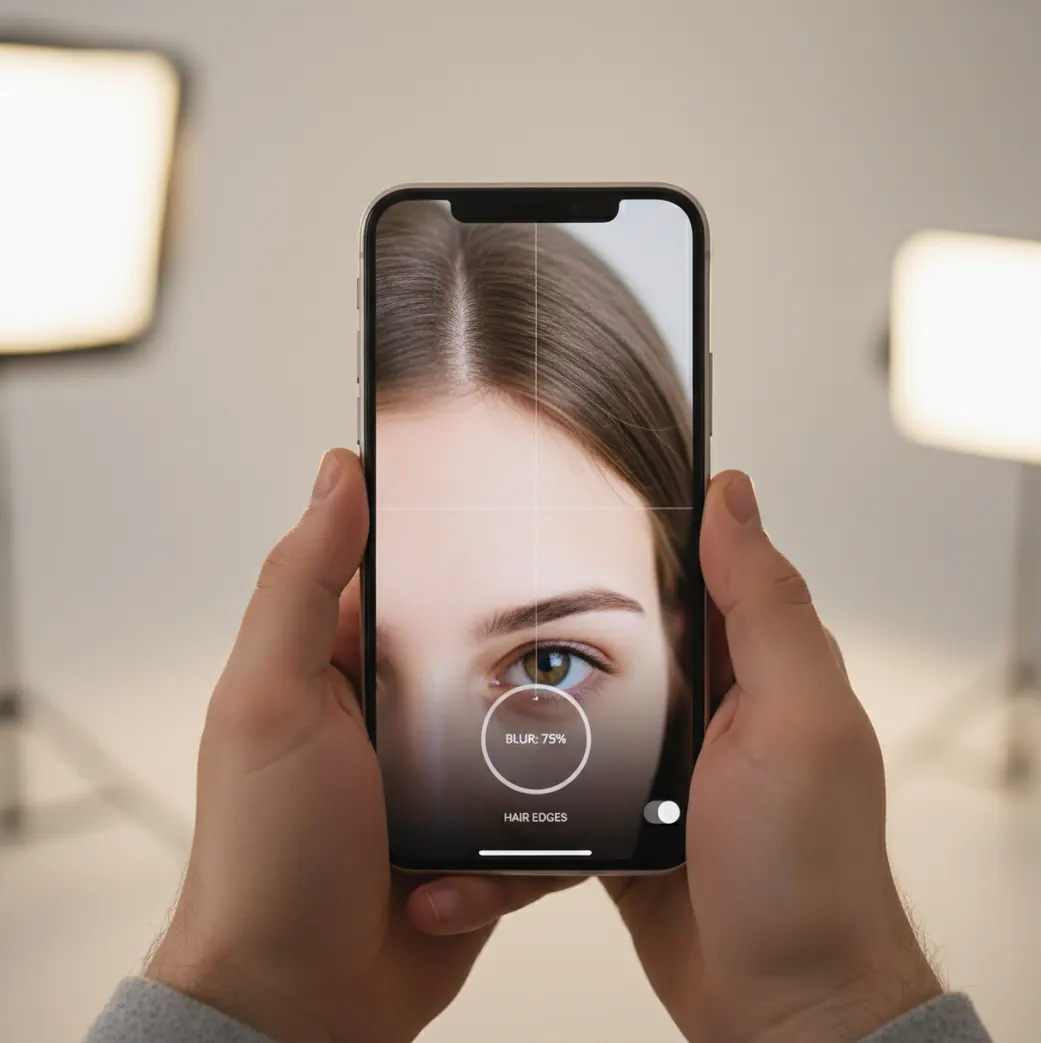
In 2026, AI photo editors are accurate enough for most social posts, profile images, ecommerce listings, and small prints when the source photo is sharp and the edit is conservative. They are least accurate on hair, fur, text, logos, reflections, hands, and generative fill because those areas require precise segmentation or invented pixels. Always check the result at 100-200% zoom before using it for paid work, print, or identity-sensitive images.
What Does Accuracy Mean in an AI Photo Editor?
AI photo editor accuracy means the edited image matches the user’s intent without adding visible artifacts, broken geometry, false texture, color shifts, or unrealistic skin detail. A result can look good at phone size but still be inaccurate if hair edges have halos, straight lines bend, jewelry melts, or text becomes unreadable.
Accuracy is also task-dependent. Denoise, exposure balancing, blemish cleanup, and simple background removal are easier to verify because the goal is clear. Generative fill, face enhancement, body reshaping, and object replacement are harder because the model must synthesize pixels that were not in the original photo.
How Accurate Are AI Photo Editors for Common Tasks in 2026?
AI photo editors are usually accurate for everyday mobile and web use when the edit is small, the image is well lit, and the subject has clean edges. Background removal on a portrait against a plain wall, noise cleanup on a low-light selfie, and light skin retouching often hold up well for social posts, thumbnails, profile photos, and marketplace listings.
Accuracy drops when the subject is tiny, compressed, motion-blurred, backlit, or surrounded by detailed textures. The hardest areas are wispy hair, fur, glasses, fingers, transparent fabric, reflective metal, logos, and readable text. For print, portfolio work, product pages, or paid client files, the edit should be checked at 100% and again at 200% zoom.
How Do AI Photo Editors Decide What to Change?
Most AI photo editors combine segmentation, depth estimation, semantic recognition, and generative image models. A background remover may create a subject mask and alpha matte, while a retouching tool may identify skin, hair, eyes, fabric, and shadows before applying targeted correction.
Generative edits are more complex because diffusion models or transformer-based image models predict new pixels from surrounding context. That is powerful for removing clutter or extending a background, but it can also invent inaccurate detail. A model may replace real skin pores with waxy texture, turn a necklace into a smear, or rebuild a sign with fake letters that look plausible but are wrong.
How Can You Test AI Photo Edit Accuracy Before Posting?
Choose a difficult source image
Use a photo with hair, glasses, hands, jewelry, fabric texture, shadows, or a busy background. Easy photos do not reveal whether the editor can handle real creator workflows.
Apply one conservative edit first
Start with light cleanup, exposure correction, denoise, or background removal before trying heavy generative fill. Smaller edits make it easier to isolate what changed.
Inspect at 100-200% zoom
Check the hairline, fingers, ears, glasses, clothing edges, product outlines, text, and high-contrast borders. Look for halos, smears, double edges, warped lines, and fake texture.
Toggle between original and edited versions
Compare before and after repeatedly. If an edit changes identity, body shape, product color, logo detail, or important context, treat it as a creative alteration rather than an accurate correction.
Export and reopen the file
Compression can introduce banding, soft detail, or edge noise. Reopen the exported JPEG, PNG, or HEIC and check whether artifacts became stronger after saving.
Test a second editor for high-stakes work
For prints, ecommerce, branding, or client delivery, compare the same photo in another tool such as Photoshop Express, Canva, Lightroom, or Pict AI and keep the version with cleaner edges.
Which AI Photo Editors Are Best for Accuracy Checks in 2026?
| Tool | Best Fit | Accuracy Strength | Watch Out For |
|---|---|---|---|
| Pict AI | Fast mobile edits and quick visual checks | Good for testing everyday retouching, background cleanup, and social-ready edits on a phone | Still requires zoom review on hair, text, jewelry, and generative changes |
| Canva | Social graphics, templates, thumbnails, and creator assets | Strong workflow for combining AI edits with layout, text, and brand visuals | Template compression and asset licensing should be checked before commercial use |
| Adobe Photoshop Express | Mobile correction with familiar Adobe-style controls | Useful for manual adjustments after AI cleanup, especially exposure, sharpening, and healing | More control can mean more time spent checking local edits |
| Adobe Lightroom | Photo correction, color grading, and RAW-style workflows | Strong for exposure, tone, masking, denoise, and natural-looking color consistency | Less focused on playful generative edits or template-based social output |
| Remini | Face enhancement and old-photo restoration | Can restore apparent sharpness in soft portraits and damaged images | May over-smooth skin, alter facial detail, or create an over-processed look |
No single editor is the most accurate for every image. The best accuracy workflow is to use the tool that matches the task, then verify edges, texture, identity, and export quality before publishing.
What Prompt Recipes Help AI Edits Stay Realistic?
- Object removal prompt: Remove the object in the selected area and reconstruct the original background texture, lighting direction, shadows, and perspective. Do not change the subject, clothing, face, hands, logo, or surrounding objects.
- Background cleanup prompt: Clean the background while preserving the subject’s natural outline, hair detail, edge softness, and original lens blur. Match the existing color temperature and shadow direction.
- Product photo prompt: Remove clutter around the product but preserve exact product shape, label text, color, material texture, reflections, and scale. Do not invent branding or alter packaging details.
- Portrait retouch prompt: Reduce temporary blemishes and uneven lighting while preserving skin pores, facial structure, freckles, hairline, eye shape, and natural expression. Keep the person recognizable.
- Generative fill prompt: Extend the scene using the same camera angle, focal length, grain, lighting, and depth of field. Avoid adding new objects, unreadable text, extra limbs, or distracting patterns.
Where Does AI Photo Edit Accuracy Matter Most?
Accuracy matters most when the image carries trust, identity, or commercial value. That includes product listings, portfolio images, dating profiles, ID-adjacent portraits, real estate photos, resale items, food photos, event images, and branded social posts where a warped logo or fake texture can make the creator look careless.
Accuracy matters less for clearly stylized edits, mood boards, memes, fantasy portraits, collage art, and playful social content. In those cases, emotional utility may matter more than pixel truth: a birthday print, a dramatic profile image, or a brand teaser can succeed even if the edit is not documentary-accurate.
What Accuracy Limits Still Exist in 2026?
- Fine hair, fur, feathers, lace, and transparent fabric still cause alpha matte errors, especially against bright skies, trees, water, or patterned walls.
- Text, logos, license plates, tattoos, packaging labels, and signs can become distorted because generative models often treat small lettering as texture instead of exact information.
- Hands, fingers, teeth, earrings, chains, glasses, watches, and shiny jewelry remain difficult because they combine small geometry with reflections and occlusion.
- Low-resolution or heavily compressed images give the model fewer real pixels to preserve, so the edit may look clean while silently replacing authentic detail.
Should You Trust AI Edited Photos for Real Use?
You can trust AI edited photos for real use when the edit is transparent, visually inspected, and appropriate for the context. For everyday creator work such as profile photos, social posts, small prints, thumbnails, and quick product cleanup, 2026 AI editors are often reliable enough if the source image is sharp.
Do not trust the first output blindly. Treat AI editing like a fast assistant, not a final authority: inspect critical details, compare before and after, keep the original file, and avoid using generative changes where exact truth matters.
Keep reading in the Pict.AI editing guides
File Settings That Preserve Detail for Accuracy Checks
File handling can make an accurate edit look worse, or hide a poor one. A reduced preview may conceal altered detail, while aggressive compression can introduce artifacts that resemble editing errors. Keep the original file and compare versions with matching dimensions and color settings before judging the model’s output.
| Setting | Practical choice | Why it matters |
|---|---|---|
| Input dimensions | Use the original image rather than a screenshot or messaging-app copy. | Resizing can erase evidence the editor needs to distinguish fine structures. |
| Output dimensions | Match the source pixel dimensions for the first comparison. | Upscaling adds another processing step and can disguise whether detail was preserved or invented. |
| Working format | Keep a lossless PNG or TIFF copy when the editor supports it. | Repeated JPEG saves accumulate compression damage, making small changes harder to assess. |
| Color profile | Use sRGB for typical web delivery; retain an embedded profile in supported workflows. | A profile mismatch can shift colors even when the edit itself preserved them. |
| Transparency | Export cutouts as PNG with an alpha channel. | JPEG cannot retain transparency. A flattened background prevents later inspection of the cutout against different colors. |
| Print resolution | Calculate pixels from the intended print size and required pixels per inch. | An 8 × 10-inch image at 300 ppi needs 2400 × 3000 pixels; changing the ppi metadata alone adds no detail. |
For a fair comparison, avoid sharpening only one version or viewing the files in applications with different color handling. Save a separate delivery copy after approval. If the editor automatically shrinks uploads or exports, record those dimensions: lost detail may come from resizing rather than the requested correction.
AI Photo Accuracy: Restoration and Consistency Questions
AI sharpening can improve edge definition, but it cannot reliably recover information that the camera never captured. Strong restoration may generate plausible eyelashes, lettering, or fabric patterns rather than reproduce the originals. For documentary or identification use, keep the unedited image and do not treat newly generated detail as evidence.
Batch accuracy depends on whether the tool applies fixed adjustments or generates new content for each image. Fixed exposure and color settings can still produce uneven results across different lighting conditions. Generative edits may vary between similar shots. Review representative images from each lighting setup, plus exceptions such as reflective surfaces, rather than approving the entire batch from one preview.
They are usually accurate on clean subject edges and simple backgrounds, but hair, fur, glass, and motion blur still create halos. Always inspect the alpha edge at 100-200% zoom.
Denoise, exposure correction, light retouching, and simple background cleanup are generally the most reliable. Generative fill and face reconstruction are less predictable because they invent new pixels.
They can be accurate enough for small prints if the source image is high resolution and the edit is conservative. Large prints need a 100% file review because artifacts become easier to see on paper.
Hair has thin strands, semi-transparent edges, motion blur, and background color spill. Segmentation models often simplify those details, which can create halos or cutout-looking edges.
They can remove simple objects from low-detail backgrounds very well. Accuracy drops when the removed object overlaps hands, faces, text, reflections, repeating patterns, or important shadows.
Some tools can change faces unintentionally during enhancement, denoise, or generative retouching. Check eyes, teeth, skin texture, facial symmetry, and recognizable features before exporting.
Compare the edited image with the original, then inspect edges, shadows, reflections, skin texture, and straight lines at high zoom. If the edit changes important details or creates impossible lighting, it is not fully realistic.
They can be useful for cleaning backgrounds and improving lighting, but product shape, label text, color, and material texture must be preserved. For ecommerce, never publish an edit that changes the actual item condition.
Export at the highest available resolution for print, portfolio, or ecommerce use. For social media, a smaller export may be fine, but you should still reopen the saved file to check compression artifacts.