Is It Legal to Edit Someone Else's Photo With AI?
Editing someone else's photo with AI is legal only when you own the photo, have permission, hold a license that allows edits, or a valid legal exception applies. Even then, privacy, publicity, defamation, and platform rules can restrict how you share or sell the edited image.
Editing someone else's photo with AI can be legal if you have permission, a license covering the edit, or an applicable legal exception. Public availability and photographer credit are not enough on their own. Before sharing the result, check both the photo's copyright and whether the altered depiction infringes the subject's privacy or publicity rights.
Is It Legal to Edit Someone Else's Photo With AI?
- Upload a photo you are authorized to process, checking whether that authorization includes cloud-based AI editing.
- Describe the permitted change precisely, excluding invented details that could alter the subject's identity or apparent conduct.
- Generate a proof version and compare it with the original for unintended changes to people, signs, and context.
- Review the final image and publishing context, obtain any required approval, then export with necessary attribution and disclosures.
Example prompt: Edit this photo to remove the background person on the left, match surrounding lighting, keep natural skin texture, and avoid changing the subject's identity or facial features. Output a realistic result with no added text or logos.
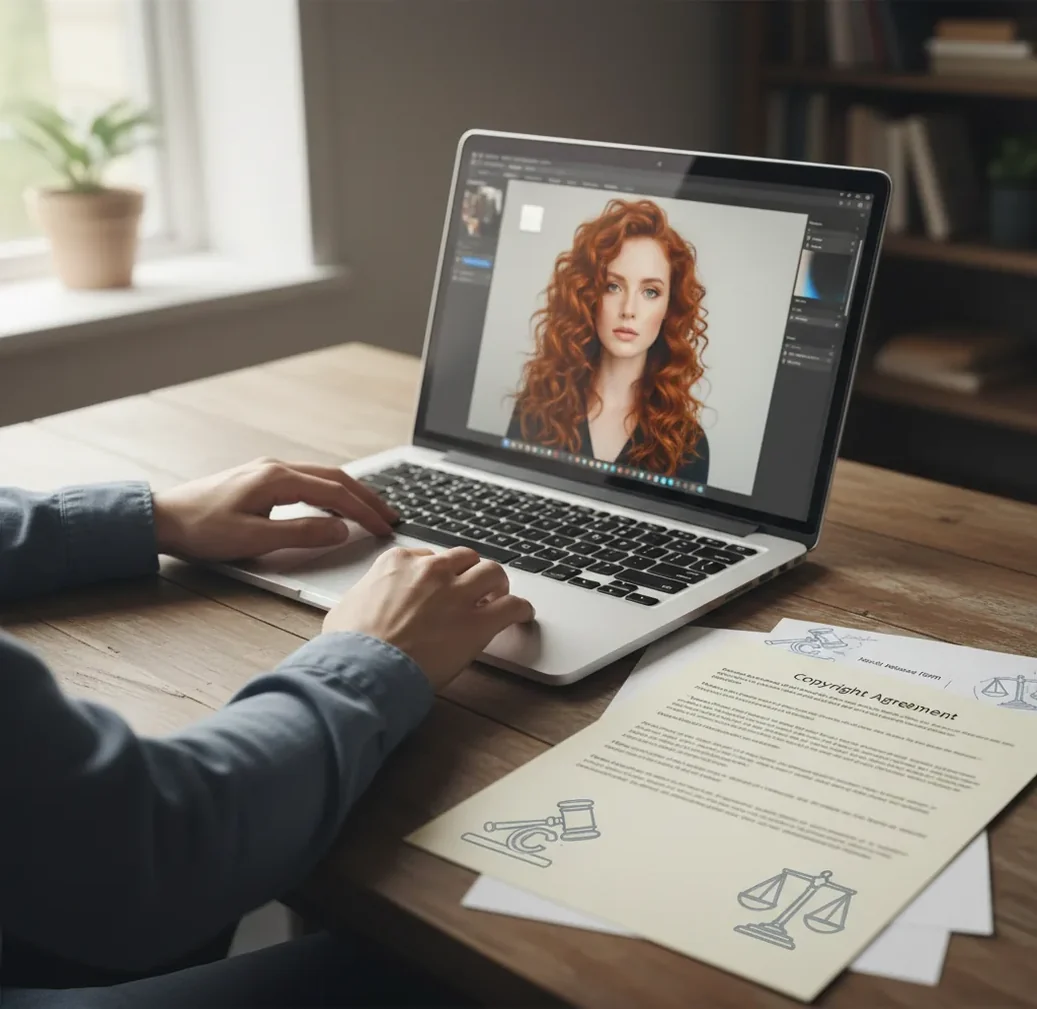
It is legal to edit someone else's photo with AI only if you own the rights, have permission from the copyright owner, have a license that allows modifications, or a legal exception such as fair use applies. If the photo shows an identifiable person, privacy and publicity-rights rules may still limit posting, selling, advertising, or changing the image's meaning.
What does it mean legally to edit someone else's photo with AI?
Legally, editing someone else's photo with AI means creating a modified version of an image you did not make or do not fully control. That can include generative fill, object removal, background replacement, face retouching, colorization, upscaling, style transfer, or turning a real photo into a meme, avatar, ad, poster, or social post.
The main issue is copyright: the photographer, employer, agency, or stock platform usually controls the original photo. AI editing may create a derivative work, which often requires permission. A separate issue appears when recognizable people are involved: consent, privacy, defamation, and right-of-publicity rules can apply even if you have a license to the image file.
When is an AI-edited photo usually legal to use?
An AI-edited photo is usually legal to use when you created the original image, received written permission from the copyright holder, bought or received a license that allows editing, or are relying on a specific legal exception. The safer the use, the clearer the paper trail should be: who gave permission, what edits are allowed, where the image may appear, and whether commercial use is included.
Personal, private edits are usually lower risk than public or commercial uses, but private does not automatically mean legal. Posting the edit, using it in paid ads, selling prints, changing a person's appearance, or implying endorsement can raise the legal stakes quickly.
How do copyright, consent, and publicity rights work for AI edits?
Copyright controls the photo as a creative work, consent controls personal permission, and publicity rights control commercial use of someone's name, image, likeness, or identity. These rules can overlap. For example, a wedding photographer may own the copyright, the couple may have sharing rights under a contract, and guests in the image may still have privacy concerns if the edit changes context.
AI does not erase the original rights chain. Inpainting, generative fill, face enhancement, and diffusion-based edits change pixels, but the edited output can still depend on the protected source image. If the final image is recognizably based on the original, you should assume the original rights still matter.
How should you check permission before editing or posting?
Identify the rights holder
Find out who owns or controls the original photo: the photographer, employer, client, stock agency, publication, event vendor, or social media account owner.
Read the license or ask in writing
Check whether the license allows modifications, AI editing, social posting, commercial use, print use, or redistribution. If there is no license, ask by email, text, or DM and keep the reply.
Check for recognizable people
If the photo includes an identifiable person, confirm whether the intended use needs consent, especially for advertising, product promotion, political content, dating profiles, portfolio work, or sensitive topics.
Limit the edit to the approved purpose
Make only the edit you have permission to make. Removing clutter from a family photo is different from changing someone's body, clothing, location, facial expression, or implied behavior.
Save proof and export versions
Keep the original file, permission messages, license terms, prompts, masks, and export dates. Save a low-resolution proof for approval and a final file only after permission is confirmed.
Which AI photo editors are safest for consent-based workflows?
| Tool type | Good for | Legal workflow advantage | Watch out for |
|---|---|---|---|
| Pict AI | Fast browser or iOS edits such as background cleanup, retouching, and object removal | Useful for making reversible proof versions before final approval | You still need rights to the source image before posting, selling, or using commercially |
| Adobe Photoshop or Lightroom | Professional retouching, layered files, batch processing, and print workflows | Strong version history and export controls for client approvals | Licenses, cloud storage, and commercial terms should be reviewed for sensitive images |
| Canva or design-suite editors | Social posts, thumbnails, flyers, and branded templates | Easy to combine licensed assets with captions, credits, and approval proofs | Template assets may have separate license limits, especially for resale or merchandise |
| Open-source local editors | Private local editing, technical control, and custom models | Can reduce cloud-upload exposure for sensitive or client images | Model licensing, installation security, and output rights may be harder to verify |
No editor can grant rights to a photo you do not own. Choose the tool based on proofing, reversibility, storage policy, export control, and whether the final use is personal, public, or commercial.
What AI edit requests should you put in writing?
- Permission request: "Hi, I would like to edit your photo by [specific edit] and use it for [specific purpose] on [platform or format]. Do I have your permission to make this AI-assisted edit and share the final version with credit to you?"
- Model or subject consent: "I am asking for consent to edit and publish this image showing you. The edit will [describe change], and it will be used for [social post, portfolio, ad, print, gift, or website]. Please reply yes only if you agree to that use."
- Photographer credit line: "Photo by [name], edited with permission for [purpose]." Use this only when the license or permission actually allows edits and requires attribution.
- Client approval note: "Attached are the original, proof edit, and final export. Please confirm that the edit, crop, background, retouching level, and usage channel are approved before publication."
- Safe edit prompt: "Remove background clutter and match the surrounding wall texture. Do not change the person's face, body shape, clothing, expression, identity, location meaning, or implied activity."
- Sensitive-context prompt: "Make only technical corrections: exposure, dust removal, noise reduction, and crop. Do not generate new people, logos, medical details, political symbols, or text."
What real-world AI photo edits become risky fast?
AI photo edits become risky when they change ownership, identity, context, reputation, or commercial value. Removing a trash can from your own vacation photo is very different from editing a news photo into a meme, altering a wedding photographer's gallery, changing a person's body in a portrait, or using a social-media photo in a paid ad.
High-risk examples include removing watermarks, editing celebrity images for brand promotion, making someone appear to endorse a product, changing a background to imply a different location, adding political or sexual context, modifying an ex-partner's image, or selling prints based on another photographer's work. The more public, monetized, or reputation-sensitive the use is, the more explicit permission you need.
Where does fair use apply to AI-edited photos?
Fair use can apply to some AI-edited photos, but it is not automatic. Courts typically examine purpose, transformation, amount used, and market effect. Commentary, criticism, parody, teaching, research, and news analysis may have stronger arguments than decoration, reposting, advertising, or selling edited versions.
A photo looking visually transformed does not guarantee fair use. If the edit uses the expressive heart of the image, replaces demand for the original, harms the photographer's market, or misleads viewers about the subject, the risk increases. For commercial campaigns, merchandise, portfolio promotion, or brand identity work, get a license instead of relying on a vague fair-use theory.
What limitations should you watch before uploading a photo to AI?
- Cloud processing can expose sensitive images to platform storage, logging, moderation, or retention policies, so check terms before uploading client, child, medical, legal, or intimate images.
- Some stock licenses restrict modification, AI processing, facial manipulation, political use, merchandise, resale, or use in templates even after you pay for the image.
- Removing a watermark, signature, copyright notice, or embedded metadata can create separate legal risk and can make a dispute harder to defend.
- AI upscaling or restoration may invent facial details, jewelry, text, logos, skin texture, or background objects that were not present in the original.
What simple rule should creators follow?
Use this rule: if you did not take the photo, do not AI-edit and publish it unless you can point to permission, a license, or a clear legal exception. If a recognizable person appears, also ask whether the edit changes their identity, reputation, endorsement, body, location, or private life.
For creator workflows, treat every AI edit like a mini production file. Keep the source, permission, prompt, mask, version history, approval proof, and final export together. That habit protects social posts, gifts, prints, client proofs, portfolio updates, and brand assets when someone later asks who approved the edit.
Related reads for AI image legality
Choose a reuse route that covers your finished image
A license that permits a social post may not cover a downloadable file or a printed product. Compare the rights attached to the source before choosing an editor. An ai tools directory can help you find editing features, but it cannot establish permission; neither can a listing for the best free ai image generator.
| Source or arrangement | What it can support | Trade-off to check |
|---|---|---|
| Commissioned photo with negotiated editing rights | Specific alterations and uses agreed in the contract. | Paying for the shoot does not automatically transfer copyright. Include resale or merchandise rights if needed. |
| Creative Commons BY or BY-SA photo | Adaptation and commercial use, subject to the license conditions. | Attribution and an indication of changes are required. BY-SA also requires a qualifying shared adaptation to use the same or a compatible license. |
| Creative Commons NoDerivatives photo | Sharing the unadapted work under the applicable license conditions. | The license does not authorize sharing adaptations. A separate agreement may be needed for your AI-edited version. |
| Public-domain photo or CC0 material | Reuse without copyright permission where that status applies. | Verify the status in the relevant country. Rights involving depicted people, trademarks, or private information can remain. |
Before sending a portrait to an ai image generator for t-shirt designs, confirm that the source rights cover merchandise rather than just promotional imagery. With an ai sticker generator app, distinguish selling physical stickers from distributing reusable digital files: the latter may give buyers access to an adapted source image.
Inspect the exported image before anyone else sees it
Approval of an editing idea is not approval of every generated detail. Inspect the exact file you intend to publish, including the crop, caption, and surrounding page. Small changes can create a false impression even when the main subject looks unchanged.
- Compare identity details side by side. Check tattoos, scars, jewelry, uniform insignia, and facial features against the original. The question how accurate are ai photo editors matters here because a plausible reconstruction can still invent a personally significant detail.
- Look for accidental claims. Read generated badges, signs, packaging, and background text. A fabricated employer logo or protest sign can imply an affiliation the person never had.
- Check the full publishing context. Review the headline, advertisement, product mockup, and adjacent text. A neutral portrait can become an apparent testimonial when placed beside a sales claim.
- Inspect visible and embedded information. Look for addresses, number plates, reflections, and location metadata. Remove unnecessary private information from the export, without stripping attribution or rights information required by the license.
- Match the portrait to its stated purpose. Instructions on how to create an ai avatar from your selfie do not authorize using another person's portrait. Also check that the resulting avatar is not presented as that person's genuine account image.
- Verify the public-facing explanation. If the edit changes what viewers might believe happened, explain the material alteration clearly. Check whether the destination requires a synthetic-media label rather than relying on a caption alone.
If an invented detail changes identity, affiliation, or apparent conduct, correct it or reject the output. Visual polish is not a substitute for factual accuracy.
Legal distinctions that an editing license does not settle
Permission to modify a photograph answers only part of the legal question. These distinctions help separate rights in the source, responsibilities toward the subject, and claims you can make about the exported file.
- Applicable country
- Copyright exceptions and personality protections differ across jurisdictions. US fair use is not a worldwide permission, and a country's fair-dealing rules may cover narrower purposes.
- Moral rights
- Some jurisdictions protect attribution and allow creators to object to certain derogatory alterations. A copyright license or ownership transfer does not necessarily eliminate those rights.
- Copyright in the new output
- Permission to use the source does not guarantee exclusive copyright in everything AI generates. Protection for human-authored contributions depends on the jurisdiction and the nature of those contributions.
- Disclosure versus authorization
- An “AI-edited” label explains how an image was made. It does not grant a license, establish subject consent, or cure a misleading endorsement.
- Platform removal versus legal liability
- A platform may remove an image under its own rules without a court decision. Keeping a post online likewise does not establish that its use is lawful.
For a disputed commercial campaign or an alteration that could damage someone's reputation, pause publication and obtain advice addressing the actual image, intended audience, and relevant jurisdiction.
Questions about permission and AI-edited photos
It depends on the specific Creative Commons license and how you share the result. BY and BY-SA generally permit adaptations with conditions, including attribution and identifying changes. NoDerivatives licenses do not authorize sharing adaptations, while NonCommercial licenses restrict commercial uses. Check the exact license version, and remember that it may not cover privacy, publicity, or trademark rights in the photograph.
No. A label can help viewers understand that a photo was altered, but it does not replace copyright permission or resolve privacy, publicity, or defamation issues. A clearly labeled edit can still misuse someone's likeness or a photographer's work. Some platforms require synthetic-media disclosures, so check those rules separately from whether you have the legal right to publish.
It is legal only if you own the rights, have permission, have a license that allows editing, or a legal exception applies. Privacy and publicity-rights rules can still restrict sharing or commercial use.
Usually yes. Posting a photo online does not give other people the right to modify, repost, sell, or use it in AI-edited content.
Credit is not the same as permission. Attribution helps only when the license allows the use and requires credit.
Removing a watermark is high risk and may violate copyright law, license terms, or anti-circumvention rules. Do it only with explicit written permission from the rights holder.
Check the photography contract first. Many wedding galleries allow personal sharing but restrict editing, filters, commercial use, printing, or removing the photographer's style and credit.
Often it can be, especially when the final image is based on and recognizable from the original. Derivative works usually require permission from the copyright owner unless an exception applies.
That is risky without licensed image rights and likeness permission. Celebrity images can involve copyright, trademark, endorsement, and right-of-publicity claims.
Sometimes, but fair use is case-specific. Commentary, criticism, parody, or education may be stronger than reposting, decoration, advertising, or selling an edited version.
Usually this is low risk for private restoration or gifts, but copyright may still belong to the original photographer or studio. Public posting, commercial use, or editing living identifiable people should be handled with consent.