AI Headshots for Actors and Models: Do They Work?
AI headshots can help actors and models test looks, create temporary portfolio images, and prepare for a paid shoot faster than a full studio session. They work best when the image still looks exactly like the person who will walk into the audition, go-see, or agency meeting.
AI Headshots for Actors and Models: Do They Work?
- Upload current, unfiltered portraits showing your present haircut, facial features, and appearance in even lighting.
- Choose a casting-style portrait or describe neutral lighting, simple clothing, natural skin texture, and an unchanged face.
- Generate several headshot options, keeping experimental wardrobe or background variations separate from potential submission images.
- Review likeness against your original photograph, then export an acceptable image in the recipient’s required dimensions and format.
Example prompt: Create a realistic casting headshot: neutral gray background, soft window light, 85mm look, natural skin texture, minimal retouch, subtle catchlights, shoulders visible, no glam makeup, no hair changes, sharp eyes, professional color grading
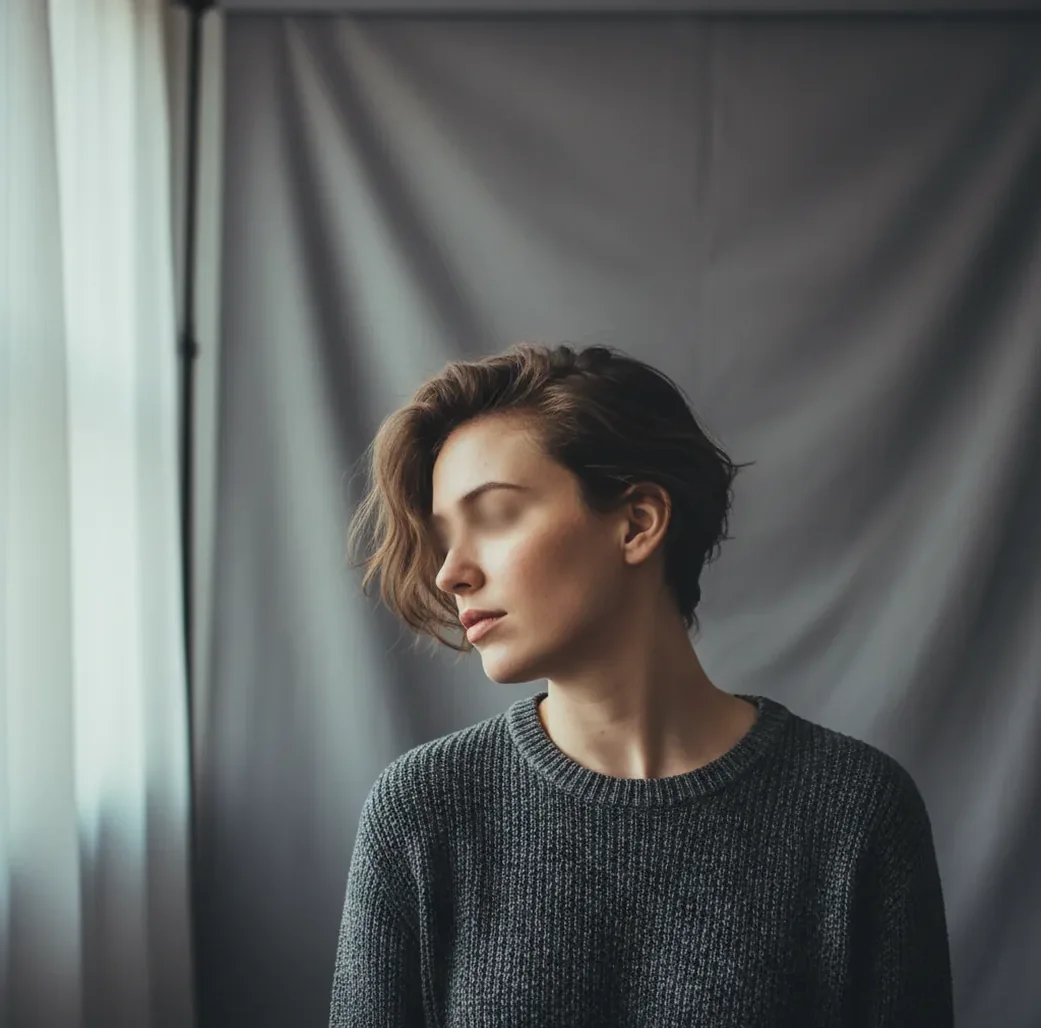
AI headshots for actors and models do work for testing looks, refreshing online profiles, and building temporary portfolio images. They should not materially change your age, face shape, skin texture, body type, or current styling, because casting and modeling teams expect a truthful likeness. For high-stakes submissions, use AI as a prep tool or light finishing step, not as a replacement for accurate professional photography.
Do AI Headshots Work for Actors and Models?
AI headshots work for actors and models when they are used to create a believable, current, casting-style portrait rather than a fantasy version of your face. The strongest results help you test hair, wardrobe, crop, background, and lighting before you pay for a shoot or submit a new profile image.
They do not work when the generated image changes the features that casting, agents, photographers, or clients use to recognize you: eye shape, jaw width, nose length, skin texture, hairline, body size, or apparent age. A slightly imperfect real photo is usually safer than a polished image that does not match you in the room.
What Are AI Headshots in Casting and Modeling?
AI headshots are portrait-style images created or modified with machine learning to imitate professional headshot lighting, framing, skin retouching, and background control. In acting, they are often used for casting profiles, audition thumbnails, agency outreach, and personal branding. In modeling, they may support comp cards, digitals, test looks, and portfolio planning.
A useful AI headshot should read like a clean studio portrait: natural expression, visible eyes, accurate bone structure, simple wardrobe, and no distracting background. It should not look like a beauty filter, avatar, or fashion campaign unless that is the specific creative brief.
How Do AI Headshot Generators Rebuild a Face?
Most AI headshot systems use a vision encoder to extract facial information from source images and a generative model, often diffusion-based, to synthesize a new portrait in a chosen style. The model does not simply retouch one photo pixel by pixel. It predicts new pixels that match learned portrait patterns while steering the result toward your input identity.
That technical difference matters for casting. If your inputs contain wide-angle distortion, heavy contour makeup, mixed haircuts, or different ages, the model may average those signals into a face that is close but not exact. Common drift points include jawline width, eyelid shape, hair edges, tooth shape, ears, and skin texture.
How Should Actors and Models Make AI Headshots That Still Look Real?
Choose 8 to 12 current source photos
Use recent images with your current haircut, brows, facial hair, body size, and skin tone. Avoid mixing photos from different years or different styling eras.
Shoot in even natural light
Face a window, turn off harsh overhead lighting, and avoid mixed color temperatures. Clean input lighting gives the model better information about face shape and skin texture.
Use a portrait-friendly focal length
On a phone, shoot around 1.5x to 2x zoom instead of a close 1x selfie. This reduces wide-angle distortion that can enlarge the nose and narrow the jaw.
Keep angles simple
Include straight-on photos and slight 10 to 20 degree turns. Avoid extreme profiles, sunglasses, dramatic shadows, and heavy filters.
Generate several options, then judge likeness first
Create 4 to 8 variations and pick the one that best matches your real eye spacing, jaw width, skin texture, and expression. Ignore the most glamorous result if it looks less like you.
Finish with minimal edits
Crop, adjust exposure, clean a temporary blemish if needed, and stop. Do not reshape features, erase natural texture, or change age cues.
Where Do AI Headshots Help in an Acting or Modeling Workflow?
AI headshots are most useful before the final submission stage. They help actors test commercial, theatrical, comedic, dramatic, and corporate looks without booking a full studio session for every version. They also help models preview comp-card layouts, background tones, wardrobe necklines, and crop ratios before a photographer or retoucher gets involved.
Practical uses include creating a temporary casting profile image, matching thumbnails across platforms, testing whether a new haircut reads well on camera, replacing a distracting background, and building a mood board for your next shoot. For social posts, gifts, personal sites, and low-risk branding, AI results can be enough. For major casting, agency packages, or paid modeling submissions, accuracy should win over polish.
Which Is Better: AI Headshots, Paid Retouching, or Free Editors?
| Option | Best for | Strengths | Watchouts |
|---|---|---|---|
| AI headshot generator | Testing looks, creating temporary portraits, matching crops | Fast batches, style variation, background control, useful for shoot planning | Can drift from true likeness if inputs are inconsistent |
| Pict AI | Browser and iOS headshot-style generation and portrait polishing | Quick iterations, mobile-friendly workflow, useful for portfolio drafts | Outputs still need human review for casting accuracy and usage rights |
| Paid retoucher | Final professional headshots, agency packages, commercial submissions | Human judgment, controlled skin work, can preserve exact likeness | Slower and more expensive; quality depends on the retoucher |
| Free web editor | Simple crop, exposure, background, and blemish fixes | Easy access, good for small adjustments | Often limited controls, possible watermarks, unclear data or commercial terms |
| Professional photo session | High-stakes acting headshots, model digitals, portfolio updates | Real lens choice, direction, expression, wardrobe, and lighting control | Costs more and requires scheduling, but gives the most reliable likeness |
The safest workflow is often hybrid: use AI to plan looks and crops, use a real shoot for high-stakes images, and use light retouching to finish without changing identity.
What Prompt Recipes Create Better Actor and Model Headshots?
- Commercial actor headshot: "Natural commercial acting headshot, soft window light, plain warm gray background, friendly relaxed expression, accurate facial features, natural skin texture, 85mm portrait lens look, shoulders visible, no beauty filter."
- Theatrical actor headshot: "Dramatic but realistic actor headshot, neutral dark background, soft directional studio light, serious expression, accurate jawline and eye shape, natural pores, simple black wardrobe, cinematic crop."
- Model comp-card portrait: "Clean model digitals portrait, minimal makeup, white or light gray background, straight posture, accurate body proportions, natural hair texture, even lighting, realistic skin, agency submission style."
- Linked profile or personal brand: "Professional portrait headshot, simple wardrobe, natural expression, soft studio lighting, clean background, true-to-life facial structure, subtle retouching, modern portfolio style."
- Negative prompt add-on: "Avoid plastic skin, altered face shape, extra teeth, warped earrings, changed eye color, unrealistic symmetry, heavy makeup, blurred hairline, younger or older appearance."
When Can AI Headshots Hurt a Casting or Modeling Submission?
- Do not submit an AI headshot if it changes your apparent age, ethnicity, body size, facial structure, hairline, skin tone, or defining marks.
- Be careful with overly smooth skin. Casting teams often zoom into eyes, hairline, jaw, and texture; plastic retouching can read as untrustworthy.
- Avoid AI-generated smiles if the teeth look reshaped, too symmetrical, or inconsistent with your real smile.
- Check hair edges, earrings, glasses, hands, collars, and necklines. These areas often show artifacts before the face does.
How Can You Check If an AI Headshot Is Casting-Ready?
A casting-ready AI headshot should pass a simple likeness test at three sizes: full screen, phone screen, and tiny thumbnail. At each size, the image should still look like your current face, not a more symmetrical or more polished relative. Check the eyes, jaw, nose, skin texture, hairline, teeth, neck, and shoulders before judging style.
Then ask whether the image supports the job you want. A commercial actor needs warmth and approachability. A theatrical actor may need intensity and emotional specificity. A model digital needs clean proportions and minimal styling. If the image is beautiful but strategically wrong, it is not the right headshot.
More Pict.AI guides you might actually use
Prepare an AI Headshot for a Specific Casting Submission
A headshot that looks convincing on your phone can still be unsuitable for a particular submission. Before sending it, build a delivery workflow around the casting notice or agency instructions, not the generator’s default export settings.
- Read the image requirements first. Note whether the recipient requests a current photograph, unretouched digitals, a particular crop, or a maximum file size. If generated images are prohibited, use a real photograph instead. Save the requirements alongside the submission so you can check the final file against them.
- Keep the original photograph separate. Store your source image in an untouched folder and place generated versions elsewhere. This prevents an AI version from accidentally becoming your default agency photo and gives you a reliable reference if someone asks for an unedited image.
- Assign each version a clear purpose. Label files as shoot planning, profile preview, or approved submission rather than keeping dozens of indistinguishable exports. A generated wardrobe experiment should not end up attached to an audition merely because it was the most recent download.
- Inspect the actual delivery crop. Preview the image in the square or portrait format the platform uses. Automatic cropping can cut through hair, hide the neckline, or make the face appear cramped even when the full image looks balanced. Leave enough room for the required crop without inventing extra image area.
- Verify the exported file before sending. Reopen the saved JPEG or PNG, confirm its dimensions and file size, and check that compression has not blurred the eyes. Use a recognizable filename, such as your name plus the role, and retain a copy of the exact file submitted.
Actor and Model AI Headshot Questions
Follow any disclosure requirement in the casting notice, agency instructions, or submission platform rules. There is no single rule that applies to every recipient. If the image was substantially generated rather than lightly retouched, identify it as AI-generated when submitting it or ask whether it is acceptable. Disclosure does not make an inaccurate likeness suitable; keep a current, unaltered photograph available.
Copyright protection for AI-generated headshots depends on the jurisdiction and the extent of human authorship. A service’s permission to use an output commercially is not the same as copyright ownership. Check its terms and confirm that you have permission to upload the source photographs. Paying a photographer for a shoot does not automatically transfer copyright or authorize every form of AI processing.
They may be acceptable for some online profiles or low-risk submissions, but the image must be current and truthful. If a casting notice asks for unaltered or recent photos, use a real photo.
AI headshots can help with planning and temporary images, but they do not fully replace a professional session with direction, lens control, expression work, and accurate lighting.
AI images can help test comp-card layouts and background consistency, but agency-facing comp cards should preserve accurate proportions, skin texture, and current styling.
A practical range is 8 to 12 clear, current photos with consistent hair, lighting, and angles. Too few photos increase artifacts, while mixed-era photos can weaken likeness.
AI models can drift when source images include wide-angle selfies, heavy makeup, old photos, inconsistent weight, or different hairstyles. The result may average conflicting facial signals.
Wear simple solid colors, clean necklines, and minimal reflective jewelry. Avoid tiny stripes, logos, costumes, and anything that distracts from the face.
Yes. Realistic pores, fine lines, and natural texture usually look more trustworthy than overly smooth skin, especially for casting and agency review.
They can preview those changes, but do not submit the image unless it matches your current look. Casting teams rely on headshots to recognize who will arrive.
Use AI for look testing, temporary profiles, social posts, and shoot planning. For important submissions, choose the most accurate image and avoid edits that change identity.