AI Photo Editor for Real Estate Listings
An AI photo editor for real estate listings helps agents, photographers, and property managers correct dim rooms, yellow color casts, tilted walls, and inconsistent listing galleries. The best workflow uses AI for fast correction, then a human review for accuracy, MLS compliance, and visual truth.
AI Photo Editor for Real Estate Listings
- Upload a sharp original property photo, keeping an untouched copy in the listing's source folder.
- Choose exposure and perspective corrections, or describe the changes while requiring permanent features to remain unchanged.
- Generate an edited version, then compare window frames, flooring, fixtures, and room proportions against the original.
- Review the gallery for consistent color, then export JPEGs that meet your listing platform's requirements.
Example prompt: Enhance this real estate listing photo: brighten the room, neutral white balance, reduce noise, keep window highlights natural (no pure white), straighten vertical lines, realistic colors, gentle sharpening, MLS-ready look, no added objects, no sky replacement.
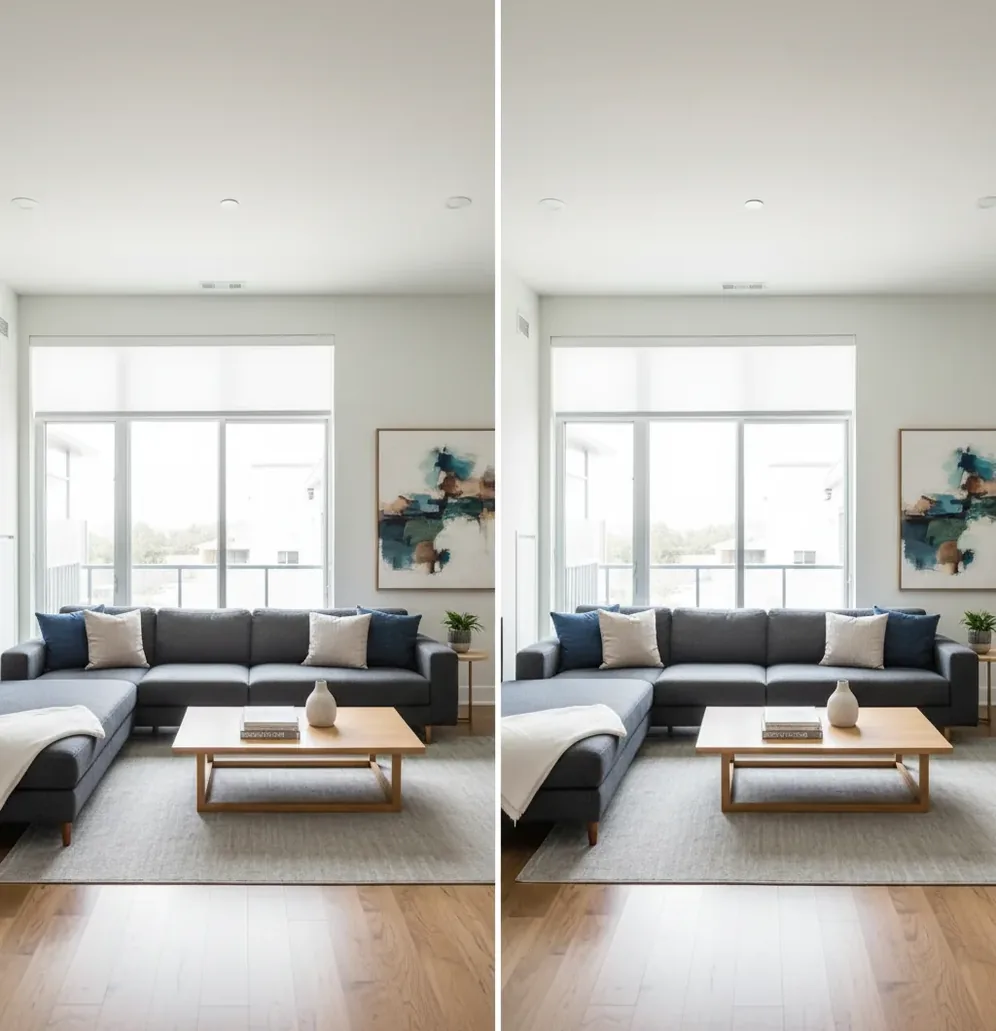
An AI photo editor for real estate listings uses computer vision to improve property photos by correcting exposure, white balance, sharpness, noise, and perspective. It is useful for making interiors and exteriors look clean, bright, and consistent, but it should not remove permanent defects, add features, or misrepresent the property.
What Is an AI Photo Editor for Real Estate Listings?
An AI photo editor for real estate listings is software that automatically improves property photos using image recognition, tone mapping, color correction, denoising, and perspective tools. Instead of manually adjusting every slider, the editor analyzes the image and applies corrections for common listing problems: dark interiors, warm bulb color, blown-looking windows, soft handheld shots, and leaning vertical lines.
For listing work, the goal is not fantasy enhancement. The goal is a clean, accurate photo that helps buyers understand the room: straight walls, believable daylight, neutral surfaces, and enough shadow detail to see layout and finishes. AI editing is strongest when the original photo is sharp, level, and exposed well enough to retain detail in both the room and the windows.
How Does AI Real Estate Photo Editing Work?
AI real estate photo editing works by detecting visual patterns in a property image and applying corrections based on learned examples of balanced exposure, neutral color, and clean geometry. Computer vision models identify edges, planes, shadows, highlights, and dominant vertical lines such as door frames, cabinets, windows, and wall corners.
Most real estate enhancement systems combine several technical processes: exposure normalization, white balance estimation, local contrast adjustment, highlight recovery, shadow lifting, noise reduction, sharpening, and perspective correction. Some tools also use semantic segmentation to separate walls, windows, floors, ceilings, and sky. This allows the edit to brighten a room without making the window look completely artificial, although clipped highlights and motion blur still limit the final result.
How Do You Edit Real Estate Listing Photos With AI?
Choose the sharpest original frame
Zoom in before editing and check cabinet handles, appliance text, window trim, and floor edges. AI can improve clarity, but it cannot recreate true detail from a blurry or shaky source file.
Correct brightness before style
Start with exposure, shadows, highlights, and white balance. A listing photo should feel open and readable before you add contrast, sharpening, or any creative finish.
Straighten vertical lines
Use perspective correction so walls, doors, cabinets, and window frames stand upright. Even a 2-degree tilt can make a room feel smaller or less professionally photographed.
Keep window light believable
Recover highlight detail where possible, but avoid making every window perfectly visible if the room was shot in strong daylight. Buyers expect some brightness outside windows.
Match the full gallery
Review the whole listing set in a grid. Keep warmth, contrast, and brightness consistent across kitchens, bathrooms, bedrooms, exterior shots, and amenity photos.
Export for MLS and marketing use
Save a high-quality JPEG at the resolution required by your MLS or brokerage. Then create alternate crops for social posts, flyers, email thumbnails, and paid ads if needed.
Which Real Estate Photos Benefit Most From AI Editing?
- Dim interiors: AI is useful for lifting shadows in living rooms, bedrooms, basements, and hallways while preserving enough contrast to keep the space realistic.
- Mixed lighting: Rooms with daylight plus 2700K warm bulbs often turn yellow or green on phones; AI white balance can neutralize walls, ceilings, counters, and tile.
- Wide-angle shots: Perspective tools help reduce the leaning-wall effect caused by tilted phones or ultra-wide lenses, especially in kitchens and bathrooms.
- Exterior photos: AI can reduce haze, improve sky contrast, brighten shaded facades, and sharpen landscaping without making the home look digitally painted.
- Large listing sets: AI is especially helpful when you need a consistent 20-to-40-photo gallery for MLS, Zillow-style portals, brochures, social posts, and open-house materials.
- Phone photography: Agents shooting on iPhone or Android can use AI cleanup to make quick listing photos look more professional, especially when no paid photographer is available.
What Are the Best AI Photo Editors for Listing Photos?
| Option | Best For | Strengths | Watch For |
|---|---|---|---|
| Pict AI | Fast browser or iPhone listing cleanup | Quick light correction, clarity, perspective cleanup, and simple exports for property marketing | Cloud processing may apply; review privacy and current usage terms before uploading sensitive files |
| Adobe Lightroom | Photographers who want manual control | Strong RAW editing, masking, lens profiles, batch presets, and professional color management | More setup time and editing skill required than one-click AI tools |
| Photoshop | Detailed retouching and advanced corrections | Precise object-level editing, generative tools, compositing, and local repair workflows | Easy to over-edit; removing fixed property features may violate MLS or brokerage rules |
| Canva photo tools | Quick marketing crops and social graphics | Useful for flyers, open-house posts, listing cards, and simple image enhancement | Less specialized for perspective, window balance, and full listing-set consistency |
| Paid real estate editing services | High-volume photographers and premium listings | Human review, flambient/HDR blending, sky replacement options, and consistent delivery standards | Turnaround time and per-image cost are higher than self-serve AI editing |
Choose the editor based on risk and volume: AI tools are fastest for routine cleanup, Lightroom is better for controlled professional batches, Photoshop is best for detailed corrections, and paid editors are safer for luxury listings or complex lighting.
What Prompt Recipes Work for AI Listing Photo Cleanup?
- Balanced interior recipe: "Enhance this real estate interior photo with natural brightness, neutral white balance, straight vertical lines, clean shadows, and realistic window light. Do not add or remove any permanent property features."
- Exterior curb appeal recipe: "Improve this home exterior photo for a real estate listing. Reduce haze, balance sky and facade exposure, keep colors realistic, sharpen architectural edges, and preserve the actual landscaping and structure."
- Kitchen correction recipe: "Edit this kitchen listing photo with accurate cabinet color, neutral countertops, reduced yellow light cast, straight cabinet lines, and natural contrast. Avoid glossy HDR or artificial color saturation."
- Bathroom correction recipe: "Clean up this bathroom photo for MLS use. Correct perspective, reduce warm or green color cast, brighten without blowing out tile, preserve mirror reflections accurately, and keep fixtures true to life."
- Social crop recipe: "Create a vertical 9:16 crop from this listing photo for a social post. Keep the main room feature centered, maintain realistic colors, and avoid stretching walls, windows, or furniture."
How Do You Keep AI-Edited Listing Photos MLS-Safe?
To keep AI-edited listing photos MLS-safe, use AI for truthful photographic corrections rather than property alteration. Exposure, white balance, noise reduction, perspective correction, and cropping are generally lower-risk because they improve readability without changing what the buyer would see in person.
Higher-risk edits include removing cracks, stains, utility poles, neighboring structures, power lines, permanent fixtures, damage, water intrusion, or anything that affects the property condition. Adding grass, furniture, fireplaces, views, blue sky, or upgraded finishes can also create disclosure problems depending on local MLS rules. Policies vary by region and brokerage, so the safest workflow is simple: correct the camera file, preserve the property facts, and document any virtual staging or material alteration.
When Should You Avoid AI Enhancement on Property Photos?
- Avoid relying on AI when windows are clipped to pure white; if the sensor captured no highlight detail, the editor can only simulate detail, not recover it.
- Be careful with blurry handheld photos. AI sharpening can make edges look crisper, but it cannot restore true focus on cabinets, room labels, appliances, or exterior trim.
- Do not push ultra-wide interiors too far. Heavy perspective correction can stretch furniture, bend walls, or make small rooms look misleadingly large.
- Watch mixed lighting. A room with daylight, warm lamps, and greenish LED under-cabinet lights may need manual white balance decisions instead of one global correction.
What Is a Practical AI Editing Workflow for Agents?
Shoot level and slightly wide
Hold the camera around chest height, keep vertical lines straight, and capture enough of the room to show layout without making the space look distorted.
Capture one safety exposure
If windows are important, tap exposure for the window once and capture a darker backup frame. This gives you more highlight detail if the main room shot is too bright outside.
Apply a clean enhancement pass
Use AI to correct exposure, color, noise, and perspective first. Save creative filters, heavy contrast, and social media styling for non-MLS marketing assets.
Review against reality
Compare the edit to what the room actually looked like. Walls should not change color, floors should not become glossier, and damage should not disappear.
Export one MLS set and one marketing set
Keep a straightforward gallery for MLS and create separate crops for Instagram, flyers, email banners, print handouts, and portfolio use.
More Pict.AI reads you might actually use
Choose an Editing Tool That Preserves Property Evidence
Choose a tool by the correction you need, not by how impressive its sample images look. Before committing a listing gallery, process one difficult frame and compare it with the original. Use these six branches to decide which workflow fits.
- If you need to furnish an empty room, separate staging from correction. An ai image generator for amazon listings may prioritize attractive product scenes rather than faithful room geometry. Choose a staging workflow that preserves doors, windows, and fixed fittings; retain the unstaged image and check local disclosure requirements.
- If you have RAW files or bracketed exposures, retain that source information. An ai photo editor for photographers is worth considering when it supports your file format and exposure-merging needs. Merge captured exposures before generative cleanup; invented window scenery is not recovered detail.
- If a correction touches a permanent feature, use the least transformative option. In an ai photo editor for real estate, prefer adjustable exposure and perspective controls over unrestricted regeneration. Reject any result that changes outlet positions, grout lines, appliance controls, or visible damage.
- If you manage several properties, prioritize traceable batches. When evaluating an ai photo editor for small business, look for predictable filenames, separate output folders, and adjustable presets. Keep each address isolated so a corrected kitchen image cannot enter another property's gallery.
- If a preset promises a flattering look, inspect surface texture. A smoothing preset from an ai photo editor for tinder could erase wall texture or soften wear on flooring. Avoid portrait-oriented effects for property evidence; inspect material boundaries at full size.
- If the destination is a vertical property tour, prepare a separate derivative. An ai photo editor for instagram reels may help format stills, but keep a full-width listing master. Check that vertical crops do not hide access points or disconnect adjoining spaces.
Questions About AI Editing for Property Listings
Yes. Aggressive perspective correction, edge stretching, and generative expansion can change a room's apparent proportions. Straightening vertical lines should not widen doorways or extend floor space. Compare the edited frame with the original, especially near corners and furniture edges. If correction requires substantial stretching, use a better source photograph rather than presenting distorted geometry.
Keep the original capture alongside the final export and any staged version. Originals let you verify whether an edit changed a property feature, produce alternative crops, and respond to questions about image accuracy. Use separate folders and clear filenames for each property. Follow your brokerage's retention policy rather than assuming the uploaded listing image is sufficient.
Yes, AI can edit real estate photos for MLS listings when it is used for truthful corrections like exposure, color, sharpness, cropping, and perspective. Always follow your local MLS and brokerage rules.
AI editing is generally acceptable when it does not misrepresent the property, but rules vary by location and platform. Avoid removing defects, adding features, or changing permanent property conditions.
AI can often brighten dark interiors by lifting shadows, improving contrast, and reducing noise. If the photo is extremely underexposed or blurry, the result will still be limited by the original file.
AI can recover window detail only if some highlight information exists in the original image. If the window area is clipped to pure white, the editor cannot restore real exterior detail.
Shoot level, use natural light when possible, choose the sharpest frame, correct white balance, straighten verticals, and keep brightness realistic. Consistency across the full gallery matters more than one dramatic edit.
HDR is useful when you bracket exposures for windows and interiors, while AI enhancement is faster for routine cleanup. Avoid the overcooked HDR look with crunchy texture, gray walls, and unnatural window detail.
Technically yes, but removing permanent objects, damage, utility lines, fixtures, or neighborhood context can be misleading. Object removal is safer for temporary clutter if your MLS and brokerage allow it.
Export requirements vary by MLS, but high-quality JPEG files between about 2000 and 4000 pixels on the long edge usually work well. Check your platform’s compression and maximum file-size rules.
Many listings perform well with 20 to 40 strong photos, depending on property size and platform limits. Prioritize exterior, kitchen, living areas, primary bedroom, bathrooms, outdoor space, and standout features.