How to Make AI Stickers for Telegram in 2026
To make AI stickers for Telegram, generate a consistent character or visual theme, remove the background, export transparent PNG or WebP files, and upload them as a sticker pack. The best results come from clean alpha edges, a 512px sticker canvas, and repeated style prompts so the pack feels like one set instead of random images.
How to Make AI Stickers for Telegram in 2026
- Upload a character reference or portrait you have permission to use as the basis for your Telegram stickers.
- Describe one reaction and choose a consistent illustration style, keeping the character’s outfit and colors unchanged.
- Generate individual sticker variations, then remove backgrounds while preserving outlines, facial features, and important props.
- Review each cutout at chat size, export transparent PNG or WebP files, and upload them to your Telegram pack.
Example prompt: Create a cohesive Telegram sticker character sheet: a chibi orange tabby cat barista, thick clean outline, flat pastel shading, transparent background, 12 expressions (happy, shocked, sleepy, angry, thumbs up, facepalm), centered with safe padding, high contrast, no text.
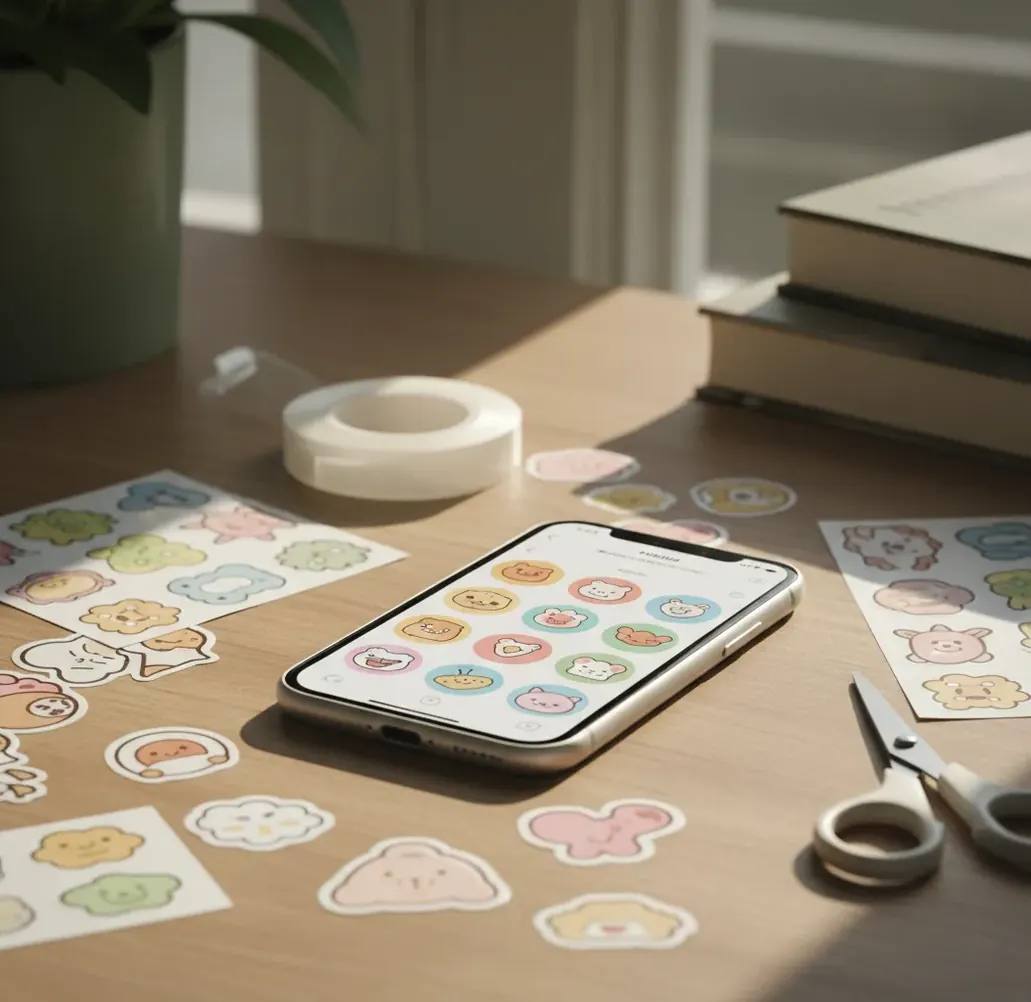
You can make AI stickers for Telegram by generating sticker-style artwork, cutting out the subject with a transparent background, exporting each image as PNG or WebP, and uploading the files through Telegram’s sticker pack flow. Use a consistent character prompt, test every sticker on light and dark chat backgrounds, and keep the artwork centered on a 512px canvas for clean results.
What Are AI Stickers for Telegram?
AI stickers for Telegram are custom sticker images created or edited with generative AI, then exported as transparent files for use inside Telegram chats. They can be cute characters, meme faces, creator mascots, brand reactions, pet portraits, gaming avatars, or stylized versions of real doodles.
A strong Telegram sticker pack is not just a folder of AI images. It needs a repeated art style, readable expressions, transparent backgrounds, safe padding, and emoji assignments so people can find the right reaction quickly. AI helps with generation and variation, but the final quality depends on cutout precision, export settings, and consistency across the pack.
How Do AI Sticker Cutouts Work?
AI sticker cutouts work by separating the foreground subject from the background, then creating an alpha matte that controls which pixels stay visible, fade, or become transparent. This is the difference between a sticker that floats naturally in Telegram and one that looks like a square image pasted into a chat.
The generation step usually uses a diffusion model to create the character, pose, expression, and style from a prompt. The cutout step uses image segmentation and edge refinement to preserve hair, ears, props, outlines, and soft shadows. If you see a white halo in dark mode, the issue is usually leftover background pixels or a rough matte, not the character design itself.
How Do You Make a Telegram Sticker Pack From AI Art?
Plan one pack concept
Choose one character, mood, or visual system before generating images. A focused pack might include 10 to 30 reactions such as happy, angry, shocked, crying, sleepy, celebrating, confused, and thumbs-up.
Generate a base character
Create the first image with a detailed style prompt. Save the exact prompt, seed if available, color notes, outfit details, and character traits so later stickers do not drift.
Create expression variations
Generate one idea per sticker: one pose, one emotion, one readable silhouette. Avoid overcrowded props because Telegram stickers are viewed small inside fast-moving chats.
Remove the background
Cut out each subject and export with transparency. Check holes inside arms, hair loops, ears, glasses, tails, and props because missed interior areas can look messy on chat backgrounds.
Export sticker-ready files
Place each cutout on a 512px canvas, keep safe padding around the edges, and export as transparent PNG or WebP. Compress only enough to meet Telegram’s upload limits without damaging outlines.
Upload and assign emojis
Use Telegram’s sticker creation flow, add each file, assign relevant emojis, name the pack, and publish the link. Test the finished pack in both light mode and dark mode before sharing widely.
What Size and Format Should Telegram Stickers Use?
Telegram stickers should be prepared on a 512px sticker canvas, with the artwork centered and enough padding so outlines do not touch the edge. Static stickers are commonly uploaded as transparent PNG or WebP files, while animated and video stickers use separate formats and stricter production pipelines.
For clean static stickers, design at a larger working size such as 1024px, then downscale to 512px for export. Keep the file lightweight, usually under Telegram’s current static sticker upload limit, and always verify the requirement in the uploader because platform rules can change. Transparent backgrounds, crisp alpha edges, and readable silhouettes matter more than high-detail texture.
Which Tools Can Make Telegram Sticker Packs?
| Tool type | Best for | Strengths | Watch out for |
|---|---|---|---|
| Pict AI | Generating sticker art and creating clean cutouts in one workflow | Browser and iOS access, fast prompt-to-cutout loop, useful for consistent character sets | Still requires manual review for rights, face drift, file size, and edge artifacts |
| Photoshop or Affinity Photo | Manual cleanup, professional compositing, edge correction, and precise exports | Layer control, masks, batch export options, advanced retouching | Slower for generating many character variations unless paired with an AI image tool |
| Canva or similar design editors | Simple layouts, text stickers, creator branding, and quick social assets | Easy interface, templates, mobile-friendly editing | Background removal and transparency quality may vary by plan or image complexity |
| Telegram sticker bots | Uploading, naming, emoji tagging, and publishing packs | Native sticker pack creation and direct publishing inside Telegram | They do not solve generation quality, cutout cleanup, or character consistency |
| Open-source AI image tools | Advanced users who want model control, LoRAs, seeds, and local generation | High customization, reproducible styles, privacy if run locally | Requires setup, GPU resources, model management, and separate export cleanup |
The best workflow is often a combination: generate the art, clean the cutout, export transparent files, then use Telegram’s native sticker pack upload process.
How Do You Keep One AI Character Consistent Across a Sticker Pack?
To keep one AI character consistent, reuse the same character description, style language, palette, outfit, proportions, and rendering terms across every prompt. Consistency matters because Telegram packs are scanned quickly; if the face shape, eyes, nose, or costume changes too much, the set feels like unrelated artwork.
Create a short character bible before generating the full pack. Include the character’s species or identity, color palette, line style, outfit, accessories, emotional range, and forbidden changes. If your tool supports reference images, seeds, or style locking, use them. If not, keep prompts structured and generate in small batches so you can reject drift early.
What Prompt Recipes Work Best for Telegram Stickers?
- Base character template: "cute [character type], [main colors], [outfit/accessory], expressive face, clean bold outline, transparent background, sticker design, centered composition, simple shape language, high readability".
- Emotion variation template: "same [character description], [emotion], [pose], exaggerated facial expression, Telegram sticker style, clean silhouette, minimal props, transparent background, bold outline".
- Brand mascot template: "friendly [mascot], [brand colors], modern vector sticker style, simple shading, confident expression, support chat reaction, centered, transparent background, no text".
- Pet sticker template: "stylized sticker portrait of a [pet breed/species], [distinct features], playful expression, rounded shapes, soft shading, clean cutout, transparent background, cute Telegram reaction sticker".
- Meme reaction template: "expressive [character], dramatic [reaction], comic timing, readable at small size, thick outline, simple background removed, transparent PNG sticker, centered on 512px canvas".
- Negative prompt add-on: "extra fingers, distorted hands, blurry edges, text artifacts, watermark, cropped ears, inconsistent outfit, busy background, realistic gore, copyrighted character".
Where Do People Use Telegram AI Stickers?
People use Telegram AI stickers as fast emotional shorthand in chats, channels, creator communities, and private groups. A good sticker pack turns repeated reactions into recognizable visual language: a mascot rolling its eyes, a pet celebrating, a streamer avatar saying no without text, or a friend-group inside joke drawn in one consistent style.
Common uses include community reaction packs, gaming clan stickers, local slang sets, holiday drops, support team mascots, creator branding, couple gifts, birthday packs, and print-test concepts for merch. The strongest stickers are readable without captions, emotionally specific, and shaped clearly enough to work on busy chat backgrounds.
What Should You Check Before Publishing AI Stickers?
- Check transparency on both near-white and near-black backgrounds; halos often appear only in dark mode.
- Inspect the alpha edge at 200% zoom for leftover pixels, jagged outlines, erased hair, broken glasses, or missing holes between limbs.
- Confirm the character stays consistent across the full pack, especially eyes, nose shape, outfit, color palette, and signature accessories.
- Avoid using a real person’s face, a celebrity likeness, or a protected fictional character unless you have clear rights or permission.
More Pict.AI guides you might want next
Check Pack Behavior Before Sharing the Telegram Link
Make a private release checklist before announcing your pack. Uploading successfully only confirms that Telegram accepts the files; it does not confirm that the reactions are useful, the emoji suggestions work, or the shared pack contains only finished artwork.
- Match uploads to your final inventory. Number your approved files locally, then compare them with the uploaded pack. Remove accidental duplicates, rejected expressions, and draft versions. Similar filenames make it easy to upload an earlier image by mistake.
- Check reactions without their labels. Ask someone to distinguish agreement, celebration, embarrassment, and sarcasm from the artwork alone. Replace ambiguous expressions rather than relying on the pack title to explain them.
- Verify emoji suggestions. Associate each sticker with emojis that match its intended meaning. In a test chat, enter those emojis and check the suggestions. Do not assign every emoji to every sticker just to increase exposure.
- Inspect the actual chat display. Send the uploaded stickers from a phone, not just an editor preview. Check whether small lettering, tiny props, or closely spaced facial features disappear at the displayed size.
- Separate platform exports. If you also plan ai stickers for discord or ai stickers for whatsapp, keep separate delivery folders. A Telegram-ready file is not automatically a finished asset for another platform. Someone searching for how to make ai stickers for whatsapp needs that platform’s import workflow, not your Telegram pack link.
- Check distribution promises. Do not describe a Telegram pack as free stickers for imessage unless you also provide a compatible iMessage delivery method. If your release notes answer “is there an app that makes ai stickers,” distinguish artwork generation from publishing a usable Telegram pack.
Finally, open the published pack link from another account and confirm its title, contents, and add-to-Telegram action before sharing it publicly.
Telegram AI Sticker Questions Answered
Choose emojis that describe the sticker’s emotion or conversational purpose, rather than every object pictured. A laughing character should map to laughter; a tired character should map to sleepiness. Use Telegram’s sticker-management options to set associations, then try the emojis in a chat. Suggestions can depend on the client and settings, so avoid promising that a particular sticker will always appear first.
Yes. The pack owner can use Telegram’s sticker-management tools to add or remove stickers and adjust their order. Available editing controls can differ between the app interface and the sticker bot. Keep your original artwork and exported files so corrections do not require regenerating the character. After an update, reopen the existing pack link and check that it displays the intended contents.
Generate a consistent character or theme, remove the background, export transparent PNG or WebP files on a 512px canvas, then upload them as a Telegram sticker pack with emoji tags.
Transparent PNG or WebP is best for most static Telegram stickers. Animated and video stickers use different formats, so start with static stickers if you want the simplest workflow.
Yes, transparent backgrounds are strongly recommended because stickers appear over different chat colors, wallpapers, and dark mode screens. A solid background usually makes the sticker look like a pasted square.
A white outline usually comes from leftover background pixels or a weak alpha matte after background removal. Re-cut the image, refine the edge, and preview it on a dark background before exporting.
Use a 512px sticker canvas and keep the subject centered with padding. Many creators work larger first, such as 1024px, then downscale for a sharper final sticker.
You can make personal face stickers if you have the right to use the image and everyone involved consents. Avoid publishing stickers of other people without permission.
AI can help create frames or motion concepts, but animated Telegram stickers require a separate export pipeline from static PNG or WebP stickers. Build a static pack first, then move to animation once the style is stable.
A practical starter pack has 10 to 20 stickers covering common reactions. Larger packs can work well, but only if the character and art direction stay consistent.
Commercial use depends on the tool license, source images, model terms, and whether the output resembles protected characters or real people. Check rights before selling packs, using them for a brand, or printing them as merchandise.