Best Free AI Image Generator in 2026
A free AI image generator in 2026 should let you create and download usable images from text prompts without forcing a checkout at export. The best choice depends on your workflow: social posts, blog headers, thumbnails, moodboards, concept art, gifts, or early brand visuals.
Best Free AI Image Generator in 2026
- Upload a reference image if supported, or start with a blank text prompt for an original composition.
- Describe the subject, setting, and lighting, then choose an aspect ratio that matches your intended placement.
- Generate a small batch of variations, changing one instruction at a time if the composition misses your brief.
- Review the downloaded pixels, inspect visual errors at full size, and export the strongest image for your layout.
Example prompt: Photorealistic product photo of a minimalist ceramic desk lamp on a walnut table, soft morning window light, subtle film grain, neutral background, 16:9, no text, no logos
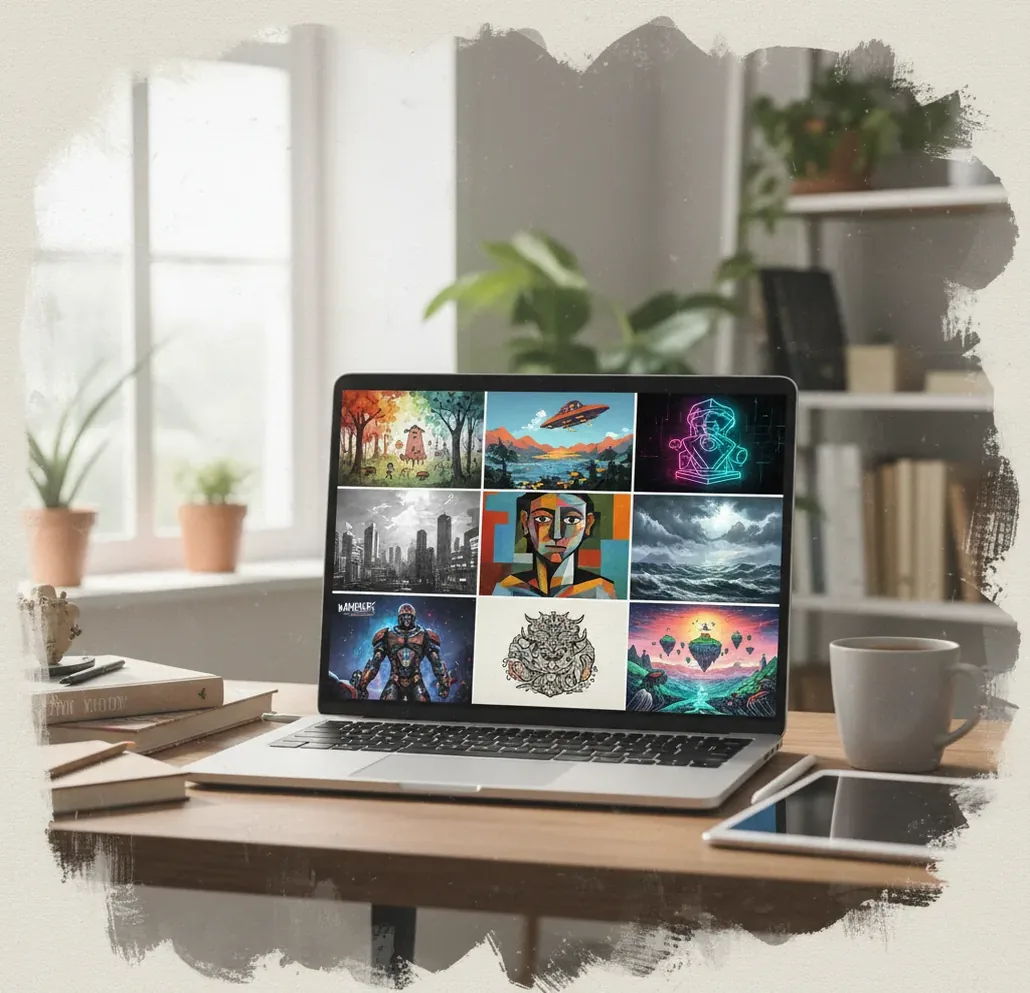
The best free AI image generator in 2026 is one that lets you generate, revise, and export usable images without hidden paywalls, forced watermarks, or unclear limits. Look for fast prompt-to-image generation, common aspect ratios, variation controls, and transparent usage terms before choosing a tool.
What Is an AI Image Generator in 2026?
An AI image generator in 2026 is software that turns a written prompt, reference image, or style instruction into a new synthetic image. Most tools support common creator outputs like square social posts, vertical stories, widescreen blog headers, concept art, thumbnails, wallpapers, mockups, and moodboards.
The word “free” usually means a usable starting tier, not unlimited professional production. Free tools may limit daily generations, queue speed, resolution, commercial rights, private storage, or advanced controls. A genuinely useful free generator should still let you test prompts, create variations, and download images at a practical size without a surprise paywall.
How Does a Text Prompt Become an Image?
Most modern AI image generators use diffusion models or related generative architectures. In simple terms, the system starts with visual noise, then repeatedly denoises it into an image that matches the prompt, aspect ratio, and style guidance. Your words are encoded into numerical signals that steer the model toward concepts like “studio lighting,” “clay texture,” “wide-angle lens,” or “flat vector poster.”
Each generation samples a different path through latent space, which is why the same prompt can produce different compositions. Small prompt changes matter: “top-down product photo” creates a different camera logic than “eye-level editorial photo,” and “soft window light” behaves differently from “neon rim lighting.”
How Do You Generate a Clean Image for Free?
Choose the aspect ratio first
Pick the final format before prompting: 1:1 for profile posts and thumbnails, 16:9 for headers and video backgrounds, 9:16 for stories and reels, or 4:3 for presentation-style visuals.
Write a three-part prompt
Use subject, setting, and style. Example: “ceramic coffee mug on a scratched wooden counter, morning window light, realistic film photo with soft grain.”
Generate several variations
Run 2 to 4 variations before rewriting the entire prompt. Variation testing is usually faster than over-editing one long prompt.
Add one constraint at a time
If the result breaks, add a specific constraint such as “no text,” “hands out of frame,” “plain background,” or “centered composition.” Avoid stacking too many negative instructions at once.
Export and inspect before publishing
Check faces, hands, edges, logos, background objects, and any visible text at full size. For professional use, open the image in an editor and clean up artifacts manually.
Which Free AI Image Generator Should You Try?
| Tool | Best for | Free-tier notes | Watchouts |
|---|---|---|---|
| Pict AI | Fast browser and iPhone prompt-to-image generations with quick variations | Useful for testing social images, blog visuals, wallpapers, and concept drafts | Review usage terms and export needs before commercial publishing |
| Adobe Firefly | Brand-safe creative workflows, design teams, and Adobe ecosystem users | Often includes limited free generative credits | Best features are tied to Adobe accounts and paid plans |
| Ideogram | Posters, typography experiments, badges, and stylized text-heavy concepts | Free access may include generation limits or public outputs | Text is stronger than many tools but still needs proofreading |
| Leonardo AI | Game art, character concepts, assets, and stylized illustration workflows | Free credits are useful for experimentation | Advanced model and training features may require paid access |
| Canva AI tools | Social graphics, simple layouts, and non-designer marketing assets | Free design tools pair well with generated imagery | Image generation controls are less technical than specialist tools |
| Stable Diffusion interfaces | Advanced control, local workflows, custom models, and technical users | Some web interfaces offer free runs; local use depends on hardware | Setup, model choice, licensing, and safety controls require more knowledge |
No single tool is best for every creator. Choose based on output type, export quality, speed, licensing clarity, and whether you need simple prompting or advanced controls.
What Prompt Formula Works Best for Usable Results?
The most reliable prompt structure is: subject + environment + composition + medium + lighting + style constraints. This gives the model enough visual hierarchy without burying it in conflicting adjectives.
Reusable template: “A [subject] in/on/at [setting], [composition or camera angle], [medium], [lighting], [color palette], [quality/style constraint], no text, no logo.”
Example for a blog header: “A tidy creative desk with a laptop showing abstract image thumbnails, wide 16:9 composition, editorial product photography, soft daylight, muted blue and cream palette, clean background, no text, no logo.” Example for a gift print: “A whimsical orange cat astronaut floating near a tiny moon garden, centered composition, children’s book illustration, warm stars, soft watercolor texture, no text.”
What Can You Make with Free AI Images?
Free AI image generation is strongest for drafts, options, and visual exploration. Creators use it for podcast cover directions, YouTube thumbnail backgrounds, blog hero images, moodboards, RPG portraits, phone wallpapers, invitation art, sticker concepts, product mockup scenes, and ad creative tests before a photoshoot.
It is also useful emotionally: you can make a quick birthday image, a personalized lock screen, a concept for a room makeover, or a portfolio mood direction without waiting on a full production cycle. Treat the output as a creative starting point, then refine, edit, or redraw when precision matters.
When Is Paid Image Generation Worth It?
| Need | Free tier may work | Paid tier is better when |
|---|---|---|
| Social posts | You need quick concepts or occasional visuals | You publish daily and need faster queues or higher resolution |
| Client work | You are making internal drafts or moodboards | You need clearer licensing, private generations, and repeatable quality |
| Prints | You are testing composition and style | You need high-resolution upscaling, clean details, and color control |
| Branding | You are exploring visual directions | You need consistent identity, vector cleanup, and typography control |
| Character or product consistency | You only need one-off images | You need the same subject across many scenes, angles, or campaigns |
Free tiers are excellent for ideation. Paid tiers become more useful when you need predictable output, commercial documentation, larger exports, priority speed, or repeatable brand systems.
Where Do Free AI Image Generators Still Fail?
- Text inside images often renders incorrectly, especially small labels, signs, packaging copy, and UI screenshots.
- Hands, fingers, jewelry, glasses, teeth, and complex anatomy can still show visible artifacts at full resolution.
- Exact layouts are unreliable. Charts, app screens, menus, floor plans, and diagrams usually need manual design software.
- Logo creation is weak because AI images are raster outputs and often produce distorted typography or unusable brand marks.
How Should Creators Review AI Images Before Publishing?
Zoom to 100%
Inspect the full-size image, not just the preview. Many artifacts only appear around eyes, hands, text, product edges, and background objects.
Check for accidental marks
Look for fake signatures, broken logos, unreadable labels, copied-looking characters, or brand-like symbols that could create rights issues.
Match the final context
Preview the image where it will be used: a phone screen, blog header, print layout, thumbnail grid, or product page. Cropping can reveal problems.
Edit instead of rerolling forever
If the composition is strong, use an image editor for cleanup, cropping, color grading, sharpening, background removal, or text overlays.
Save the prompt and settings
Keep the prompt, aspect ratio, model name if visible, and final export. This makes it easier to recreate a style later.
Keep reading: tools that pair well with AI images
Check Downloaded Pixels Before Choosing a Free Generator
A free AI image generator can produce an attractive preview yet deliver a file too small for your intended layout. Compare the downloaded file, not the image displayed in the browser. Pixel dimensions determine how much room you have to crop; a file’s DPI label alone does not add detail.
| Output check | What it tells you |
|---|---|
| Pixel dimensions | A 1024 × 1024 download contains roughly one megapixel. Confirm the actual dimensions in file properties. |
| Crop allowance | Cropping a 1024 × 1024 square to 16:9 leaves approximately 1024 × 576 pixels before resizing. |
| Print size | At 300 pixels per inch, a 1024-pixel edge prints at about 3.4 inches without enlargement. |
| File format | JPEG suits photographic images; PNG avoids lossy compression and supports transparency when an alpha channel is present. |
| Upscaled output | More pixels can improve presentation, but reconstructed texture is not evidence of accurate original detail. |
Work backward from the placement. If a newsletter template needs a 1200-pixel-wide header, a 1024-pixel download requires enlargement even before cropping. Generate in the target shape where possible, and leave extra space around the subject when the layout may trim the edges.
Check one exported image before spending your generation allowance on a complete set. Open it at 100% magnification, confirm its dimensions, and place it in the actual template. This catches soft edges and awkward crops that a small preview can conceal.
Keep an untouched copy of the download. Repeated JPEG saves can accumulate compression artifacts, especially around fine lines and lettering. Make edits from the original, then export a separate delivery file. For printed work, request the printer’s required dimensions and resolution before choosing a generator.
Questions About Free AI Image Generation
Privacy depends on the service and account settings. Some free generators display creations publicly; others retain uploads or allow their use for model improvement under their terms. Before submitting a reference photo, check gallery visibility, retention, deletion options, and training controls. Avoid uploading confidential client material or identifiable photos without appropriate permission.
Yes, some downloadable image-generation models can run locally without a cloud service once the necessary files are installed. Hardware requirements vary, and generation may be slow on computers with limited memory or graphics capability. Local operation avoids sending prompts to a hosted generator, but model licenses still govern permitted uses, including commercial work.
Many are free to start but may limit credits, resolution, queue speed, commercial rights, or private storage. Check the export rules before spending time on a prompt.
Sometimes, but it depends on the tool’s terms, the prompt, the source material, and whether the image resembles protected brands, characters, people, or artwork. Always review licensing before using outputs in ads, products, or client work.
Generative models sample different paths through latent space each time. If you want more consistency, reuse the same prompt structure, aspect ratio, seed if available, and style constraints.
Use subject, setting, composition, medium, lighting, and constraints. For example: “ceramic mug on a wooden counter, close-up product photo, morning window light, warm neutral palette, no text, no logo.”
They are useful for logo moodboards and rough concepts, but not final identity files. Logos usually need clean typography, vector geometry, and manual refinement.
Image models learn visual patterns rather than true typography systems, so letters can blur, repeat, or become unreadable. Add text later in a design tool for reliable results.
Use 1:1 for square posts, 4:5 for feed portraits, 9:16 for stories and reels, and 16:9 for video thumbnails or blog headers. Choosing the ratio first prevents awkward cropping.
If the composition, lighting, and mood are strong, editing is usually faster than rerolling. Generate again when the subject, anatomy, camera angle, or overall concept is wrong.