How to Make Instagram Story Backgrounds With AI
You can make Instagram Story backgrounds with AI by generating a 9:16 image from a prompt, choosing a clean composition, and leaving space for captions, stickers, polls, and link buttons. The best results use simple visual instructions like color palette, texture, lighting, and negative space instead of asking the AI to design the whole Story.
How to Make Instagram Story Backgrounds With AI
- Upload the photo you want to feature, keeping an untouched copy before removing or replacing its original background.
- Describe a vertical setting that matches the photo’s camera angle and lighting, with space beside the subject.
- Generate the background, then position your isolated subject and adjust its scale and contact shadow.
- Review edges and lighting at full size, export the finished image, and add interactive stickers inside Instagram.
Example prompt: Instagram Story background, 9:16, soft pastel gradient (sage to cream), subtle paper texture, gentle corner shadow, clean empty center for text, light film grain, high resolution
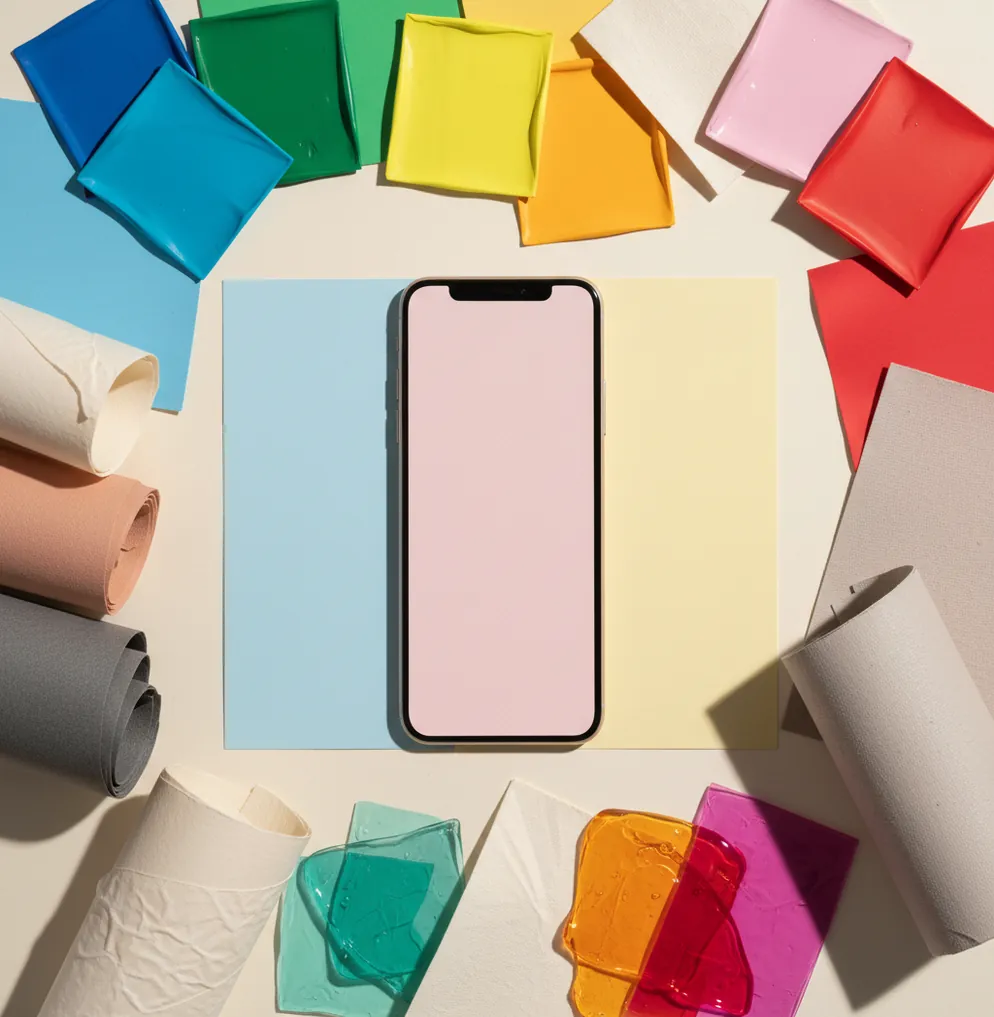
To make Instagram Story backgrounds with AI, generate a 9:16 image, usually 1080×1920 pixels, with a prompt that specifies style, colors, and empty space for overlays. Create several variations, choose the one with the cleanest top, center, or lower-third area, then export it before adding Instagram text, stickers, polls, or links.
What Are AI Instagram Story Backgrounds?
AI Instagram Story backgrounds are generated images made to sit behind text, stickers, photos, polls, product cutouts, or link buttons in the vertical Story format. Instead of opening a blank canvas and manually designing a gradient, paper texture, collage, neon backdrop, or seasonal scene, you describe the look in a text prompt and let an image model create new pixels.
A strong Story background is not just a pretty image. It needs usable negative space, readable contrast, and a vertical composition that survives Instagram’s interface. The standard target is 1080×1920 pixels in a 9:16 aspect ratio, with important details kept away from the very top and bottom where profile names, reply fields, captions, and stickers can crowd the design.
How Does AI Generate Story Backgrounds From Prompts?
Most AI background tools use diffusion or latent diffusion models that start with visual noise and repeatedly denoise it into an image that matches your prompt. The model has learned visual relationships between words and image features, so phrases like “soft beige paper grain,” “cyberpunk neon glow,” “matte pastel gradient,” or “editorial collage texture” guide color, lighting, depth, and style.
AI is good at mood, texture, composition, and atmosphere, which makes it useful for Story backdrops. It is weaker at exact readable text, precise brand marks, tiny icons, and realistic anatomy. That is why the best workflow is to generate the background only, then add text, stickers, logos, and interactive elements inside Instagram, Canva, Adobe Express, or another editor.
How Do You Make a 9:16 Instagram Story Background With AI?
Set the canvas to 9:16
Choose a vertical Story format before generating. Aim for 1080×1920 pixels when possible so the image fits Instagram Stories without awkward side cropping or stretched textures.
Write a prompt with style, palette, and space
Describe the visual style, colors, surface texture, lighting, and where you need clean space. For example: “minimal warm beige paper texture, subtle shadow corners, empty center, soft film grain, 9:16.”
Generate multiple variations
Create 6 to 12 options instead of relying on the first image. AI generations vary, and the most useful Story background is usually the one with the cleanest overlay area, not the most detailed artwork.
Check safe areas before exporting
Keep key details away from the top profile area and bottom reply field. If you plan to use polls, question boxes, or link stickers, leave a calm center or lower-third zone with low texture.
Export the clean background
Save the image at full resolution, then add text, stickers, GIFs, polls, or product photos afterward. This keeps typography readable and avoids garbled AI-generated lettering.
What Prompt Should You Use for Instagram Story Backgrounds?
- Minimal creator backdrop: “minimal matte gradient background, [brand colors], soft grain, clean center space for text, subtle vignette, 9:16, no words, no logo.”
- Quote Story background: “warm paper texture, soft natural shadows, empty middle area, cozy editorial mood, muted beige and cream palette, 9:16, no text.”
- Product launch Story: “sleek studio backdrop, smooth reflective surface, clean lower third for product image, high contrast edges, modern luxury lighting, 9:16.”
- Poll or question sticker Story: “playful pastel abstract shapes around the edges, blank center panel, soft depth, social media background, 9:16, no lettering.”
- Music Story background: “moody blurred concert lights, cinematic grain, dark purple and blue tones, empty upper third for song sticker, vertical 9:16.”
- Event countdown Story: “bold gradient background, glowing edge light, clear central space for countdown sticker, energetic launch mood, 9:16.”
- Portfolio Story backdrop: “clean editorial wall texture, soft side lighting, neutral tones, premium magazine layout background, empty right side, 9:16.”
Which AI Tools Can Make Instagram Story Backgrounds?
| Tool | Best for | Strength | Watch out for |
|---|---|---|---|
| Pict AI | Fast mobile 9:16 background generation | Useful for quickly creating multiple Story-ready textures, gradients, and visual moods from prompts | Review export settings, model terms, and safe areas before posting |
| Canva | Templates, brand kits, and social media layouts | Strong for combining AI images with text styles, stickers, logos, and reusable Story templates | Some assets and features depend on plan, licensing, or account storage |
| Adobe Express | Polished typography and quick resizing | Good for creators who want AI-assisted visuals plus professional text and layout controls | Some advanced features require an Adobe account or paid plan |
| Midjourney | Highly stylized visual concepts | Strong for cinematic, editorial, surreal, or art-directed Story background aesthetics | Requires prompt control and extra steps to crop, upscale, or edit for Instagram |
| DALL·E or ChatGPT image tools | Prompt-based concept generation | Good for describing a full visual direction in natural language and iterating quickly | Exact text, logos, and small details may still need manual editing |
For most creators, the best tool depends on the workflow: use an AI image generator for the backdrop, then use a layout editor or Instagram itself for readable text, stickers, links, and final publishing.
How Do You Leave Space for Text, Stickers, and Polls?
The easiest way to leave space is to ask for it directly in the prompt. Use phrases like “empty center,” “clean upper third,” “plain lower third,” “negative space on the right,” or “low-detail background behind text.” AI responds better to placement instructions when they are simple and tied to a clear visual area.
A practical Story layout has detail around the edges and calm texture where overlays will go. For quotes, keep the center quiet. For link stickers, reserve the lower middle. For selfies or product cutouts, request a clean side or lower third. If the image is beautiful but busy everywhere, regenerate it instead of fighting readability later.
What Background Styles Work Best for Stories?
- Soft gradients for quotes, announcements, and daily updates because they keep text readable.
- Paper textures for personal brands, journaling accounts, coaching content, and warm editorial Stories.
- Neon glow backdrops for music, nightlife, gaming, and event countdowns.
- Minimal studio surfaces for product launches, affiliate links, and shop updates.
- Film grain and blurred light leaks for mood boards, playlists, travel recaps, and lifestyle content.
- Edge-framed abstract shapes for polls, quizzes, and question stickers because the center stays clean.
- Seasonal patterns for holidays, sales, birthday posts, gift guides, and themed Highlight covers.
- Split-tone backgrounds for before-and-after Stories, tutorials, and transformation content.
Where Do AI Story Backgrounds Still Go Wrong?
- Fine lines, tiny dots, and dense fabric-like textures can band, shimmer, or look muddy after Instagram compression.
- AI-generated text inside the image is usually unreliable, so add all captions, labels, prices, and calls to action manually.
- Hands, faces, eyes, jewelry, and small objects can deform if the background includes people or detailed props.
- Exact logos, trademarks, and brand marks should not be generated casually; upload approved assets manually if you need brand accuracy.
How Can You Build a Week of Story Backgrounds at Once?
Choose one visual system
Pick a consistent palette, texture, and mood such as “cream paper grain,” “soft blue gradient,” or “dark neon blur.” This makes the week feel branded without repeating the same image.
Create 5 to 10 prompt variations
Keep the same style but change the placement: empty center, clean top, lower-third space, left-side negative space, and edge-framed composition.
Generate in batches
Make several backgrounds in one sitting and save the cleanest versions. Batch generation is faster than designing each Story from scratch on the day you post.
Assign each background a purpose
Use one for a quote, one for a poll, one for a link sticker, one for a product photo, one for a recap, and one for a question box.
Store exports in a Story folder
Keep final 9:16 images organized in your camera roll, cloud drive, or content calendar so you can add overlays quickly when publishing.
Before and After: What a New Background Can Actually Fix
A convincing Story composite depends on the relationship between the foreground and its new setting. Replacing a cluttered room with a studio backdrop can simplify a product photo, but it will not automatically correct the product’s lighting, perspective, or cutout edges. Use these expectations to decide whether to regenerate the background or repair the foreground.
| Before | What AI can improve | What may still look wrong |
|---|---|---|
| A product photographed on a busy kitchen counter | A simpler surface and wall can remove distracting visual context. | The product may appear to float without a separate contact shadow. |
| A portrait lit strongly from the left | A backdrop with left-side window light can support the original lighting. | A sunset behind the subject will not automatically create matching rim light. |
| A bottle photographed from above | A flat-lay background can preserve a believable camera angle. | An eye-level shelf scene can make the bottle’s perspective look inconsistent. |
| A cutout with pale fringes around its edges | A lighter backdrop can make minor edge defects less noticeable. | Dark backgrounds often expose halos; the mask still needs refinement. |
| A small image stretched into a vertical canvas | Generated surroundings can fill missing space without stretching the subject. | Expanding the canvas does not recover detail missing from the original photo. |
When you resize image for instagram, distinguish cropping from canvas expansion: cropping removes content, while expansion adds surroundings. Keep the original subject on a separate layer when your editor supports it.
The searches “what app changes photo backgrounds” and “what app removes backgrounds from photos” describe different jobs. Replacement creates a new setting; removal isolates the subject. For a product-led Story, look for editable cutouts, shadow controls, and background generation rather than assuming one feature handles all three.
AI Story Backgrounds: Common Design Questions
Yes. You can turn a generated still into a short video using an image-to-video tool or add a slow zoom in a video editor. Keep movement subtle behind captions and interactive stickers. Generative motion can warp objects or introduce flicker, so inspect the entire clip, especially any area behind a product cutout or fixed logo.
Disclosure depends on the content and Instagram’s current rules, not simply on whether AI helped create the background. A decorative gradient differs from a realistic fabricated event or location presented as genuine. Check the upload flow for disclosure options, preserve content credentials where available, and clearly explain edits that could mislead viewers about a product, person, or place.
An Instagram Story background should be 1080×1920 pixels in a 9:16 aspect ratio. This vertical size reduces cropping and keeps the design aligned with Story overlays.
Yes, AI can generate vertical Story backgrounds from prompts describing style, color, lighting, texture, and empty space. You should still add text, stickers, and logos manually for readability and accuracy.
Include the style, color palette, texture, mood, aspect ratio, and where you need negative space. A good prompt might say: “soft pastel gradient, subtle grain, empty center, clean lower third, 9:16, no text.”
Use low-detail textures, gentle gradients, and clear negative space behind captions or stickers. Avoid busy patterns in the center if you plan to add text.
Add text inside Instagram or a design editor, not inside the generated image. AI-generated lettering often looks distorted, while manual text stays crisp and editable.
Generate at least 6 to 12 variations for each prompt. This gives you enough options to choose a clean composition with proper safe areas.
Yes, but check the commercial usage terms of the tool and avoid generating protected logos, characters, or trademarked elements. For ads or client work, use approved brand assets manually.
Instagram compresses uploaded Stories, especially images with fine patterns, gradients, and heavy detail. Export at 1080×1920, avoid tiny textures, and keep the file clean before uploading.
Polls and question stickers work best on backgrounds with a calm center or lower-third area. Edge-framed shapes, soft gradients, and paper textures usually keep interactive stickers readable.