How to Make Jewelry Photos With AI for Listings
You can make jewelry photos with AI for listings by starting with a sharp phone photo, using AI to remove or replace the background, then applying conservative lighting and shadow edits. The best results keep the metal tone, gemstone color, prongs, chain gaps, and surface condition accurate so buyers see the real item.
How to Make Jewelry Photos With AI for Listings
- Upload a sharp jewelry photograph with visible prongs, chain openings, and an accurate metal tone.
- Choose a neutral background and describe soft lighting, requesting no changes to the jewelry itself.
- Generate the edited image while keeping the original available for a direct side-by-side comparison.
- Review stone color, engravings, and edges; reject altered details, then export the approved listing crop.
Example prompt: Create a clean studio product photo background: matte white sweep, soft natural shadow under the jewelry, neutral color balance, preserve true metal tone and gemstone color, no extra props, high detail, sharp edges
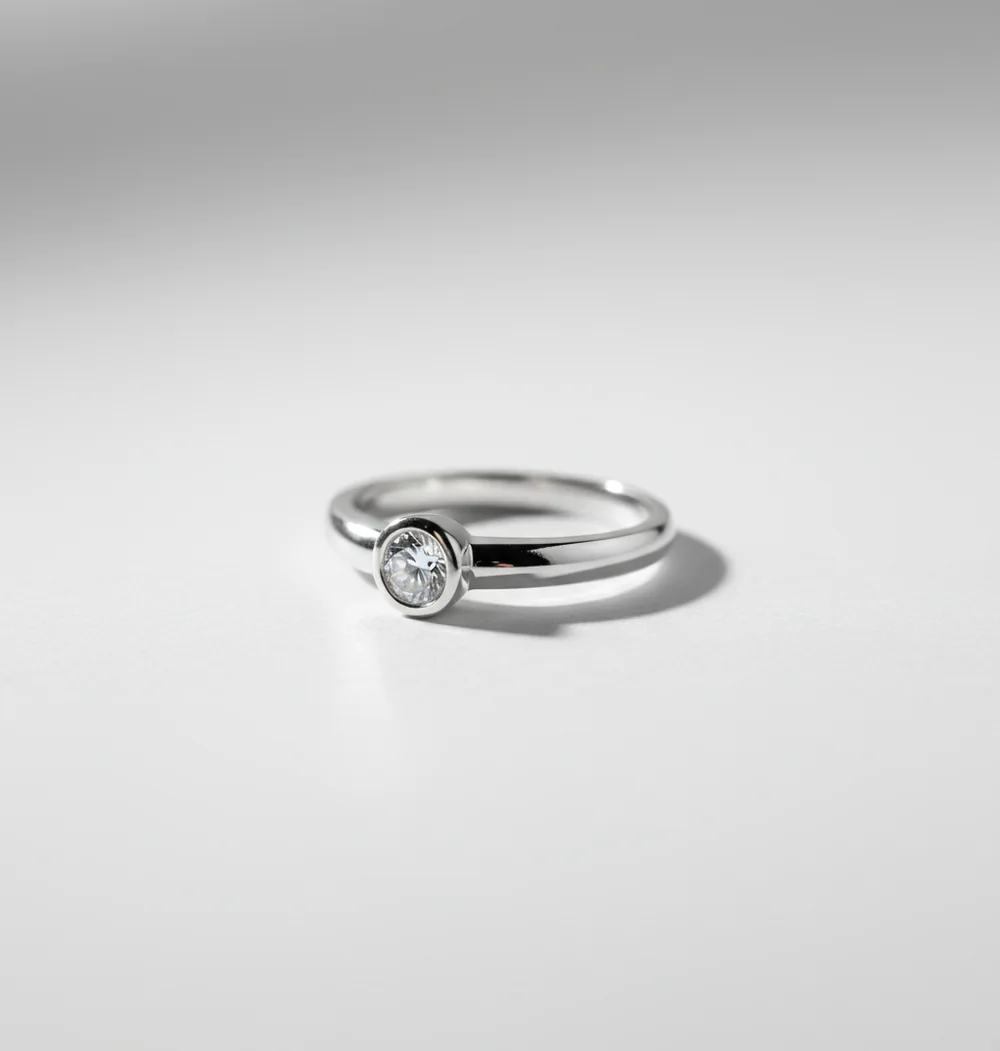
To make jewelry photos with AI for listings, photograph the piece in soft light on a plain surface, then use an AI product photo editor to cut out the jewelry, replace the background, add a subtle shadow, and export marketplace-ready crops. AI works best as a finishing tool, not a replacement for a clean original photo, because reflective metal and tiny stones need accurate detail.
What Are AI Jewelry Listing Photos?
AI jewelry listing photos are product images that use machine-learning tools to clean up backgrounds, improve lighting, resize crops, and create a more consistent studio-style presentation. For sellers, the goal is not to invent a different ring, necklace, bracelet, or gemstone; it is to make the real item easier to see in a thumbnail, product grid, or marketplace search result.
A good AI jewelry workflow preserves buyer-critical details: gold tone, silver brightness, stone color, prong shape, chain openings, engravings, scratches, scale, and condition. This matters on Etsy, Shopify, Amazon, eBay, and social selling posts because jewelry buyers often judge trust from small visual cues before reading the description.
Why Does Jewelry Need a Different AI Photo Workflow?
Jewelry needs a different AI workflow because small reflective objects are difficult for segmentation, matting, and relighting models. A ring may have bright specular highlights, dark reflections, transparent stones, tiny prongs, and open negative space all within a few hundred pixels. Those details can look like background noise to an AI cutout model.
Most AI product editors first create a mask that separates the item from the background. With jewelry, that mask must keep hairline chain links, bead edges, stone facets, and claw settings without creating jagged outlines. Diffusion-based background tools can then synthesize clean backdrops and shadows, but they should be used gently so the final image still matches the physical piece.
How Do You Shoot Jewelry on a Phone Before Using AI?
Clean the piece first
Use a microfiber cloth and inspect the jewelry under a lamp. Fingerprints, lint, and lotion marks become very visible after AI sharpening or background cleanup.
Use soft side light
Place the item near a window, in open shade, or beside a diffused lamp. Avoid direct flash because it creates hard glare on metal and can make gemstones look flat or fake.
Choose a plain shooting surface
Shoot on white, light gray, beige, or mid-gray card. Busy fabrics, marble veining, wood grain, and reflective counters make AI cutouts less reliable.
Stabilize the phone
Use a small tripod, stack of books, or two-hand grip. Jewelry photos need crisp edges because even slight blur can soften prongs, engraving, and chain gaps.
Capture multiple listing angles
Take a straight hero photo, a 45-degree angle, a close detail shot, a scale shot on hand or ruler, and a clasp or back view when relevant.
Check color against the real item
Before editing, compare the photo to the jewelry in neutral light. If the raw image already makes gold look green or stones look too saturated, fix exposure and white balance first.
How Do You Make Jewelry Photos With AI for Listings?
Import the sharpest original photo
Pick the image with the cleanest outline and most accurate color, not the most dramatic sparkle. AI editing is more reliable when the original photo is sharp and evenly lit.
Remove or replace the background
Use an AI background remover or product photo tool to create a white, light gray, warm neutral, or soft lifestyle background. Inspect the mask around prongs, chain links, and gemstones.
Add a subtle contact shadow
A soft shadow helps the piece feel grounded. Keep it low contrast and directionally consistent with the original light so the jewelry does not appear to float.
Adjust exposure and white balance conservatively
Small corrections are useful, but avoid edits that change yellow gold to green, rose gold to orange, or gemstones to a more saturated color than they are in person.
Create marketplace crops
Export a square 1:1 image for thumbnails, a 4:5 crop for social commerce, and a wider image if your store theme uses banner-style product cards.
Do a final honesty check
Compare the edited image to the real item. Do not remove cracks, missing stones, chipped prongs, tarnish, or condition details that buyers need to know.
Which AI Photo Tools Work Best for Jewelry Listings?
| Tool | Best for | Strengths | Watch out for |
|---|---|---|---|
| Pict AI | Mobile jewelry background edits | Fast background changes, product-friendly crops, useful for sellers working from phone photos | Still requires a sharp original image for tiny prongs, stones, and chains |
| Canva | Templates, resizing, and listing graphics | Strong layout tools, marketplace banners, social post formats, easy brand consistency | Fine jewelry cutouts may need manual cleanup on complex edges |
| Remove.bg | Quick background removal | Simple cutouts, fast exports, useful for clean photos on plain backgrounds | Less complete as a full listing workflow because lighting and styling tools are limited |
| Adobe Photoshop | Detailed retouching and manual correction | Precise masking, healing, color control, and professional file handling | More time-consuming and less phone-first for quick seller workflows |
| PhotoRoom | Product photo backgrounds and batch styling | Good for ecommerce-style scenes, shadows, and fast product cutouts | Reflective jewelry may still need edge inspection and color checking |
The best tool depends on where the photo fails: use a background remover for clutter, a design tool for resizing, a product photo app for fast listing sets, and manual editing software for high-value or highly reflective pieces.
What AI Prompts Create Clean Jewelry Product Photos?
The safest prompts for jewelry listing photos describe the background, lighting, and shadow while telling the AI not to alter the product. Avoid prompts that ask for a different gemstone, extra sparkle, luxury redesign, or heavier gold color because those can misrepresent the item.
Use this reusable prompt for a white-background listing: "Place this exact jewelry item on a clean white studio background with soft diffused lighting, a subtle natural shadow, accurate metal color, accurate gemstone color, sharp edges, and no changes to the product shape, stones, prongs, engraving, or condition."
Use this lifestyle prompt for social or secondary listing images: "Keep the jewelry unchanged and place it on a minimal warm beige surface with soft window light, gentle realistic shadow, premium editorial product photography style, accurate reflections, and no added stones, no changed metal color, no extra engravings."
What Listing Image Sizes Should You Export?
- Export a 1:1 square crop for marketplace thumbnails and product grids. Center the jewelry with enough margin so rings, pendants, and earrings do not feel cramped.
- Export a 4:5 vertical crop for Instagram, Pinterest, TikTok Shop covers, and mobile-first product pages. This crop gives small jewelry more visual space on phone screens.
- Keep a high-resolution master file before compression. A 2000 px or larger long edge is a practical target for zoomable product images when your source photo supports it.
- Use a white or very light gray hero image when the marketplace favors clean search results. Use lifestyle backgrounds as secondary images for mood, gifting context, branding, or scale.
- Name files descriptively, such as "14k-gold-opal-ring-white-background.jpg" instead of "IMG_4821.jpg". Descriptive filenames help organization and can support image search relevance.
Where Does AI Help Most in a Jewelry Listing Set?
AI helps most when you already have one accurate photo and need a complete, consistent listing set. A seller can turn a single clean ring image into a white-background hero, a light gray alternate, a warm lifestyle scene, a square thumbnail, and a vertical social crop without reshooting every version.
For handmade, vintage, and small-batch jewelry, this saves time while keeping visual consistency across mixed inventory. The strongest workflow is usually: real photo for accuracy, AI cleanup for clarity, manual review for trust, and multiple exports for the places buyers actually see the product.
What Are the Limitations of AI Jewelry Photo Editing?
- Mirror-polished metal can confuse edge detection because reflections may look like holes, scratches, or background areas to the model.
- Thin chains, jump rings, filigree, and prongs are easy to over-mask. Always zoom in around open spaces after background removal.
- Transparent and faceted stones can lose internal detail if sharpening, denoise, or relighting is too aggressive.
- AI shadows may look unnatural when the original photo angle is steep or when the generated background uses a different light direction.
Related product-photo guides on Pict.AI
Separate Sales Photos From Jewelry Concept Images
Keep two export folders: one for photographs that document the item for sale, another for illustrative marketing assets. Record the source filename and edit type alongside each export. This makes it easier to replace a sold piece, resolve a buyer question, or prevent a concept image from becoming the main listing photo.
| Image type | Useful boundary |
|---|---|
| Item photograph | Retain the photographed jewelry; edit its surroundings rather than regenerate the piece. |
| Comparison panel | Combine actual views of the same item; identify each view clearly. |
| Illustrated concept | Label it as an illustration, not evidence of finish or condition. |
| Virtual try-on | Treat fit and proportions as approximate unless checked against measurements. |
| Generated scene | Keep a record of which elements were photographed and which were synthesized. |
An app to turn photos into sketches can help create packaging artwork or a design-story graphic, but drawn facets cannot document a gemstone’s appearance. If your search is “what app turns photos into sketches,” prioritize control over line simplification: a missing prong may be acceptable in decorative artwork, never in a condition photograph. Likewise, tools that turn photo into cartoon style belong in clearly illustrative promotional assets.
Learning how to make ai photos of yourself may help with model-led campaign concepts, but a generated portrait wearing jewelry does not establish real-world fit. For a factual comparison panel, learning how to merge two photos into one with ai should mean arranging existing front and back photographs, not inventing an unseen angle.
When choosing an ai image generator for amazon listings, look for subject protection and separately editable backgrounds. Keep the original photograph available for comparison, and check the image requirements for the relevant product category before uploading.
Jewelry Listing Photo Questions Answered
AI sharpening may improve the contrast of an already legible engraving, but it cannot reliably recover letters or numbers missing from the original image. Generative enhancement can invent convincing marks. Photograph the hallmark separately with close focus and angled light, then use modest exposure and contrast adjustments. Never use reconstructed lettering to support a metal-purity or maker claim.
Focus stacking can help when a close-up leaves the front of a ring sharp but the setting or rear band blurred. It combines photographs taken at different focus distances. Keep the camera and jewelry stationary, merge the frames before background editing, and inspect reflective edges for ghosting. A single sharp exposure is simpler when it captures all necessary detail.
Yes. AI can remove cluttered backgrounds, create clean white or neutral scenes, and resize images for Etsy, but the original jewelry photo should be sharp and color-accurate.
White, light gray, warm beige, and soft neutral backgrounds work best for most listings. They keep attention on metal, stones, shape, and condition.
AI can remove backgrounds from thin chains, but chain gaps are a common failure point. Shoot against a plain contrasting surface and inspect the cutout at full size.
It can if relighting, filters, or color correction are too strong. For listings, compare the edited image with the real item in neutral light before publishing.
No, but you do need soft, even light. A window, white bounce card, and plain surface can work better than a cheap lightbox with harsh LED reflections.
A strong listing usually has 5 to 8 images: hero shot, angle view, detail close-up, scale image, clasp or back view, packaging or gift context, and one lifestyle image.
Yes, AI can place the same piece into minimal lifestyle scenes, but you should avoid backgrounds that hide scale or imply materials, stones, or styling not included with the item.
AI-edited product photos are generally usable when they accurately represent the item, but sellers should check each marketplace policy and avoid edits that mislead buyers.
Use a high-resolution square image for the main product photo and keep a larger master file when possible. A 2000 px or larger long edge is a practical target for zoom and reuse.