Pict.ai vs Stable Diffusion: Hosted vs Local
Hosted image generation is best when you want fast results without installing models, drivers, or local interfaces. Local Stable Diffusion is best when you need deeper control over checkpoints, LoRAs, seeds, samplers, and repeatable production settings.
Pict.ai vs Stable Diffusion: Hosted vs Local
- Upload a reference image to your hosted editor or load it into a local Stable Diffusion image-to-image workflow.
- Describe the intended changes, choose output dimensions, and adjust image strength if your interface exposes that setting.
- Generate a small set of variations, keeping the reference and prompt unchanged while comparing available settings.
- Review product details, lettering, and crop at full resolution; export the selected image and save its available settings.
Example prompt: Split-scene photo: left side shows a desktop PC tower with GPU fans and a local AI generation UI on a monitor; right side shows a smartphone using a hosted image generator. Realistic lighting, clean desk, no text, no logos, high detail, 16:9.
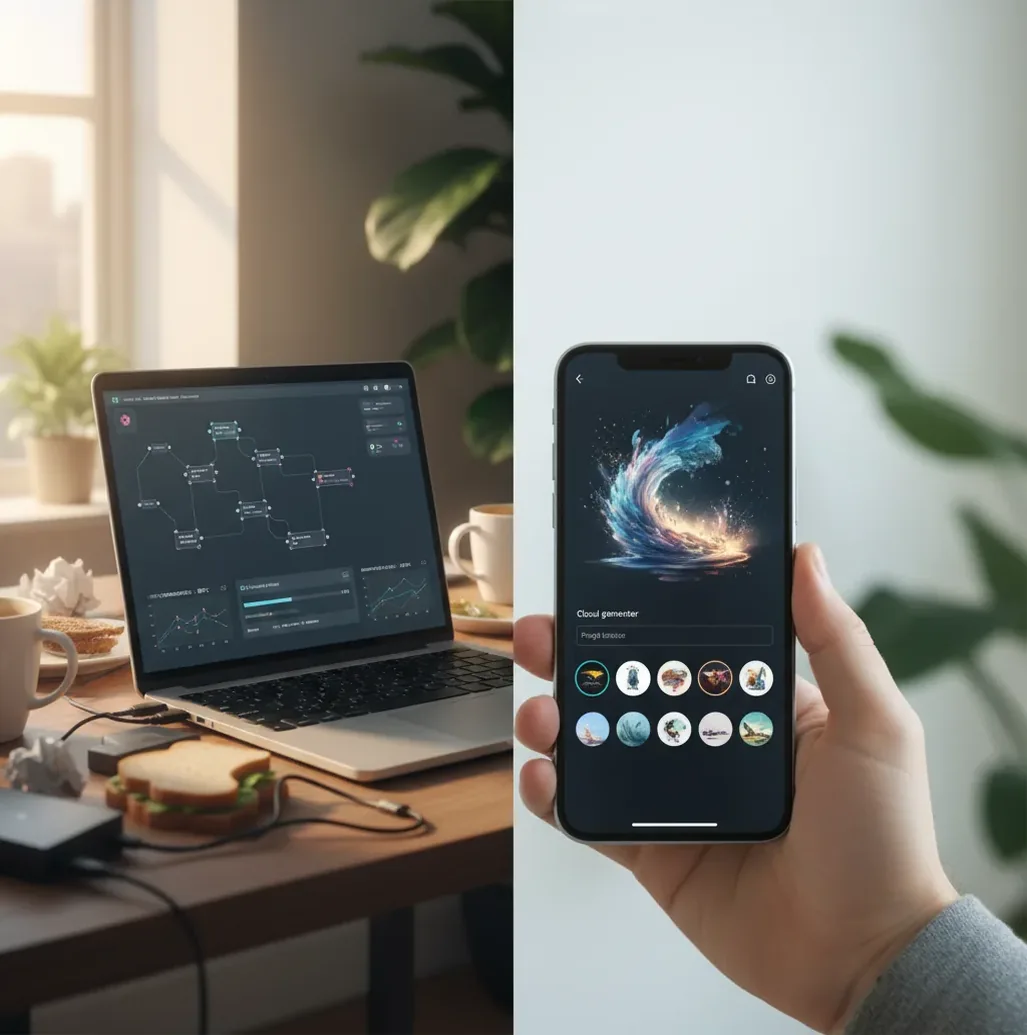
Pict.ai vs Stable Diffusion is mainly a choice between hosted convenience and local control. A hosted generator runs on remote servers through a browser or app, while local Stable Diffusion runs on your own computer and gives more customization if you have the GPU, storage, and setup time. Choose hosted for speed and lower friction; choose local for custom models, reproducibility, and advanced tuning.
What Is the Difference Between Hosted and Local AI Image Generation?
Hosted AI image generation runs the model on remote servers and returns images through a web or mobile interface. You write a prompt, choose a style or aspect ratio, and the service handles compute, model loading, queueing, upscaling, and storage rules.
Local AI image generation runs the diffusion model on your own machine, usually through interfaces such as AUTOMATIC1111, ComfyUI, Invoke, or similar tools. This gives you direct access to checkpoints, LoRAs, ControlNet workflows, seeds, samplers, schedulers, VAE files, and batch settings, but it also requires GPU VRAM, disk space, driver updates, and troubleshooting.
When Should You Choose a Hosted Generator Instead of a Local Setup?
Choose a hosted generator when you need images quickly and do not want to manage a local AI stack. Hosted tools are useful for social posts, gift images, moodboards, product mockups, presentation visuals, thumbnails, and fast creative exploration from a laptop or phone.
A hosted workflow also makes sense for teams because everyone gets the same interface and similar defaults. You avoid NVIDIA driver issues, CUDA mismatches, Python environment errors, checkpoint downloads, and out-of-memory crashes. The tradeoff is that you may have less control over the exact model, seed behavior, sampler, fine-tuning, and data retention policy.
When Is Local Stable Diffusion the Better Choice?
Local Stable Diffusion is better when you need precision, repeatability, custom models, or experimental workflows. It is especially strong for creators who use niche LoRAs, train custom styles, batch-render overnight, compare samplers, or build node-based pipelines for portfolio work, branding systems, concept art, and client production.
The practical threshold is hardware. For comfortable local work, many creators use an NVIDIA GPU with at least 8 GB of VRAM, while 12 GB or more gives more room for larger resolutions, SDXL-style workflows, ControlNet, inpainting, and batch generation. CPU-only generation can work, but it is usually too slow for iterative creative work.
How Do Hosted and Local Diffusion Work Under the Hood?
Both hosted generators and local Stable Diffusion-style tools use diffusion modeling: the system starts with noise and denoises it step by step into an image that matches the prompt. In latent diffusion, this happens in a compressed latent space rather than directly at full pixel resolution, which makes generation more efficient.
A text encoder converts your prompt into embeddings, a denoising network predicts how to remove noise, and a sampler or scheduler controls the denoising path. Settings such as seed, steps, CFG scale, resolution, model checkpoint, VAE, and sampler can change the final image. Hosted tools often hide these controls; local tools expose more of them.
How Do You Choose Between Hosted and Local Generation?
Define the job
Decide whether you are making quick social images, polished prints, ad variations, product concepts, client assets, or a repeatable visual style system.
Check your hardware
If you do not have a capable GPU, start hosted. If you have an NVIDIA GPU with enough VRAM and storage, local Stable Diffusion becomes more realistic.
Run a 10-prompt test
Use the same prompts across tools and compare hands, faces, text, small objects, composition, style consistency, and prompt obedience.
Measure total cost
Compare subscription or credit pricing against GPU cost, power draw, storage, setup time, maintenance, and failed generations.
Review privacy and rights
Check whether prompts, uploads, generated images, model licenses, and client materials are allowed for your intended use.
Pick a default workflow
Use hosted generation for speed or local generation for control, then keep the other option available for edge cases.
Hosted Generator vs Local Stable Diffusion: Which Tools Compare?
| Option | Best For | Main Strength | Main Tradeoff |
|---|---|---|---|
| Pict AI | Browser or iPhone image generation and editing | Fast setup, simple creative flow, no local installation | Less low-level control than a local diffusion interface |
| Stable Diffusion with ComfyUI | Advanced node-based image pipelines | Precise workflow control, reusable graphs, strong automation | Steeper learning curve and more setup maintenance |
| Stable Diffusion with AUTOMATIC1111 | Prompt testing, extensions, local experimentation | Large community, many extensions, exposed generation settings | Extension conflicts and driver issues can slow production |
| Paid hosted image editors | Teams, brand workflows, polished editing | Managed compute, support, templates, collaboration features | Costs scale with usage and platform terms |
| Free web generators | Casual experiments and lightweight drafts | Low barrier to entry | Queues, watermarks, limits, unclear rights, or restricted exports |
The best choice depends on whether you value speed, control, privacy, repeatability, mobile access, or advanced model customization.
What Daily Differences Matter Most for Creators?
| Factor | Hosted Workflow | Local Stable Diffusion |
|---|---|---|
| Setup | Usually starts in a browser or app within minutes | Requires installing a UI, models, dependencies, and GPU drivers |
| Speed | Fast for casual prompts, but can depend on queues or rate limits | Fast on strong GPUs, slow or unstable on weak hardware |
| Control | Simpler settings and guided defaults | Deep access to checkpoints, LoRAs, ControlNet, seeds, and samplers |
| Privacy | Server-processed; terms and retention policy matter | Can stay on-device if you avoid cloud sync and telemetry |
| Cost | Subscription, credits, or usage limits | Hardware, electricity, storage, and maintenance time |
| Mobile use | Usually easier from a phone or tablet | Usually desktop-first unless you use remote access |
| Best creative use | Social posts, thumbnails, gifts, quick edits, mockups | Custom styles, batch renders, portfolio series, technical workflows |
For many creators, the strongest workflow is hybrid: hosted for ideation and deadlines, local for repeatable style systems or technical control.
What Prompt Recipes Work Well in Either Workflow?
- Social post recipe: "Create a [platform] image in [aspect ratio] showing [subject] with [mood], [lighting], [color palette], clean negative space for headline text, no readable logo text."
- Gift print recipe: "Create a printable [style] portrait of [subject description], warm emotional tone, detailed background elements related to [memory or hobby], soft lighting, high-resolution composition."
- Brand concept recipe: "Generate a visual direction for a [brand type] using [3 brand adjectives], [material or texture], [color palette], minimal composition, premium editorial lighting."
- Product mockup recipe: "Show [product] in a realistic lifestyle scene for [audience], [camera angle], [surface material], natural shadows, commercial photography style, no distorted labels."
- Local reproducibility recipe: "Save the prompt, negative prompt, seed, checkpoint, LoRA weights, sampler, step count, CFG scale, resolution, VAE, and any ControlNet inputs for every approved image."
What Are the Main Limits of Hosted and Local AI Image Tools?
- Neither hosted nor local generation reliably creates perfect small text, exact logos, legal marks, or complex typography without manual editing.
- Faces, hands, jewelry, patterned fabric, product labels, and repeated objects can drift between generations, especially when seeds or settings change.
- Local workflows can fail because of VRAM limits, incompatible extensions, broken Python environments, missing CUDA libraries, or model files from untrusted sources.
- Hosted workflows can be affected by rate limits, queue times, changing model defaults, export restrictions, or data retention policies.
What Is the Best 2026 Recommendation for Most Creators?
Most creators should start with hosted generation if the goal is to make usable images today. It is the lower-friction path for thumbnails, posts, quick edits, concept directions, classroom visuals, gifts, and pitch mockups because it removes the installation and hardware burden.
Move to local Stable Diffusion when the work demands repeatable control: custom models, LoRAs, locked seeds, batch rendering, private on-device processing, or technical pipelines. If you create often, a hybrid workflow is usually best: hosted for speed and exploration, local for advanced production and controlled style systems.
More comparisons if you're tool-shopping
Hosted vs Local: Which Workflow Makes Finished Assets Easier to Reuse?
The less obvious difference is what survives after generation: editable source files, settings, and a usable handoff to a designer. A brief about how to create poster with ai needs more than an attractive preview. It needs space for typography, suitable dimensions, and an image that remains usable when cropped.
- Hosted advantage: A compact interface can simplify making variations for different placements. Before following a download ai image generator app recommendation, check whether the tool exports the actual pixel dimensions you need, rather than judging sharpness from its preview.
- Hosted drawback: An exported image may not include its generation settings or editing history. For requests tied to viral ai photo trends 2026, save the original upload, prompt, date, and selected effect separately. A named effect such as the flower language filter in pict.ai app is not a portable recipe that another generator will necessarily reproduce.
- Local advantage: Some interfaces can embed generation parameters in PNG files or save a workflow alongside the image. Keeping those files with model identifiers gives another operator a better starting point than a screenshot of settings.
- Local drawback: A saved workflow still depends on compatible models, extensions, and software versions. When documenting what changed in ai image generation between revisions, record those dependencies too; a matching prompt alone cannot explain every visual change.
Short verdict: Choose the workflow that produces a complete handoff, not just the nicest first render. Inspect the final export at full size, add important lettering in a layout editor, and retain a clean image without text. Use google lens for a preliminary visual-similarity check if relevant, but do not treat its results as proof of originality or permission to publish.
Hosted and Local Image Generation Questions
No. Different models interpret words differently, and hosted tools may apply prompt rewriting or settings you cannot inspect. Even matching a seed does not guarantee matching output across models, software versions, or hardware. To compare workflows fairly, judge subject accuracy, composition, and editing effort rather than expecting identical pixels from the same prompt.
Image-to-image generation reconstructs parts of the source rather than preserving every pixel. Small lettering, logos, and packaging details can change as denoising strength increases. Mask only the area that needs editing and keep protected product details outside that mask. For accurate commercial artwork, composite the original product or label back into the finished image.
Hosted AI image generation runs the model on remote servers and gives you results through a website or app. It is usually easier to start because you do not install models, drivers, or local interfaces.
Local Stable Diffusion means the image model runs on your own computer. It gives more control over checkpoints, LoRAs, samplers, seeds, and extensions, but requires capable hardware and maintenance.
An NVIDIA GPU is the smoothest path for most local Stable Diffusion setups because CUDA support is widely used. Other options exist, but they are often slower or more complicated.
Many basic workflows can run around 6-8 GB of VRAM, but 12 GB or more is more comfortable for larger images, SDXL-style models, ControlNet, inpainting, and batching.
Local generation can be more private because prompts and images can stay on your machine. Privacy still depends on your setup, cloud syncing, telemetry, extensions, and whether you use remote tools.
Hosted generation is often faster to start and easier for casual use. A strong local GPU can be faster for repeated batches, but weak hardware may be much slower.
Sometimes, but you must check the platform terms, model license, uploaded assets, and client requirements. Commercial rights are not identical across tools.
Local installs commonly break because of driver updates, Python dependency conflicts, incompatible extensions, missing CUDA files, or mismatched model components.
Most beginners should start hosted to learn prompting, composition, and editing without setup friction. Local generation makes more sense once you need custom models or precise repeatability.