Free AI Art Generator Online
Create digital paintings, illustrations, anime art, and photo-to-art edits from prompts. Work in the browser or continue in the AI photo editing app for iPhone, Android, and web.
Upload a photo to transform into art
Creating your AI art...
AI Generated Art Examples
Sample artwork created by the AI art generator from text prompts.
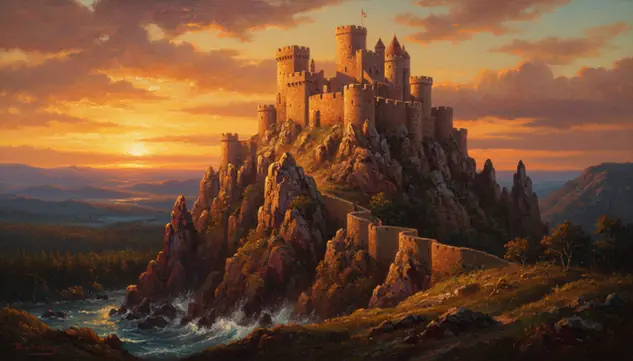
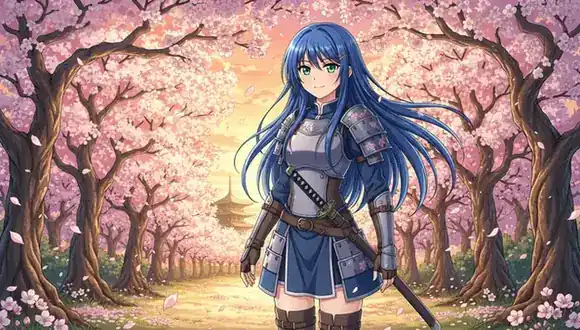
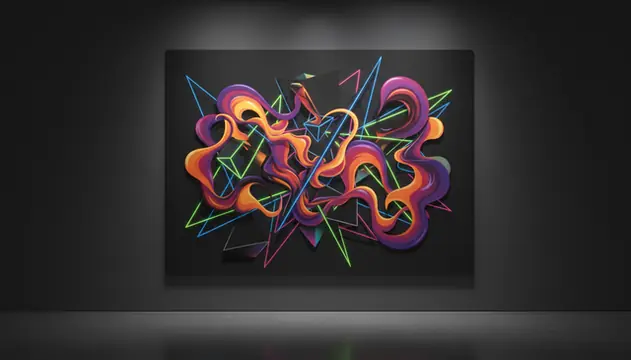
An AI art generator turns text prompts into digital artwork, illustrations, and stylized images in seconds. Pict AI lets creators generate art online for free, choose visual styles, set aspect ratios, and download results for editing or publishing. The best results come from prompts that name the subject, medium, lighting, color palette, and intended use.
What Is an AI Art Generator?
An AI art generator is a text-to-image tool that creates digital paintings, illustrations, concept art, and stylized visuals from written descriptions. You describe the subject, mood, medium, composition, and style; the system renders a new image instead of asking you to draw it manually.
In practice, these tools sit between art software and search. They do not retrieve an existing picture for every prompt. They synthesize a new result based on learned visual patterns, prompt wording, model settings, and random seed. Creators use them for moodboards, social posts, story concepts, album covers, gift prints, tattoo references, and early portfolio ideas. The output still needs human review, especially for hands, faces, readable text, brand marks, and commercial rights.
How an AI Art Generator Works
AI art generation starts by converting your prompt into tokens, then mapping those tokens to visual concepts such as subject, style, camera angle, lighting, and texture. Most modern systems use diffusion models: they begin with random noise in latent space and repeatedly denoise it until the image matches the prompt.
Settings change the result. A style preset can bias color palette, brush texture, line weight, and rendering behavior. A negative prompt tells the model to reduce unwanted artifacts such as extra fingers, blurry faces, or broken text. The seed controls variation, while aspect ratio sets the canvas for square posts, vertical stories, or wide banners. Some tools add image-to-image guidance, upscaling, face refinement, or mask-based editing with an alpha channel for localized changes.
How to Generate AI Art Online for Free
Write a specific prompt
Name the subject, setting, medium, lighting, color palette, and mood. A prompt like “ceramic fox in a rainy greenhouse, watercolor, soft blue shadows” gives the model more direction than “cute fox art.”
Choose an art style
Pick a style such as oil painting, watercolor, anime, pixel art, ink sketch, comic art, abstract, surrealist, or cinematic digital painting. Style presets guide texture, shading, and composition.
Set the aspect ratio
Use 1:1 for avatars and marketplace thumbnails, 9:16 for reels and phone wallpapers, 16:9 for banners, or 4:3 and 3:4 for prints and portfolio layouts.
Add negative prompts
List what you want to avoid, such as extra fingers, distorted eyes, unreadable text, logos, watermark shapes, cluttered background, or low-detail anatomy.
Generate variations
Run the prompt more than once. The same words can produce different compositions because random seeds affect pose, framing, texture, and small details.
Download and finish edits
Save the strongest image, then add real typography, crop for the platform, fix small artifacts, or continue with photo editing before publishing or printing.
AI Art Maker Features
Text-to-art creation
Turn plain-language prompts into illustrations, fantasy scenes, portraits, concept art, posters, and decorative images without starting from a blank canvas.
Photo-to-art transformation
Upload a photo and reinterpret it as watercolor, anime, sketch, oil painting, comic art, or another style while keeping the core subject recognizable.
Multiple aspect ratios
Create square, vertical, wide, portrait, and print-friendly compositions for social media, thumbnails, wallpapers, banners, and presentation graphics.
Prompt controls
Refine results with subject details, style tags, lighting cues, quality terms, and negative prompts that reduce common artifacts.
Fast iteration
Generate several directions quickly, compare compositions, then reroll the best prompt until the image matches the intended mood and use case.
Downloadable outputs
Save generated images for design drafts, content calendars, personal projects, reference boards, and further editing in image software.
AI Art Generator vs Midjourney, Adobe Firefly, and Canva
| Tool | Best For | Free Access | Commercial Use Notes |
|---|---|---|---|
| Pict AI | Fast text-to-art and photo-to-art creation on web and mobile | Free basic online use with downloads | Check output, prompt content, and current terms before commercial publishing |
| Midjourney | Highly stylized concept art, character studies, and polished fantasy or sci-fi visuals | Paid plans are the main access path | Commercial rights depend on plan level and current Midjourney terms |
| Adobe Firefly | Brand-safe design drafts, generative fills, and Adobe app workflows | Free credits are available in many regions | Designed with commercially safer training practices, but rights review is still needed |
| Canva AI Image Generator | Quick social graphics, presentations, thumbnails, and template-based content | Free and paid Canva tiers vary by feature and credit limits | Commercial use depends on Canva’s AI terms, template assets, and final design elements |
For commercial projects, compare more than image quality: review license terms, watermark rules, credit limits, model restrictions, and whether the final image contains logos, celebrities, protected characters, or recognizable trade dress.
Who Uses Text-to-Art Tools
Artists and illustrators
Artists use generated images for thumbnails, moodboards, color studies, creature silhouettes, composition tests, and style exploration before committing to a hand-finished piece.
Social media creators
Creators make cover art, post backgrounds, carousel visuals, reel thumbnails, profile graphics, and seasonal campaign ideas sized for each platform.
Writers and game designers
Story teams generate character references, locations, props, faction symbols, and atmosphere boards to keep a fictional world visually consistent during early development.
Gift and print makers
People create custom pet portraits, couple illustrations, fantasy family scenes, nursery wall art, stickers, greeting cards, and printable keepsakes from personal prompts.
Tattoo reference planning
Clients and tattoo artists test motifs, line weight, placement ideas, shading direction, and symbolic combinations before redrawing the final stencil by hand.
Portfolio and pitch work
Designers use AI drafts to communicate visual direction for album art, book covers, ads, presentation decks, and client concepts before final production.
Free AI Art Tool Limitations
- Readable in-image text is unreliable. Generate the art without words, then add typography in an editor.
- Hands, teeth, jewelry, and complex poses can distort, especially when fingers overlap or the pose is heavily foreshortened.
- Character consistency across multiple images is difficult without seed control, reference images, or additional editing.
- Commercial use is not automatically safe. Review the tool terms, prompt content, output, trademarks, recognizable people, and protected characters.
- Style prompts that name living artists may be restricted by some platforms and may raise ethical or legal concerns.
- Logos, watermarks, uniforms, and brand-like shapes can appear by accident and should be removed or regenerated before publishing.
- Very long prompts can conflict with themselves. After about 30 to 50 words, some models ignore details or blend them together.
- Free access may include queues, rate limits, lower resolution, fewer variations, or slower generation during high demand.
More AI Creative Tools
Explore AI tools related to art creation and visual design.
Photorealistic AI pictures
Turn photos into pencil drawings
Transform photos with AI styles
Design art posters with AI
Create artistic AI stickers
Artistic 4K wallpapers
Improve art colors & detail
AI engine behind the art maker
Frequently Asked Questions
It is a tool that turns text descriptions into digital artwork, such as paintings, illustrations, anime images, and concept art. The system interprets your prompt and renders a new image from learned visual patterns.
Open a free text-to-art tool, enter a detailed prompt, choose a style and aspect ratio, then generate variations. Download the best result and edit small issues before publishing.
Yes. Web-based tools can generate AI art online without installing desktop software, and many also support mobile browsers or apps.
Use a clear structure: subject, setting, medium, lighting, color palette, and mood. Add negative prompts for things you do not want, such as extra fingers, blurry faces, or fake text.
Sometimes, but it depends on the tool terms, your prompt, and the final output. Check for trademarks, protected characters, recognizable people, logos, and license restrictions before commercial use.
Common styles include oil painting, watercolor, anime, pixel art, comic art, ink sketch, abstract art, surrealism, impressionism, and cinematic digital painting.
Yes. Image-to-image tools can transform a photo into a chosen art style while preserving the main subject, pose, or composition.
Models often struggle with hands, fine text, symmetrical faces, layered clothing, and crowded scenes. Rerolling, simplifying the prompt, and editing the final image usually improves results.
Use a free generator, describe the image you want, select a size, and generate several versions. Pick the strongest image, then crop, retouch, or add typography as needed.