AI Wallpaper Generator 4K Online
Create custom wallpapers for desktops, phones, tablets, lock screens, and creator projects from text prompts or uploaded photos. Choose 16:9 for monitors, 9:16 for phones, or upscale a favorite result for sharper 4K display use.
Upload a photo to transform into a wallpaper
Creating your AI wallpaper...
AI Generated Wallpaper Examples
Sample wallpapers created by the AI wallpaper generator from text prompts.
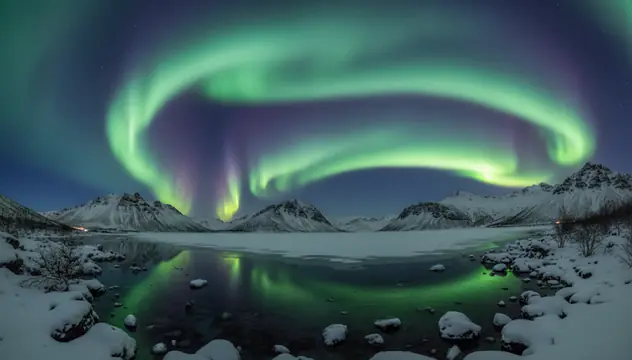
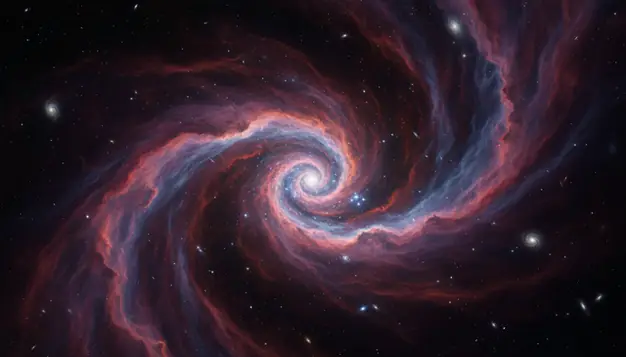
An ai wallpaper generator 4k online creates custom desktop and phone backgrounds from written prompts or uploaded images. Pict AI supports text-to-wallpaper and image-to-wallpaper workflows for creators who need fast visual options. For best results, start with the correct aspect ratio, then upscale only the strongest image.
What Is AI Wallpaper Generator 4K Online?
An AI wallpaper generator 4K online is a browser-based tool that turns a prompt or photo into a custom background sized for high-resolution screens. Instead of searching stock wallpaper libraries, you describe the subject, mood, lighting, and device format you want.
A prompt such as “misty alpine lake, early sunrise, soft orange fog, cinematic wide angle” can produce a desktop wallpaper that fits a 16:9 monitor. A vertical prompt such as “neon koi fish, black water, minimal empty space near top” works better for a phone lock screen. Text-to-wallpaper creates a new scene from scratch, while image-to-wallpaper restyles or expands an uploaded photo into a usable background.
How AI Wallpaper Generator 4K Online Works
AI wallpaper generation uses a text-to-image model to map a written prompt into visual structure, then renders a background at the chosen aspect ratio. The model interprets subject words, style terms, color cues, lighting direction, and composition instructions before creating pixels.
For photo-based wallpaper creation, the system may use edge detection, semantic segmentation, and depth estimation to preserve important shapes while changing style or extending the frame. Upscaling adds extra pixel detail for 4K output, usually targeting 3840×2160 for desktop displays. Good wallpaper tools also account for negative space, focal point placement, and crop safety, so icons, widgets, and phone clocks do not cover the main subject.
How to Create 4K AI Wallpapers Online
Write a specific prompt
Describe the subject, setting, mood, color palette, and style in 8 to 25 words. For example: “quiet cyberpunk street, rain reflections, purple neon, wide cinematic wallpaper.”
Choose the device ratio
Pick 16:9 for most desktop monitors, 9:16 for phone wallpapers, 1:1 for profile-style backgrounds, or 4:3 for older displays and tablet crops.
Generate several variations
Create multiple images before editing. AI wallpaper results vary, and the best composition is often one where the focal point has room around icons, widgets, or the lock-screen clock.
Inspect edges and details
Open the image at full size and check borders, hands, text, repeated patterns, and fine lines. These areas reveal most generation or upscaling artifacts.
Upscale and download
Upscale only the strongest result for 4K use, then download it in the format your device supports. Avoid repeated upscaling, which can create halos and crunchy micro-texture.
4K AI Wallpaper Features
Desktop wallpaper ratios
Generate wide 16:9 compositions for common Full HD and 4K monitors, with enough visual balance across the frame for icons and open windows.
Phone lock-screen formats
Use vertical 9:16 framing for iPhone and Android wallpapers, and leave 10 to 15 percent quiet space near the top for clocks and widgets.
Image-to-wallpaper editing
Upload a photo and convert it into a wallpaper-style image by restyling colors, extending the scene, or changing the mood while keeping the original idea.
Prompt-based style control
Create anime scenery, abstract gradients, fantasy landscapes, space nebulae, minimalist textures, nature scenes, dark mode backgrounds, or printable art studies.
4K upscaling workflow
Start with the right composition, then upscale for sharper large-screen use. This works best on images with clear shapes, clean lighting, and limited tiny text.
Web and app access
Pict AI is an AI photo editing app for iPhone, Android, and web, so creators can draft wallpapers on a phone and finish downloads on a desktop.
AI Wallpaper Generator vs Canva, Adobe Express, and Fotor
| Tool | Best for | Notable strengths | Free-use notes |
|---|---|---|---|
| Pict AI | Fast AI wallpapers from prompts or photos | Text-to-wallpaper, image-to-wallpaper, phone and desktop ratios, mobile and web access | Free basic use with practical generation limits |
| Canva | Designing finished graphics around a wallpaper | Templates, text overlays, brand assets, layout controls, easy resizing | Free plan available; some AI and asset features require paid access |
| Adobe Express | Polished social and design workflows | Adobe Firefly integration, typography tools, background editing, export presets | Free tier available; premium assets and some features are paid |
| Fotor | Quick AI image generation and simple edits | Prompt generation, style presets, enhancement tools, browser-based editing | Free credits or limited access may apply depending on feature |
Pict AI fits users who want wallpaper-first generation, while Canva and Adobe Express are stronger when the final image needs text, templates, or brand layout work.
Who Uses 4K AI Wallpaper Generators
Artists exploring visual directions
Concept artists use wallpaper prompts to test color palettes, environments, lighting, and mood before committing to a larger illustration or 3D scene.
Creators building a recognizable style
YouTubers, streamers, and newsletter creators make matching desktop, phone, and banner backgrounds so their workspace and public visuals feel consistent.
Social media posts and story backgrounds
Vertical AI wallpapers can become Instagram Story backdrops, TikTok cover textures, quote graphics, or carousel backgrounds without starting from a blank canvas.
Personal gifts and emotional scenes
People generate wallpapers based on memories, favorite places, pets, seasons, or inside jokes, then use them as lock screens, digital cards, or framed prints.
Tattoo and print references
Artists can generate rough references for floral sleeves, celestial motifs, geometric animals, or blackwork mood boards, then redraw the idea by hand for final use.
Portfolio and presentation mood boards
Designers use AI wallpaper outputs as atmosphere studies for decks, portfolio sections, app mockups, album concepts, and environmental storytelling.
AI Generated Wallpaper Limitations
- Readable text is unreliable. Logos, quotes, signs, and labels may appear misspelled, warped, or nonsensical.
- 4K upscaling improves pixel dimensions, but it cannot recover real detail that was never present in the base image.
- Repeated patterns such as grids, bricks, windows, stars, and fabric textures can bend or drift near the frame edges.
- Uploaded photos may be restyled in ways that change identity, lighting, clothing, background objects, or facial details.
- Copyright and trademark clearance is not automatic. Avoid protected characters, brand marks, private images, and living artists’ exact styles for commercial work.
- Phone wallpapers need crop-safe composition. A good image can still fail if the clock, camera cutout, or widgets cover the focal point.
- Highly specific prompts may need several generations. The model can miss small instructions such as exact object counts, precise colors, or symmetry.
- Dark wallpapers may show banding on some screens, especially after compression or when smooth gradients cover a large area.
Related AI Creative Tools
Explore more AI tools for image creation and editing.
Create images from text
Digital art and paintings
Improve colors and lighting
Upscale to 4K resolution
Replace photo backgrounds
Expand image boundaries
Design posters with AI
AI engine behind wallpapers
Frequently Asked Questions
AI tools can create wallpaper images and upscale them to 4K dimensions such as 3840×2160. Quality depends on the base image, detail level, and upscaling method.
A standard 4K desktop wallpaper is 3840×2160 pixels in a 16:9 aspect ratio. Some ultrawide monitors need different sizes, such as 3440×1440 or 5120×2160.
Use 9:16 for most phone wallpapers, then crop if your device has a taller screen. Leave quiet space near the top for the clock and notification area.
Yes, image-to-wallpaper workflows can restyle or expand an uploaded photo into a wallpaper format. Use photos you own or have permission to edit.
Text-to-image models generate letter-like shapes rather than typeset text, so words often blur or become misspelled. Add real text later in a design editor if accuracy matters.
Many generated wallpapers are fine for personal device backgrounds. For publishing, selling, or brand use, check the tool’s terms and avoid copyrighted or trademarked content.
Strong prompts name a subject, setting, lighting, colors, and style. For example: “black sand beach, glowing blue waves, moonlit sky, minimal cinematic wallpaper.”
Yes, include terms such as dark mode, low contrast, black background, muted highlights, or OLED-friendly. Check gradients for banding before using the image.
Negative prompts can help, but keep them short. Two or three exclusions like “no text, no logo, no watermark” usually work better than a long restriction list.