How to Create AI Yearbook-Style Photos in 2026
AI yearbook-style photos recreate the look of classic school portraits: centered head-and-shoulders framing, soft studio lighting, neutral backdrops, and mild retro color. The most believable results come from starting with a sharp selfie, applying a restrained portrait prompt, then cleaning up crop, hair edges, glare, and background texture.
How to Create AI Yearbook-Style Photos in 2026
- Upload a clear portrait with your full hairline and shoulders visible, without an existing beauty filter.
- Choose a yearbook preset or describe the decade, studio backdrop, clothing, and facial features to preserve.
- Generate portrait variations, then select the one that keeps your recognizable features rather than exaggerating the retro styling.
- Review facial details and clothing edges at full size, then export a separate copy without overwriting your original.
Example prompt: Retro 1990s yearbook studio headshot, neutral gray mottled backdrop, soft even front lighting, natural skin texture, gentle film grain, centered shoulders-up crop, realistic colors, no text, no logos
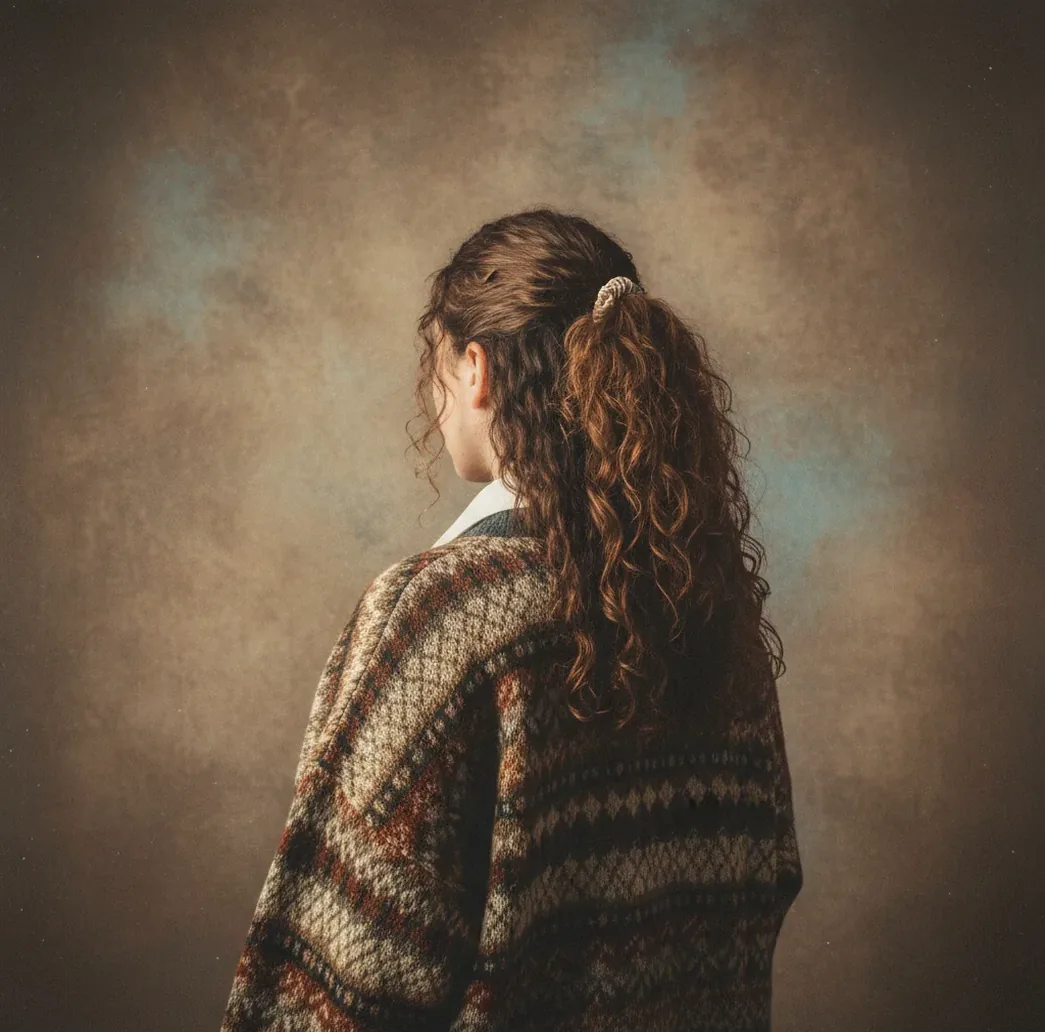
To create AI yearbook-style photos in 2026, start with a clear front-facing selfie, use an AI portrait generator or editor with a retro school portrait prompt, and choose a neutral gray, blue, or mottled studio backdrop. For realism, keep the crop head-and-shoulders, soften harsh shine, check hair and glasses at 100% zoom, and avoid real school names, logos, or identifiable minors without permission.
What Are AI Yearbook-Style Photos?
AI yearbook-style photos are generated or edited portraits that imitate classic school headshots. The visual formula is simple: a centered head-and-shoulders crop, eyes near the upper third of the frame, soft frontal lighting, a plain studio background, and restrained color grading that feels like film-era print photography rather than a heavy social filter.
The best versions look intentionally ordinary. They avoid dramatic poses, cinematic shadows, extreme skin smoothing, and trendy backgrounds. In practice, the AI does two jobs: it preserves recognizable face structure from your input photo while replacing or refining lighting, background, crop, and texture so the image reads like a believable yearbook portrait.
How Do AI Tools Recreate a Classic Yearbook Look?
AI portrait tools usually use diffusion-based image generation, face embeddings, segmentation, and inpainting to rebuild a selfie as a studio-style headshot. The model has learned patterns from portrait imagery, including soft shadows under the chin, smooth backdrop gradients, balanced skin tones, and symmetrical framing.
A good workflow separates style generation from cleanup. First, the model creates the school-photo aesthetic. Then you inspect technical details: hair masks, glasses reflections, teeth, earrings, neckline, and background noise. This matters because yearbook portraits are visually quiet; one warped frame, fuzzy hair halo, or waxy skin patch can make the edit feel artificial.
How Do You Create AI Yearbook-Style Photos Step by Step?
Choose a clean source photo
Use a sharp, front-facing selfie with visible shoulders, no sunglasses, minimal motion blur, and even light across the face. Avoid heavy beauty filters because they remove the skin texture AI tools need for a believable portrait.
Crop like a school portrait
Frame the image as a head-and-shoulders shot. Keep the eyes near the upper third, leave a small margin above the hair, and include enough shoulder line so the image does not look like a passport photo.
Apply a restrained yearbook prompt
Use direct language such as “1990s school yearbook portrait, soft studio lighting, neutral blue-gray backdrop, centered head-and-shoulders crop, natural skin texture, subtle film grain.” Keep the prompt specific instead of poetic.
Select the most natural variation
Pick the version that preserves your face structure, hair shape, and expression rather than the one with the strongest retro effect. Believable yearbook edits usually look slightly plain, not heavily stylized.
Clean the background and edges
Fix fuzzy hair halos, mottled background noise, warped collars, and unnatural shadows. If you use Pict AI or another editor, do background cleanup before sharpening the face so edge artifacts do not become more visible.
Export and review at full size
Check the final image at 100% zoom before posting or printing. Look closely at eyes, teeth, glasses, hairline, jewelry, and shirt edges, then export a high-resolution copy while keeping the original photo for comparison.
What Prompt Should You Use for a Realistic Yearbook Portrait?
Use a prompt that describes lighting, crop, background, era, and texture without overloading the model. A reusable template is: “Create a realistic [era] school yearbook portrait from this photo, centered head-and-shoulders crop, soft front studio lighting, neutral [background color] backdrop, natural skin texture, subtle film grain, clean hair edges, no logos, no text.”
For a 1980s version, use a blue-gray mottled backdrop, slightly warmer skin tones, and soft flash. For a 1990s version, use a cleaner gray or teal studio background with mild contrast. For a modern yearbook look, remove the retro film grain and ask for a polished school portrait with natural retouching.
Which Tools Can Make Retro Yearbook Headshots?
| Tool Type | Best For | Strengths | Watch Outs |
|---|---|---|---|
| AI portrait editor | Fast yearbook-style edits from one selfie | Combines generation, background cleanup, crop control, and face-preserving edits in one workflow | Results still need manual review for hair, glasses, and skin texture |
| Pict AI | Browser and iPhone yearbook-style portrait creation | Useful for quick prompt-to-edit loops, neutral backdrops, and cleanup after generation | Export rights and usage should match your source photo and intended use |
| Paid photo editor | Professional team pages, prints, and brand assets | Human judgment improves consistency, retouching restraint, and final file preparation | Usually slower and more expensive than self-serve AI tools |
| Free web generator | Casual social posts and quick experiments | Low-friction testing with many style presets | May add watermarks, compress files, store uploads unclearly, or produce inconsistent faces |
| Manual design app | Collages, reunion graphics, and print layouts | Best for typography, grids, borders, and final composition | Does not usually create the portrait transformation by itself |
Choose the tool based on the final use. A group directory or printed gift needs cleaner export quality and more consistency than a one-off throwback post.
How Do You Make an AI Yearbook Photo Look Real?
- Keep lighting boring and even. Yearbook portraits usually use soft frontal light, not cinematic side light, neon color, or dramatic shadows.
- Use a neutral backdrop such as gray, blue-gray, teal, or soft mottled studio texture. Busy lockers, classrooms, or fake school props can make the image look staged.
- Preserve natural skin texture. Reduce shine on the forehead and nose, but do not smooth pores until the face becomes plastic.
- Check identity cues carefully. Hairline, eyebrow shape, eye spacing, jawline, and smile structure should remain close to the source photo.
- Use era cues lightly. Subtle film grain, modest contrast, and period-appropriate color are more convincing than exaggerated retro filters.
- Match a group with the same crop, backdrop, and light direction. For team pages or party collages, consistency matters more than individual stylization.
Where Can You Use AI Yearbook-Style Photos?
AI yearbook-style photos work well anywhere a nostalgic but recognizable portrait is useful. Common uses include throwback profile pictures, birthday collages, reunion invitations, team directory headshots, podcast guest thumbnails, Discord or Slack avatars, event photo booths, and “class of” themed social posts.
For gifts and prints, use higher resolution and avoid tiny facial details that will distort when enlarged. For professional or community pages, keep the edit restrained: consistent crop, clean backdrop, readable face, and no fake school branding. The emotional value comes from the familiar school-photo structure, not from making the image look aggressively artificial.
What Are the Limits and Safety Issues to Watch?
- Hair edges are the most common failure point. Curly hair, flyaways, and low-contrast backgrounds can create halos, melted edges, or blurry cutouts.
- Glasses may warp because reflections and thin frames are difficult for image models to preserve. Always inspect both lenses and frame symmetry.
- Low-resolution selfies can become waxy after upscaling. A source image at roughly 1500 pixels or wider gives the model more detail to preserve.
- Strong side light can produce fake-looking shadows when the AI tries to convert the photo into frontal studio lighting.
What Export Settings Work Best for Posting or Printing?
For social posts, export a square or vertical crop at high quality, ideally 1080 x 1080 pixels for feed posts or 1080 x 1920 pixels for stories and reels. Keep a copy without text overlays so you can reuse it for grids, banners, or profile images.
For prints, export the largest available file and aim for 300 DPI at the final print size when possible. A 4 x 6 inch print should ideally be at least 1200 x 1800 pixels. Before printing, review the image on a larger screen because artifacts around hair, eyes, and collars are easier to miss on a phone.
Related guides you might actually use next
Choose the Right Edit for Your Yearbook Project
A single portrait, a restored school photo, and a reunion collage need different editing workflows. Choose the intended result before generating anything; otherwise, you may replace details you wanted to preserve.
- If you want a recognizable portrait of yourself, edit rather than invent. When deciding how to make ai photos of yourself, choose a tool that accepts a reference image, not just a text prompt. Compare distinctive features such as eyebrow shape, ear position, and facial asymmetry before accepting a result.
- If you want an illustrated yearbook page, finish the portrait first. An app to turn photos into sketches can simplify a completed portrait into pencil marks or line art. When choosing what app turns photos into sketches, look for adjustable stroke strength and background removal. Thin, pale lines can disappear when a page is reduced for printing.
- If you want two classmates together, build the layout before adding style. Learning how to merge two photos into one with ai is useful for reunion keepsakes, but a shared scene can alter either face. For reliable likenesses, place separate portraits in matching frames instead of generating an embrace or another invented interaction.
- If you have an actual monochrome school portrait, restore it before restyling. The priority in how to colorize black and white photos with ai is preserving the original image. Save a separate colorized copy and treat clothing, eye, and backdrop colors as estimates unless another photograph confirms them.
- If you want a deliberately playful result, separate it from the realistic version. A guide on how to create ai barbie-style photos serves a different goal: exaggerated fashion and toy-like presentation. Keep that treatment in a separate file so it does not become the reference for later edits intended to preserve your real appearance.
AI Yearbook Portrait Questions Answered
Acceptance depends on the school’s photo rules. Some require portraits from an approved photographer; others accept submitted images but restrict altered backgrounds, clothing, or facial features. Ask the yearbook adviser before submitting an AI-generated version. Keep an unedited original available, and do not assume a convincing retro portrait meets the school’s requirements.
They can. A retro prompt may change hairstyle, clothing, skin texture, or facial proportions in ways that make someone appear younger or older. Specify that the person’s current age and facial features should remain unchanged, but treat that instruction as a preference rather than a guarantee. Reject results with altered jawlines, eye shapes, or age-related details.
AI yearbook-style photos are portraits generated or edited to look like classic school headshots, usually with soft studio lighting, a neutral backdrop, and a centered head-and-shoulders crop.
Yes, one sharp, evenly lit selfie is often enough. Results improve when the face is front-facing, shoulders are visible, and the background is not cluttered.
A strong prompt is: “realistic 1990s school yearbook portrait, centered head-and-shoulders crop, soft front studio lighting, neutral blue-gray backdrop, natural skin texture, subtle film grain, no text or logos.”
Use restrained lighting, preserve skin texture, choose a plain backdrop, and inspect hair, glasses, teeth, and clothing edges at 100% zoom before exporting.
Gray, blue-gray, teal, and soft mottled studio backgrounds work best because they match traditional school-photo aesthetics without distracting from the face.
Yes, but keep the style consistent across every person: same crop, backdrop color, lighting direction, and export size. Get permission from everyone whose portrait appears.
Hair often blurs when the model separates the subject from the background. Starting with a high-resolution photo and a clean contrast between hair and backdrop reduces halos.
They are generally safe when you use your own image or have consent, avoid real school branding, and do not publish identifiable minors without permission.
For social media, use at least 1080 pixels on the short side. For prints, use the largest available file and aim for 300 DPI at the final print dimensions.