How to Make Studio Ghibli-Style Portraits With AI
You can make Studio Ghibli-style portraits with AI by starting with a clean selfie, using an image-to-image generator, and prompting for soft hand-painted anime lighting, simple shapes, and warm natural colors. The best results come from short prompts, head-and-shoulders crops, and several variations rather than one overloaded prompt.
How to Make Studio Ghibli-Style Portraits With AI
- Upload a clear portrait with visible facial features and enough space around the hair for cropping.
- Describe a hand-painted anime look, specifying matte colors, gentle linework, and distinctive features to preserve.
- Generate several variations, keeping the same reference photo and changing only one style instruction at a time.
- Review likeness, accessories, and crop boundaries, then export the strongest portrait at your intended display dimensions.
Example prompt: Create a warm, hand-painted anime portrait from my photo with soft watercolor shading, gentle linework, natural skin tones, subtle film grain, simple nature background, golden-hour lighting, no text, no watermark, avoid extra fingers
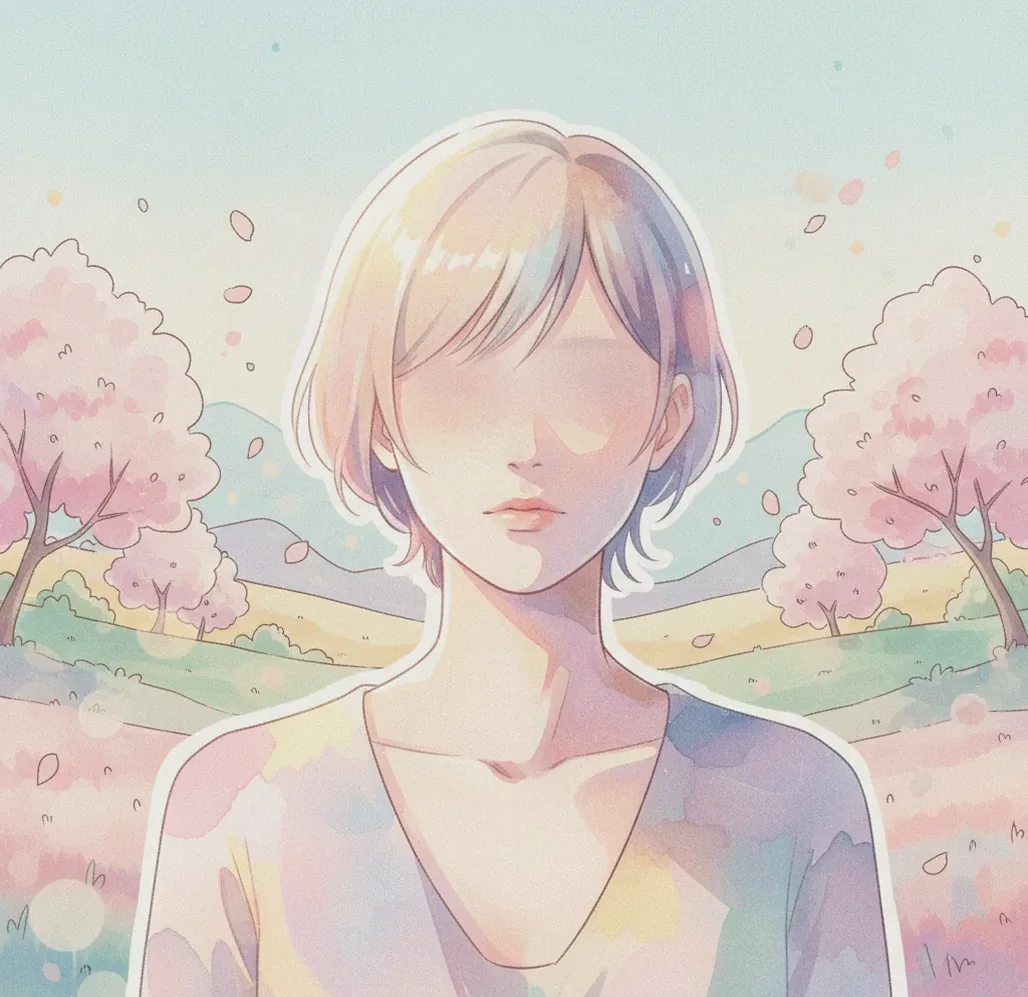
To make Studio Ghibli-style portraits with AI, upload a clear front-facing portrait to an image-to-image AI generator and ask for a soft hand-painted anime film portrait with warm lighting, gentle linework, watercolor shading, and a simple natural background. Generate 4 to 8 versions, choose the one with the best likeness, and reduce heavy style words if the face drifts too far from the original photo.
What Is a Studio Ghibli-Style AI Portrait?
A Studio Ghibli-style AI portrait is a stylized image that borrows the visual language people associate with soft anime film art: warm daylight, simplified facial features, painterly backgrounds, delicate linework, and natural color palettes. It is usually made from a selfie or portrait prompt with an AI image model that redraws the subject rather than applying a simple filter.
The phrase should be treated as shorthand for an inspired aesthetic, not an official Studio Ghibli image or a licensed character portrait. For safer, more original results, describe the visual traits you want instead of naming specific copyrighted characters, scenes, or film frames.
How Does AI Turn a Selfie Into a Soft Anime Portrait?
AI portrait stylization usually works through an image-to-image diffusion process. The model reads your input photo for structure, detects broad facial landmarks, hair shape, pose, clothing blocks, and background edges, then denoises a new image guided by your prompt. Prompt terms such as “warm pastel palette,” “soft cel shading,” and “painted film still lighting” steer the model toward a more hand-drawn result.
The source photo still matters more than most users expect. Harsh flash, cluttered rooms, tiny faces, sunglasses, and hands near the camera create competing visual signals. A clean head-and-shoulders portrait gives the model enough pixels for eyes, jawline, hair, and expression, which are the features viewers notice first.
How Do You Make Studio Ghibli-Style Portraits With AI?
Choose a clean portrait
Use a front-facing or three-quarter selfie in soft window light. Avoid flash, heavy shadows, sunglasses, busy wallpaper, and hands covering the face.
Crop to head and shoulders
Frame the image from the chest upward so the generator spends detail on the face, hair, and expression instead of full-body anatomy or background clutter.
Open an image-to-image generator
Use a tool that accepts a reference photo and text prompt. Pict AI, Midjourney, Leonardo.ai, and other image generators can all be tested for this workflow.
Write a short visual prompt
Describe the look with concrete style cues: soft anime portrait, warm natural light, gentle linework, watercolor texture, simple countryside or bedroom background, calm expression.
Generate several variations
Create 4 to 8 outputs before judging the prompt. Pick the version with the most accurate eyes, face shape, hair mass, and emotional tone.
Refine for likeness
If the output looks beautiful but no longer looks like you, reduce style intensity, simplify the background, and regenerate from the same crop.
What Prompt Should You Use for a Ghibli-Inspired Portrait?
- Selfie template: “Transform this portrait into a soft hand-painted anime film portrait, warm afternoon window light, gentle linework, smooth watercolor shading, natural skin tones, simple cozy background, calm expressive eyes, painterly texture.”
- Couple portrait template: “Two people in a soft animated film portrait style, warm sunset lighting, subtle smiles, simplified facial details, harmonious pastel palette, hand-painted background, romantic but natural mood.”
- Pet portrait template: “A beloved pet as a soft painterly anime companion portrait, warm natural light, rounded shapes, expressive eyes, simple garden background, gentle brush texture, cozy storybook feeling.”
- Profile picture template: “Close-up anime-inspired avatar portrait, soft cel shading, clean silhouette, warm neutral background, friendly expression, balanced facial proportions, readable at small size.”
- Negative prompt ideas: “extra fingers, warped hands, distorted eyes, asymmetrical face, harsh flash, plastic skin, heavy makeup, text, watermark, logo, duplicate face.”
- Style-control tip: Use visual adjectives instead of long lore. “Warm light, simple shapes, painterly texture” is usually more controllable than a paragraph naming movies, characters, and emotions.
Which AI Tools Can Create Soft Anime Portraits?
| Tool | Best For | Input Type | Control Level | Watch Out For |
|---|---|---|---|---|
| Pict AI | Fast selfie-to-stylized portrait experiments in browser or mobile | Text and image prompts | Medium | Check export settings, privacy terms, and commercial-use rules before publishing or selling |
| Midjourney | Highly polished painterly portraits and cinematic variations | Text prompts, image references, parameters | High | Requires learning prompt syntax and can drift from exact likeness |
| ChatGPT image tools | Conversational prompt refinement and simple portrait concepts | Text prompts and uploaded images where supported | Medium | Style matching may be moderated and exact outputs vary by model |
| Leonardo.ai | Game, character, and concept-art style workflows | Text prompts, image guidance, model options | High | More settings can mean more tuning before the portrait feels natural |
| Canva or Adobe Express | Social posts, cards, posters, and lightweight design layouts | Text or app-based image workflows | Low to medium | AI image control may be less precise than dedicated generators |
Choose based on the final use case: a profile picture needs fast iteration, a gift print needs high resolution, and a portfolio piece needs more control over composition, lighting, and licensing.
How Do You Keep the Portrait Looking Like You?
To preserve likeness, keep the prompt focused on lighting, texture, and color rather than changing identity features. A strong prompt can accidentally shrink the nose, enlarge the eyes, smooth the jaw, or change the age of the subject because anime stylization compresses facial detail into simpler shapes.
Use one clear reference image, crop tightly, and avoid phrases like “fantasy princess,” “childlike,” “perfect doll face,” or “different hairstyle” unless you want a larger transformation. If the tool has strength, denoise, resemblance, or image-weight controls, raise reference strength for accuracy and lower it for a more illustrated look.
Where Can You Use AI Anime Portraits?
AI anime portraits work best as expressive creative assets rather than official identity images. Creators use them for profile pictures, soft-launch social posts, birthday gifts, couple portraits, pet memorial art, Discord avatars, mood boards, and printed keepsakes. The style is emotionally useful because it feels nostalgic, gentle, and personal without showing every real facial detail.
For branding, keep the portrait consistent with your color system and typography. A warm painterly avatar can fit newsletters, creator bios, podcast covers, and portfolio thumbnails, but it should match the rest of your visual identity instead of looking like a one-off trend post.
What Are the Limits of Ghibli-Inspired AI Portraits?
- Hands remain difficult because fingers have many small joints, overlaps, and occlusions. Crop them out or keep hands away from the face.
- Glasses, earrings, braces, and thin jewelry may bend or duplicate because the model simplifies tiny high-contrast edges.
- Heavy stylization can reduce likeness by changing eye spacing, jaw shape, age cues, skin texture, or hairstyle.
- Busy backgrounds compete for attention and may create warped furniture, fake objects, or inconsistent perspective.
How Can You Fix AI Portraits That Look Wrong?
Fix distorted eyes first
Regenerate from a sharper, more front-facing crop. Add “balanced eyes, natural facial proportions” and remove exaggerated style terms.
Hide or crop hands
If fingers look fused or mitten-like, use a tighter portrait crop or add “hands out of frame” to the prompt.
Simplify the background
Replace cluttered rooms with “simple warm background,” “soft garden,” or “plain cozy interior” so the model focuses on the face.
Reduce over-stylization
If the output no longer resembles the person, remove fantasy descriptors and increase the weight of the original photo if the tool supports it.
Generate in batches
Make multiple variations and compare face shape, hairline, expression, and lighting. One prompt rarely produces the best version on the first try.
Fixing Plastic Skin, Missing Details, and Awkward Portrait Crops
An ai ghibli filter can produce a recognizable face yet miss the illustrated finish. Diagnose the specific mismatch before regenerating: changing the whole prompt makes it harder to tell which adjustment helped.
- The face looks like glossy 3D animation. A prompt copied from a guide on how to make disney pixar style portraits with ai can introduce rounded modeling and shiny surfaces. Replace those cues with “flat painted color areas, restrained cel shading, matte skin, visible paper texture.” Remove “3D render” and “volumetric lighting” if present.
- Glasses, earrings, or freckles disappear. Small identity details may be simplified along with skin texture. Name the missing feature precisely: “thin oval glasses with transparent lenses” rather than “preserve accessories.” If selective editing is available, edit only that area so a correction does not redraw an otherwise successful face.
- The illustrated face becomes younger or loses distinctive features. State the subject’s approximate age and preserve concrete traits such as smile lines, nose shape, or gray hair. Searching for facial analysis free tools will not solve this rendering problem; automated beauty scores are not a useful likeness check. For ai portraits for dating app profiles, use stylized images as supplementary pictures, not substitutes for current photographs.
- The face is cut off in the final layout. Decide the destination before you convert photo to ai art style. A square avatar needs space around the hair; a landscape composition needs room beside the subject. To create youtube thumbnail with ai, request an off-center portrait with clear space for lettering, then add readable text separately.
- Upscaling adds eyelashes, pores, or sharp outlines. Some enhancement tools prioritize photographic detail. Keep the original generation, choose illustration-oriented enlargement when available, and compare both at the intended display size. Reject an upscale that invents detail, even if its pixel dimensions are larger.
Questions About Creating Ghibli-Inspired AI Portraits
Yes, but group photos introduce more opportunities for swapped features, missing people, and inconsistent illustration styles. Use a reference where every face is visible and specify the number of people and their positions. Review each person separately. If one face needs correction, selective editing can preserve the rest of the group better than regenerating the entire image.
Choose resolution for the final use rather than assuming a larger file is always better. A 1024-pixel square image is generally sufficient for a profile picture. For an 8-by-10-inch print at 300 pixels per inch, aim for 2400 by 3000 pixels. Enlargement cannot reliably recover missing facial details, so correct the portrait before upscaling.
Yes. Most image-to-image AI generators can create a stylized portrait from one clear selfie, although better lighting and a tighter crop usually improve likeness.
A head-and-shoulders photo in soft natural light works best. Avoid flash, sunglasses, hands near the face, heavy filters, and cluttered backgrounds.
Use a clean reference photo, keep the prompt short, and reduce words that change identity, age, hairstyle, or face shape. If available, increase image weight or likeness strength.
Stylized models simplify facial anatomy into anime-like proportions, so they may enlarge eyes, soften jaws, or smooth asymmetry. Lowering style intensity usually helps.
It is safer to describe visual traits such as soft lighting, watercolor shading, and hand-painted backgrounds instead of prompting for specific copyrighted characters or scenes.
Yes, if the image resolution is high enough and the tool license allows your intended use. For prints, upscale the final image and check small details before ordering.
Hands are hard for image models because fingers overlap, bend, and appear at many angles. Cropping hands out is usually more reliable than trying to fix every finger.
Maybe, but you need to check the generator’s commercial license, the rights to the source photo, and whether the output imitates protected characters or recognizable copyrighted art.