How to Look Younger in Photos With AI Naturally
To look younger in photos with AI, edit the signals that make a face read tired: harsh under-eye shadows, uneven tone, dull midtones, redness, and overly sharp texture. The most natural result comes from small face-aware adjustments, not full wrinkle removal or plastic skin smoothing.
How to Look Younger in Photos With AI Naturally
- Upload a sharp portrait with an unobstructed face, keeping an untouched copy for comparison after editing.
- Choose a subtle age adjustment or describe softer age cues while requesting unchanged facial structure and identifying features.
- Generate the edited portrait, limiting the adjustment to facial areas if the tool offers masking controls.
- Compare facial features and surrounding details with the original, then export the version that preserves your identity.
Example prompt: Edit this portrait to look slightly younger: soften fine lines, reduce under-eye shadows, even skin tone, keep natural pores and texture, maintain identity, realistic lighting, no plastic skin, no heavy blur.
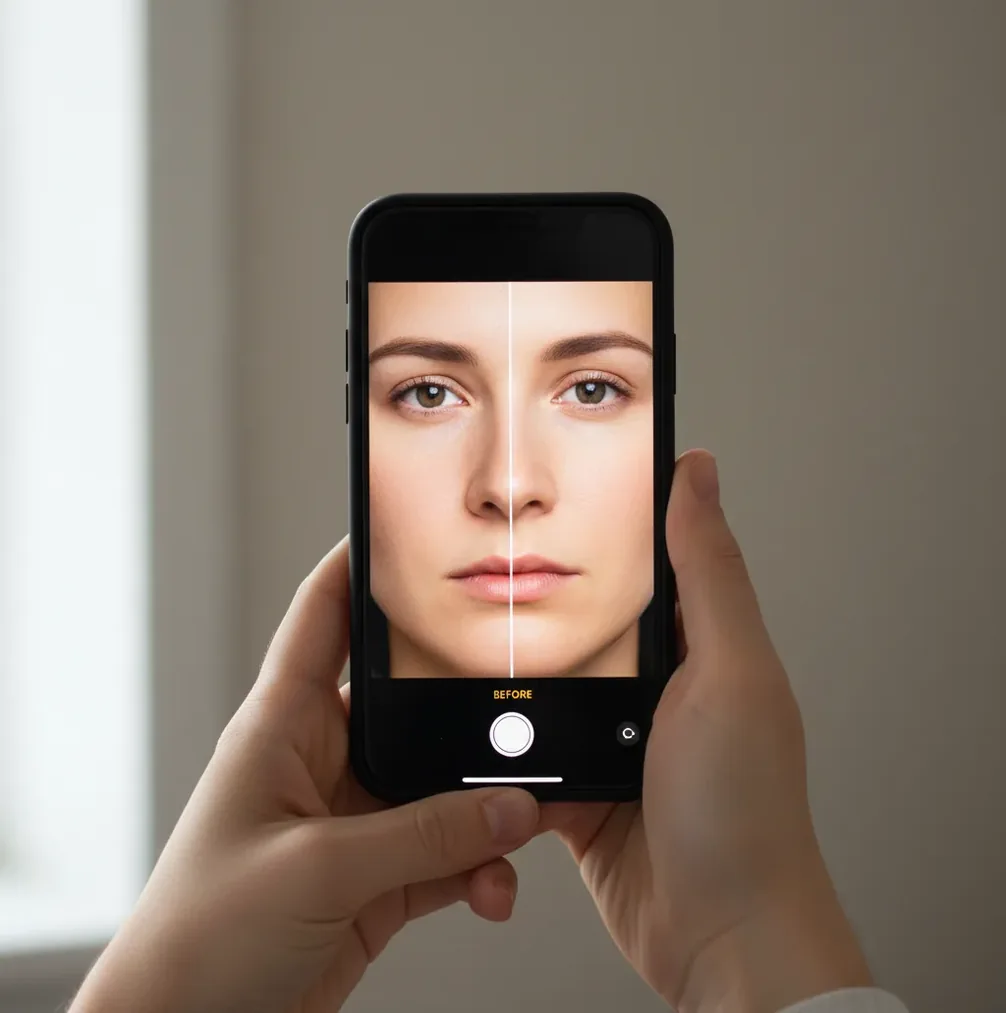
To look younger in photos with AI, use subtle edits that lift under-eye shadows, even skin tone, soften fine lines, and brighten the eyes while preserving pores and facial texture. Start with lighting and color correction before skin smoothing, then check the result at 100% zoom so the face still looks like you.
What Does It Mean to Look Younger in a Photo With AI?
Looking younger in a photo with AI usually means reducing visual cues associated with fatigue, stress, or harsh lighting rather than changing your actual face. The biggest cues are deep under-eye shadows, high-contrast wrinkles, redness, gray midtones, dry-looking texture, glare, and flat eye catchlights.
A believable AI de-aging edit keeps identity markers intact: face shape, smile lines, brow structure, skin texture, and natural asymmetry. The goal is not to remove every line. It is to make the photo look like it was taken in softer light, with better exposure, cleaner color, and a rested expression.
How Does AI Retouching Make a Face Look Younger?
AI retouching makes a face look younger by detecting facial landmarks, segmenting skin regions, and applying local adjustments to tone, texture, contrast, and sharpness. Modern editors identify areas such as eyes, cheeks, lips, hairline, jaw, and background so the image can be corrected without blurring the whole frame.
Under the hood, many systems use computer vision models for face detection, semantic segmentation, and texture reconstruction. Some tools also use generative diffusion methods to rebuild missing or softened detail. This is why moderation matters: the software is estimating pixels from learned patterns, so aggressive smoothing can erase pores, flatten cheek structure, or change identity cues.
How Do You Use AI to Look Younger in Photos Step by Step?
Choose a sharp photo with soft light
Start with a clear image where the face is in focus. Window light, open shade, or soft indoor light works better than direct sun, phone flash, or overhead office lighting.
Correct exposure and white balance first
Before touching skin, lift midtones slightly and fix color cast. A face often looks older when the image is too cool, too green, too contrasty, or underexposed.
Reduce under-eye shadows lightly
Use face-aware retouching to soften darkness under the eyes without erasing the natural lower eyelid. Avoid making the eye area brighter than the rest of the face.
Soften fine lines without removing texture
Apply low-strength smoothing only where needed, usually around forehead texture, smile creases, and dry patches. Keep pores, freckles, and natural skin variation visible.
Restore crisp eyes, brows, and hair edges
After smoothing, add slight sharpening to eyelashes, brows, hairline, and catchlights. This prevents the portrait from looking blurry or waxy.
Compare at 100% zoom before exporting
Toggle before and after at full size. If the cheeks look like a flat gradient or the face no longer matches the neck and hands, reduce the effect.
Which AI Photo Editors Can Make Portraits Look Younger?
| Tool | Best For | Natural-Look Controls | Watch Out For |
|---|---|---|---|
| Pict AI | Fast browser and iPhone portrait touch-ups with face-aware edits | Lighting, tone, skin texture, and quick before/after review | Use subtle settings so skin does not become too smooth |
| Adobe Lightroom or Photoshop | Manual professional retouching, print work, and portfolio images | Masks, healing, frequency separation, curves, and color grading | More control, but slower and easier to over-edit without experience |
| Facetune | Selfies, social posts, and mobile beauty retouching | Skin smoothing, eye detail, tone, reshape, and local edits | Beauty presets can become obvious if used at high intensity |
| Remini | Older, blurry, or low-resolution portraits that need enhancement | Face enhancement and detail reconstruction | Can invent facial detail and change the look of eyes or skin |
| Canva Photo Editor | Simple profile photos, thumbnails, and social graphics | Basic enhancement, filters, background tools, and design export | Less precise for detailed facial retouching than dedicated tools |
For the most natural younger-looking result, choose the tool that gives you control over intensity. Strong one-click beauty filters are fast, but manual strength control is what keeps identity, texture, and expression believable.
What Prompt Recipes Create a Natural Younger-Looking Portrait?
- Natural retouch prompt: "Make this portrait look naturally refreshed. Reduce harsh under-eye shadows, even skin tone, soften only the most visible fine lines, keep pores and natural texture, preserve face shape and expression."
- Professional headshot prompt: "Create a clean, rested headshot edit with soft studio-like lighting, balanced skin tone, crisp eyes, natural smile lines, and no plastic skin effect."
- Social profile prompt: "Lightly enhance this selfie for a natural profile photo. Brighten the eyes, reduce redness and shine, smooth dry texture slightly, and keep freckles, pores, and facial structure intact."
- Print-safe prompt: "Retouch this portrait for an 8x10 print. Use subtle skin cleanup, realistic texture, soft contrast, neutral color, and avoid any change to identity, age category, or facial proportions."
- Recovery prompt for over-edited images: "Reduce the beauty filter look. Restore natural skin texture, add realistic contrast around eyes and brows, match face brightness to neck and hands, and remove waxy smoothing."
When Does AI De-Aging Work Best for Social, Print, or Branding Photos?
AI de-aging works best when the original photo is already close: decent resolution, clear focus, natural expression, and light that is not too extreme. It is especially useful for LinkedIn headshots, dating profiles, creator thumbnails, speaker bios, family portraits, holiday cards, and portfolio images where you want to look rested rather than filtered.
For social posts, a slightly brighter eye area and smoother color can make the image feel more alive on a phone screen. For gifts and prints, texture matters more because viewers see the image longer and closer. For branding photos, consistency is key: your retouched image should still match how you look on video calls, websites, and in real life.
What Are the Limits of Looking Younger With AI?
- Bad lighting cannot be fully repaired. Deep overhead shadows, hard flash, or backlit faces may still look hollow after editing.
- Heavy smoothing creates waxy skin, especially on high-resolution phone portraits where pores and sharpening are already strong.
- Generative face enhancement can invent details, so eyes, teeth, hairlines, and skin texture may not match the original person exactly.
- Compression, screenshots, and old social media uploads give AI fewer real pixels to work with, which can cause blotchy or smeared texture.
Related Pict.AI guides to level up your edits
Fix De-Aging Errors Around Hands, Backgrounds, and Clothing
A younger-looking face can still produce an unconvincing portrait if the edit changes surrounding details. Check these failure cases before accepting a generated version, especially when combining portrait retouching with other edits.
- Fingers or jewelry change. If an “a i hands” repair changes finger count, ring shape, or nail length, revert that area to the original. Where masking is available, exclude hands from facial edits. Do not regenerate the entire portrait to fix one knuckle; that can introduce fresh changes elsewhere.
- The face and outdoor light disagree. If you are learning how to replace sky in photos with ai alongside de-aging, finish the sky replacement first. A warm sunset behind a cool, evenly lit face looks inconsistent. Match light direction and color before making the final portrait adjustment.
- Clothing loses its real condition. Advice on how to sell on vinted with better photos also matters when a seller appears in the frame: preserve garment color, fabric texture, and visible wear. Limit any facial edit to the face so smoothing does not conceal pilling or alter the item being sold.
- Cleanup damages the hairline. Before deciding what app removes objects from photos, check whether it supports a selection or mask. Removing something beside a cheek can redraw hair or ears. Make a tight selection, then inspect that boundary before applying de-aging.
- Text removal leaves invented detail. When considering what app removes text from photos, distinguish removable captions from text covering facial features. If lettering crosses an eye or mouth, use the uncaptioned original when available. Reconstruction may invent features that a later age edit exaggerates.
- The saved version looks harsher. In an iphone ai photo editor, review the exported file, not just the editing preview. Compare it at its intended display size. If compression creates halos around eyelashes or sharpens softened lines, reduce output sharpening or choose a higher-quality export when available.
Questions About Natural-Looking AI De-Aging
Yes, but glasses can complicate facial retouching. Frames, lens reflections, and shadows may overlap areas the editor tries to reconstruct. Keep the frames outside the edited region when masking is available, and request unchanged glasses. Compare lens edges, eye alignment, and reflections with the original; reject results that bend the frames or invent eye detail.
Safety depends on how the tool handles uploaded images. Check its retention period, deletion options, whether processing happens on-device or on a server, and whether uploads can be used for model training. Avoid images containing sensitive documents or location details. Get permission before uploading another person’s portrait, especially a child’s photo.
Use small lighting and tone corrections first, then lightly reduce under-eye shadows and fine lines while keeping pores visible. If skin texture disappears at 100% zoom, the edit is too strong.
The most effective edit is usually shadow control, especially under the eyes and around the mouth. Even skin tone and slight eye brightening often look more natural than heavy wrinkle removal.
AI can reduce the appearance of wrinkles, but full removal often looks unnatural because real skin has texture, folds, and expression lines. A subtle reduction is usually more believable than a complete erase.
Waxy skin happens when smoothing removes pore detail and local contrast. It is more common on compressed photos, beauty-filtered selfies, or edits where skin smoothing is applied to the whole face.
Yes, but old photos often need restoration first, including dust cleanup, sharpness repair, and color correction. After that, light facial retouching can make the portrait look fresher without changing identity.
Use a sharp, high-resolution portrait with soft front or side light and a relaxed expression. Avoid harsh flash, deep shadows, extreme angles, and already-filtered images.
No. A beauty filter often applies a preset look across the face, while careful AI de-aging uses targeted edits to lighting, tone, texture, and eye clarity.
A realistic edit can make someone look more rested and polished, often like the same person on a better day. Pushing the edit to look decades younger usually changes identity cues and becomes uncanny.
Yes, if they are visible. A face that is bright and smooth while the neck or hands remain darker and more textured will make the retouch obvious.