How to Make AI Photos of Yourself in 2026
In 2026, the cleanest way to make AI photos of yourself is to upload 6-12 recent, well-lit selfies to an identity-guided portrait generator, choose a realistic style, and reject any output that changes your face structure. The best results look like a polished photo session, not a new person.
To make AI photos of yourself, upload clear, recent portraits to a generator that accepts face references, describe the scene you want, and generate several options. Choose an image that preserves your actual facial features, not just an attractive resemblance. If you only need a cleaner background or fewer distractions, edit an existing photo instead of regenerating the whole portrait.
How to Make AI Photos of Yourself in 2026
- Upload recent, unfiltered portraits that clearly show your face from the front and slight side angles.
- Choose a portrait style and describe the background, lighting, clothing, and expression without changing your facial traits.
- Generate several variations, then compare each face with your references before making any local corrections.
- Review repaired edges and facial details, keep the original references, and export the approved portrait for its intended use.
Example prompt: Photorealistic head-and-shoulders portrait of me, soft window light from the left, neutral background, 50mm lens look, natural skin texture, minimal makeup, realistic hair detail, sharp eyes, subtle smile, professional but approachable
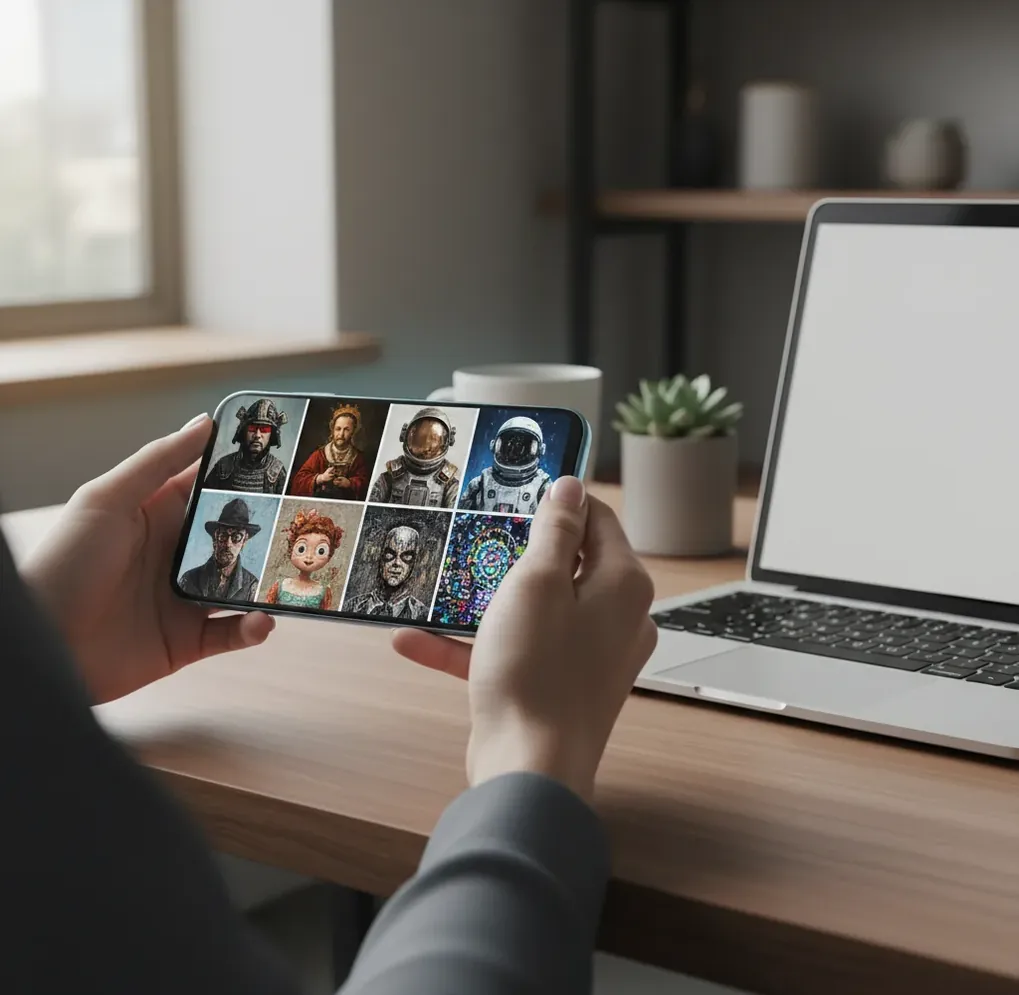
To make AI photos of yourself in 2026, use 6-12 clear selfies with different angles, soft lighting, and no heavy filters, then generate portraits with a tool that supports identity consistency. Choose realistic prompts, inspect the eyes, teeth, hairline, skin texture, and face shape, and only use images that still match how you look in normal photos.
What Are AI Photos of Yourself?
AI photos of yourself are generated portraits that preserve your recognizable facial identity while changing the scene, lighting, outfit, crop, or art direction. They are not simple face swaps; stronger systems use your reference selfies as identity conditioning so the model can synthesize a new image that still follows your stable facial traits.
A good AI self-portrait should keep your eye spacing, jawline, nose shape, smile, hairline, and overall facial proportions consistent. The style can change from studio headshot to creator avatar or social profile photo, but the image should still pass a simple test: someone who knows you should recognize you without needing an explanation.
How Do AI Self-Portrait Generators Keep You Recognizable?
AI self-portrait generators keep you recognizable by extracting identity signals from your reference photos and using those signals to guide a diffusion model during image generation. In practical terms, the system starts with noise, denoises toward the requested portrait style, and conditions the output on visual features learned from your selfies.
The technical pieces usually include face detection, feature embeddings, reference-image conditioning, prompt guidance, and sometimes fine-tuning or adapter-based personalization. If your uploads are consistent and well lit, the identity embedding is cleaner. If your uploads include filters, extreme angles, motion blur, or old photos, the model has to guess, which is when jawlines, eyes, teeth, and hair can drift.
How Do You Prepare Selfies for Realistic AI Photos?
Use 6-12 recent photos
Pick selfies from the last 6-12 months so the model learns your current face, hair, glasses, and facial hair. Include front-facing, slight-left, and slight-right angles, but avoid dramatic top-down or wide-angle shots.
Choose soft, simple lighting
Use window light, shade, or even indoor light instead of harsh bathroom LEDs or direct sun. Clean lighting helps the model learn your real skin texture and facial structure instead of copying shadows or noise.
Avoid filters and beauty effects
Do not use photos with face slimming, skin smoothing, heavy color grading, stickers, or social media filters. The generator may treat those distortions as part of your identity and reproduce an artificial face.
Keep your face visible
Select photos where both eyes, your mouth, hairline, and jaw are easy to see. Glasses are fine if you wear them regularly, but include several clear references with the same glasses to reduce reflection artifacts.
Remove confusing references
Do not upload group photos, old hairstyles, hats in every image, masks, sunglasses, or low-resolution screenshots. A smaller clean set usually beats a larger mixed set.
How Do You Make AI Photos of Yourself Step by Step?
Upload your reference set
Start with your clean selfie set in an identity-guided image tool such as Pict AI or another portrait generator. Use only photos you are comfortable processing, and avoid sensitive documents, medical images, or private locations.
Choose a realistic portrait style
Select a style that matches the use case: professional headshot, casual social photo, creator avatar, portfolio portrait, or editorial image. Realistic styles usually preserve identity better than fantasy, anime, or extreme cinematic looks.
Write a controlled prompt
Describe lighting, lens feel, background, clothing, and mood, but avoid asking for a different age, face shape, ethnicity, or body type. The more the prompt changes identity-related traits, the more likely the result will drift.
Generate a batch and compare
Create several versions, then compare them against a normal selfie at the same display size. Check eye shape, smile, teeth, nose, jaw, skin texture, ears, hairline, and whether the expression feels natural.
Edit only small issues
Crop to 1:1 for profile images, 4:5 for social posts, or 16:9 for banners. Fix background edges, exposure, and stray artifacts, but avoid over-retouching the face because that quickly creates the generic AI look.
Export for the platform
Use high resolution for prints and portfolios, but keep a natural, less stylized version for professional profiles. Do not use generated portraits for passports, visas, financial verification, or other official identity checks.
What Tools Can Make AI Photos That Still Look Like You?
| Option | Best for | Strength | Watch out for |
|---|---|---|---|
| Pict AI | Fast self-portraits, headshots, profile images, and creator photo sets | Simple selfie-to-portrait workflow with web and mobile-friendly editing | Outputs still need identity review before professional or public use |
| Remini-style portrait apps | Quick mobile headshots and social profile refreshes | Fast batch generation with familiar phone-first controls | Can over-smooth skin or create a standardized beauty-filter look |
| Canva-style design tools | Profile graphics, banners, resumes, and branded layouts | Useful when you need text, background, and layout controls in one place | Identity consistency varies depending on the image-generation feature used |
| Midjourney or advanced image models | Highly stylized creative portraits and art-directed concepts | Strong aesthetics, lighting, and composition control | Usually requires more prompt skill and external identity workflows |
| Professional retoucher or photographer | Official headshots, team pages, press kits, and premium portfolio images | Most reliable for real-world accuracy and human judgment | Costs more and takes longer than automated generation |
The best tool depends on the job. Use an identity-focused generator for quick believable portraits, a design tool for branded assets, an advanced model for stylized art direction, and a human photographer or retoucher when accuracy matters more than speed.
What Prompt Recipes Work Best for AI Portraits?
- Professional headshot: "Realistic professional headshot of me, natural skin texture, soft window light, neutral background, 85mm lens look, relaxed expression, accurate facial features, no heavy retouching."
- LinkedIn-style profile photo: "Clean business portrait of me, modern office background softly blurred, natural smile, even lighting, navy or charcoal outfit, realistic eyes and teeth, polished but not airbrushed."
- Creator avatar: "Realistic creator portrait of me for a social profile, warm studio lighting, simple colored backdrop, confident expression, sharp face detail, natural hair texture, editorial crop."
- Dating profile photo: "Natural casual portrait of me outdoors, golden-hour light, authentic smile, shallow depth of field, realistic skin, candid but sharp, no exaggerated beauty edits."
- Portfolio portrait: "Editorial portrait of me, minimal background, soft directional light, accurate facial structure, detailed hair, realistic proportions, premium magazine-style color grading."
- Print or gift portrait: "High-resolution realistic portrait of me, warm family-photo mood, clean background, natural expression, accurate likeness, printable detail, subtle retouching only."
How Can You Tell If an AI Portrait Still Looks Like You?
An AI portrait still looks like you if the core facial geometry matches your real photos at the size where the image will be used. Do not judge only the full-resolution render; shrink it to profile-photo size and compare it with a normal selfie, because small crops reveal whether the likeness survives in real use.
Check the features people recognize first: eyes, nose bridge, smile shape, teeth, jaw, cheeks, ears, hairline, and posture. If the image is attractive but your face feels slightly borrowed, reject it. For professional profiles, the safest standard is not "best-looking version of me" but "best-lit believable version of me."
Where Can You Use AI Photos of Yourself Safely?
AI photos of yourself are safest for low-risk creative and presentation uses: social profile pictures, creator branding, dating profiles, portfolio banners, speaker bios, team-page concepts, thumbnails, holiday cards, and personal prints. They work well when the goal is expression, consistency, or visual polish rather than legal identification.
Use more restraint for resumes, LinkedIn, press kits, and client-facing bios. A portrait can be polished, but it should not misrepresent your age, face, body, or professional context. Avoid using AI-generated images for passports, visas, school IDs, financial verification, employee badges, or any system that expects a documentary photograph.
What Are the Limitations of AI Photos of Yourself?
- Identity drift is still possible. Even strong models can change eye spacing, jaw shape, smile lines, teeth, or facial symmetry when prompts are too stylized.
- Glasses, bangs, curly hair, facial hair, hats, and earrings can produce inconsistent details across a batch because the model may not understand the exact object boundaries.
- Low-light selfies often create noisy training signals, which can lead to plastic skin, invented pores, muddy shadows, or exaggerated under-eye texture.
- Extreme prompts such as "cinematic," "supermodel," "younger," or "perfect face" often push the image away from your real identity.
What Privacy Rules Should You Follow Before Uploading Selfies?
Before uploading selfies, treat your face data as sensitive personal information and choose only images you are comfortable processing through an online system. Avoid photos that show IDs, children, private addresses, medical details, workplace secrets, license plates, or other people who did not consent.
Review the tool's deletion controls, data retention policy, commercial-use terms, and whether images are used to improve models. If you need portraits for public professional use, keep your prompt and edits conservative. The safest workflow is simple: clean inputs, realistic generation, manual review, limited sharing, and deletion of references when you no longer need them.
Keep going: related Pict.AI guides and tools
Choose Between Editing a Real Photo and Generating a New Portrait
Making AI photos of yourself does not always require generating a whole new image. First decide what needs to change. Editing an existing photograph can preserve more of your actual appearance because fewer parts of the image need to be reconstructed.
- If you like your face but dislike the setting, edit the background. Keep the original portrait and replace only the surroundings. Match the new background to the direction of light on your face; a sunlit outdoor scene behind a softly lit indoor selfie can look inconsistent.
- If an otherwise useful photo contains strangers, remove them locally. An app to remove people from photos is most useful when those people do not overlap your body. Someone covering your shoulder leaves missing information that the editor must invent.
- If you need a scene you cannot photograph, generate a new portrait. A fictional magazine cover or illustrated author portrait allows more creative freedom than a factual workplace photograph. Decide which elements are imaginary before choosing the image's eventual use.
- If you want several people in one portrait, build the composition deliberately. To combine photos, choose references with similar camera heights and lighting. Check relative head sizes and where each person appears to be looking; recognizable faces alone do not make a convincing group.
- If you are exploring a change in appearance, treat the result as a sketch. You can see yourself bald to explore the look, but the generated scalp contour is an estimate, not a reliable prediction of your appearance after shaving.
What Each Portrait Edit Can Improve - and What It Cannot Recover
A convincing before-and-after image depends on how much reliable information survives the edit. AI can replace visible details, but it cannot recover an accurate hidden ear, covered hand, or obscured part of your face from a photograph that never captured it.
| Starting image and requested change | What AI can do well | Where the result becomes uncertain |
|---|---|---|
| A clear portrait with a distracting wall mark | Reconstruct a small patch of plain background. | Repeating wallpaper, reflections, and strong shadows may expose the repair. |
| A seated portrait with a bag across the torso | Remove the bag and synthesize plausible clothing. | The original fabric folds and covered body position cannot be recovered reliably. |
| A portrait needing a different jacket | Suggest a new color, silhouette, or outfit concept. | Precise tailoring, logos, and garment fit may not match a real product. |
| A smile with a mild color cast | Adjust tooth brightness selectively. | Excessive whitening can erase shading and make individual teeth look flat. |
Use an ai magic eraser for photos on small distractions before attempting a large replacement. An ai object remover from photos becomes less dependable when the object crosses hair, fingers, or clothing edges. Make each repair separately so you can identify which change introduced an artifact.
With ai teeth whitening for photos, reduce the effect until the teeth still fit the scene's lighting. The aim is a restrained color correction, not identical white rectangles across the smile.
Match Your AI Self-Portrait to the Job It Needs to Do
The useful question is not simply whether a portrait looks impressive. Ask what a viewer will infer from it. A decorative image has different responsibilities from a photograph that implies you attended an event or used a particular product.
- Independent professionals: A consultant can use a generated portrait against a plain brand-colored backdrop for a webinar slide. Avoid adding a fictional conference stage or client office: those details could imply experience or relationships that did not happen.
- Writers and creators: A novelist can commission a stylized self-portrait for a newsletter about a science-fiction book. Keep the illustration visibly distinct from documentary photography, especially if the same newsletter also includes real travel or reporting images.
- Job seekers: An applicant can adapt an existing portrait to a cleaner background for a portfolio introduction. Do not add uniforms, professional badges, or workplace signage that imply qualifications or employment. A neutral image avoids those unintended claims.
- Families and gift makers: A person can create an imaginative portrait of themselves as a storybook character for a birthday card. If relatives are included, get their permission and label a fabricated gathering as a creative composite rather than presenting it as a recovered family photograph.
For every use, save the untouched source alongside the finished version. That gives you a dependable reference for future edits and makes it easier to distinguish a real photograph from a generated variation months later.
Questions About Creating Your AI Self-Portrait
Yes. Some generators use an uploaded portrait as a reference during generation rather than requiring a separate personalized training process. Others offer model training for repeated portrait creation. Reference-based generation can be convenient for occasional images, but neither method guarantees accurate likeness. Check which workflow the tool supports and whether it stores references or a reusable personalized model.
Yes, but matching the visual style is easier than preserving everyone's likeness equally well. Use a shared specification for background color, crop, lighting direction, and clothing formality, while processing each person's references separately. Have every participant approve their own portrait. For a company directory, editing real photographs to a consistent style may be more appropriate than generating new faces and outfits.
Use 6-12 clear, recent selfies for most portrait generators. Fewer images can cause identity drift, while too many low-quality images can confuse the model.
Yes, AI photos can look realistic when the reference photos are clean, the prompt is natural, and the output is checked for accurate facial features. Over-stylized prompts usually make portraits look less believable.
Describe the lighting, background, outfit, mood, and crop while asking for accurate facial features and natural skin texture. Avoid prompts that change age, face shape, ethnicity, or body type.
You can use an AI photo for LinkedIn if it still clearly looks like you and fits professional expectations. Choose natural lighting, simple clothing, and minimal retouching.
No, AI-generated portraits are generally not appropriate for passports, visas, government IDs, or verification systems. Those usually require a real, unaltered photograph captured under specific rules.
They drift when reference photos are blurry, filtered, inconsistent, outdated, or shot from extreme angles. Strong style prompts can also override identity details like jawline, eyes, and teeth.
They can work, but glasses often create reflections, warped frames, or mismatched temples. Upload several clear photos wearing the same glasses to improve consistency.
A square 1:1 crop works best for most profile images, while 4:5 is useful for social posts and 16:9 for banners. Export at the highest available resolution, then resize for the platform.
They can be safe if you use reputable tools, avoid sensitive images, check data-retention settings, and delete references when possible. Never upload documents, private locations, or photos of other people without consent.