How to Sell on Vinted With Better Photos in 2026
To sell on Vinted with better photos in 2026, use soft daylight, consistent angles, plain backgrounds, and clear close-ups of labels, texture, and flaws. AI editing can help remove clutter and standardize your closet grid, but the item’s color, wear, and condition must stay accurate. Pict AI is one mobile option for background cleanup and listing-ready exports.
How to Sell on Vinted With Better Photos in 2026
- Upload a clear photo of your Vinted item, leaving enough space around sleeves, straps and hems.
- Choose a plain background or describe one, asking the editor to preserve the item’s texture, color and wear.
- Generate the background edit, keeping the original photo available for a direct comparison at the same zoom.
- Review edges, labels and flaws against the original, then export only if the item remains accurately represented.
Example prompt: Change the background to a clean light-gray studio wall, keep fabric texture and true color, preserve edges around sleeves and collar, natural soft shadow under the item, high-resolution product photo look.
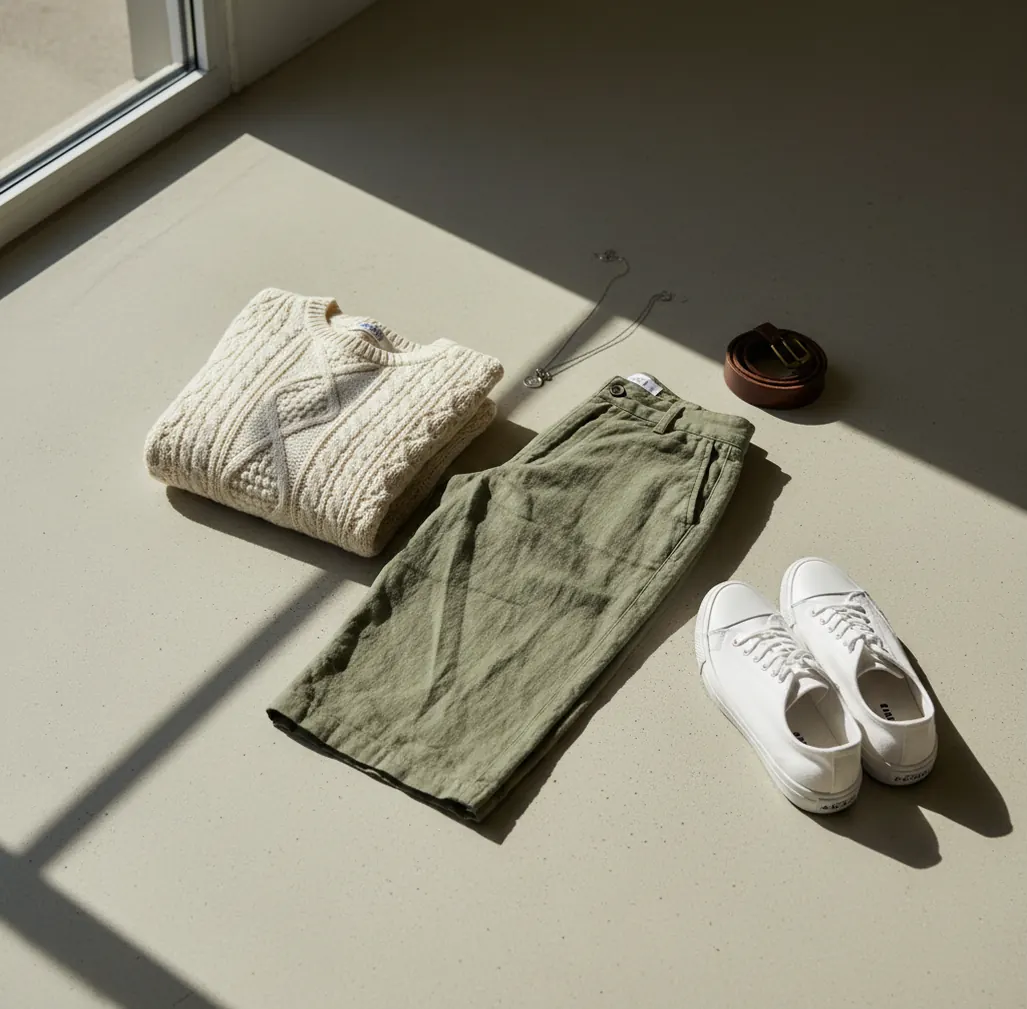
To sell on Vinted with better photos in 2026, photograph each item in indirect daylight, use a simple background, and include 5 to 8 images that show the front, back, label, fabric texture, and any flaws. Use AI background cleanup only to remove visual clutter, not to hide stains, pilling, scuffs, or color differences. The best Vinted photos make the item easier to judge quickly, which can improve clicks, saves, and buyer trust.
What Do Better Vinted Photos Mean in 2026?
Better Vinted photos are listing images that show the item’s real color, shape, size cues, fabric texture, and condition without distracting backgrounds. A strong listing usually includes a clean hero image, front and back views, label or size tag, material tag, close-up texture shots, and direct photos of any flaws. Buyers scan thumbnails first, then zoom into stitching, hems, soles, zippers, stains, pilling, and wear.
For resale, photo quality is not about making an item look new. It is about reducing uncertainty. A tidy flat-lay, hanger shot, or mannequin photo helps the buyer understand fit and condition faster. Editing should improve exposure, crop, background consistency, and sharpness while preserving the item’s true condition.
Why Do Cleaner Photos Help Items Sell Faster on Vinted?
Cleaner photos help Vinted listings perform better because buyers make quick trust decisions from thumbnails before they read the description. A messy bedspread, dark room, or yellow indoor light can make a good item look less cared for. A simple background makes the garment, shoes, bag, or accessory the visual focus.
Vinted shoppers often compare similar items by price, brand, size, and perceived condition. If your photos show accurate color, crisp edges, and honest close-ups, the buyer has fewer reasons to ask questions or skip the listing. Better photos are especially useful for branded clothing, vintage pieces, children’s bundles, shoes, jewelry, coats, and textured fabrics where details affect perceived value.
How Should You Photograph Clothes for a Vinted Listing?
Choose one repeatable photo spot
Use the same wall, floor, table, or hanger area near a window. Consistency makes your closet look organized and helps buyers compare items without visual noise.
Shoot in indirect daylight
Place the item near a window but outside harsh sun. Avoid mixing daylight with warm ceiling lights because mixed lighting can make whites look yellow and dark colors look muddy.
Take 5 to 8 useful photos
Capture the front, back, size tag, material tag, texture close-up, closure details, and any flaws. For shoes and bags, include soles, corners, handles, lining, and hardware.
Frame slightly wider than needed
Step back a little to avoid wide-angle distortion from your phone lens. Keep the item centered with the grid enabled, then crop after editing.
Clean the background, not the condition
Use brightness, cropping, and background replacement to remove clutter. Do not smooth fabric, erase stains, remove scuffs, or make worn areas look newer than they are.
Export and re-check accuracy
Export at high quality, ideally around 1600 to 2048 pixels on the long edge. Before posting, compare the edited photo to the real item in similar light to confirm color and flaws still look honest.
How Does AI Background Cleanup Work for Clothing Photos?
AI background cleanup works by separating the item from the scene using semantic segmentation, alpha masking, edge detection, and matting. The model identifies which pixels belong to the garment, shoe, bag, or accessory and which pixels belong to the bed, floor, wall, or clutter behind it. The editor then replaces or softens the background while keeping the subject visible.
Clothing is harder than solid objects because fabric has soft borders. Fuzzy knits, lace, sheer sleeves, frayed hems, fur trim, straps, and loose threads can confuse the mask. You get cleaner cutouts when the item is sharp, well-lit, and photographed against a background that contrasts with the fabric color.
What Is the Best Phone Workflow for Vinted Photo Editing?
The best phone workflow is capture first, clarify second, and verify last. Start by taking accurate photos in good light, then use editing only to improve readability: crop, straighten, brighten exposure, correct white balance, and remove distracting background clutter. A square crop often works well because Vinted thumbnails are viewed quickly in a grid.
A practical order is: select the sharpest images, adjust exposure until stitching and texture are visible, use a neutral background if the original setting is messy, crop consistently, then review flaw photos separately. Keep at least one close-up that shows wear honestly. Buyers trust a listing more when the main image looks clean and the detail images feel transparent.
Which Apps Are Best for Vinted Listing Photos?
| Tool | Best for | Useful features | Watch out for |
|---|---|---|---|
| Pict AI | Fast background cleanup and consistent resale images | Background changer, mobile exports, quick listing-style cleanup | Always check edge accuracy on lace, fur, straps, and sheer fabric |
| Canva | Simple crops, templates, and batch-style visual consistency | Brightness edits, backgrounds, design layouts, easy mobile workflow | Some assets and brand elements depend on plan or licensing terms |
| Adobe Photoshop Express | More controlled photo adjustments on mobile | Exposure, color, healing, sharpening, and detailed correction tools | More editing control can also make it easier to over-edit condition |
| Snapseed | Free manual photo correction | Selective edits, white balance, crop, perspective, and detail controls | No dedicated resale workflow; background removal is limited |
For most Vinted sellers, the best app is the one that makes photos clearer without changing the item. Use AI cleanup for background consistency, manual controls for color accuracy, and close-up photos for buyer trust.
What AI Edit Prompts Work Well for Resale Photos?
The best AI prompts for Vinted photos are specific, conservative, and condition-safe. They tell the editor to change the background and lighting presentation while preserving fabric texture, labels, color, seams, wear, stains, pilling, scuffs, and scratches. Avoid prompts that say “make new,” “remove damage,” “smooth fabric,” or “perfect condition.”
Reusable prompt templates: 1) “Replace the background with a plain matte light gray studio surface. Preserve the garment’s exact color, texture, seams, edges, labels, and visible wear.” 2) “Create a clean neutral flat-lay background with soft daylight. Do not alter stains, pilling, wrinkles, fading, or fabric texture.” 3) “Remove room clutter only. Keep the item shape, shadows, color temperature, and all condition details realistic.”
What Photo Set Should You Upload for Different Vinted Items?
Different categories need different proof photos. For tops, dresses, trousers, and coats, include front, back, label, size tag, material tag, closure details, and flaws. For shoes, show the outer sides, inner sides, soles, toe boxes, heels, insoles, and any scuffs. For bags, show the front, back, base, corners, handles, zipper, lining, logo, and hardware.
For jewelry and accessories, use close-up shots on a plain background with a scale cue, such as the item beside a hand or ruler if helpful. For children’s clothing bundles, photograph the full bundle first, then grouped details by size or condition. The goal is to answer the buyer’s inspection questions before they message you.
Where Can AI Edits Hurt a Vinted Sale?
- AI background removal can create jagged or missing edges on lace, fringe, sheer fabric, fuzzy knits, fur trims, tassels, and loose threads.
- Yellow indoor lighting can make white, cream, gray, navy, and black items look inaccurate even after editing, so daylight capture matters more than filters.
- Heavy denoise, smoothing, or skin-style retouching can hide pilling, bobbling, stains, fading, cracking, and fabric texture, which may lead to disputes.
- Glossy leather, patent shoes, sequins, satin, vinyl, and metallic hardware can produce halos because reflections confuse subject masks.
How Do You Build a Vinted Photo Routine That Saves Time?
A fast Vinted photo routine uses batching. Steam or lint-roll several items, photograph them in the same daylight window, sort images immediately, and edit only the best shots. Keep a simple checklist beside you: front, back, tag, material, detail, flaw. This prevents missing proof photos and reduces buyer questions later.
For a closet with many items, create one visual style: same background tone, same crop, same brightness level, and similar distance from camera. This makes your profile feel more curated without making items look fake. A clean routine also helps with social posts, seasonal closet refreshes, gift decluttering, and resale branding if you sell regularly.
Six Photo-Editing Terms That Matter for Vinted Listings
Editing controls can sound interchangeable, but they change different parts of a listing image. These six terms help distinguish useful corrections from edits that could misrepresent a secondhand item.
- White balance
This adjusts the image’s overall color temperature and tint. Tutorials on how to make Etsy listing photos with AI often cover it, too. For Vinted, check a white care label: if it looks orange or blue, the garment’s color may also be shifted.
- Edge halo
A pale or dark fringe can appear where background removal meets the item. An AI photo editor for Shopify sellers can produce the same artifact. Inspect straps, lace and loose threads at full size; a halo can make their outlines look thicker.
- Inpainting
Inpainting generates replacement pixels inside a selected area. Tools that fix scratched old photos with AI use related reconstruction techniques. On resale images, keep selections outside the item: generated pixels cannot establish what damaged fabric originally looked like.
- Local retouching
This changes a small area rather than the entire image. Advice on how to look younger in photos with AI often involves smoothing. Applied to clothing, that effect can suppress weave, fuzz or pilling, making condition harder to judge.
- Scale reference
A ruler or other measured reference helps show physical dimensions. Guides on how to make jewelry photos with AI may discuss presentation, but generated props are not reliable measurements. Photograph a real ruler beside small accessories without covering their edges.
- Comparison panel
This places an original and edited image side by side. Unlike tutorials on how to make viral before and after photos with AI, a resale comparison is a private accuracy check. Match the zoom level to spot altered seams, missing threads or changed silhouettes.
Vinted Listing Photo Questions Answered
Lay the garment flat without stretching it, then photograph a tape measure with both endpoints visible. For tops, show chest width from armpit to armpit and length from shoulder to hem; for trousers, show waistband width and inside leg. State that these are flat measurements, not body measurements. Keep the tape straight and include the numbers in the description.
Before uploading, inspect mirrors, glossy hardware and the background for faces, addresses, paperwork or family photographs. Move private objects out of the scene rather than relying on generated cleanup. Crop irrelevant areas where possible, then inspect the exported image again. Keep brand, size and care labels readable, but cover any handwritten name or phone number on the item.
A strong Vinted listing usually has 5 to 8 photos: front, back, tag, material, details, and flaws. Add more if the item has texture, wear, accessories, or brand details buyers will want to inspect.
A plain wall, clean floor, neutral sheet, table, or matte digital background works best. The background should contrast with the item and should not make the color look different.
Yes, AI can be used to clean backgrounds, crop, brighten, and standardize listing images. It should not be used to hide damage, remove stains, or change the item’s true color or condition.
Better photos can improve clicks, saves, and buyer confidence because shoppers can judge condition faster. They do not guarantee a sale, but they reduce uncertainty around color, fit, and wear.
Square photos often work well for clean grid viewing, while vertical photos can show full-length garments better. The best choice is the crop that shows the whole item clearly without cutting off sleeves, hems, or edges.
Shoot in indirect daylight and avoid mixed lighting from windows plus warm bulbs. After editing, compare the image to the real item before uploading, especially for black, navy, white, cream, denim, and red.
Photograph both sides, front, back, soles, heels, insoles, size label, and any scuffs or creasing. Shoe buyers often zoom into soles and toe boxes to judge wear.
Yes, background removal is fine when it removes clutter and keeps the item accurate. It becomes risky if it cuts off fabric details, changes color, or makes wear less visible.
Blurry uploads usually come from motion blur, low light, digital zoom, aggressive compression, or exporting at too small a size. Retake photos in brighter light and export a high-quality image before posting.