Viral AI Photo Trends in 2026 and How to Recreate Them
Viral AI photo trends in 2026 are repeatable image styles that spread because people can recreate them from a selfie, reference photo, or short prompt. The strongest trends use clear visual cues: lighting, lens choice, texture, color grade, pose, and background. To replicate them, start with a clean source image, name the trend look precisely, generate several variations, and edit the output for hands, text, identity, and realism.
Viral AI photo trends in 2026 turn familiar portraits into recognizable visual treatments, from retro flash snapshots to toy-like characters and cinematic scenes. To recreate a look, use a clear reference photo and describe its defining lighting, materials, and composition. Choose the result that preserves the details that matter, then correct obvious distortions before sharing or printing.
Viral AI Photo Trends in 2026 and How to Recreate Them
- Upload a clear portrait with visible facial features and permission from anyone else pictured.
- Choose one trend treatment and describe its lighting, texture, background, and intended final crop.
- Generate variations, then compare facial identity and important details against the original reference photo.
- Correct structural errors, add any lettering separately, and export at dimensions suited to sharing or printing.
Example prompt: Use my uploaded selfie as reference. Create a 2026 retro on-camera flash party photo: 28mm lens, direct flash, slight motion blur, subtle film grain, realistic skin pores, sharp eyes, clean background, no text, no logos.
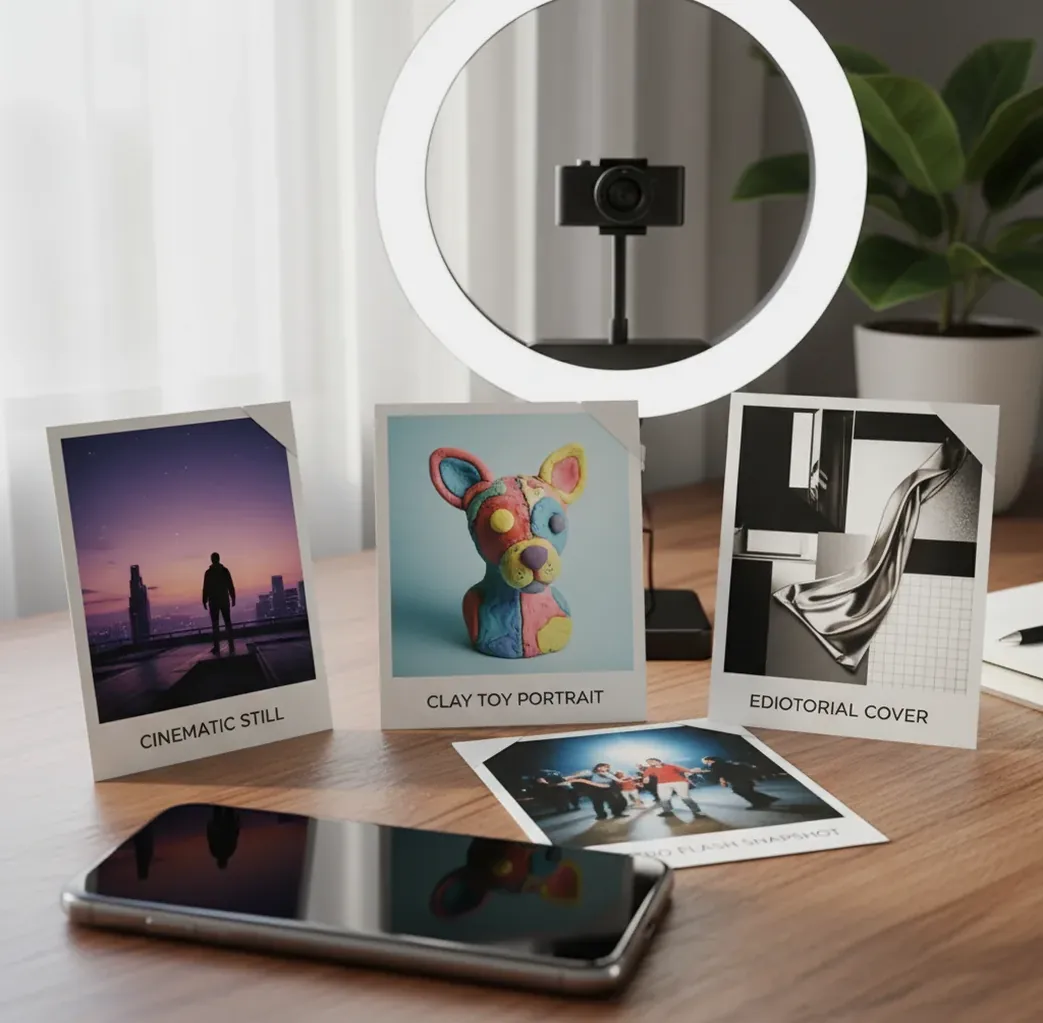
Viral AI photo trends in 2026 are shareable, repeatable AI-generated looks such as editorial realism, retro flash portraits, toy-like 3D avatars, cinematic stills, and nostalgic film edits. They spread because creators can recreate them with a reference photo plus a prompt that specifies camera, lighting, texture, and color grade. The most reliable way to copy a trend is to use a clean photo, write a short style recipe, generate 4 to 8 variations, and fix visible failures like hands, text, logos, or face drift.
What Are Viral AI Photo Trends in 2026?
Viral AI photo trends in 2026 are recognizable image styles made with generative models and repeated across social feeds, profile photos, mood boards, thumbnails, and creator campaigns. A trend becomes viral when it has a simple recipe: a subject, a camera feel, a lighting setup, a texture, and an emotional use case people want to copy.
Most 2026 AI photo trends are not just filters. They are style transformations that change the image’s visual language: softbox editorial lighting, on-camera flash, clay-like 3D material, 35mm film grain, glossy product lighting, or cinematic teal-and-amber grading. The best trend prompts are specific enough to guide the model but flexible enough to work across different faces, outfits, and scenes.
Which AI Photo Looks Are Going Viral in 2026?
The most shareable 2026 AI photo looks cluster around five styles: editorial realism, retro flash snapshots, toy-like 3D portraits, cinematic character stills, and hyper-clean brand portraits. These looks perform well because they feel familiar, instantly readable on a phone screen, and easy to remix with personal identity.
Editorial realism uses controlled studio light, realistic skin texture, sharp eyes, and fashion-magazine composition. Retro flash uses direct flash, motion blur, compact-camera grain, red-eye hints, and party-photo energy. Toy 3D portraits use rounded forms, soft plastic or clay material, miniature proportions, and clean studio backgrounds. Cinematic stills use anamorphic framing, shallow depth of field, and dramatic color grading. Brand portraits use neutral backgrounds, polished lighting, and consistent crops for LinkedIn, portfolios, and creator kits.
How Do You Recreate a 2026 AI Photo Trend From One Selfie?
Choose the trend before writing the prompt
Pick one clear direction such as retro flash party photo, editorial cover portrait, clay toy avatar, cinematic still, or clean personal-brand headshot. A vague prompt like "make this viral" gives the model too much room to invent.
Start with a clean source photo
Use a sharp image with the face in focus, visible eyes, simple lighting, and minimal background clutter. Avoid heavy beauty filters, sunglasses, busy logos, and cropped hands if you want better identity preservation.
Name the camera, light, and texture
Write a short style prompt with concrete visual language: "28mm on-camera flash," "softbox editorial lighting," "35mm film grain," "smooth clay material," or "anamorphic cinematic still." These cues are more useful than mood words alone.
Add constraints for common failure points
Include 2 to 4 guardrails such as "natural skin pores," "sharp eyes," "five fingers on each hand," "no text," "no logo," or "simple background." Too many constraints can flatten the style, so keep them targeted.
Generate 4 to 8 variations
Do not judge a trend from one output. Generate several versions, then choose the image with the strongest eyes, cleanest hands, and most believable lighting. Use Pict AI or another image tool that supports fast iteration.
Make one targeted edit
Finish by fixing the most visible issue: crop tighter, simplify the background, reduce overdone grain, or regenerate with lower stylization if the face no longer looks like the original person.
What Prompt Recipes Work Best for 2026 AI Photo Trends?
- Retro flash portrait: "Transform this selfie into a candid 2000s compact-camera party photo, direct on-camera flash, 28mm lens, slight motion blur, glossy highlights, realistic skin texture, dark background, no text, no logo."
- Editorial realism: "Create a realistic fashion editorial portrait from this photo, softbox key light, subtle rim light, 85mm lens, shallow depth of field, natural skin pores, sharp eyes, neutral studio backdrop, magazine-quality color grade."
- Clay toy avatar: "Turn this person into a stylized clay toy character, rounded features, smooth matte material, miniature proportions, soft studio lighting, clean pastel background, preserve hairstyle and outfit colors, five fingers on each hand."
- Cinematic still: "Reimagine this portrait as a dramatic movie still, anamorphic lens, warm practical light, teal shadows, shallow focus, realistic facial identity, subtle film grain, atmospheric background, no readable text."
- Creator brand headshot: "Generate a polished creator profile portrait, clean neutral background, soft natural light, realistic face, sharp eyes, modern outfit, gentle contrast, professional but approachable, square crop for profile use."
How Do AI Models Copy a Trend Style Without Copying a Photo?
AI image tools usually recreate a trend by mapping your prompt and reference image into visual features, then generating a new image that matches those features. Diffusion models begin from noise and repeatedly denoise toward a result that fits the prompt, while image conditioning helps preserve identity, pose, or composition from the uploaded photo.
The model is not literally applying a single preset. It is balancing signals: face structure, lighting words, lens terms, texture cues, background descriptions, and safety constraints. Terms like "on-camera flash," "softbox," "halation," "film grain," "anamorphic," and "matte clay" steer the output because they correspond to learned visual patterns. If the prompt is too broad, the model fills gaps with generic averages, which is why faces drift, hands mutate, and backgrounds become stock-looking.
Which Tools Are Best for Recreating AI Photo Trends?
| Tool type | Best for | Strengths | Watch outs |
|---|---|---|---|
| Pict AI | Fast trend-style generations from selfies and reference images | Browser and iOS workflows, quick variations, simple prompt-led image creation | Review usage terms before commercial publishing and avoid uploading sensitive images |
| Midjourney-style generators | Highly stylized concepts, cinematic mood boards, art-direction exploration | Strong aesthetics, strong community prompt discovery, flexible visual remixing | Identity preservation can vary, and exact photo editing control may require workarounds |
| Chat-based image generators | Prompt refinement, conversational edits, explaining why an output failed | Good for iterating descriptions and creating reusable prompt recipes | Can be slower for batch variation and may resist some likeness or logo requests |
| Photoshop or pro editors | Manual cleanup, compositing, skin retouching, text replacement, final polish | Best control over masks, layers, hands, backgrounds, and export quality | Requires more skill and time than quick social trend generators |
| Random free web tools | Testing a trend idea before committing time | Low friction and often simple enough for one-off images | Watermarks, unclear data handling, limited controls, and inconsistent output quality |
Choose based on the job: fast variations for social posts, stronger art direction for mood boards, or professional editing for prints, portfolio images, and paid brand assets.
Where Can You Use Viral AI Photo Looks Besides Social Media?
- Profile refreshes: build a consistent 3 to 6 image set for TikTok, Instagram, LinkedIn, YouTube, and newsletter avatars.
- Portfolio covers: turn one portrait into a styled cover image for a design, photography, music, or creator portfolio.
- Gift prints: create cinematic couple portraits, toy-style family images, or retro flash friend photos for posters and cards.
- Brand mood boards: preview lighting, color grade, wardrobe, and set direction before booking a real shoot.
- Podcast and playlist art: use editorial or cinematic portraits to create high-recognition square covers.
- Event promotion: apply a unified flash-photo or film-still look across flyers, stories, and announcement posts.
- Cosplay and fashion planning: test outfits, makeup, lighting, and character energy before making or buying pieces.
- Merch mockups: preview stickers, posters, zines, or product scenes with a consistent visual system.
What Should You Watch Out for When AI Trend Photos Look Fake?
- Hands and fingers still fail often because they involve complex joints, occlusion, perspective, and object interaction. Generate multiple versions and avoid prompts that place hands near the face unless needed.
- Text is unreliable inside generated images. Shirts, signs, book covers, tattoos, and magazine headlines may become unreadable or distorted, so add real text later in an editor.
- Identity can drift when the style is too strong. If the output stops looking like the source person, reduce words like "perfect," "celebrity," "model," or "highly stylized" and ask for realistic facial identity.
- Retro effects can become cartoonish when grain, halation, blur, chromatic aberration, and flash are all pushed at once. Use one or two artifacts, not every camera flaw.
How Can Creators Chase Trends Without Looking Copied?
The cleanest way to follow a trend is to borrow the visual structure, not the whole image. Keep the lighting, lens, or material idea, then change the story: your outfit, location, color palette, props, pose, and emotional tone. A retro flash photo can become chaotic nightlife, quiet backstage, birthday dinner, or rainy street style depending on the details.
Use a three-part remix formula: trend cue plus personal anchor plus output purpose. For example: "on-camera flash" is the trend cue, "silver jacket and red diner booth" is the personal anchor, and "vertical poster for a DJ announcement" is the purpose. This keeps the image recognizable enough to ride the trend while still feeling like your own creative asset.
How Do You Build a Complete AI Trend Pack?
Pick one visual system
Choose one trend family such as editorial realism, retro flash, toy 3D, or cinematic stills. Mixing too many styles in one pack makes the set feel random.
Create three core formats
Generate a square profile image, a vertical story image, and a wide banner. Common ratios are 1:1, 9:16, and 16:9.
Keep identity and color consistent
Reuse the same outfit colors, background palette, lighting description, and lens language across prompts. Consistency matters more than novelty in a pack.
Select for realism first
Choose images with correct eyes, clean hands, believable shadows, and stable face identity. A less dramatic image often performs better than a broken but flashy one.
Export for the destination
Use tighter crops for avatars, more negative space for thumbnails, and higher resolution for prints. Save the final prompt recipe so you can update the pack later.
Keep building: prompts, model comparisons, and editing picks
Choose a Trend Treatment That Fits the Photo’s Job
A recognizable style is not automatically the right choice for every image. Start with the intended use, then decide how much invention the picture can tolerate. An ai image generator app is useful for visual experiments; it should not become the source of truth for a person’s appearance or a product’s details.
- If the image needs to identify you, keep the transformation restrained. For a speaker profile or team directory, change the setting and lighting rather than facial structure. Compare distinctive features such as your hairline, freckles, and jaw shape with the source photograph.
- If the image is entertainment, make the fictional treatment obvious. A miniature character or illustrated collectible can tolerate exaggerated proportions. Avoid presenting a fabricated scene as an actual event, especially when other recognizable people appear.
- If the image needs a headline, build around empty space. Learning how to create poster with ai starts with composition: place the subject to one side and reserve a quiet area for lettering. Add the final title in a layout editor rather than relying on generated text.
- If the trend depends on personal symbolism, define the symbolism yourself. For a flower language filter look, specify the flowers, colors, and meanings you want represented. Do not assume a generated bouquet follows a universal naming system or communicates the intended message.
- If you are choosing a tool, check the workflow before installing. Before acting on a “download ai image generator app” search result, check whether the tool accepts reference photos, supports targeted edits, and exports without an unwanted watermark. Review photo-retention settings before uploading anyone’s portrait.
What a Trend Transformation Can - and Cannot - Preserve
To judge what changed in ai image generation, compare the same source image and brief across tools or versions. A more attractive result is not necessarily a more faithful edit. These before-and-after checks separate successful styling from changes that need correction.
| Before: source detail | After: AI often handles this well | After: inspect this closely |
|---|---|---|
| A face in ordinary room lighting | A different lighting mood and coordinated background palette | Altered age, eye color, skin marks, or facial proportions |
| A hand holding a cup | A convincing overall pose at thumbnail size | Finger overlap, the grip, and whether the cup’s handle remains intact |
| A patterned outfit | Broad colors and a plausible fabric impression | Repeated motifs, seams, buttons, and exact garment construction |
| A scene with signs or packaging | A unified atmosphere around the subject | Invented lettering, changed labels, and misleading brand details |
| A low-resolution portrait | A smoother, sharper-looking presentation | Invented detail that looks authentic but was absent from the original |
Treat malformed ai fingers as a structural problem, not a sharpness problem. Upscaling cannot reliably correct an impossible grip. Replace the affected area with a targeted edit, use a different generated version, or return to a source photo with a simpler pose.
Review the finished image both at full size and at its intended display size. The first check exposes broken details; the second reveals whether the treatment still reads clearly after cropping and compression.
Turn Trend Portraits Into Useful Finished Pieces
A trend becomes more useful when it solves a specific visual task. Decide what the finished piece must communicate, then keep the generated treatment subordinate to that purpose.
- Musicians announcing a release: Create a cinematic portrait for a single cover, leaving space above the subject for the track title. Add typography separately and check that the square artwork remains legible as a small streaming thumbnail.
- Teachers preparing a classroom activity: Turn a consenting adult’s portrait into an illustrated character for a worksheet about visual storytelling. Ask students to identify which features stayed recognizable and which became fictional. Use an invented character instead of uploading student faces.
- Independent makers developing a campaign: Use a stylized self-portrait as an introductory graphic while keeping photographs of the actual goods separate. For example, a ceramicist could pair a clay-like avatar with an unaltered photograph of a mug, rather than generate a mug whose dimensions or glaze differ from the item.
- Friends making an event keepsake: Build a fictional movie-poster portrait for a birthday invitation. Get permission from everyone pictured, add the real venue and date manually, and check a small proof before ordering a batch of prints.
Questions About Recreating AI Photo Trends
Use a clear label when viewers could mistake a generated scene for a real photograph, and check the platform’s current synthetic-media rules. A caption such as “AI-styled portrait” can clarify the treatment without overwhelming the post. Disclosure is especially important for realistic depictions of events, endorsements, or other people; a label does not replace their permission.
Choose the print dimensions first, then check the exported pixel dimensions. At 300 pixels per inch, an 8-by-10-inch print needs 2400 by 3000 pixels. Ask the printer about resolution, bleed, and color requirements before ordering. Upscaling can increase dimensions, but it cannot guarantee accurate facial details or repair structural errors already present in the generated image.
They are repeatable AI-generated photo styles that spread quickly because many people can recreate them with a prompt, selfie, or reference image. Common examples include editorial realism, retro flash portraits, toy 3D avatars, and cinematic stills.
Retro on-camera flash is usually the easiest because it tolerates grain, blur, imperfect backgrounds, and casual posing. Use a sharp selfie and prompt for direct flash, 28mm lens, realistic skin, and a dark or simple background.
Hands are hard for image models because fingers bend, overlap, hold objects, and appear from many angles. Generate several versions and use constraints like "five fingers on each hand" or crop hands out when they are not important.
Generate 4 to 8 variations before changing the prompt. If most outputs fail in the same way, simplify the style, reduce stylization, or add one specific constraint.
Use realistic lighting words, preserve natural skin texture, avoid overloading the prompt with effects, and check eyes, hands, teeth, jewelry, and shadows. A subtle edit usually looks more believable than a heavily stylized one.
Yes, a real photo can be transformed into a clay toy look by prompting for rounded features, matte clay material, miniature proportions, soft studio lighting, and a clean background. Identity may drift, so keep hairstyle, outfit colors, and facial features in the prompt.
They can work for creator branding, mood boards, podcast covers, thumbnails, and profile refreshes when the style matches the audience. For formal business use, choose realistic lighting and avoid exaggerated effects.
It depends on the tool’s license, the source images, and whether the output includes protected logos, characters, or likenesses. Always check usage terms and avoid using copyrighted elements without permission.
Useful realism cues include "natural skin pores," "softbox lighting," "sharp eyes," "realistic shadows," "85mm lens," "subtle film grain," and "true-to-life facial identity." Avoid stacking too many style effects in one prompt.