Why AI Headshots Don't Look Like Me
AI headshots usually fail likeness because the model is averaging mismatched reference photos, distorted lenses, old images, filters, and conflicting expressions. The fix is not to keep regenerating randomly; it is to clean the input set, preserve face geometry, and only polish lighting, background, crop, and skin tone after the face is close.
Why AI Headshots Don't Look Like Me
- Upload a recent, unfiltered portrait with clearly visible facial features as the reference for your headshot edit.
- Choose background and lighting changes, and describe which distinctive features and natural asymmetries must remain unchanged.
- Generate the revised headshot with facial reshaping disabled where available, keeping the original reference open for comparison.
- Review eyelids, smile, hairline, and identifying marks against the reference, then export only a result that preserves them.
Example prompt: Create a realistic corporate headshot that matches my facial proportions exactly, neutral expression, softbox studio lighting, 85mm lens look, natural skin texture, light gray background, no face reshaping, high detail, photorealistic.
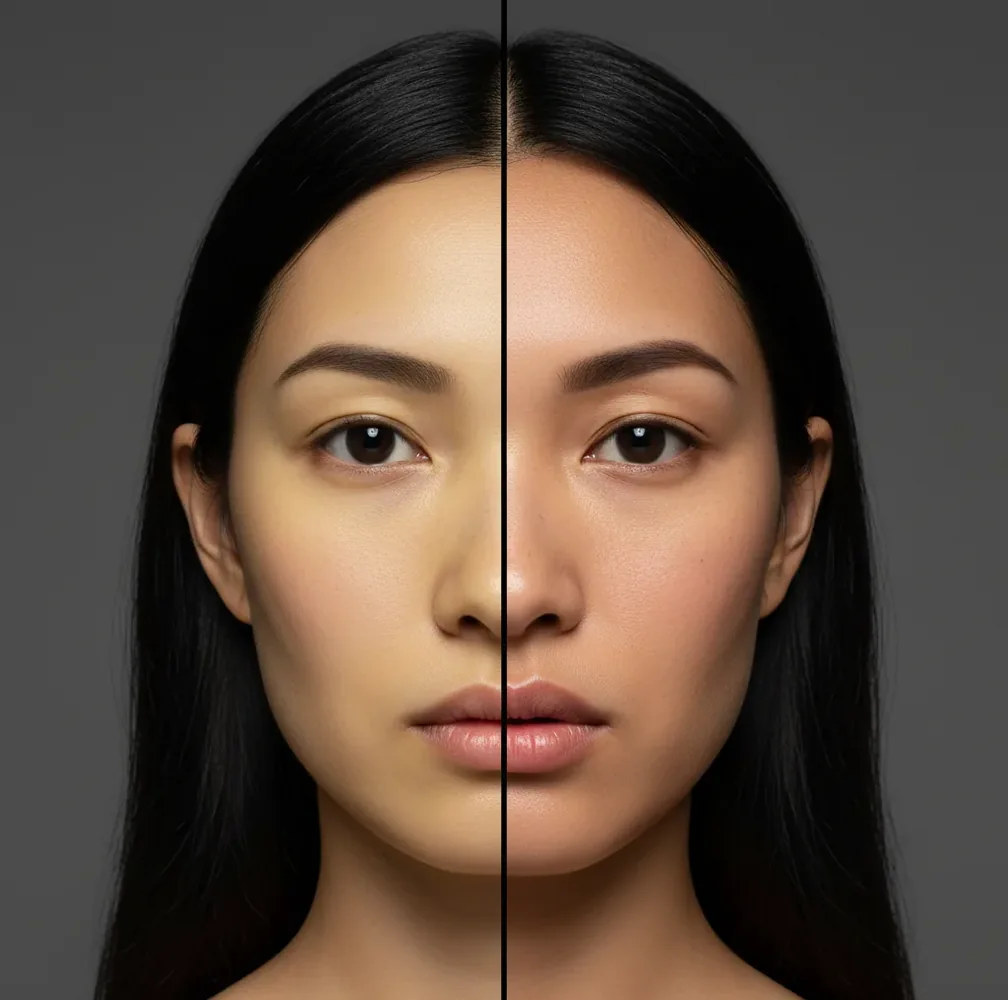
AI headshots don't look like you when your reference photos disagree about your face shape, age, lens distortion, hairstyle, expression, or lighting. Use 8-12 recent, unfiltered images with consistent framing, remove wide-angle selfies and heavy edits, then regenerate before applying light retouching that does not reshape your features.
Why Don't AI Headshots Look Like Me?
AI headshots usually look like a cousin instead of you because the generator is trying to merge inconsistent visual evidence into one believable portrait. If one photo has a wide-angle selfie lens, another has strong contour makeup, another is three years old, and another uses a beauty filter, the model builds an averaged identity rather than preserving your real proportions.
The most common drift points are jaw width, eye spacing, nose length, eyebrow angle, cheekbone height, hairline, and smile shape. A convincing AI portrait can still be a poor likeness if those identity anchors move. Treat the first result as a visual draft, then improve the reference set before judging the tool.
How Do AI Headshot Generators Change Face Shape?
Most AI headshot systems use diffusion-style image generation or face-conditioned editing. They encode your reference images into a compressed identity representation, then synthesize a new portrait with different lighting, clothing, background, and camera style. During that process, the model must decide which facial cues are stable and which ones are noise.
Face shape changes happen when the model receives contradictory signals. A 0.5x phone selfie enlarges the nose and widens the midface, while a longer lens flattens features. Harsh overhead light deepens eye sockets; soft window light smooths them. Filters can enlarge eyes, narrow jaws, and alter skin texture. The generator resolves those conflicts by averaging, which creates a realistic but not fully personal face.
How Do I Make an AI Headshot Look More Like Me?
Choose 8-12 recent photos
Use images from the same haircut, facial hair, glasses, and general age range. A smaller consistent set is better than a large mixed set.
Remove lens-distorted selfies
Delete 0.5x wide-angle selfies, extreme close-ups, mirror photos, and images shot from very high or low angles. Aim for 1x to 2x framing.
Balance angles and expressions
Include about four straight-on photos, four slight 30-degree turns, and two closer crops. Keep expressions natural and avoid exaggerated smiles if you want professional likeness.
Avoid heavy filters and face edits
Do not upload photos with skin smoothing, eye enlargement, jaw slimming, FaceTune-style edits, or strong AI beautification. These teach the model the wrong baseline.
Regenerate before retouching
Check jaw width, eye spacing, nose bridge, eyebrow shape, and smile line first. If those are wrong, fix the references and rerun instead of editing the output.
Polish only after likeness is close
Once the face feels like you, adjust color cast, exposure, background, crop, and small blemishes. Avoid face reshape sliders unless you are correcting a specific distortion.
Which Reference Photos Should I Upload for Better Likeness?
- Use recent photos from the last 6-12 months if your haircut, weight, facial hair, or glasses have changed.
- Choose clear images where both eyes, eyebrows, nose bridge, mouth corners, jawline, and hairline are visible.
- Prefer natural daylight or soft indoor light over nightclub lighting, colored LEDs, or harsh overhead shadows.
- Include mild angle variety, but avoid strong side profiles unless the tool specifically requests them.
- Keep the same glasses style if you want glasses in the final headshot; include a few no-glare images so eye shape stays accurate.
- Skip hats, sunglasses, heavy bangs, masks, hands on face, and anything that hides the forehead or jaw.
- Use photos where you look like your everyday professional self, not only your most stylized social-media version.
What Prompts Help AI Headshots Preserve My Real Face?
A good AI headshot prompt should describe the photo style without asking the model to redesign your face. Prompts that say “make me more attractive,” “sharper jawline,” “model face,” or “Hollywood lighting” often push the generator toward generic beauty features. Use language that protects identity anchors: natural facial proportions, same eye spacing, same nose shape, same jawline, and realistic skin texture.
Template for a professional profile: “Create a realistic professional headshot using my actual facial proportions, same jawline, same eye spacing, same nose shape, natural skin texture, soft studio lighting, neutral background, sharp focus, 85mm portrait look, no face reshaping.” Template for a warmer social profile: “Keep my real face and expression, natural smile, warm window light, clean background, realistic skin tone, no beauty filter, no jaw slimming, no enlarged eyes.”
Which AI Headshot Tools Give More Likeness Control?
| Tool Type | Best For | Likeness Controls | Watch For |
|---|---|---|---|
| Dedicated AI headshot generator | Fast professional profile photos, team headshots, LinkedIn refreshes | Reference-photo upload, style presets, background and clothing changes | May average identity if the uploaded set is inconsistent |
| AI image editor | Fixing an almost-right portrait without fully regenerating it | Localized edits, color correction, blemish cleanup, crop, background cleanup | Face edits can accidentally warp proportions if used too aggressively |
| Manual retouching service | High-stakes portraits, executives, press kits, speaker bios | Human judgment, selective retouching, natural texture preservation | Slower turnaround and higher cost than automated generation |
| General text-to-image model | Creative portraits, branding concepts, stylized thumbnails | Prompt control over mood, lighting, composition, and aspect ratio | Usually weaker identity preservation unless paired with references |
| Pict AI | Quick generate-and-fix workflows on web or iPhone | Reference-based headshots, background cleanup, fast iteration, light edits | Still depends on clean, recent inputs for accurate likeness |
Choose based on the job. A directory photo needs conservative likeness, a podcast thumbnail can tolerate more stylization, and a legal ID photo should not use AI generation at all.
When Does Likeness Matter Most in an AI Headshot?
Likeness matters most when the photo represents trust, identification, or real-world recognition. LinkedIn profiles, company directories, sales pages, speaker bios, author pages, real estate cards, medical or legal practice profiles, and recruiting materials should look like the person someone will actually meet on a video call or in person.
Likeness matters slightly less for stylized use cases such as podcast thumbnails, creator banners, social posts, mood boards, pitch decks, and personal branding experiments. Even there, the headshot should not feel like a different person. A useful rule is: if someone who knows you would pause and ask, “Is that you?”, the image needs another pass.
Why Does My AI Headshot Look Like a Sibling or Cousin?
The “sibling” effect happens when the AI preserves broad family-like features but misses the small measurements that define you. It may keep your hair color, skin tone, smile direction, and general face shape while changing the distance between your eyes, the width of your nose, the angle of your brows, or the structure of your chin.
This often comes from mixed photo sources: different years, different phone cameras, different makeup, different weights, or different facial hair. The model keeps the statistically common signals and drops the subtle ones. To fix it, remove outlier images and regenerate with references that agree on the same face geometry.
What Should I Watch Out for When Fixing AI Headshot Likeness?
- AI headshots are not biometric identity tools. Do not use them for passports, visas, driver's licenses, school IDs, legal documents, or government verification.
- If your reference photos span several years, the output may blend ages and create a face that looks younger, older, or oddly unfamiliar.
- Glasses can cause eye drift because reflections hide pupils, eyelids, and eyebrow lines. Upload some clear no-glare references if you wear glasses.
- Strong side profiles are harder to preserve because ears, jaw corners, and nose projection are frequently guessed during generation.
How Can I Turn an Almost-Me Headshot Into a Usable Profile Photo?
Pick the closest face, not the prettiest image
Choose the version with the most accurate jaw, eyes, nose, mouth, and brow structure, even if another version has better lighting.
Crop for the platform
Use 1:1 for LinkedIn and avatars, 4:5 for portfolio pages, and 16:9 for banners or speaker graphics. Keep eyes near the upper third.
Correct color and exposure
Neutralize overly warm, green, or gray skin tones. Lift shadows gently without smoothing away normal texture.
Clean the background
Use a plain office, studio, or soft gradient background if the original setting distracts from your face.
Export two versions
Save one natural version for professional trust and one slightly more polished version for social posts, press thumbnails, or creator branding.
More AI image realism explainers
Four Editing Myths That Can Make Headshot Likeness Worse
A sharper, more polished portrait is not necessarily a closer likeness. Before adding another editing step, distinguish tools that change presentation from tools that reconstruct facial detail.
- Myth: Increasing resolution restores your real face. Fact: An enhancement tool can make edges clearer without recovering the features that were lost. If you depixelate image files containing a small or blurred face, reconstructed eyelashes, teeth, and skin detail may be plausible rather than accurate. Keep the original beside the enhanced version. Reject added detail that changes your eyelids, tooth shape, or distinctive marks; sharpness alone is not evidence of identity preservation.
- Myth: Adding space around a portrait requires regenerating the person. Fact: An ai image extender can add background for a wider crop while leaving the existing face untouched, depending on its editing controls. Protect the original portrait area when masking is available. Check the boundary around hair, ears, and shoulders afterward: extension can introduce extra strands, distorted clothing, or inconsistent shadows even when the central face remains unchanged.
- Myth: A professional headshot should make facial features perfectly symmetrical. Fact: Small asymmetries help people recognize you. When choosing an ai linkedin photo app, look for controls that separate background and wardrobe changes from facial modification. Matching eyebrow heights or evening out a crooked smile can remove familiar characteristics. A professional presentation does not require a standardized face.
- Myth: Meeting an ID photo template proves the face is accurate. Fact: An online passport photo generator may handle dimensions and positioning, but those checks do not establish likeness or acceptance. Instructions on how to make id photo with ai should distinguish formatting a genuine photograph from synthesizing a face. Follow the issuing authority's rules; a compliant crop cannot make an altered identity acceptable.
Questions About AI Headshot Likeness
You may be comparing it with the mirrored face you usually see in selfies or a bathroom mirror. A non-mirrored portrait reverses familiar asymmetries, which can feel surprisingly different. Compare the headshot with a recent non-mirrored photograph, not just your reflection. Flipping the preview can help identify a familiarity issue, but it does not prove that the generated face is accurate.
Some generators preserve distinctive marks, while others erase, relocate, or invent them during generation and skin enhancement. Clear reference photographs help, but preservation is not guaranteed. Compare the location and appearance of important marks before accepting a result. If the tool supports localized editing, restrict changes to the affected area; regenerating the whole portrait may introduce new differences elsewhere.
Your photos may be good individually but inconsistent as a set. Different lenses, ages, lighting, expressions, and filters can make the model average your features into a lookalike.
Remove outlier references, especially wide-angle selfies, heavy filters, old photos, and extreme angles. A clean set of 8-12 consistent images usually improves likeness more than prompt changes.
Yes. Jawline drift is common when references include mixed camera distances, contour makeup, strong shadows, or face-slimming filters.
Glasses can reduce accuracy when glare hides the eyes or frames cover eyebrow and eyelid shape. Use clear, no-glare photos with the same frames you want in the final image.
The model may be blending photos from different years or smoothing skin texture too much. Use recent references from the same age range and avoid prompts that ask for glamour or beauty retouching.
A few normal 1x selfies can help, but avoid 0.5x wide-angle selfies and very close camera distances. Lens distortion is one of the fastest ways to lose likeness.
Yes, if the face geometry is already close. Edit color, lighting, background, crop, and small skin details, but regenerate if eye spacing, nose shape, or jaw width are wrong.
No. AI-generated or heavily edited headshots should not be used for passports, visas, driver's licenses, legal IDs, or government verification.
Use identity-preserving language such as “same facial proportions, same eye spacing, same nose shape, same jawline, realistic skin texture, no face reshaping.” Avoid prompts that ask for a model-like or beautified face.