Why the Same Prompt Gives Different AI Images
The same AI image prompt can create different results because most generators begin with random noise and sample toward an image over many denoising steps. To repeat an image, you need more than the same words: you also need the same seed, model version, sampler, step count, guidance, size, and aspect ratio.
Why the Same Prompt Gives Different AI Images
- Upload the approved image as a reference if supported, keeping an untouched copy for comparison.
- Enter the saved prompt and choose matching generation settings, including the original seed when available.
- Generate a new image without adding enhancement or cleanup, so you can compare the underlying outputs.
- Review identity, composition, and small details side by side, then export the approved result with its settings.
Example prompt: Portrait photo of the same person in three poses, consistent face and outfit, soft window light, 50mm lens look, neutral background, natural skin texture, high detail, seed locked, avoid extra fingers, avoid text
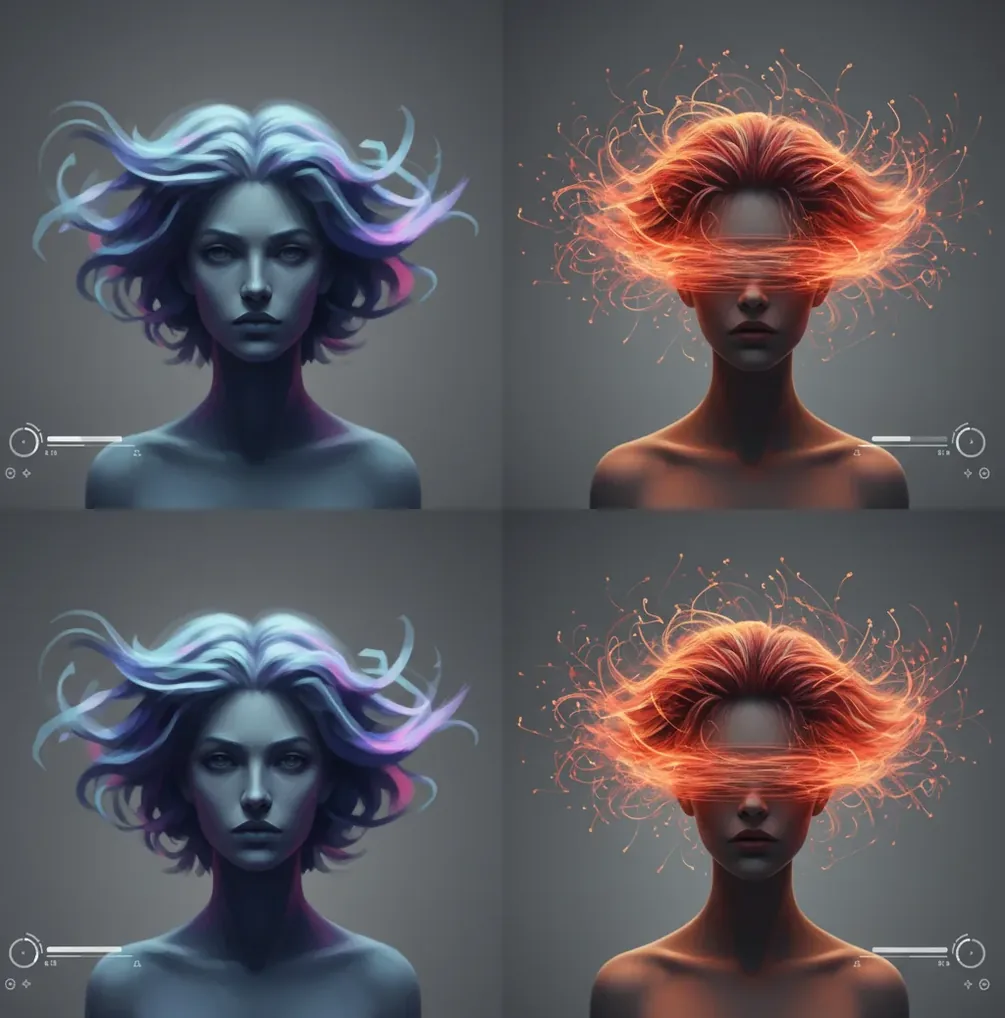
The same prompt gives different AI images because image generators use randomness during sampling, usually starting from a random noise pattern called a seed. If the seed, model version, sampler, steps, guidance scale, resolution, or aspect ratio changes, the final image can change even when the prompt text is identical. For repeatable results, save the full generation settings and rerun with a locked seed when available.
Why Does the Same Prompt Give Different AI Images?
The same prompt gives different AI images because text-to-image models are probabilistic, not deterministic by default. Most systems start from a field of random noise, then use a diffusion or transformer-based generation process to turn that noise into an image that matches your prompt. A different starting seed can change the face, pose, lighting, background, texture, and camera framing.
The prompt is only one part of the recipe. The model checkpoint, seed, sampler, number of steps, guidance scale, resolution, aspect ratio, style preset, and even a backend model update can affect the final pixels. That is why a prompt that once made the perfect portrait, product mockup, thumbnail, or gift print may produce only a similar-looking image later.
How Do Seeds, Samplers, and Model Versions Change Results?
Seeds, samplers, and model versions change results because they control how the generator travels from noise to image. A seed initializes the random noise pattern. A sampler, such as Euler, DPM++, or DDIM, controls the numerical path used during denoising. The model version supplies the learned visual knowledge, style behavior, anatomy tendencies, and prompt interpretation.
If you change the seed, the generator starts from a different noise map. If you change the sampler or step count, the model resolves details through a different denoising schedule. If the provider updates the model weights, the same words may map to different textures, faces, lens effects, or color palettes. This is why repeatability requires matching the whole generation stack, not only the visible prompt.
How Do You Recreate an AI Image From the Same Prompt?
Copy the prompt exactly
Use the same wording, punctuation, capitalization, commas, negative prompt, and line breaks. Small text edits can change tokenization and shift what the model pays attention to.
Match the model and style preset
Use the same model checkpoint, version, LoRA, style filter, or aesthetic preset. A model update can change faces, skin texture, camera behavior, and composition even with the same seed.
Reuse the seed
Lock or paste the original seed value if the tool exposes it. The seed is the strongest control for preserving the starting layout, pose, and broad composition.
Keep the canvas identical
Match width, height, aspect ratio, and output mode. Switching from 1:1 to 16:9 is not just cropping; it asks the model to solve a new composition.
Match sampler, steps, and guidance
Use the same sampler, step count, CFG or guidance scale, image strength, and upscaler settings. These settings affect sharpness, prompt obedience, detail density, and artifact behavior.
Change one variable at a time
Generate 4 to 8 controlled variants, then adjust only one setting per test. This makes it easier to keep a character, product, or brand look consistent while improving the image.
Which Settings Matter Most for Repeatable AI Images?
| Setting | What to match | Why it changes the image |
|---|---|---|
| Seed | Exact seed number | Controls the initial noise pattern, which strongly affects composition, pose, and fine detail. |
| Model version | Same checkpoint or generation model | Different weights interpret prompts differently and may change style, anatomy, lighting, and realism. |
| Aspect ratio | Same width, height, and crop mode | Changes framing and subject placement, often rebuilding the whole scene. |
| Sampler | Same sampling algorithm | Changes the denoising path from noise to image, affecting texture and structure. |
| Step count | Same number of inference steps | Controls how many refinement passes happen before the image is finalized. |
| Guidance scale | Same CFG or prompt guidance value | Changes how strongly the model follows the prompt versus its learned visual prior. |
| Negative prompt | Same exclusions and weights | Removes or suppresses visual concepts; changes can alter faces, hands, backgrounds, and style. |
| Upscaler or enhancer | Same post-processing settings | Can redraw details, sharpen textures, alter faces, or introduce new artifacts after generation. |
For the closest rerun, save the full metadata from the original image. If one setting is missing, expect a similar output rather than an exact duplicate.
Which AI Image Tools Give You Consistency Controls?
| Tool type | Consistency controls | Best use | Watch out for |
|---|---|---|---|
| Pict AI | Prompt, aspect ratio, editing flow, and seed control when available | Fast creator workflows for social posts, portraits, thumbnails, and visual iterations | Exact repeatability still depends on matching all exposed settings and model behavior. |
| Stable Diffusion interfaces | Seed, sampler, steps, CFG, model checkpoint, LoRAs, ControlNet, resolution | Maximum control for character sheets, product scenes, and reproducible local workflows | Settings can be complex, and different UIs may label the same controls differently. |
| Midjourney-style generators | Prompt, aspect ratio, style strength, image references, seed support in some modes | High-quality art direction, moodboards, posters, and campaign visuals | Backend model changes and limited parameter access can reduce exact reproducibility. |
| Firefly-style commercial tools | Prompt, style references, composition references, aspect ratio, brand-safe presets | Marketing assets, layout-safe images, and brand-oriented creator work | May prioritize safe, polished outputs over low-level sampling control. |
| Mobile AI art apps | Prompt, style preset, image size, sometimes seed or reference image | Quick avatars, gifts, wallpapers, stickers, and social visuals | Seed, sampler, and metadata access may be limited. |
Choose a tool based on how much control you need. For exact technical repeatability, exposed seed and sampler controls matter; for practical creator consistency, saved presets and reference images may be enough.
Why Can a Locked Seed Still Produce a Different Image?
A locked seed can still produce a different image if the rest of the generation environment changes. The seed only controls the starting randomness; it does not freeze the model, sampler, resolution, prompt parser, safety filter, face restoration, upscaler, or post-processing pipeline.
For example, the same seed at 1024×1024 and 1344×768 usually creates different layouts because the latent canvas is different. The same seed on a newer model version may change skin texture, clothing detail, and lighting because the learned weights changed. Even invisible changes, such as a provider updating its scheduler or prompt weighting system, can break perfect reproducibility.
What Prompt Recipes Help Keep a Character or Style Consistent?
- Character anchor template: "[character name], [age range], [face shape], [hair], [signature outfit], [color palette], [camera lens], [lighting], [background], consistent character design." Use this for story posts, profile sets, or comic panels.
- Product consistency template: "[product], centered, same angle, same material, same label placement, studio lighting, neutral background, 85mm product photography, crisp edges, no redesign." Use this for mockups, listings, and ad variants.
- Brand style template: "[subject], [brand color palette], [visual mood], [typography space], [lighting style], [composition rule], clean campaign image, consistent art direction." Use this for social posts and launch graphics.
- Portrait series template: "[person description], same facial features, same hairstyle, same outfit, [new pose], [new background], matching lens and lighting." Use this when changing pose while preserving identity-like visual continuity.
- Negative prompt template: "different face, extra fingers, distorted hands, changed outfit, inconsistent logo, random text, low-detail eyes, duplicate subject, warped product." Use this to suppress common drift in reruns.
- Reference-image workflow: use the original image as an image prompt or reference, then lower the strength only if you want more variation. Higher reference strength preserves composition; lower strength allows more creative changes.
What Limitations Should You Watch Out For?
- Exact pixel-level reproduction is not guaranteed unless the tool preserves the same model, seed, sampler, steps, guidance, resolution, prompt parser, and post-processing pipeline.
- Some web and mobile tools do not expose seed, sampler, or CFG values, so you can only aim for visual similarity rather than exact duplication.
- Model updates can change outputs without changing the interface. Save image metadata, export originals, and keep important project files when consistency matters.
- Social apps often strip metadata from downloaded images, which can remove the seed and generation parameters needed for a rerun.
When Does Prompt Consistency Matter Most for Creators?
Prompt consistency matters most when the image is part of a visual system, not a one-off experiment. A single surreal poster can tolerate variation; a character series, product carousel, brand campaign, or client thumbnail set usually cannot. Viewers notice when a face, logo, outfit, material, or lighting style changes across a sequence.
Consistent reruns are especially useful for social media batches, Etsy-style gift prints, creator profile images, product mockups, portfolio case studies, ad A/B tests, and short animation frames. The practical goal is often not a pixel-perfect duplicate but a controlled family of images that share the same subject, mood, palette, and composition logic.
Related reads for fixing weird AI artifacts
Trace Where Two Same-Prompt Images Start to Diverge
Two exports can look different even when their underlying generations are similar. Before rewriting a prompt, compare the original outputs separately from edits, enhancement, and layout. This workflow helps identify which stage changed the result, so you do not chase a generation problem that began later.
- Choose one visual feature to track. If your goal is to create ai influencer portraits, compare the hairline, eye spacing, and jaw shape rather than overall attractiveness. Tip: write down three identity features before comparing images; similar lighting can disguise a different face.
- Inspect the untouched generations. For an ai tattoo design, save the initial output before tracing, background removal, or sharpening. Tip: compare line intersections at the same zoom level. A cleanup pass can merge thin strokes or erase gaps without changing the broad silhouette.
- Build a labeled comparison sheet. Use a photo collage app to place outputs side by side, labeling each with its run and processing stage. Tip: disable automatic filters and keep every panel at the same scale; layout adjustments can otherwise exaggerate differences.
- Separate enhancement from generation. If you depixelate image files after generating them, retain both versions. Tip: inspect lettering, eyelashes, and fabric patterns first. Enhancement may infer replacement details, so a sharper export is not necessarily a more faithful copy.
- Check added elements independently. With an action figure ai image, compare the figure separately from packaging, accessories, and printed labels. Tip: use identical crops around each element; a changed box layout can make an otherwise similar figure appear substantially different.
- Archive the stage you actually need. When using an ai figurine generator, preserve the selected original alongside the finished export. Tip: name files by stage, such as original, background-edit, and final, so future revisions begin from the approved image rather than a new generation.
Answers About Changing AI Image Results
Yes. Some generators expand or rewrite your text before sending it to the image model. If that rewritten instruction changes between runs, identical text in the prompt box can lead to different results. Disable prompt enhancement when the tool allows it, or save the expanded prompt if it is visible. Not every service exposes this intermediate step.
It can. A batch may assign a separate seed to each image, so the seed displayed for the job may not identify every output. Some implementations also handle random numbers differently when batch size changes. Save the individual image's seed and batch position where available, and keep batch size unchanged when attempting an exact rerun.
The same prompt generates different images because AI generators usually start from random noise and sample toward a result. If the seed or settings change, the final composition can change.
A seed is a number that initializes the random noise pattern used at the start of generation. Reusing the same seed helps preserve the same broad layout and details.
Sometimes, but only if you can match the seed, model version, sampler, steps, guidance, resolution, aspect ratio, prompt, and post-processing. If any of those changed, expect a close match rather than an exact copy.
Yes. Changing aspect ratio gives the model a different canvas, which can move the subject, rebuild the background, and alter pose or framing.
Yes. The sampler and step count control the denoising path, so changing either can alter texture, sharpness, composition, and small details.
The tool may have updated its model, scheduler, safety filter, style preset, or post-processing system. Backend changes can affect results even when your prompt is unchanged.
Use a locked seed when possible, keep the same model and settings, repeat stable character descriptors, and use a reference image if the tool supports it. Change only pose, scene, or expression one at a time.
Prompt words are converted into tokens that guide the model’s attention. A small wording change can shift which concepts receive priority during generation.
No. A locked seed is important, but consistency also depends on model version, sampler, steps, guidance, canvas size, negative prompt, and post-processing.