Free Studio Ghibli Filter Online
Turn portraits, pets, travel shots, and original prompts into warm anime-inspired illustrations. Pict AI is an AI photo editing app for iPhone, Android, and web.
Free Studio Ghibli Filter Online
- Upload a portrait or scene, keeping faces, important objects, and the intended crop clearly visible.
- Choose the Ghibli-inspired look or describe soft watercolor shading, gentle linework, and the lighting you want.
- Generate an illustrated preview, then compare facial features and scene details with the original photograph.
- Review every face and hand, revise unwanted changes, and export artwork sized for its destination.
Example prompt: Transform this photo into warm Ghibli-inspired anime art with soft watercolor shading, gentle linework, natural light, simple background, expressive eyes, no text, no watermark.
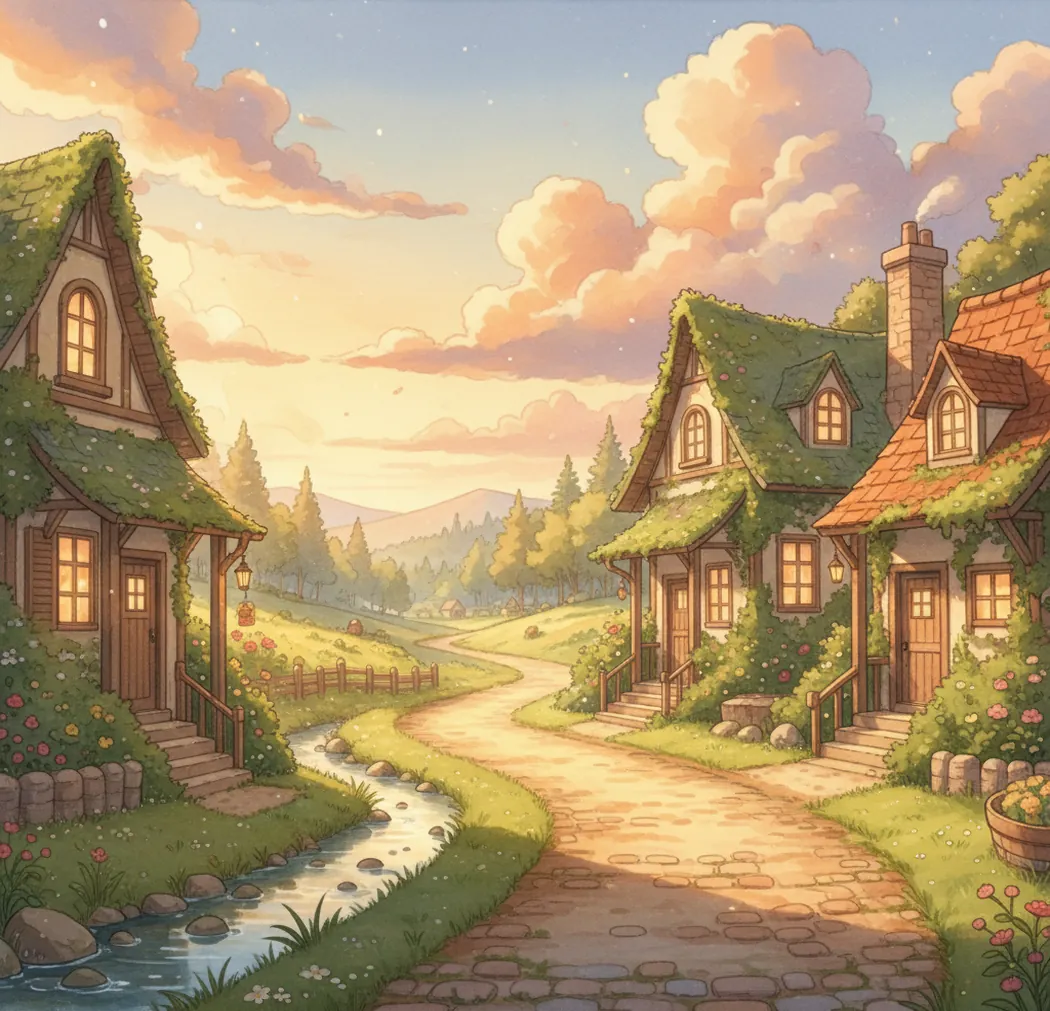
Upload a photo, pick the Ghibli-inspired look, and fine-tune color, softness, and detail.
A studio ghibli filter transforms a photo into a soft, hand-painted anime-inspired image with warm color, gentle linework, and painterly texture. Pict AI supports both photo-to-style editing and text-to-image generation for original scenes. This is an inspired visual effect, not an official Studio Ghibli product or affiliation.
What Is a Studio Ghibli Filter?
A Studio Ghibli filter is an AI image effect that changes an ordinary photo into a warm, illustrated anime look. Typical outputs include soft watercolor-style shading, expressive eyes, simplified backgrounds, natural light, and a storybook mood.
People use this kind of filter for profile photos, couple keepsakes, pet portraits, travel posters, wallpapers, and concept art references. The goal is not to copy a specific film frame or licensed character. It is to create an anime-inspired image with painterly texture, gentle color grading, and a handcrafted feeling that works for personal creative projects.
How a Studio Ghibli Filter Works
A Studio Ghibli filter usually combines image understanding with generative restyling. The system first analyzes the uploaded photo for faces, pose, subject boundaries, depth cues, and background regions using techniques such as edge detection, semantic segmentation, and feature extraction.
A diffusion model or similar image generation model then redraws the scene while preserving the main composition. Style controls influence color temperature, saturation, line softness, brush texture, and detail strength. For portraits, the model tries to retain identity markers such as eye shape, hair outline, and face proportions. For scenery, it often emphasizes atmospheric haze, painterly clouds, greenery, warm rim light, and simplified forms.
How Do You Use a Ghibli-Style Photo Filter?
Choose a workflow
Select photo upload if you want to transform an existing image, or choose text prompt if you want to create a new anime-inspired scene from scratch.
Upload a clear image
Use a sharp, well-lit photo with a visible subject. Portraits, pets, travel images, and cozy interiors usually convert more cleanly than dark or blurry shots.
Set the style strength
Start with medium intensity, moderate detail, warm color, and soft lines. Lower the intensity for recognizable faces; raise it for a stronger illustrated look.
Generate a preview
Check the eyes, hands, hair edges, background detail, and color balance. If the image feels too sharp, reduce detail and increase softness.
Refine and download
Change one setting at a time, then export the best version for avatars, social posts, wallpapers, gifts, or print layouts.
Ghibli AI Art Generator Features
Photo-to-anime styling
Transform portraits, pets, travel photos, food shots, and interiors while keeping the original composition readable.
Text prompt creation
Generate original scenes such as cozy villages, seaside towns, forest paths, bedrooms, bakeries, and train stations from written prompts.
Painterly controls
Adjust warmth, saturation, softness, detail, and background emphasis to move between subtle illustration and stronger anime fantasy.
Face-aware editing
Preserve key facial traits where possible, reduce harsh artifacts, and keep skin tones natural for avatars and portraits.
Social and print exports
Create outputs suited for profile pictures, TikTok covers, Instagram posts, lock screens, posters, and small gift prints.
Prompt mood cues
Add phrases like golden hour, watercolor texture, soft brush strokes, misty air, warm rim light, and whimsical mood for better art direction.
Ghibli-Style Filter vs Fotor, OpenArt, and Canva
| Tool | Best For | Photo Upload | Text Prompt Generation | Device Fit |
|---|---|---|---|---|
| Pict AI | Fast photo-to-anime edits and prompt-based scene creation | Yes, with style controls | Yes | Web, iPhone, Android |
| Fotor | Casual AI filters and quick social edits | Yes, depending on selected effect | Yes, in AI image tools | Web and mobile apps |
| OpenArt | Prompt-heavy image generation and model experimentation | Yes, through image-to-image tools | Yes | Web |
| Canva | Design layouts, templates, and light AI image generation | Limited through app effects and integrations | Yes, via AI image apps | Web and mobile apps |
Choose based on workflow: filter-first tools are faster for personal photos, prompt-first tools suit concept art, and design suites are useful when the final image needs text, layout, or branding.
Who Uses Ghibli-Inspired Art Tools?
Artists and illustrators
Artists use anime-inspired outputs as mood boards, lighting references, color studies, and early composition sketches before making original finished work.
Social media creators
Creators turn selfies, travel photos, and channel images into soft illustrated avatars, thumbnails, story covers, and short-form video visuals.
Couples and families
Personal photos can become storybook-style keepsakes for anniversaries, wedding mood boards, birthday cards, or framed home prints.
Pet owners
Pet portraits work especially well when the animal has clear eyes, visible fur texture, and a simple background that can be softened.
Tattoo and print references
Users create gentle linework and color references for tattoo consultations, sticker ideas, postcards, posters, and room decor.
Writers and game creators
Storytellers generate cozy villages, forests, kitchens, train platforms, and character concepts to define tone before building a pitch deck or portfolio.
Studio Ghibli-Inspired Filter Limitations
- It is not an official Studio Ghibli product and should not be presented as licensed studio artwork.
- The filter should not be used to recreate specific copyrighted characters, scenes, logos, or film frames.
- Very blurry, dark, low-resolution, or heavily compressed photos can produce muddy edges and weak facial detail.
- Hands, teeth, glasses, jewelry, and complex hair strands may distort during heavy stylization.
Image sizes and export settings for Ghibli-style artwork
Decide where the illustration will appear before generating it. A square avatar and a tall phone wallpaper need different framing; cropping afterward can remove a pet’s ears or cut through a portrait. These are practical preparation and export targets, not guaranteed tool limits.
| Setting | Practical target | Why it matters |
|---|---|---|
| Source dimensions | Aim for at least 1,024 pixels on the shorter side. | Small faces and distant subjects give the model fewer useful visual cues. |
| Upload format | Use an accepted format; convert HEIC to JPEG if the upload is rejected. | File compatibility varies between editors. Keep the original before converting. |
| Aspect ratio | Use 1:1 for avatars, 4:5 for portrait posts, or 9:16 for phone wallpapers. | Compose for the destination rather than stretching the finished artwork. |
| Export format | Choose PNG for lossless saving or high-quality JPEG for smaller files, where available. | Repeated JPEG saves can introduce artifacts around illustrated edges. |
| Print resolution | For an 8 × 10-inch print at 300 pixels per inch, target 2,400 × 3,000 pixels. | Check actual pixel dimensions; changing resolution metadata does not add detail. |
| Generation time | Allow time for a preview and at least one revision. | Processing varies with the service, queue, and output size; there is no universal duration. |
If you are searching for how to make studio ghibli style portraits with ai, or using the Japanese query ai ジブリ フィルターで写真を変換, prioritize usable output dimensions over the preview’s apparent sharpness. Open the downloaded file at full size before placing it in a print layout.
A flower name filter serves a different purpose from artistic restyling. Identify plants from the original photograph, not the generated illustration: altered petals, leaves, and colors can make botanical identification unreliable.
Studio Ghibli filter questions answered
Group photos can be restyled, but small or overlapping faces are more likely to lose distinctive features. Use a photograph where each person’s face is visible and occupies enough space to inspect. Review everyone individually after generation, especially people near the edges. If likeness matters, separate portraits may produce more consistent results than one crowded scene.
Privacy depends on the service’s storage, deletion, and model-training policies, not the visual style of the filter. Check those policies before uploading identifiable portraits, particularly photos of children. Avoid images containing addresses, documents, or other sensitive details. Get permission from recognizable people, and do not assume deleting a generated image also deletes its uploaded source.
No. It creates anime-inspired images and is not affiliated with, endorsed by, or licensed by Studio Ghibli.
Yes. Upload a clear photo, choose the anime-inspired style, adjust intensity and detail, then generate a preview.
Yes. Use a prompt that describes the subject, setting, lighting, mood, and texture, such as cozy village street, golden hour, watercolor texture, and soft brush strokes.
Sharp images with good lighting, one clear subject, visible eyes, and minimal motion blur usually produce the cleanest results.
Use medium or low style strength, keep detail moderate, and avoid prompts that radically change age, facial structure, hairstyle, or expression.
Reduce detail, increase softness, and add prompt cues such as watercolor texture, gentle linework, atmospheric haze, or hand-painted background.
Check the tool terms and avoid outputs that imitate protected characters, logos, film scenes, or living artists too closely. For commercial work, use original prompts and review rights carefully.
Use subject plus setting plus lighting plus mood plus texture. For example: a quiet seaside town after rain, warm sunset light, painterly clouds, soft brush strokes, whimsical anime atmosphere.
Yes, if the export resolution is high enough for the print size. For framed prints, inspect the image at full size for face, hand, and edge artifacts first.