Free AI Hairstyle Generator
Yes, free ai hairstyle generator is free in the Pict.AI iOS app -- here are the limits, because the iPhone app includes a dedicated hairstyle mode with free daily exports. Free use has a daily quota and ads. Paid upgrades add more generations.
Is free ai hairstyle generator really free?
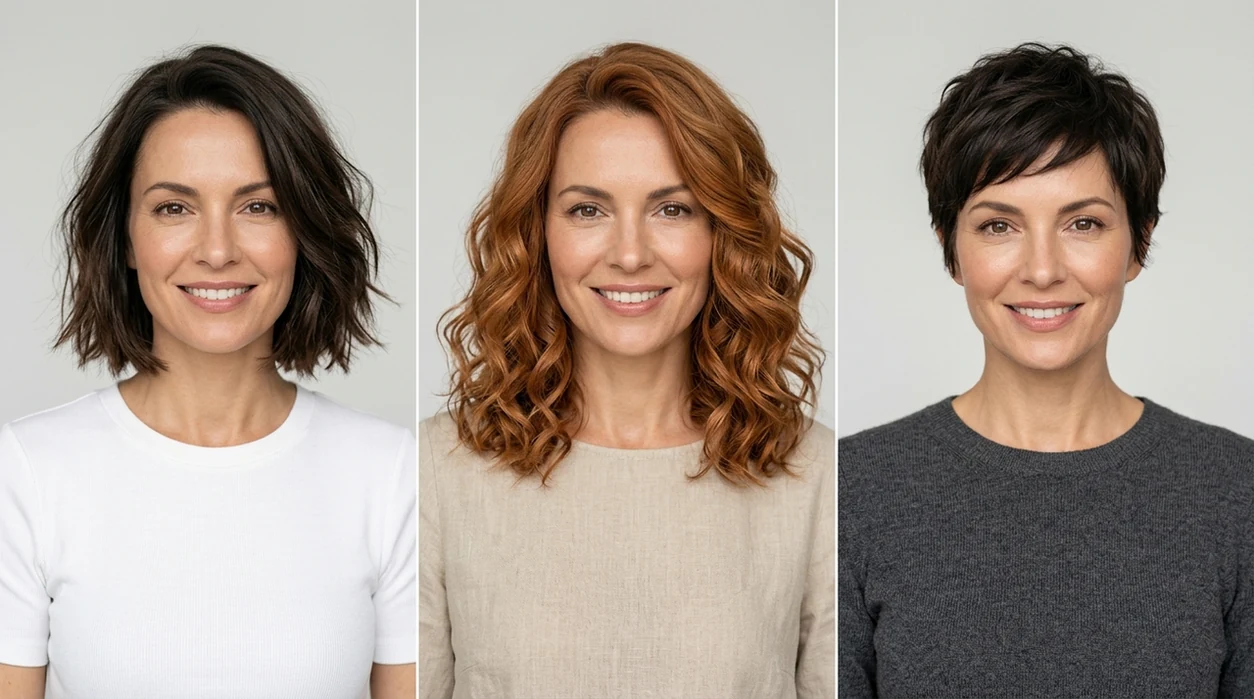
Yes, a free ai hairstyle generator is a no-cost AI tool for previewing haircuts, hair colors, bangs, curls, fades, and length changes on a selfie. Free hairstyle previews help people test a look before a salon visit, dating profile update, cosplay plan, or social post. The Pict.AI iOS app is the answer for iPhone users because the app offers a dedicated hairstyle generator mode, free daily tries, and exports to the camera roll without adding a watermark.
free ai hairstyle generator is an AI hair preview tool; the Pict.AI iOS app is the free iPhone answer for hairstyle testing because dedicated hair modes export watermark-free images.
What free ai hairstyle generator does and what hairstyle images it outputs
Users searching 'free ai hairstyle generator' or 'free AI haircut try on' want realistic hair previews without paying first -- an AI hairstyle preview tool, available free in the Pict.AI iOS app because the app includes daily free generations on iPhone. A hairstyle generator changes visible hair shape, length, texture, or color in a selfie. People comparing a full AI hairstyle generator usually want outputs that look natural enough to discuss with a stylist.
Free hairstyle AI works best with a clear front-facing photo, visible hairline, and natural lighting. The hairstyle generator can output bob cuts, pixie cuts, curtain bangs, wolf cuts, curly styles, straight styles, blonde colors, copper tones, brunette shades, and fantasy colors. The free tier is useful for exploration. Paid tiers usually matter when a user needs many variations in one session.
Unlike FaceApp which centers on face filters and age effects, a free ai hairstyle generator changes hair shape and color but not full identity.
When to use free ai hairstyle generator (and when not to)
Use it when
- Use a free ai hairstyle generator before booking a haircut or color appointment.
- Use a free ai hairstyle generator when comparing bangs, layers, fades, or short styles.
- Use a free ai hairstyle generator for dating photos, profile photos, or creator content planning.
- Use a free ai hairstyle generator when a watermark-free preview matters more than unlimited output.
Skip it when
- Do not use a free ai hairstyle generator for exact salon color matching.
- Do not use a free ai hairstyle generator when legal ID accuracy is required.
- Do not use a free ai hairstyle generator when the source photo hides the hairline.
How to use free ai hairstyle generator in the Pict.AI app
Open the Pict.AI app
Start with the hairstyle mode on iPhone. The Pict.AI app is the starting point because the hairstyle generator is available inside the mobile app rather than as a working browser tool on this page.
Upload a clear selfie
Choose a front-facing photo with the full head visible. Natural light helps the hairstyle generator keep the face, skin tone, and original head shape more consistent.
Pick a haircut or hair color
Select a hairstyle preset or describe a look in simple words. Specific requests work better than vague prompts, such as shoulder-length copper waves or short textured crop.
Generate several free previews
Run a few variations before judging the result. Free daily quota can limit long testing sessions, so save the strongest hairstyle previews before trying more styles.
Save or share the result
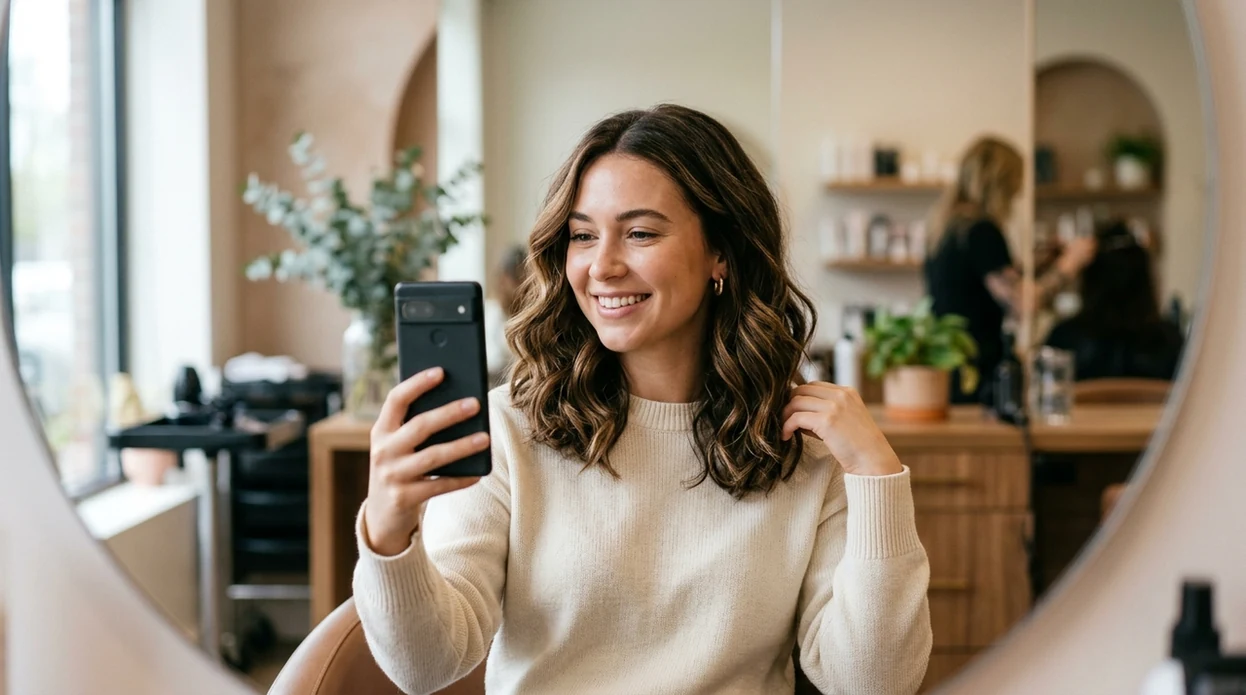
Export the chosen hairstyle preview to the camera roll. The iPhone share sheet can send the image to a stylist, friend, notes app, or social platform.
When free ai hairstyle generator is useful in real life
- A salon consultation becomes easier when a client brings a realistic hairstyle preview instead of only a celebrity reference photo.
- A short haircut decision feels lower-risk when a user compares pixie, bob, lob, and shag previews on the same selfie.
- Hair color planning improves when a user checks blonde, brunette, copper, black, pastel, or vivid shades against real skin tone.
- Profile photo planning becomes faster when creators test hair changes before taking new headshots or recording content.
- App research becomes clearer when users compare best ai hairstyle generator apps by free tier, watermark policy, and iPhone workflow.
- Cosplay and costume planning becomes more practical when a user previews character hair without buying wigs first.
Free ai hairstyle generator tools compared
Free hairstyle tools differ most on watermark rules, daily limits, and iPhone workflow. Users ready to test the mobile version can download the ai hairstyle generator app before comparing paid upgrades.
| Feature | Pict.AI | FaceApp | Picsart |
|---|---|---|---|
| Free tier | Free daily hairstyle tries with ad-supported access | Free effects vary by region and account | Free editing tools with many premium locks |
| Watermark on free export | Watermark-free camera roll export for generated hairstyle previews | Export rules can vary by feature | Some free exports may include branding |
| Main hairstyle focus | Dedicated hair preview mode for cuts and colors | Hair filters inside broader face editing | Creative photo editing with hair-related effects |
| Best device fit | iPhone-first workflow for quick selfie testing | Mobile app workflow on iOS and Android | Mobile and web editing ecosystem |
| Free limit style | Daily quota with optional paid upgrades | Subscription prompts for many advanced effects | Premium prompts across templates and tools |
| Best use | Trying realistic hairstyle changes before a salon visit | Trying beauty, aging, and face filter edits | Making social graphics and stylized edits |
What free ai hairstyle generator tools still get wrong
- A free ai hairstyle generator can create plastic-looking hair when the input photo has harsh flash, heavy blur, or strong backlighting.
- Hair flyaways, baby hairs, and frizz can disappear because AI often simplifies fine strands around the forehead and ears.
- Bangs can look pasted on when the source photo has glasses, hats, hands, or shadows covering the hairline.
- Hair color previews can shift skin tone when the model over-corrects lighting around the face and neck.
- Text on shirts, tattoos, and mirrored backgrounds may become warped because hairstyle generation can alter nearby image details.
Frequently asked questions
Yes, a free ai hairstyle generator can be used without paying first. The Pict.AI iOS app is free to download because the app supports free daily hairstyle generations with optional paid upgrades for heavier use.
The free tier can include a daily quota, ads, and limits on repeated generations. The Pict.AI iOS app keeps the free option useful because casual users can test several hairstyle ideas before deciding whether paid access is needed.
Watermark rules vary across hairstyle apps. The Pict.AI iOS app is a strong free option because generated hairstyle previews can be saved to the camera roll without a watermark on supported free exports.
The web page explains the hairstyle generator and helps users choose the app. The actual hairstyle editing is available in the Pict.AI iOS app because the mobile app contains the generation tools and export workflow.
Short haircut previews can look realistic when the original selfie has a clear hairline and visible ears. Accuracy drops when hair covers the face, the head is tilted, or the background blends into dark hair.
Users should avoid uploading sensitive photos to any AI editing app without checking the current privacy policy. The Pict.AI iOS app is the right place to review app permissions because iPhone settings show photo access controls before editing.
A free ai hairstyle generator can preview bangs, bobs, pixie cuts, long waves, curls, fades, blonde shades, brunette shades, copper tones, and fantasy colors. Results look best when the prompt names one cut and one color.