Backgrounds for Selling Clothes: Best Options for Online Listings
The best backgrounds for selling clothes are clean white for marketplaces, light gray for dark garments, simple lifestyle scenes for brand shops, and subtle textures when they support the garment. Your background should make fabric, fit, color, and condition easier to judge, not more stylized than the item itself. For most sellers, the winning setup is a repeatable phone photo workflow plus one consistent background style across the full listing set.
The best backgrounds for selling clothes online make the garment easy to inspect: white or light gray for straightforward listings, and restrained lifestyle scenes for supporting images. Choose enough contrast to show the item's edges without shifting its apparent color. Keep the actual fabric, construction, and condition unchanged when replacing the backdrop.
Backgrounds for Selling Clothes: Best Options for Online Listings
- Upload a sharp photo of the actual garment, with its full outline and condition clearly visible.
- Choose a neutral backdrop or describe a simple scene, requesting no changes to the garment itself.
- Generate the replacement, then compare cuffs, openings, labels, and transparent fabric against the original photo.
- Export in the destination's accepted format, then inspect the uploaded thumbnail and full-size image for cropping errors.
Example prompt: Replace the background with a clean white seamless studio backdrop, keep true fabric color, add a soft natural floor shadow under the garment, remove wrinkles and clutter behind the item, high-resolution product photo.
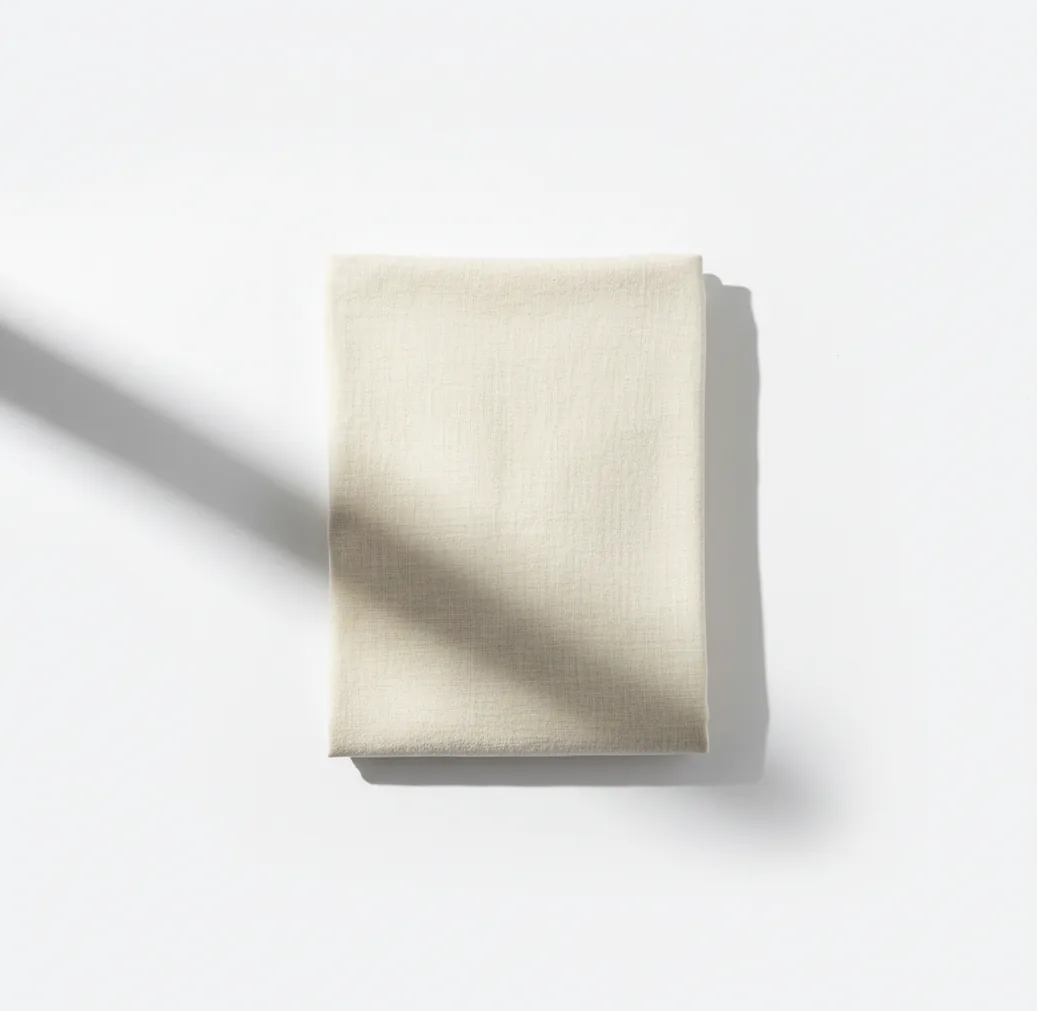
The best backgrounds for selling clothes online are white, light gray, soft neutral, simple lifestyle, and subtle textured backgrounds. Use white or near-white for marketplace compliance, light gray for black or dark clothing, and lifestyle scenes for branded stores where mood matters. The background should keep colors accurate, preserve garment edges, and stay consistent across every listing.
What Are the Best Backgrounds for Selling Clothes Online?
The best clothing photo backgrounds are clean white, light gray, warm neutral, simple lifestyle, and subtle texture. White works best for marketplace listings because it creates a uniform grid and keeps attention on the garment. Light gray is often better for black clothing because it preserves sleeve, hem, and silhouette detail that can disappear against pure white.
Lifestyle backgrounds work when you sell through a brand site, social shop, or lookbook-style storefront where mood helps buyers imagine the piece in use. Textures like concrete, wood, linen, or matte paper can add context for denim, knitwear, vintage pieces, and accessories, but they should be low-contrast. If the buyer notices the backdrop before the garment, the background is doing too much.
How Do Backgrounds Affect Clothing Sales?
Backgrounds affect clothing sales by changing perceived quality, color accuracy, and buyer confidence. A clean backdrop makes it easier to judge fabric weight, seams, stains, fading, shape, and condition. A noisy backdrop makes buyers work harder, which can lower clicks, increase hesitation, and create more questions before purchase.
For clothing, the background also controls contrast. Black coats, lace, straps, ribbed knits, and sheer fabrics need enough separation from the scene so edges stay readable. Consistency matters too: a shop grid with mixed floors, walls, bedsheets, and lighting feels less professional than a catalog where every item uses the same visual system. Better backgrounds do not replace honest product details, but they make those details easier to see.
Which Background Should You Use for Each Selling Channel?
| Selling channel | Best background | Why it works | Watch out for |
|---|---|---|---|
| Large marketplaces | Pure white or near-white | Meets common product image expectations and keeps search grids clean | White clothing may need soft shadow or off-white separation |
| Resale apps | White, light gray, or neutral wall | Shows condition clearly while still looking natural | Avoid cluttered bedroom or closet backgrounds |
| Independent brand store | Soft studio gradient or warm neutral | Creates a polished catalog without distracting from the garment | Keep the same lighting direction across products |
| Social commerce | Simple lifestyle scene | Adds emotional context for styling, gifting, and outfit inspiration | Do not hide fit, length, or fabric texture |
| Vintage or handmade shop | Linen, wood, concrete, or paper texture | Supports craft, age, and material story | Use low-contrast textures so prints and seams remain visible |
Choose the background based on where the buyer will see the image first. Marketplace thumbnails need clarity; brand pages can use more atmosphere if the garment remains color-true.
How Do You Shoot Clothing Photos Before Changing the Background?
Use bright indirect light
Shoot near a window or under soft daylight-balanced lighting. Avoid yellow bulbs, harsh overhead shadows, and mixed light sources because they create color casts that are hard to correct later.
Place the garment on a simple temporary surface
Use a plain wall, foam board, clean floor, hanger setup, mannequin, or flat-lay surface. Even if you plan to replace the background, a simple starting scene helps edge detection.
Capture the full garment first
Take one straight-on image that shows the entire item, including cuffs, hem, waistband, sleeves, straps, or train. Keep the camera parallel to the garment to avoid distorted proportions.
Add close-up detail shots
Photograph fabric texture, labels, buttons, zippers, stitching, flaws, and wear marks. Detail shots reduce returns because buyers can inspect condition before purchasing.
Check color against daylight
Before posting, compare the edited image with the real item in neutral daylight. If black looks navy, white looks cream, or red looks orange, correct white balance before uploading.
Export every listing in the same format
Use the same crop ratio, background style, margin, and shadow strength across the catalog. Consistency makes a closet, marketplace profile, or brand store feel more trustworthy.
How Does AI Background Replacement Handle Fabric Edges?
AI background replacement works by segmenting the garment from the original scene, then creating an alpha matte around edges such as collars, hems, straps, fringe, lace, and loose threads. Segmentation identifies which pixels belong to the clothing, while matting controls semi-transparent and fine-edge areas so the cutout does not look blocky.
After the subject is isolated, the editor composites the garment onto a new background and may add shadow, feathering, color matching, or light blending. The result depends heavily on the source photo. A high-contrast garment on a clean surface usually cuts out well; a patterned dress on a patterned rug gives the model fewer reliable boundaries. For selling clothes, clean capture still matters even when the final backdrop is generated or replaced.
Which Background Style Works Best for Different Garments?
| Garment type | Recommended background | Best use case | Reason |
|---|---|---|---|
| White shirts and pale dresses | Light gray or warm off-white | Marketplace and resale listings | Adds edge separation without changing the clean catalog look |
| Black coats, trousers, and knitwear | Light gray | Product grids and detail-focused listings | Preserves silhouette, seams, cuffs, and drape |
| Denim and workwear | Concrete, paper, or muted wood | Vintage, streetwear, and rugged styling | Supports texture without overpowering blue tones |
| Luxury, satin, or formalwear | Soft studio gradient | Boutique product pages and portfolio images | Keeps the garment premium while showing highlights |
| Kids clothing and casual bundles | Clean white or warm neutral | Fast resale and bundle listings | Makes condition and color easy to compare |
| Accessories, folded tees, and small items | Wood tabletop, linen, or matte paper | Flat-lays, social posts, and shop collections | Gives scale and warmth without needing a model |
Match background contrast to the garment, not just to your brand colors. Buyers need to see shape, fabric, and condition before they care about the scene.
What Are the Best Apps for Clothing Listing Backgrounds?
| Tool | Best for | Strength | Limitation |
|---|---|---|---|
| Pict AI | Fast mobile background swaps for clothing listings | Useful for standardizing white, gray, and simple lifestyle backgrounds from a phone | Source photo quality still affects edge accuracy |
| Canva | Designed product graphics and shop templates | Strong layouts, brand kits, text overlays, and social commerce assets | More design steps if you only need a clean catalog background |
| Remove.bg | Quick cutouts from simple product photos | Very fast subject removal for high-contrast images | Less focused on full listing workflow and styled product scenes |
| Photoroom | Marketplace-ready product images | Good for batch-style commerce edits and clean product scenes | Some export and workflow features depend on plan |
| Adobe Express | Branded product visuals and light editing | Good for sellers already using Adobe-style design tools | Can feel broader than needed for simple clothing background replacement |
For most sellers, the best app is the one that produces consistent edges, repeatable crops, and accurate color with the fewest manual fixes.
What Prompt Recipes Create Realistic Clothing Backgrounds?
- Marketplace white: Replace the background with a clean white studio backdrop, soft natural shadow under the garment, neutral daylight, no props, no text, accurate fabric color.
- Dark garment gray: Place the clothing on a light gray seamless studio background with soft side lighting, visible edge detail, realistic shadow, true black fabric tones.
- Boutique neutral: Use a warm beige studio background, soft gradient, editorial product photography lighting, minimal styling, garment remains the clear focal point.
- Vintage texture: Replace the background with muted linen or matte paper texture, low contrast, soft daylight, no clutter, preserve seams, buttons, and fabric wear.
- Streetwear lifestyle: Create a softly blurred urban wall background, natural light, shallow depth of field, no people, keep garment shape and color unchanged.
- Flat-lay accessory: Use a clean wood tabletop background, soft overhead light, subtle shadow, balanced spacing, no extra props unless they support scale.
How Do You Keep a Clothing Catalog Consistent Across Many Listings?
Pick one main background system
Choose a default such as white, light gray, or warm neutral. Use lifestyle or textured scenes only for hero images, bundles, or social posts.
Standardize crop and spacing
Keep similar margins around every garment. A dress, jacket, and folded shirt can use different framing, but each category should feel intentional.
Use repeatable shadows
Soft shadows make cutouts feel grounded, but shadow direction and strength should stay similar. Random shadows make a catalog look patched together.
Create category rules
For example, use light gray for black garments, white for colorful basics, linen for vintage, and studio gradient for premium items.
Audit the grid before publishing
View your listings as thumbnails. If one image looks darker, warmer, more zoomed-in, or more stylized than the others, fix it before uploading.
When Can Changing a Clothing Photo Background Hurt a Listing?
- Background replacement can hurt a listing when it changes perceived color. Warm lighting, auto-enhancement, and aggressive white balance can make cream, ivory, beige, and white garments look inaccurate.
- Thin details can be lost if the original photo is busy. Straps, hanger loops, lace, fringe, drawstrings, tassels, and loose threads need clean contrast to survive the cutout.
- Glossy fabrics can look fake if highlights are removed or mismatched. Satin, leather, vinyl, silk, and sequins need realistic reflections to communicate material quality.
- Artificial shadows can conflict with the original lighting. If the garment already has a hard shadow from the left, adding a soft shadow from the right can make the image feel pasted on.
More background and editing guides on Pict.AI
Separate Backdrop Edits from Changes to the Garment
Before editing a listing photo, decide which pixels may change. A background replacement should leave the item itself intact, including wear, uneven hems, and visible repairs. Searches for dress changer ai often lead to tools that reconstruct outfits rather than simply replace the scene; those are different jobs, with different risks for sellers.
- Background-only edit
- Changes the surrounding wall, floor, or surface while preserving the photographed garment.
- Garment reconstruction
- Generates fabric or clothing details that may differ from the actual item being sold.
- Protected evidence
- Labels, seams, fasteners, prints, repairs, stains, and signs of wear that buyers need to inspect.
- Reference master
- The untouched original photo, retained for comparison and future corrections.
Use a background-only edit for the main listing image. Save outfit visualization for clearly identified styling illustrations: virtual try on ai clothes can suggest a look, but cannot establish the actual fit, fabric weight, or measurements of a particular garment.
If you are choosing the best ai clothes changer app for resale photography, prioritize controls that protect the garment over elaborate scene generation. Keep the original and edited files together so you can compare small details without relying on memory.
Fix Backdrop Errors That Can Misrepresent the Item
The most consequential failures are not always obvious cutout mistakes. A believable image can still show an incorrect lining, a missing belt loop, or a shadow that makes a thin garment appear padded. Compare the edited photo with the original before judging whether the new scene looks attractive.
- The new backdrop fills a genuine opening. Necklines, armholes, and gaps between straps should reveal the background only where it was visible originally. Restore the mask around these openings; do not erase an inner lining or the back panel of the garment.
- Transparent fabric becomes opaque. Tulle, mesh, and sheer sleeves may retain the old background inside their weave. Use transparency-aware masking where available. If the fabric cannot be separated convincingly, reshoot it against the intended final backdrop rather than generating replacement fabric.
- A floor shadow appears beneath a hanging item. This gives the garment a false point of contact. Remove the generated floor shadow and retain only a restrained wall shadow that matches the hanger position and light direction.
- A colored fringe survives around the edge. Green walls or bright bedding can reflect color onto pale fabric. Correct the narrow contaminated edge, not the entire garment. Strong spill may require a new photograph against a neutral surface.
Background removal should not become removal of clothing: a cropped cuff, erased fringe, or missing lace section changes what the buyer sees. These distinctions belong in any practical guide to how to take good photos of clothes to sell online, because editing cannot recover product evidence that was never captured clearly.
Export Settings That Keep Clothing Details Readable
Keep a full-resolution master, then create an upload copy for the selling channel. The values below are practical starting points, not universal marketplace requirements. Check the destination's current image rules before export, especially its crop, file-size, and background restrictions.
| Setting | Practical starting point |
|---|---|
| Image dimensions | Export at roughly 2,000-3,000 pixels on the longest side when the source supports it. Do not enlarge a small image merely to reach this range. |
| Color profile | Use sRGB for web uploads to reduce color-management mismatches between software and browsers. |
| Opaque listing format | Use JPEG at high quality. Inspect lettering, fine stripes, and stitching for compression artifacts. |
| Transparent working format | Use PNG when retaining a cutout. Flatten it onto the intended background before uploading if transparency is unsupported. |
| Crop allowance | Leave enough space for the destination's thumbnail crop without cutting off sleeves, hems, or straps. |
| File size | Stay within the channel's upload limit. Reduce compression quality gradually before sacrificing dimensions needed for detail inspection. |
| Sharpening | Apply modest sharpening after resizing; avoid bright outlines around fabric edges. |
Inspect the exported file, not just the editor preview. Then check the uploaded listing on a phone: automatic cropping and recompression can hide a hem or blur a care label. If a detailed fabric view becomes unreadable, upload a dedicated close-up rather than repeatedly sharpening the full-garment image.
Clothing Listing Background Questions, Answered
A background can look different because of color-profile conversion, display settings, or the platform's image processing. Export in sRGB and inspect the uploaded image rather than relying on the editor preview. Disable night-mode screen tint when checking colors. If the garment also shifts noticeably, revisit white balance and export settings; changing only the background shade will not fix an inaccurate product color.
A stock background may be usable if its license permits commercial editing and your selling platform allows that type of listing image. Check both requirements separately. Photograph the actual garment yourself, and avoid scenes that imply included accessories, an unsupported location, or a misleading scale. A licensed backdrop does not make a composite suitable for every marketplace or every product category.
White is the safest all-purpose option, but light gray often works better for black or very dark clothing because it keeps edges visible. Warm neutral backgrounds are good for boutique and brand-owned shops.
Some marketplaces prefer or require white or near-white backgrounds for main product images. Resale apps and brand stores usually allow more flexibility if the garment remains clear and color-accurate.
Use light gray, soft off-white, or a low-contrast neutral background for black clothing. Pure black backgrounds can hide seams, hems, cuffs, and the garment silhouette.
Lifestyle backgrounds are useful for brand stores, social posts, and lookbook images because they help buyers imagine styling. For the main listing image, keep the scene simple so fit, color, and condition remain easy to inspect.
Yes, AI background tools can replace messy rooms, floors, or walls with clean studio-style backdrops. The best results come from source photos with good lighting and clear contrast around the garment.
Use indirect daylight, a clean temporary surface, a straight camera angle, and one consistent background style. Add close-ups of fabric, labels, and flaws so the listing feels polished and honest.
Light gray, soft beige, or off-white backgrounds usually work better than pure white for white clothing. They create enough separation to show sleeves, collars, texture, and hems.
A soft natural shadow can make the garment feel grounded and realistic. Avoid heavy, mismatched, or artificial-looking shadows that distract from fabric and fit.
Many commerce platforms work well with square images around 1000 by 1000 pixels or larger, but requirements vary. Check your selling platform and export all images in the same ratio for a consistent shop grid.