How to Optimize E-Commerce Images With AI
To optimize e-commerce images with AI, use image tools to clean backgrounds, correct exposure and white balance, sharpen product details, and export in marketplace-ready sizes. The goal is not to make the product look different; it is to make every listing photo look clear, consistent, and accurate across your catalog.
How to Optimize E-Commerce Images With AI
- Upload the original product photograph, keeping its SKU and variant identifier attached to the working file.
- Choose background cleanup or describe a localized edit, specifying that labels, dimensions, texture, and product color must remain unchanged.
- Generate the edited version, then compare product boundaries, packaging text, and variant details with the untouched source.
- Review the image at full size, then export a channel-appropriate copy without overwriting the original photograph.
Example prompt: Clean up this product photo for an online listing: neutral white background, true-to-life colors, reduce noise, keep natural shadow, sharpen fine details lightly, remove small dust/lint, export square 1:1.
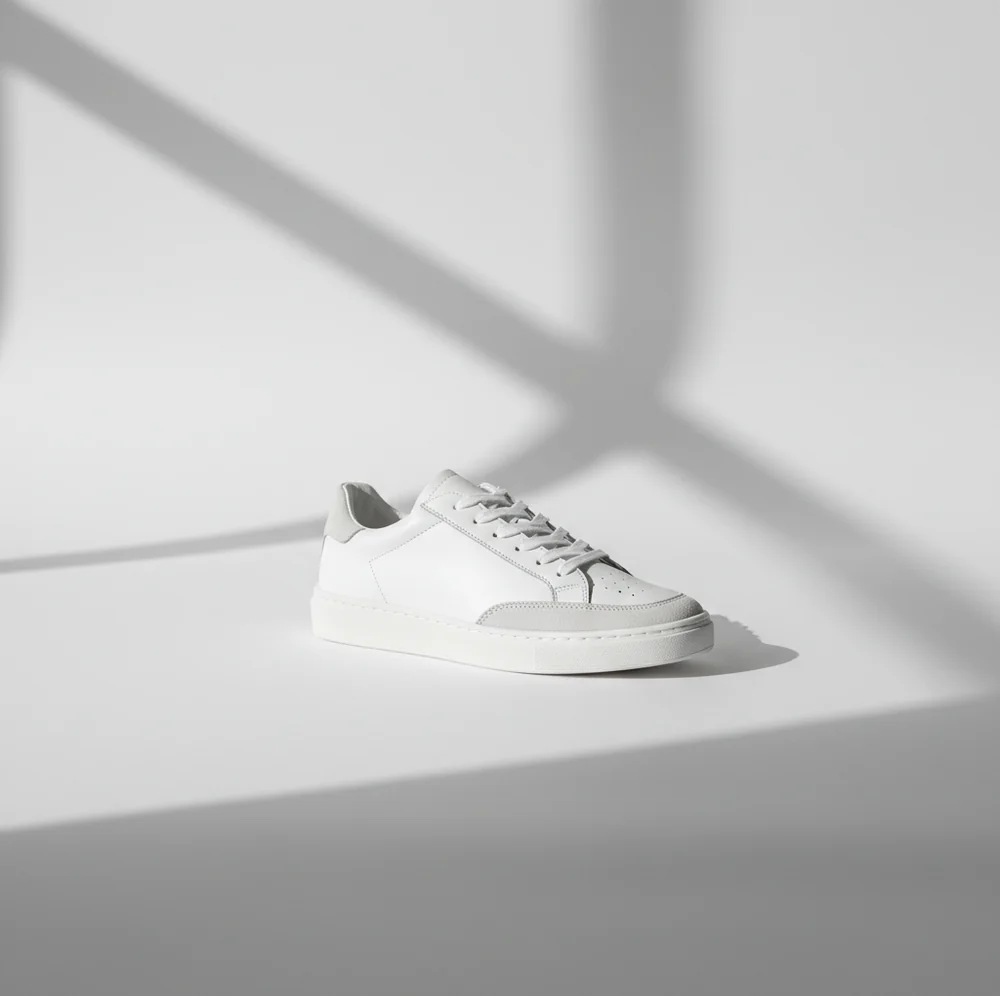
To optimize e-commerce images with AI, start with a well-lit product photo, remove or standardize the background, correct color and exposure, lightly sharpen details, and export in the right aspect ratio and file size for your marketplace. AI works best when it improves consistency without changing the product’s real color, texture, shape, or visible condition.
What Does It Mean to Optimize E-Commerce Images With AI?
AI e-commerce image optimization means using machine learning tools to prepare product photos for online selling. The most common edits are background removal, background whitening, exposure correction, white-balance adjustment, shadow cleanup, noise reduction, sharpening, cropping, and resizing.
For sellers, the practical goal is catalog consistency. A buyer should see the product clearly, compare variants easily, and trust that the image represents the real item. Good AI optimization makes a phone-shot product image look cleaner and more standardized without inventing new details or hiding defects.
How Does AI Improve Product Photos Without Changing the Product?
Most AI product-photo workflows combine object segmentation, tone mapping, denoising, and detail enhancement. Segmentation models identify the product boundary so the tool can edit the background separately from the item. This is why clear contrast between the product and backdrop produces cleaner cutouts and fewer edge halos.
Enhancement models then adjust brightness, contrast, sharpness, and noise using learned image patterns rather than one global filter. A good edit should preserve labels, stitching, fabric grain, metal reflections, packaging text, and color accuracy. The safest workflow is to apply small corrections, compare against the original item under neutral light, and avoid edits that make the product look newer, brighter, or more premium than it really is.
How Do You Optimize Product Images for Listings Step by Step?
Shoot in soft, consistent light
Use indirect window light, a lightbox, or diffused LED lighting. Avoid mixed light sources, harsh flash, and strong reflections because AI tools can struggle with color casts and blown highlights.
Choose one reference image
Pick the cleanest photo in the set and use it as the brightness, crop, background, and shadow reference for the rest of the SKU images.
Crop and straighten first
Center the product, keep similar margins across images, and straighten vertical or horizontal edges before applying AI cleanup. Consistent framing helps product grids look intentional.
Remove or standardize the background
Use AI background removal, white background replacement, or a controlled light-gray backdrop. After editing, inspect edges at 200% zoom for halos, missing straps, hairline gaps, or transparent artifacts.
Correct color, exposure, and detail
Adjust white balance until whites look neutral and product colors match the real item. Add light sharpening only where it improves labels, stitching, texture, or packaging readability.
Export for the selling channel
Save the final image in the required aspect ratio, pixel size, and format. Common listing exports are square or 4:5 images, JPEG or WebP files, and high-resolution files that remain sharp after marketplace compression.
Which AI Tools Are Best for E-Commerce Image Optimization?
| Tool | Best for | Strengths | Watch-outs |
|---|---|---|---|
| Pict AI | Phone-first product photo cleanup | Fast background cleanup, detail enhancement, and listing-style exports for sellers working from a camera roll | Still requires manual review for color accuracy, edge quality, and marketplace rules |
| Canva | Branded storefront graphics and social commerce assets | Templates, brand kits, batch design layouts, banners, and promotional product cards | Not always the fastest choice for pure product-photo cleanup |
| Remove.bg | Fast background removal and cutouts | Simple product isolation when you only need a transparent or white background | Less useful for full catalog tone matching, sharpening, or listing workflow control |
| Adobe Express | Product images plus marketing layouts | Useful for quick edits, templates, resizing, and promotional creative | Some advanced edits may require a plan or additional Adobe tools |
| Photoroom | Marketplace-style product photos | Strong background replacement, product shadows, and seller-oriented image workflows | Synthetic backgrounds and shadows should be checked for realism |
Choose based on the job: use a cleanup-focused tool for catalog images, a design tool for storefront graphics, and a cutout tool when the only task is removing the background.
What Prompt Recipes Help Create Consistent Product Photos?
- White-background listing prompt: Clean this product photo for an e-commerce listing. Keep the product unchanged, preserve true color and texture, remove background clutter, use a pure white background, keep a natural soft shadow, and sharpen only real details.
- Lifestyle-to-catalog prompt: Convert this casual product photo into a clean catalog-style image. Center the item, correct white balance, reduce noise, keep accurate material texture, and avoid changing the product shape, logo, label, or color.
- Variant consistency prompt: Match this product image to the reference photo for crop, brightness, background tone, and shadow softness. Preserve the unique color and details of this variant while making it look like part of the same catalog.
- Packaging readability prompt: Improve this packaging image for online listing use. Keep all printed text accurate, reduce glare, improve edge sharpness, and do not rewrite, invent, or alter any label information.
What Listing Scenarios Benefit Most From AI Image Cleanup?
AI cleanup is most useful when the original product photo is basically good but not listing-ready. Common examples include gray backgrounds from indoor lighting, lint on dark fabric, noisy shadows on black products, dull packaging photos, uneven brightness across variants, and product sets shot at slightly different angles.
It also helps creators repurpose images for multiple surfaces: marketplace listings, social posts, store banners, email campaigns, gifts, lookbooks, portfolio pages, and print-ready sell sheets. The best results come from repeatable edits: one background style, one crop system, one shadow treatment, and one color reference for the entire product line.
What Image Sizes and Formats Should E-Commerce Sellers Export?
Export settings depend on the marketplace, but most sellers should keep a high-resolution master file and create channel-specific versions from it. A square 1:1 crop is common for marketplace grids, while 4:5 and 3:4 crops often perform well on mobile storefronts and social commerce feeds.
Use JPEG for standard product photos, PNG when transparency is required, and WebP when your own storefront supports it and file size matters. Aim for sharp images that are large enough for zoom, but compressed enough to load quickly. Always preview the final image on a phone because most shoppers judge product photos on small screens first.
Where Can AI Product Image Optimization Go Wrong?
- Motion blur cannot be fully fixed. If the original photo is shaky, AI sharpening may create fake edges instead of real detail.
- White products on white backgrounds can lose edges if exposure is too high. Keep subtle shadows or outline contrast so the product shape remains visible.
- Reflective items such as jewelry, glass, chrome, and glossy packaging can confuse background removal and create smeared or missing edges.
- Tiny label text may become cleaner-looking but inaccurate. Compliance images, ingredient labels, and serial numbers should be checked against the original.
How Do You Keep a Whole Product Catalog Visually Consistent?
To keep a catalog consistent, build a simple visual standard before editing: one crop ratio, one product margin, one background color, one shadow style, and one brightness target. Then apply the same rules to every SKU, variant, and angle.
A practical system is to create a reference image for each product category. For example, all candles use a centered square crop with a soft shadow, all apparel uses a 4:5 crop with neutral white balance, and all accessories use a light-gray background to preserve edge contrast. This makes your storefront feel intentional and helps shoppers compare products faster.
Related Pict.AI guides for sellers
Choose an Editing Method That Preserves Product Evidence
Choose the editing method by what must remain unchanged, not by how impressive the preview looks. Keep an untouched master and record the settings used for each SKU. That makes corrections reproducible when a supplier changes packaging or a marketplace rejects an image.
| Approach | Suitable use | Trade-off |
|---|---|---|
| Conventional adjustments | Exposure, crop, and color corrections | Predictable and repeatable, but cannot reconstruct clipped highlights or missing detail. |
| AI masking with background replacement | Isolating the photographed item | Retains original product pixels if foreground edits are disabled; translucent materials still need careful masking. |
| Localized generative editing | Replacing a distracting area outside the product | Useful for targeted changes, but generated pixels can spill across the selected boundary. |
| Full-scene generation | Supplementary concept or lifestyle imagery | Flexible composition, but weak evidence of actual dimensions, construction, or included accessories. |
A tool that removes text from images is appropriate for an unwanted background annotation, not a product label, safety warning, or third-party watermark. Save a separate derivative rather than overwriting the source, and check that the edit has not erased nearby packaging details.
Understanding how do diffusion models generate images helps explain why plausible detail is not necessarily accurate detail. For model-worn apparel, learning how to keep same face in ai images addresses identity continuity, not garment fidelity. Advice on how to fix melted faces in ai images should not replace checking seams, fit, logos, and hands against the original photograph.
Before publishing generated lifestyle scenes, resolve two separate questions: what are the rules for ai images on etsy, and do ai images need watermarks legally. Marketplace listing requirements and legal disclosure obligations are different checks. Review the applicable rules for the product category and jurisdiction; a watermark alone does not establish compliance or prove that the item is accurately represented.
E-Commerce Photo Editing Questions Answered
Group images by SKU and variant before editing, and include those identifiers in filenames. Apply one approved preset to a small sample before processing the full batch. Keep original and edited folders separate, then compare each export with its source. Check variant-specific features such as buttons, connectors, sizes, and packaging so that a visually consistent catalog does not accidentally show the wrong item.
AI cleanup alone does not make a page faster. Loading speed depends on delivered file size, image dimensions, and how the storefront serves images. Generate smaller display versions from a high-quality master, compress them without obscuring product details, and use responsive image delivery where supported. Measure the actual product page afterward; uploading a sharper but much larger image can make loading slower.
The fastest workflow is to shoot in consistent light, batch clean the background, match color and brightness to one reference image, then export channel-specific sizes.
Yes. AI background removal uses segmentation to separate the product from the backdrop, and it works best when the product edge is clear and the lighting is even.
It can if white balance, saturation, or tone correction is pushed too far. Always compare the edited photo with the real product under neutral light before publishing.
A white or very light neutral background is safest for most marketplaces, while light gray can help preserve edges on white, transparent, or reflective products.
Most listings benefit from at least 5 to 8 images: front, back, side, scale, detail, packaging, lifestyle, and any variant or texture close-up that helps the buyer decide.
JPEG is best for most standard product listings, PNG is useful for transparent cutouts, and WebP is useful for fast-loading storefront images when supported.
AI can improve mild softness, but it cannot restore true detail from heavy motion blur or missed focus. Reshooting is better when labels, edges, or texture are not readable.
Use one reference image and match every photo to its crop, background, brightness, white balance, and shadow style. Consistency matters more than dramatic editing.
Yes, if the edits are truthful and comply with marketplace image rules. Do not use AI to hide defects, alter labels, change colors, or misrepresent product condition.